Blog

  • Data Science Bootcamp Salary 2026: A Complete Guide

    Data Science Bootcamp Salary 2026: A Complete Guide

    Introduction

    Six months ago, Alex was working in operations, earning $52,000 a year and feeling stuck. Today, after completing a Data Science bootcamp, he’s earning $99,000 as a Junior Data Scientist, and that’s not unusual in 2026.

    The big question everyone asks before enrolling is simple: What is the real Data Science Bootcamp salary? With AI transforming industries, companies are paying aggressively for professionals who can turn data into decisions. Entry-level bootcamp graduates in the US are typically earning between $85,000 and $120,000. While machine learning engineers and data engineers often cross $130,000+ within a few years. Most bootcamps cost between $7,000 and $18,000, and many students recover their investment in less than a year.

    But here’s the truth: Not all graduates earn the same. Location, specialization, portfolio strength, and deployment experience significantly influence your salary.

    In this blog, we break down real salary numbers, Return on Investment (ROI) timelines, role-based comparisons, and exactly what you can expect from a Data Science Bootcamp salary in 2026. Read on to know more!

    What does a Data Scientist do in 2026? 

    In 2026, Data Scientists sit at the intersection of statistics, programming, and business strategy. Their core responsibility is transforming raw data into decisions that drive revenue and efficiency. They make data-driven decisions using AI and advanced analytics. Their responsibilities include collecting, cleaning, and analysing large volumes of structured and unstructured data to uncover insights.  

    Beyond analysis, Data Scientists build and deploy machine learning models. These include power recommendation engines, fraud detection systems, demand forecasting tools, and generative AI applications. They work with technologies like Python, SQL, cloud platforms, and MLOps tools to ensure models perform reliably in real-world environments. 

    In simple terms, a Data Scientist in 2026 combines data, AI, and business strategy to drive intelligent automation and competitive advantage.  

    Key Takeaways 

    • 80% of a Data Scientist’s time is still spent on data battling 
    • Python, SQL, and cloud platforms like AWS and GCP remain non-negotiable skills 
    • Data Science Bootcamp with AI integration has made the role more strategic and higher paying 
    • According to the U.S. Bureau of Labour Statistics, data science roles are projected to grow 34% through 2031.  

    Data Science Bootcamp Salary: What Graduates Actually Earn in 2026 

    Entry-Level 

    After completing a Data Science Bootcamp, most graduates start in junior roles where they assist in data analysis and basic model development. This stage focuses on building strong technical foundations and gaining real-world exposure. 

    Here are the typical Roles: 

    • Junior Data Scientist 
    • Data Analyst 
    • ML Associate 
    • AI Analyst 

    Educational Background: A graduation in Engineering, Computer Science, Mathematics, and Statistics is preferred. Career switchers with analytical training and strong project portfolios can look for this option. 

    Core Skills Required: 

    • Python and SQL 
    • Statistics and Machine Learning Fundamentals 
    • Data visualization like Power BI or Tableau 
    • Basic understanding of model deployment 
    • Problem-solving and analytical thinking  

    Mid-Level 

    With 2-5 years of experience, professionals handle end-to-end model development and contribute directly to business decision-making. They work more independently and often collaborate with product and leadership teams. 

    Here are the typical Roles: 

    • Data Scientist 
    • Machine Learning Engineer 
    • Applied AI Specialist 

    Educational Background: A technical degree or equivalent hands-on experience, along with Industry certifications are needed. A strong production-level exposure is an add-on. 

    Core Skills Required: 

    • Advanced Machine Learning & Feature Engineering 
    • MLOps basics and model monitoring 
    • Cloud platforms like AWS, GCP, Azure
    • Business problem translation 
    • Strong communication skills 

    Senior-Level 

    At the senior stage, professionals focus on AI strategy, system architecture, and leadership. Their role goes beyond modelling to driving long-term AI vision and mentoring teams. 

    Typical Roles: 

    • Senior Data Scientist 
    • Lead ML Engineer 
    • AI Architect 

    Educational Background: Candidates must have a strong technical foundation with deep domain specialization. A proven track record of delivering measurable business impact can be beneficial. 

    Core Skills Required: 

    • AI system architecture and scalability 
    • Deep Learning and LLM integration 
    • Advanced MLOps leadership 
    • Cross-functional collaboration 
    • Strategic thinking and team mentorship 

    Best Data Science Courses with AI system architecture and Python learning help to land the best job in the market. Learners who build and deploy these systems during training tend to command stronger offers compared to theory-only learners.

    COMPARISON TABLE 

    Experience Level Job Title Salary Range (India) Time to Achieve Post-Bootcamp 
    Entry-Level Junior Data Scientist $64k – $90k 0-1 year 
    Mid-Level Data Scientist $73k – $144k2-4 years 
    Senior Senior Data Scientist $107k – $171k 5-7 years 
    Lead Lead Data Scientist$112k – $193k7-10 years 

    Average Salary of a Data Scientist: Bootcamp vs Degree Comparison 

    If you are choosing between a Data Science Bootcamp and a traditional degree, you have to consider various factors. The choice depends on cost, time investment, and long-term earning potential. 

    In 2026, employers prioritize skills, hands-on experience, and real-world impact more than just academic credentials. However, the path you choose can affect your early career trajectory and ROI timeline. 

    Below is a practical comparison of the average salary of a data scientist, along with the Return on Investment (ROI) timeline:  

    Education Path Cost Time Investment Starting Salary 5-Year Earnings Potential ROI Timeline 
    Data Science Bootcamp $1K- $16K4-9 Months $90k – $140K$675,0001-2 Years 
    Bachelor’s Degree$13k – $21k3-4 Years $118k – $137k $748,0003-5 Years 
    Master’s Degree $32k – $129k1-2 Years$122k – $142k$774,0003-6 Years 

    Here is the 5-Year Earnings Formula: 

    Year 1 Salary + Year 2 Salary + Year 3 Salary + Year 4 Salary + Year 5 SalaryEach year increases by 8%.

    Data Science Degree Salary vs Bootcamp: Which Path Pays Better? 

    Bootcamps often provide faster Return on Investment (ROI) in the short term. This is because of the lower cost and shorter duration. Graduates can enter the workforce within a year and start earning immediately. Research says a Data Science Bootcamp with AI is the most practical option for career switchers.  

    A graduation degree offers a broader academic foundation but requires more time. It may be more suitable for freshers entering the tech field early. 

    A Master’s degree in Data Science can offer higher starting salaries, especially for roles in AI research, advanced analytics, or global opportunities. However, the financial investment and time commitment are significantly higher. Explore the Best Online Data Science Master’s Programs to understand what skills actually drive these numbers.

    In 2026, what ultimately determines salary is not just the education path. It is the skills, portfolio strength, domain expertise, and real-world project experience. A strong bootcamp graduate with deployment experience can often compete with traditional degree holders. 

    Master Python, ML, and AI Deployment with our Data Science Bootcamp with AI course today!

    Real Data Scientist Salary Outcomes from Top Bootcamps 

    Leading Data Science and AI bootcamps continue to report strong placement outcomes in 2026, especially for graduates who complete industry-aligned projects and technical interview preparation. While exact salaries vary by location and prior experience, most Data Science Bootcamp graduates enter roles in analytics, machine learning, or applied AI within 3-6 months. 

    Below is an overview of selected Data Science Bootcamps Costs and their reported outcomes based on published data and market trends. 

    Bootcamp Name Median Graduate Salary (US) Job Placement Rate (180 Days) Average Salary Increase Top Hiring Companies 
    Skillify Solutions Data Science Bootcamp with AI $85,000 – $105,000 75-85% 40-60% Mid-size tech firms, AI startups 
    Springboard $100,000 – $115,000 88-92% 50-70% IBM, JPMorgan, Meta, Amazon 
    Flatiron School  $90,000 – $110,000 80-90% 40-65% Deloitte, Accenture, startups 
    Le Wagon Data Science and AI  $85,000 – $100,000 80-88% 35-55% Scale-ups, SaaS companies 
    4Geeks Academy Data Science and Machine learning  $80,000 – $95,000 75-85% 35-50% Regional tech firms 
    General Assembly Data Science Bootcamp   $95,000 – $110,000 85-90% 40-60% Amazon, Deloitte, Accenture 
    Data Science Dojo Bootcamp $90,000 – $105,000 75-85% 40-55% Enterprise analytics teams 
    Techpro SMU AI and Data Science Bootcamp$85,000 – $100,000 75-85% 35-50% Consulting & tech firms 
    Nashville Software School Data Science Bootcamp $80,000 – $95,000 70-85% 30-50% Regional employers 
    Tripleten Data Science Bootcamp  $85,000 – $100,000 80-90% 40-60% Startups, remote-first companies 

    Factors That Impact Your Data Science Bootcamp Salary 

     In 2026, the Data Science Bootcamp graduates earn at different levels depending on their skills and experiences.  The compensation depends on multiple variables beyond just completing a program. Let’s break down the most important drivers. 

    Location-Based Salary Variations 

    Data science salaries in 2026 vary significantly by location. Major U.S. tech hubs like San Francisco and Seattle offer higher entry-level pay. This is due to strong AI demand and startup ecosystems. 

    Mid-tier cities and global markets provide competitive salaries, often with lower living costs. Your location directly impacts earning potential and ROI.

    Region / City Tier Location Average Entry-Level Salary (2026) 
    High-Paying US Tech Hubs San Francisco Bay Area $93,000 – $173,000
     New York City $78,000 – $152,000 
     Seattle $83,000 – $164,000 
     Austin $75,000 – $142,000 
    Mid-Tier US Cities Chicago $78,000 – $128,000 
     Denver $75,000 – $129,000 
     Atlanta $78,000 – $133,000 
     Nashville $94,000 – $130,000 
    Global Markets Canada $63,000 – $116,000 
     United Kingdom £29k – £65k
     India ₹330k – ₹2M
     Germany €45,000 – €80,000  

    Skills That Command Higher Salaries 

    In 2026, salary growth in data science is strongly tied to specialisation and real-world impact. Employers are willing to pay a premium for professionals who can build, deploy, and scale AI systems. Technical depth combined with business understanding significantly increases earning potential. 

    High-Value Technical Skills: 

    • Generative AI and Large Language Models (LLMs) 
    • Deep Learning using PyTorch or TensorFlow 
    • MLOps and production deployment 
    • Cloud platforms such as AWS, GCP, Azure
    • Advanced SQL and data engineering fundamentals 

    Beyond technical expertise, soft and strategic skills matter equally. 

    Business and Strategic Skills: 

    • Translating insights into measurable revenue impact 
    • Strong stakeholder communication 
    • Domain specialization like Fintech, Healthcare, E-commerce
    • Product thinking and experimentation mindset 

    Conclusion  

     By now, you’ve seen how salary outcomes vary by role, location, specialization, and learning path. But beyond numbers, the real value of a bootcamp lies in transformation. It’s about learning concepts to build real-world solutions, and from uncertainty to opportunity.

    The truth is, no program guarantees success. Your growth depends on how seriously you build projects, refine your skills, network with intent, and stay updated in an evolving AI-driven world. The bootcamp is the launchpad to what you build after that, which defines your trajectory.

    If you approach it strategically, continuously upgrade your skills, and focus on delivering measurable impact, the career upside can be significant.

    The future of data science belongs to those who combine skill with execution. The question isn’t whether the opportunity exists; it’s whether you’re ready to step into it.

    Join the AI-Focused Data Science Bootcamp today and kickstart your career!

    Frequently Asked Questions

    1. Can you really get a six-figure data science bootcamp salary as a beginner?

    Yes, but it depends on location, skills, and prior experience. In major Tech hubs, some bootcamp graduates land roles paying $100K+, especially in ML or data engineering. However, most true beginners start between $75K-$95K and grow into six figures within 1-2 years.

    2. How long does it take to earn a competitive data scientist salary after bootcamp?

    Most graduates secure entry-level roles within 3-6 months after completing a bootcamp. Competitive salaries typically come within the first year, especially after gaining hands-on project experience and real-world exposure in production environments.

    3. Do data science bootcamp graduates earn less than degree holders?

    Not necessarily. While some employers prefer degrees for research-heavy roles, many companies prioritize skills and projects. Bootcamp graduates in applied data roles often earn salaries comparable to degree holders, especially in startup and mid-size tech companies.

    4. Do online data science bootcamps have different salary outcomes than in-person?

    Salary outcomes are usually similar if the curriculum, mentorship, and projects are strong. Employers focus more on skills, portfolio, and interview performance than on the learning format. In 2026, many reputable online bootcamps report placement results comparable to in-person programs.
  • Data Science Bootcamp Cost in 2026

    Data Science Bootcamp Cost in 2026

    Introduction

    Are you thinking about enrolling in a data science bootcamp in 2026? Then you’re probably asking the real question: How much will the Data Science Bootcamp cost, and will it be worth it?  

    In 2026, bootcamp prices vary from $7,000 to $18,000, with premium programs going even higher. It is a serious investment. 

    Over the last few years, I’ve spoken with hundreds of aspiring data scientists, career switchers, fresh graduates, and engineers looking to pivot into AI. Almost all of them ask the same thing:
    “How fast will I recover my money?” 

    Here’s the reality: entry-level data roles in the US still start between $85,000 and $91,000, and many graduates break even within the first year. But not all bootcamps deliver the same outcomes. 

    In this blog, we’ll break down the real Data Science Bootcamp cost in 2026, compare it to degree programs, and help you calculate the Return on Investment (ROI), and how to decide if it’s the right move for you.  

    What is a Data Science Bootcamp?  

     A Data Science Bootcamp is an intensive, short-term training program designed to help learners gain job-ready skills. These include data analysis, machine learning, and AI within a few months. Unlike traditional degrees, bootcamps focus on practical learning, real-world projects, and career placement support rather than academic theory. 

    In 2026, bootcamps have evolved to include modern AI tools, cloud deployment, and production-level model building. They are especially popular among career switchers and professionals looking to transition into high-paying tech roles quickly. 

    Key Insights on Best Data Science Bootcamps 

    • Most bootcamps last 3-9 months and cost $7K-$18K  
    • Programs now include Generative AI, LLMs, and MLOps 
    • Employers value real projects and deployment skills over certificates. 
    • Many offer job guarantees, ISAs, or career coaching. 
    • Most graduates break even within the first year of employment. 

    How much does a Data Science Bootcamp cost: 2026 Price Comparison 

    In the global market, bootcamp prices range from under $1,000 for lean, live-online programs to over $16,000 for premium in-person immersive experiences.  

    Lower-cost programs often focus on live online instruction and mentorship. Whereas higher-priced bootcamps include extended curriculum depth, brand recognition, alumni networks, and structured career placement support. 

    Below is a clear comparison of leading Data Science bootcamps to help evaluate affordability, time investment, and career outcomes. 

    Bootcamp Cost Range Duration Level Format Payment Options Job Placement 
    Skillify Solutions $659.77 ~4 Months Beginner-Intermediate 100% Online  Upfront Yes 
    Springboard~$9,900 ~6 Months Beginner-Advanced Online Installments, Financing Job Guarantee Option 
    Flatiron School  ~$9,900 45 Weeks Beginner-Advanced Online / In-Person Financing Options Varies 
    Le Wagon Data Science and AI  ~$14,000 2 Months Intermediate Online Upfront / Financing No 
    4Geeks Academy Data Science and Machine learning  ~$9,899 3-6 Months Beginner-Intermediate Online / Hybrid Financing Available Yes 
    General Assembly Data Science Bootcamp  $16,450 12 Weeks Intermediate Online / In-Person Financing Options No 
    Data Science Dojo Bootcamp  ~$3,999+ ~16 Weeks Beginner-Intermediate Online / In-Person Upfront No 
    Techpro SMU AI and Data Science Bootcamp $9,900 15 Weeks Beginner-Intermediate 100% Online Installments No 
    Nashville Software School Data Science Bootcamp $13,125 9 Months Beginner Online Financing No 
    Tripleten Data Science Bootcamp  ~$9,700 9 Months Beginner-Intermediate Online Installments Yes (Money-back Guarantee) 

    Data Science Careers After Bootcamp: Salaries by Role 

    Completing a Data Science Bootcamp in 2026 opens multiple career paths beyond just Data Scientist. Many graduates enter roles such as Data Analyst, Machine Learning Engineer, or Data Engineer. It depends on their strengths and specialization.  

    Salaries vary by role, but most bootcamp graduates recover their investment within the first year if placed successfully. 

    Below is a practical Return on Investment (ROI) comparison of Data Science Careers After Bootcamp:  

    Career Paths and ROI Table 

    Role Starting Salary (US) Avg. Bootcamp Cost Break-Even Time 5-Year Earnings Potential 
    Data Analyst $58,000 – $81,000 ~$10,000 2-3 months $400,000 – $550,000 
    Data Scientist $63,000 – $86,000 ~$14,000 1-2 months $600,000 – $800,000 
    ML Engineer $105,000 – $137,000 ~$13,000 1-2 months $700,000 – $900,000 
    Data Engineer $71,000 – $141,000 ~$9,000 1-2 months $650,000 – $850,000 

    Career Progression Timeline and Long-Term ROI 

    A Data Science Bootcamp with AI is often just the starting point. In 2026, career growth in data science is strongly performance-driven, meaning salary increases are tied to skill upgrades, real-world impact, and specialization rather than just years of experience. 

    Career Stage Years of Experience Typical Role Avg. Salary Range (US) ROI Status 
    Entry-Level 0-1 Year Junior Data Scientist $63K – $86K Bootcamp cost recovered within 2-4 months 
    Early Mid-Level 2-3 Years Data Scientist$103K – $144K Strong positive ROI 
    Senior-Level 4-5 Years Senior Data Scientist $119K – $138K+ High ROI with accelerated growth 
    Lead / Specialist 5+ Years Lead Data Scientist $153K – $193K+ Exponential long-term ROI 

    The long-term ROI becomes significantly higher for professionals who continuously upgrade skills in Generative AI, cloud deployment, and MLOps. In short, the bootcamp is the entry ticket to sustained learning that drives exponential returns.  

    Start with the Data Science Bootcamp today and get the best career progression!

    How to Pay Less: Financing and Free Bootcamp Options 

    Data Science Bootcamps in the US typically cost between $7,000 and $18,000, but most programs now offer flexible financing options to reduce the upfront burden. Instead of paying the full amount at once, students can spread payments over several months or choose alternative funding models. 

    Income Share Agreements, Scholarships, and Payment Plans 

    Income Share Agreements (ISAs) allow students to defer tuition and repay a percentage of their salary after securing a job above a certain income threshold. While this lowers immediate risk, the total repayment can sometimes exceed the original tuition.  

    Many bootcamps also provide monthly instalment plans, employer sponsorship options, and merit-based or diversity scholarships, making programs more accessible without heavy savings. 

    Free Data Science Bootcamp with Certificate Programs 

    Free bootcamp-style programs are available through online platforms and nonprofit initiatives. These programs usually offer self-paced coursework, recorded lectures, and certificates of completion.  

    They can help build foundational skills in Python, SQL, and basic machine learning, but often lack structured mentorship and direct job placement assistance. 

    Data Science Bootcamp Free vs Paid: What’s the Difference? 

    The primary difference lies in structure, accountability, and career acceleration. Paid bootcamps typically provide live instruction, 1:1 mentorship, and portfolio projects. Data Science Bootcamp with AI also provide dedicated career coaching, which can significantly shorten the time for employment.  

    On the other hand, free Data Science Courses require greater self-discipline and independent networking efforts. While both paths can lead to opportunities, paid programs generally offer faster job placement and stronger long-term ROI due to guided support and hiring networks. 

     Let’s compare them to get a better understanding: 

    Feature Free Bootcamps Paid Bootcamps
    Mentorship Limited or community-based 1:1 mentorship and instructor access 
    Job Support Minimal Dedicated career coaching and hiring network 
    Completion Rate Lower (self-paced) Higher due to structured guidance 
    Time to Job 6-12+ months 3-6 months on average 
    Credential Value Certificate of completion Recognized brand and hiring partnerships 

    Is the Data Science Bootcamp Cost Worth It?  

    In 2026, the real question is not just how much a Data Science Bootcamp costs. But how quickly do you recover that investment? Compared to traditional degrees, bootcamps are shorter, less expensive, and designed to get students job-ready within months. However, long-term ROI depends on placement speed, salary level, and continuous skill upgrades. 

    For career switchers and professionals looking to enter tech quickly, bootcamps often provide the fastest financial return. Let’s compare the three major paths. 

    Bootcamp vs Degree vs Self-Learning 

    A Data Science Bootcamp is designed for fast-track career entry. It focuses on practical, job-ready skills such as Python, machine learning, SQL, and deployment tools. Bootcamps typically include mentorship, portfolio projects, and interview preparation, which can significantly reduce the time for employment. For career switchers, this is often the most time-efficient option. 

    A master’s degree offers deeper theoretical foundations in statistics, algorithms, and AI research. It may open doors to advanced roles in research, academia, or specialized AI domains. However, it requires a larger financial investment and a longer time before entering the workforce. You can check out the Best Data Science Master’s programs to understand the commitment and ROI. 

    Self-learning is the most affordable path and provides flexibility. However, it demands strong discipline, independent project building, and proactive networking. Without structured mentorship or job support, breaking into the industry may take longer compared to Bootcamps or degree programs. 

    Investment ROI Table 

    Education PathTotal CostsCommitment ROI Timeline Avg Salary 
    Bootcamp         $1K- $16K 6-8 MonthsMonths after the Job$90k – $140K
    Master’s Degree$32k – $129k2 years Years after graduation$122k – $142k
    Self Learning Free to $2k 8 Months 6-8 Months approx$74k – $86k

    How to Choose the Right Bootcamp for Your Budget and Career Goals? 

    A thoughtful selection process ensures you get the best return on your investment and avoids time and money spent on ineffective programs. Here’s a step-by-step checklist to pick up the right data science bootcamp without overspending or ending up in the wrong program. 

    • Assess your current level: Understand if you are a beginner or intermediate. Then pick a Data Science bootcamp that matches it. 
    • Define your target role: Analyze your target as a Data Analyst, Data Scientist or ML Engineer before you start shortlisting programs. 
    • Check out the curriculum coverage: Confirm if Python, SQL, stats, ML, and projects are widely taught or not and avoid theory-only courses. 
    • Prioritize hands-on projects: Choose projects and capstones that you can show in a portfolio. 
    • Verify instructor quality: Reconfirm course mentor and industry experience apart from the brand name. 
    • Choose the format you can finish: It can be online, self-paced or in-person. 
    • Compare total cost vs value: Do the comparison by checking what’s included, like mentorship, tools, and career support.  
    • Review career services: Look if they serve for resume, LinkedIn, interview prep, referrals and placement support. 
    • Validate outcomes: Do it via alumni reviews and transparent placement or salary reports where available. 
    • Pick the best ROI option: This will help you to find out which Data Science Bootcamp actually fits your budget, timeline, and job goals. 

    Before enrolling, review a full curriculum breakdown, project samples, and mentorship structure. You can explore the best structured online AI-focused Data Science Bootcamp to get a better understanding.  

    Conclusion 

    Choosing a Data Science Bootcamp is ultimately a personal and professional decision. One that should align with your goals, commitment level, and long-term vision. The right program can accelerate your transition, sharpen your skills, and open doors that once felt out of reach. A Data Science Bootcamp is not a shortcut to instant success. It is an accelerator, and accelerators only work if you keep driving. 

    If you are ready to commit to continuous learning, real-world projects, and strategic skill-building, the financial return can be significant. In many cases, the investment is recovered quickly, but the career upside lasts much longer. 

    If you approach the journey with clarity and discipline, the investment can become a turning point in your career. In the end, it’s not just about the cost, it’s about the direction you want your future to take.  

    Explore the Affordable Data Science Bootcamp now and secure your future!

    Frequently Asked Questions

    1. What’s the average salary after completing the best bootcamps for data science?

    The Data Science Bootcamp graduates typically earn $85,000-$91,000 annually at the entry level, depending on location and skills. With experience, salaries can exceed$140,000. Programs mostly focus on real-world projects to improve placement and earning potential.

    2. Are bootcamps better than a master’s degree for becoming a data scientist?

    Bootcamps are faster (3-9 months) and career-focused, while a master’s degree takes 1-2 years and is more academic. For quicker job entry and lower cost, many learners prefer bootcamps. The best choice depends on long-term career and research goals.

    3. How long does it take to complete the best bootcamps for data science?

    Most data science bootcamps take 12-24 weeks full-time or 6-9 months part-time. Intensive formats can be completed in about 3 months, while flexible schedules suit working professionals balancing jobs and study. The Data Science Bootcamp with AI by Skillify Solutions takes up to 6 months to complete. 

    4. What’s the difference between a data analyst and a data scientist bootcamp?

    A Data Analyst Bootcamp focuses on Excel, SQL, Tableau, and business reporting. A data scientist bootcamp covers Python, machine learning, statistics, and AI modelling. Data science programs are more technical and math-intensive, preparing students for predictive and ML roles.

  • Data Scientist vs Machine Learning Engineer: Role, Skills and Career Growth 

    Data Scientist vs Machine Learning Engineer: Role, Skills and Career Growth 

    Introduction

    Let’s say you want to build a career in AI. You start researching and immediately run into two job titles: Data Scientist and Machine Learning Engineer. At first glance, they seem almost identical. Both work with data, algorithms, and machine learning models. And both offer impressive salaries. 

    So, what’s the difference? 

    In simple terms, Data Scientists focus on understanding data, while Machine Learning Engineers focus on building systems that make models work in real products. 

    For example, when Netflix recommends a movie, a Data Scientist may design the prediction model. However, a Machine Learning Engineer builds the infrastructure that delivers that recommendation to millions of users in real time. 

    The confusion is understandable because the roles often overlap. But the skills, responsibilities, and long-term career paths can differ significantly. 

    In this blog, we’ll break down the key differences in roles, skills, salaries, and career growth. This is to help you decide which path fits you best. 

    Data Scientist vs Machine Learning Engineer: Key Differences 

    A Data Scientist focuses on understanding historical and current data to derive insights that inform business decisions. They work with data exploration, visualisation, and basic predictive modeling.  

    On the other hand, a Machine Learning Engineer focuses primarily on turning models into scalable, optimized services that can be deployed and used in real-world applications. Let’s understand Data Scientist vs Machine Learning Engineer with various aspects: 

    Aspect Data Scientist Machine Learning Engineer 
    Primary Focus Analyzing data to extract insights and support decisions, reporting, dashboards Designing, building, and scaling machine learning models in production 
    Main Goal Provide actionable insights and guide business strategy Create reliable ML systems that run at scale and deliver predictions 
    Key Responsibility Data cleaning, exploration, visualization, statistical analysis Model deployment, system architecture, optimization, and monitoring 
    Work Output Reports, dashboards, insights, predictive models for decision-making Production-ready ML services, APIs, model pipelines 
    Collaboration Works closely with business stakeholders, analysts, domain experts Works with software engineers, DevOps, and data engineers 
    Technical Depth Strong analytical/statistical skills, moderate software engineering Deep software engineering, system design, scalable architecture 

    What Does a Data Scientist Do? 

    A Data Scientist analyzes large volumes of data to discover patterns, generate insights, and support business decision-making. Their role sits at the intersection of statistics, programming, and domain expertise. They explore datasets, build predictive models, and translate complex findings into actionable recommendations for organizations.  

    Typical responsibilities include: 

    • Collecting, cleaning, and preparing structured and unstructured data 
    • Analyzing datasets to identify trends and patterns 
    • Building predictive models using machine learning techniques 
    • Visualizing insights through dashboards or reports 
    • Communicating results to business stakeholders 

    In simple terms, a data scientist turns raw data into insights that guide strategy, forecasting, and decision-making across industries. Structured programs like a Data Science Bootcamp can help build the practical Python and deployment skills required for future careers.

    What Does a Machine Learning Engineer Do?


    A Machine Learning Engineer focuses on designing, building, and deploying machine learning systems that operate at scale in real-world applications. While data scientists often experiment with models, ML engineers transform those models into reliable software systems used by products and services.  

    Common responsibilities include: 

    • Developing and training machine learning models 
    • Selecting and optimizing algorithms for specific problems 
    • Deploying models into production environments 
    • Building data pipelines and scalable ML systems 
    • Monitoring and improving model performance over time 

    Machine learning engineers combine software engineering, machine learning, and system architecture to create AI-driven applications such as recommendation engines, fraud detection systems, and speech recognition tools. 

    Skills Comparison: Data Scientist vs Machine Learning Engineer 

    Before deciding which career path suits you better, it’s important to understand the skill set each role demands. While both Data Scientists and Machine Learning Engineers work with data and machine learning models, the depth and focus of their skills differ.  

    Data Scientists lean more toward statistics, data analysis, and storytelling with data, whereas Machine Learning Engineers emphasize software engineering, scalable systems, and model deployment. The table below highlights how the required skills compare across both roles.  

    Skill Area Data Scientist Machine Learning Engineer 
    Core Programming Python, R, SQL Python, Java, C++, SQL 
    Mathematics and Statistics Strong emphasis on statistics, probability, hypothesis testing Moderate statistics, more algorithm optimization 
    Machine Learning Model experimentation and analysis Model optimization, deployment, and scaling 
    Data Handling Data cleaning, exploratory analysis, visualization Data pipelines, feature engineering, large-scale processing 
    Software Engineering Basic scripting and experimentation Strong engineering practices, system architecture 
    Tools and Frameworks Pandas, NumPy, Tableau, Scikit-learn TensorFlow, PyTorch, Kubernetes, ML pipelines 

    From the above table, it can be said that Data Scientists focus more on analyzing data and generating insights, while Machine Learning Engineers focus on building scalable AI systems that bring those insights into production environments. 

    Start your career with this practical AI Data Science bootcamp today!

    Programming Languages Breakdown 

    Both roles rely heavily on programming, but the usage differs slightly. Data Scientists typically work with languages like Python, R, and SQL for data analysis, statistical modeling, and experimentation.  

    Machine Learning Engineers also use Python, but they may additionally use languages such as Java, Scala, or C++ to build scalable machine learning systems and integrate models into software applications. 

    Technical Skills and Tools 

    Data Scientists focus more on data exploration, statistical analysis, data visualization, and predictive modeling. Their work often involves cleaning datasets, identifying patterns, and communicating insights through dashboards or reports. Learning Data Science through hands-on projects and guided mentorship can significantly accelerate your transition into the AI field.

    Machine Learning Engineers, on the other hand, emphasize software engineering, model optimization, data pipelines, and system performance, ensuring machine learning models function efficiently in real-world production environments. 

    AI/ML Frameworks and Cloud Platforms 

    Both professionals use machine learning frameworks, but their depth of usage can differ. Data Scientists often use frameworks such as Scikit-learn, TensorFlow, or PyTorch primarily for experimentation and model development.  

    Machine Learning Engineers use these frameworks for training, scaling, and deploying models, often integrating them with cloud platforms like AWS, Google Cloud, or Azure to support large-scale applications. 

    Educational Requirements and Career Paths 

    Both Data Scientists and Machine Learning Engineers typically come from strong technical or analytical backgrounds. However, the educational paths and career progression can vary depending on the role and specialization. 

    Degree Requirements 

    Most professionals in these roles hold degrees in fields such as Computer Science, Data Science, Statistics, Mathematics, Artificial Intelligence, or Engineering. These programs build the foundation in programming, statistics, algorithms, and data analysis required for both careers. 

    Data Scientist  

    Most Data Scientists come from academic backgrounds such as Data Science, Statistics, Mathematics, Computer Science, or Economics. These fields provide a strong foundation in statistical analysis, programming, and data interpretation, which are essential for turning raw data into meaningful insights. 

    Common educational paths include  

    • Graduation or Post Graduation degree in Data Science, Statistics, Mathematics, or Computer Science  
    • Training in probability, statistical modeling, and data analysis  
    • Practical experience with tools like Python, SQL, and data visualization platforms with a Data Science Bootcamp

    Many professionals also transition into this role through data science bootcamps or certification programs, especially career switchers who want to build applied skills quickly. 

    If you’re planning to specialize in this field, exploring the Best Online Data Science Master’s programs can help you build deeper expertise in AI and machine learning.

    Machine Learning Engineer  

    Machine Learning Engineers typically come from more engineering-focused academic backgrounds, since the role involves building and deploying machine learning systems at scale. Their education often emphasizes programming, algorithms, and system design. 

    Typical educational backgrounds include: 

    • Bachelor’s or Master’s degree in Computer Science, Artificial Intelligence, Software Engineering, or Machine Learning 
    • Strong foundations in algorithms, data structures, and software development 
    • Experience with programming languages such as Python, Java, or C++ 
    • A Data Science Bootcamp can also help to accelerate your career as an ML junior role. 

    Some professionals also enter the field through AI or machine learning bootcamps, which focus on practical system-building skills.  

    Career Progression Roadmap 

    Although the starting points may overlap, long-term career paths for these roles can diverge. 

    Typical Data Scientist Career Path 

    • Data Analyst 
    • Junior Data Scientist 
    • Data Scientist 
    • Senior Data Scientist 
    • Lead Data Scientist or Head of Data Science 

    This path emphasizes data interpretation, advanced analytics, and strategic decision-making. 

    Launch your AI career with hands-on data science training today

    Typical Machine Learning Engineer Career Path 

    • Software Engineer or ML Intern 
    • Machine Learning Engineer 
    • Senior Machine Learning Engineer 
    • AI Engineer or ML Architect 
    • Director of AI or Machine Learning 

    This path focuses more on engineering robust AI systems and deploying scalable machine learning solutions. 

    In practice, the boundaries between these roles can overlap. Many professionals transition between analytics, machine learning, and engineering roles as they gain experience and specialize in specific technologies. 

    Salary and Job Market Outlook 

    Salary Comparison  

    Both Data Scientists and Machine Learning Engineers are among the highest-paying roles in the U.S. tech industry. As organizations invest heavily in AI, predictive analytics, and automation, the demand for professionals who can analyze data and build intelligent systems continues to grow rapidly. 

    Role Entry-Level Salary Mid-Level Salary Senior-Level Salary 
    Data Scientist $63,000 – $86,000 $73,000 – $144,000 $100,000 – $138,000+ 
    Machine Learning Engineer $93,000 – $127,000$125$+$107,000 – $139,000+ 

    Machine Learning Engineers often earn slightly higher salaries because their work involves production systems, model deployment, and scalable AI infrastructure, which require deeper engineering expertise. 

    Many students pursuing AI-related degrees eventually explore specialized roles like AI Engineer vs Machine Learning Engineer before deciding their career path.

    Job Market Outlook  

    The job market for both roles remains extremely strong globally as businesses across industries adopt AI and data-driven decision-making. 

    Key trends shaping the market include: 

    • Rapid AI adoption: Companies are investing heavily in machine learning, generative AI, and automation. 
    • Data-driven business decisions: Organizations rely on Data Scientists to interpret large datasets and guide strategy. 
    • AI-powered products: Machine Learning Engineers are essential for building recommendation engines, fraud detection systems, and intelligent applications. 

    According to U.S. labor market projections, data-related roles are expected to grow significantly over the next decade, making both careers highly stable and future-proof. 

    Where is the Demand Highest? 

    Several industries and tech hubs are leading the hiring demand: 

    • Technology companies building AI-driven products 
    • Finance and fintech for fraud detection and predictive analytics 
    • Healthcare and biotech for medical data analysis and AI diagnostics 
    • E-commerce platforms for recommendation systems and customer analytics 

    Join the Data Science Bootcamp and build your AI future!

    Data Scientist vs Machine Learning Engineer: Which Career is Right for You? 

    The real difference between Machine Learning Engineer and a Data Scientist comes down to what kind of work you enjoy doing every day. 

    If you enjoy analyzing data, finding patterns, and explaining insights, the Data Scientist path may suit you better. Data Scientists spend a lot of time exploring datasets, building predictive models, and communicating results to business teams. Their role often sits at the intersection of analytics, statistics, and business decision-making. 

    If you enjoy building systems, writing production-level code, and deploying models into real applications, the Machine Learning Engineer path might be a better fit. ML Engineers focus on taking machine learning models and turning them into scalable products that work reliably in real-world environments. These roles are often pursued by graduates from some of the Top Degrees in Demand for the future, including artificial intelligence and data science.

    Choose Data Science if you enjoy: 

    • Data analysis and storytelling 
    • Statistics and experimentation 
    • Business insights and decision support 

    Choose Machine Learning Engineering if you enjoy: 

    • Software engineering and system design 
    • Model deployment and optimization 
    • Working with large-scale AI infrastructure 

    Conclusion 

    By now, the differences between Data Scientists and Machine Learning Engineers should feel much clearer. Both roles are essential in modern AI teams, but they solve different kinds of problems. 

    Data Scientists help organizations understand data and make better decisions, while Machine Learning Engineers ensure those models work reliably on scale in real-world systems. The truth is that both career paths offer excellent salaries, strong job demand, and long-term growth opportunities. The best path ultimately depends on what kind of work energizes you every day. 

    If you enjoy analyzing data and telling stories through insights, data science may be your path. If you prefer building production-ready AI systems and engineering solutions, machine learning engineering might be the right direction. Either way, the future of tech belongs to professionals who can combine data, algorithms, and real-world problem solving. 

    Explore the Data Science Bootcamp from Skillify Solutions to enter the AI industry!

    Frequently Asked Questions 

    1. What’s the biggest overlap between Data Scientists and Machine Learning Engineers?

    Both roles work with machine learning models, Python programming, and data pipelines. Data Scientists typically build and experiment with models, while ML Engineers focus on deploying and scaling them. In many companies, especially startups, the same person may handle both responsibilities.  

    2. How do companies decide whether to hire a Data Scientist or a Machine Learning Engineer?

    Companies hire Data Scientists when they need insights, predictive analysis, and data-driven decision-making. They hire Machine Learning Engineers when they need production systems that deploy and scale machine learning models in applications or products.  

    3. Is Machine Learning Engineering more future-proof than Data Science?

    Both careers are future-proof because demand for AI and data expertise continues to grow. Data Scientists help organisations interpret data, while ML Engineers build scalable AI systems. As AI adoption increases, both roles remain critical in modern technology teams.  

    4. Can you work remotely as a Data Scientist or Machine Learning Engineer?

    Yes. Many companies offer remote or hybrid roles for both careers because most tasks like data analysis, coding, and model development can be done online using collaboration tools like Git, Slack, and cloud platforms. Remote work has become common in AI and data roles.  

    5. What industries hire more Machine Learning Engineers than Data Scientists?

    Industries building AI-driven products often hire more ML Engineers. These include technology companies, autonomous systems, fintech, robotics, and large-scale SaaS platforms where models must run reliably in production environments. 

  • Most Asked Python Interview Questions and Answers in 2026

    Most Asked Python Interview Questions and Answers in 2026

    Preparing for a Python interview in 2026 requires mastering both core concepts and advanced problem-solving skills. This guide includes 50 essential Python Interview Questions and Answers for freshers and experienced developers. Each question is crafted to reflect real hiring expectations and help you succeed in competitive technical interviews.

    If you want to strengthen your Python coding skills beyond interview Q&As, explore our guide on best AI tools for Python coding that can help you practice smarter and code faster.

    Python Interview Questions and Answers for Freshers (Beginner Level)

    Q1. What is Python?

    Python is a high-level, interpreted programming language created by Guido van Rossum in 1991. It emphasizes code readability with simple syntax and supports multiple paradigms including procedural, object-oriented, and functional programming.

    Q2. What are Python’s key features?

    Python is interpreted, dynamically typed, and supports automatic memory management. It offers cross-platform compatibility, an extensive standard library, and simple syntax that makes it ideal for beginners and experienced developers alike.

    Q3. Difference between list and tuple?

    Lists are mutable and use []; tuples are immutable and use (). Tuples are faster and memory-efficient.

    Example:
    my_list = [1, 2, 3]  # Can modify     
    my_tuple = (1, 2, 3)  # Cannot modify

    Q4. What is PEP 8?

    PEP 8 is the Python style guide for writing clean, readable code. It covers naming conventions, indentation (4 spaces), line length (79 characters), and import organization.

    Q5. What are decorators?

    Decorators modify function behavior without changing source code. They use @ symbol and wrap functions to add functionality.

    Example:
    @timing_decorator     
    def my_function():         
    pass

    Q6.  Difference between ‘==’ and ‘is’?

    ‘==’ compares values. ‘is’ compares object identity (same memory location). Use ‘is’ for None checks.
    Example:
    a = [1, 2]; b = [1, 2]     
    a == b  # True (same values)     
    a is b  # False (different objects)

    Q7.  What are Python’s built-in data types?

    Numeric: int, float, complex. Sequence: list, tuple, range. Text: str. Mapping: dict. Set: set, frozenset. Boolean: bool. Binary: bytes, bytearray. None type represents absence of value.

    Q8. Mutable vs immutable objects?

    Mutable objects (lists, dicts, sets) can be modified after creation. Immutable objects (int, str, tuple) cannot be changed; modifications create new objects.

    Q9. Purpose of ‘self’ in Python classes?

    ‘self’ represents the instance, allowing access to instance attributes and methods.

    Example:
    class Person:

        def __init__(self, name):

            self.name = name

    p1 = Person(“John”)

    print(p1.name)

    Output:

    John

    Q10. Difference between break, continue, pass?

    break exits the loop entirely. continue skips current iteration. pass does nothing; placeholder when syntax requires statement.

    Q11. How do you handle exceptions in Python?

    Use try-except blocks. Code that might raise exceptions goes in try, handling in except.

    Example:
    try:

        result = 10 / 0

    except ZeroDivisionError:

        print(“Cannot divide by zero”)

    Q12. What is a dictionary?

    A dictionary is an unordered collection of key-value pairs. Keys must be unique and immutable.

    Example:
    person = {‘name’: ‘John’, ‘age’: 25}         
    print(person[‘name’])  # John     
    print(person.get(‘age’))  # 25

    Q13. Shallow copy vs deep copy?

    Shallow copy references original nested objects. Deep copy creates completely independent copy.

    Example:
    import copy     
    shallow = copy.copy(original)     
    deep = copy.deepcopy(original)

    Q14. What is list comprehension?

    List comprehension creates lists concisely: [expression for item in iterable if condition].

    Example:
    squares = [x**2 for x in range(10)]         
    evens = [x for x in range(20) if x % 2 == 0]

    Q15.What are *args and **kwargs?

    *args collects positional arguments into tuple. **kwargs collects keyword arguments into dict.

    Example:
    def func(*args, **kwargs):             
    print(args) # (1, 2, 3)         
    print(kwargs)  # {‘a’: 1, ‘b’: 2}

    Q16.Function vs method?

    Functions are independent code blocks. Methods are functions belonging to a class. Built-in functions: len(), print(). Methods: str.upper(), list.append().

    Q17.How does Python manage memory?

    Python uses reference counting and garbage collection. Objects have reference count; when zero, memory is freed. GC handles circular references.

    Q18. Purpose of __init__ method?

    __init__ is the constructor called when creating instances. It initializes object attributes.

    Example:

    class Dog:

        def __init__(self, name):

            self.name = name

    d = Dog(“Buddy”)

    print(d.name)

    Output:

    Buddy

    Q19. What is slicing?

    Slicing extracts portions of sequences using [start:stop:step].

    Example:
    nums = [0, 1, 2, 3, 4, 5]         
    nums[2:5]   # [2, 3, 4]     
    nums[::-1]  # [5, 4, 3, 2, 1, 0] (reversed)

    Q20. remove(), pop(), del differences?

    remove(value) deletes first occurrence of value. pop(index) removes and returns element at index. del removes by index/slice. Choose based on whether you need the removed value.

    Intermediate Python Developer Interview Questions

    Q21. What is the GIL?

    The Global Interpreter Lock prevents multiple threads from executing Python bytecode simultaneously. It limits CPU-bound multithreading. Use multiprocessing for CPU-intensive parallel tasks.

    Q21.  @staticmethod vs @classmethod?

    @staticmethod doesn’t receive self or cls. @classmethod receives cls and accesses class variables.

    Example:
    class MyClass:

    @staticmethod

    def helper():

    pass

    @classmethod

    def factory(cls):

    return cls()

    Q23. What are generators?

    Generators yield values one at a time using ‘yield’. They maintain state and are memory-efficient for large datasets.

    Example:
    def countdown(n):

        while n > 0:

            yield n

            n -= 1

    for num in countdown(3):

        print(num)

    Output:
    3

    2

    1

    Q24.  __str__ vs __repr__?

    __str__ returns user-friendly string for print(). __repr__ returns developer string that ideally recreates the object.

    Example:
    class Point:

        def __init__(self, x, y):

            self.x = x

            self.y = y

        def __str__(self):

            return f”({self.x}, {self.y})”

        def __repr__(self):

            return f”Point({self.x}, {self.y})”

    p = Point(3, 4)

    print(str(p))

    print(repr(p))

    Output:

    (3, 4)

    Point(3, 4)

    Q25.  What is namespace in Python?

    Namespace maps names to objects. Types: built-in, global, enclosing, local. LEGB rule: Local, Enclosing, Global, Built-in.

    Q26.  What is a closure?

    A closure is a function remembering values from enclosing scope after outer function finishes.

    Example:
    def multiplier(n):

        def inner(x):

            return x * n

        return inner

    double = multiplier(2)

    print(double(5))

    Output:

    10

    Q27.  Iterators vs iterables?

    Iterables return iterators via __iter__(). Iterators implement __iter__() and __next__(). Iterators can only be traversed once.

    Q28.  What is polymorphism?

    Polymorphism allows different classes to be treated uniformly through common interfaces. Python uses duck typing and method overriding.

    Q29.  What is the with statement?

    The with statement manages resources automatically using context managers (__enter__, __exit__).

    Example:
    with open(“sample.txt”, “w”) as f:

        f.write(“Hello World”)

    with open(“sample.txt”, “r”) as f:

        content = f.read()

    print(content)

    Output:

    Hello World

    Q30. What are metaclasses?

    Metaclasses create classes. ‘type’ is the default metaclass. Use to customize class creation or enforce patterns.

    Q31. Class vs instance variables?

    Class variables are shared by all instances. Instance variables are unique to each object.

    Example:
    class Dog:

        species = “Canine”   # Class variable

        def __init__(self, name):

            self.name = name  # Instance variable

    d1 = Dog(“Max”)

    d2 = Dog(“Buddy”)

    print(d1.species)

    print(d2.name)

    Output:
    Canine

    Buddy

    Q32.  map(), filter(), reduce() functions?

    map() applies function to each element. filter() keeps elements where function returns True. reduce() reduces to single value.

    Example:
    nums = [1, 2, 3, 4, 5]         
    list(map(lambda x: x*2, nums))  # [2, 4, 6, 8, 10]         
    list(filter(lambda x: x>2, nums))  # [3, 4, 5]

    Q33. What is multiple inheritance and MRO?

    Multiple inheritance allows inheriting from multiple parents. MRO (Method Resolution Order) determines method lookup using C3 linearization. View with ClassName.mro().

    Q34. What are abstract base classes?

    ABCs define interfaces subclasses must implement using @abstractmethod. They cannot be instantiated. Use abc module.

    Q35. What is __slots__?

    __slots__ defines allowed instance variables, reducing memory and speeding access. Use for memory-critical applications with many instances.

    Advanced Python Interview Questions

    Q36. What is Python’s descriptor protocol?

    Descriptors define __get__, __set__, or __delete__ to control attribute access. They power @property, @classmethod, @staticmethod. Use for validation and computed properties.

    Q37. Concurrency vs parallelism?

    Concurrency manages multiple tasks by switching (threading, asyncio). Parallelism executes simultaneously on multiple cores (multiprocessing). Use concurrency for I/O-bound, parallelism for CPU-bound tasks.

    Q38.  Explain asyncio and coroutines?

    asyncio enables asynchronous programming with async/await. Coroutines pause with await. Event loop manages execution.

    Example:
    import asyncio

    async def fetch_data():

        await asyncio.sleep(1)

        return “data”

    async def main():

        result = await fetch_data()

        print(result)

    asyncio.run(main())

    Output:
    data

    Q39.  _new__ vs __init__?

    __new__ creates and returns the instance. __init__ initializes the created instance. Override __new__ for singletons or subclassing immutable types like str.

    Q40. How does Python’s import system work?

    Python searches sys.path for modules, creates module object, executes code, caches in sys.modules. Customize with importlib or import hooks.

    Q41. What are weak references?

    Weak references (weakref module) reference objects without preventing garbage collection. Use for caches, callbacks, and avoiding circular references.

    Q42. Purpose of __call__ method?

    __call__ makes instances callable like functions. Use for function objects with state, class-based decorators, and flexible APIs.

    Q43. Explain Python’s data model and magic methods?

    Magic methods enable operator overloading. Categories: lifecycle (__init__, __del__), comparison (__eq__, __lt__), arithmetic (__add__, __mul__), container (__len__, __getitem__).

    Q44.  _getattr__ vs __getattribute__?

    __getattr__ is called only for missing attributes. __getattribute__ is called for every attribute access. Use __getattr__ for dynamic attributes; __getattribute__ for intercepting all access.

    Q45. How to implement singleton pattern?

    Singleton ensures one instance. Override __new__ to return existing instance.

    Example:
    class Singleton:

        _instance = None

        def __new__(cls):

            if cls._instance is None:

                cls._instance = super().__new__(cls)

            return cls._instance

    s1 = Singleton()

    s2 = Singleton()

    print(s1 is s2)

    Output:

    True

    Q46. What is monkey patching?

    Monkey patching modifies code at runtime by changing classes/modules dynamically. Useful for testing but can complicate debugging. Use sparingly.

    Q47. Pickling vs unpickling?

    Pickling serializes Python objects to byte stream. Unpickling deserializes back. Never unpickle untrusted data. Use JSON for interoperability and security.

    Q48. How to optimize Python performance?

    Use built-in functions, appropriate data structures (sets for membership, dicts for lookups), list comprehensions. Profile with cProfile. Use NumPy for numerical work, Cython for critical code.

    Q49. Python memory optimization techniques?

    Use __slots__ for many instances, generators for large data, weak references to avoid preventing GC. Use array module or NumPy for numeric data. Profile with memory_profiler.

    Q50. How to debug production Python applications?

    Use logging module, pdb/ipdb for debugging, cProfile/py-spy for performance. Track errors with Sentry. Monitor with Prometheus. Implement health checks and create minimal reproducible examples.

    Python Learning Path and Career Development

    A successful Python career is built on continuous learning, practical application, and a clear professional roadmap. Key elements that shape this journey include:

    • Continuous Learning & Structured Guidance: Mastering Python requires ongoing practice and real-world exposure. Structured programs that combine practical projects with mentorship are available on SkillifySolutions, helping learners transition from theoretical understanding to practical, job-ready Python expertise.
    • Clear Career Progression Path: Python professionals typically grow from junior developer to senior engineer, and eventually into technical lead or architect roles. Specializing in areas like data science, machine learning, web development, or DevOps can unlock higher-level opportunities.
    • Portfolio & Practical Experience Matter: Building personal projects and contributing to open-source communities strengthens your technical foundation, improves interview performance, and demonstrates real-world capability to potential employers.

    Final Thoughts

    Preparing for a Python Programming interview isn’t just about memorizing answers, it’s about truly understanding how things work and being able to apply that knowledge confidently. In this guide, we covered 50 important Python interview questions and answers, from beginner basics to advanced concepts, along with practical examples to help you think clearly in real interview situations.

    Remember, interviewers look beyond textbook knowledge. They care about how you approach problems, explain your thinking, and write clean, readable code. Keep practicing, build real projects, and stay curious, consistency is what ultimately sets you apart. With the right preparation and mindset, you’ll be ready to walk into your next Python interview with confidence.

  • Non-Technical Jobs in IT and Tech: High-Paying Roles (2026)

    Non-Technical Jobs in IT and Tech: High-Paying Roles (2026)

    When people hear the word IT career, they immediately think of coding, programming, and complex technical skills. But here’s the truth. Some of the fastest-growing and highest-paying careers today are non-technical jobs in IT. Yes, you read it right. 

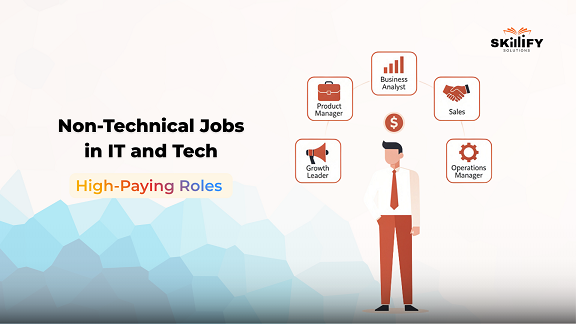
    In 2026, Tech companies are not just hiring developers. They are hiring Product Managers, Growth Leaders, Business Analysts, Sales Experts, and Operations Managers who drive revenue, strategy, and customer experience. The average salary ranges from $50,000–$150,000/year. Companies now pay premium salaries to professionals who can solve business problems without touching code.

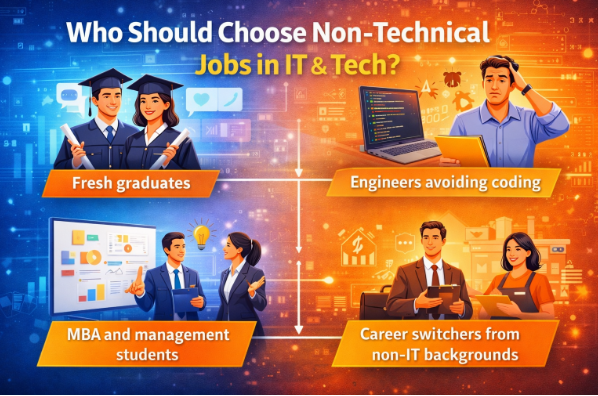
    If you are a fresher or an engineer avoiding coding, or looking for a career switcher, 2026 offers more opportunities than ever. This blog gives you clarity, career direction, and real salary insights and also shows you the best roles for freshers and experienced professionals alike. Scroll down to know more!

    What Are Non-Technical Jobs in IT and Tech Industry? 

    Non-technical jobs in IT (Information Technology) are roles that support, grow, and manage tech businesses without coding skills. Instead of building software, these professionals focus on business strategy, sales, marketing, operations, hiring, customer relationships, and execution. In simple terms, they make sure the tech product succeeds in the market. 

    For example, developers build the product, but non-technical teams help it sell, scale, and sustain. 

    Here are some common examples of Non-Technical Jobs  

    • Product Manager 
    • Business Analyst 
    • HR / Tech Recruiter 
    • Digital Marketing Executive 
    • Customer Success Manager 
    • Sales and Growth Manager 
    • Operations Manager 

    Let’s understand the logic of Services vs Product Companies 

    IT Services companies, like consulting or outsourcing firms, need roles focused on client management, project coordination, delivery, and account growth. However, product companies focus more on product strategy, user research, growth marketing, and customer retention. 

    Reasons why Demand Is Rising in 2026 

    • SaaS and startup growth 
    • AI automating coding tasks 
    • Global expansion of tech firms 
    • Strong focus on revenue and customer experience 

    Best Non-Technical Jobs in IT Companies with No Coding Requirements 

    Many IT companies hire non-technical professionals to manage product strategy, operations, hiring, sales, marketing, and customer relationships. For getting hired, you do not need coding skills for these roles. 

    You will be rewarded for your knowledge and decision-making skills. What you need is business understanding, communication ability, analytical thinking, and leadership potential. 

    Below are the best non-technical jobs in IT companies in 2026.  

    1. Product Manager 

    A Product Manager decides what features should be built, why they matter to customers, and how the product should grow in the market. They work closely with developers and designers but focus mainly on strategy, user needs, and business impact rather than coding. 

    Core Competencies  

    • Product strategy 
    • User research 
    • Road mapping 
    • Data-driven decision-making 
    • Stakeholder management 

    Industry Demand  

    Product Managers have a very high interest in SaaS startups, fintech, edtech, AI companies, and global product-based firms. This is because innovation and customer experience are priorities in these fields.  

    Salary Range  

    $159,221 to $226,914 per year 

    Career Growth  

    Professionals usually start from Product Manager and progress to Senior Product Manager. If you have a Product Management certificate, the next step can be becoming the Director of Product, which can eventually lead to becoming a Chief Product Officer.  

    2. Business Analyst 

    A Business Analyst studies business processes, identifies gaps, and recommends improvements. They translate business needs into structured requirements that technical teams can execute. Their role is essential in ensuring that technology solutions align with business objectives. 

    Core Competencies 

    • Data analysis 
    • Requirement gathering 
    • Excel and BI tools 
    • Problem solving 
    • Documentation  

    Industry Demand  

    High demand remains strong in IT services companies, consulting firms, banks, and enterprise technology organizations. In these fields, structured decision-making is important so you can start learning with a Business Analyst Certification and meet the industry standards. 

    Salary Range  

    $98047  to $131,558 per year 

    Career Growth  

    Professionals often move from Business Analyst to Senior Analyst, then to Lead Analyst or Strategy roles, and can eventually transition into consulting or product leadership. 

    3. Data Analyst 

    A Data Analyst interprets business data and converts numbers into actionable insights. They help leadership teams understand trends, performance gaps, and growth opportunities. Heavy programming is not mandatory in many roles, especially at entry and mid-levels. 

    Core Competencies  

    • Excel 
    • SQL basics 
    • Data visualization 
    • Critical thinking 
    • Reporting 

    Industry Demand  

    Data Analysts are in strong demand across SaaS, e-commerce, fintech, healthcare tech, and AI-driven organizations where data plays a key role in decision-making. You can study the Data Analyst Job Outlook 2026, to understand how companies are prioritizing data driven decision making and hiring the right talent. 

    Salary Range  

    $80,000 to $120,000 per year 

    Career Growth  

    Professionals often move from Data Analyst to Senior Analyst, then to Analytics Manager, and eventually to Head of Analytics or Data Strategy roles. 

    Start Your Tech Career Without Coding Today with our Data Analytics Bootcamp with AI Certifications. 

    4. Scrum Master 

    A Scrum Master ensures Agile teams function smoothly and deliver projects efficiently. They remove obstacles, manage workflows, and improve team productivity. Their role focuses on process excellence rather than technical coding. 

    Core Competencies  

    • Agile methodology 
    • Team coordination 
    • Communication 
    • Conflict resolution 
    • Process improvement 

    Industry Demand  

    Scrum Masters are highly valued in product companies and IT services firms that follow agile frameworks to deliver faster and more efficiently.  You can also go through the 30 Must-Know Scrum Master Interview Questions and Answers to prepare in a better way. 

    Salary Range  

    $74,000 to $143,000 per year 

    Career Growth  

    Professionals grow from Scrum Master to Senior Scrum Master. With professional courses like Certified Scrum Master, they can also become an Agile Coach. The final career growth will be Program Management or Delivery Leadership roles. 

    5. IT Project Manager 

    An IT Project Manager plans, coordinates, and delivers technology projects within defined timelines and budgets. They manage teams, risks, and stakeholders to ensure successful project execution. 

    Core Competencies  

    • Project planning 
    • Risk management 
    • Budget control 
    • Client communication 
    • Leadership 

    Industry Demand 

    IT Project Managers are in steady demand in IT services companies, consulting firms, enterprise tech organizations, and global outsourcing firms. 

    Salary Range 

    $42,000 to $111,000 per year 

    Career Growth  

    Professionals move from Project Manager to Senior Project Manager, then Program Manager, and eventually into Delivery Head or Operations leadership roles. 

    6. Technical Recruiter 

    A Technical Recruiter identifies, evaluates, and hires skilled technology professionals. They understand technical roles but focus mainly on sourcing talent, interviewing, and hiring strategies. 

    Core Competencies  

    • Talent sourcing 
    • Interview evaluation 
    • Communication 
    • Negotiation 
    • Employer branding 
    • Hiring strategy 

    Industry Demand  

    Demand for technical recruiters is high in startups, IT services firms, and global technology companies that constantly hire tech talent. 

    Salary Range  

    $49,000 to $122,000 per year 

    Career Growth  

    Professionals can move from Recruiter to Talent Acquisition Lead, then HR Manager, and eventually HR Director. 

    7. Customer Success Manager 

    A Customer Success Manager ensures clients get value from the product and continue using it in the long term. They focus on retention, renewals, and relationship management. 

    Core Competencies  

    • Account management 
    • Communication 
    • Problem resolution 
    • Upselling 
    • Relationship building 
    • Customer analytics 

    Industry Demand 

    Customer Success Managers are highly demanded in SaaS and subscription-based tech companies where recurring revenue depends on retention. 

    Salary Range 

    $52,000 to $89,000 per year 

    Career Growth  

    Customer Success Managers often progress from Customer Success Manager to Senior CSM, then Account Director, and eventually Revenue or Growth leadership roles. 

    8. Pre Sales or Tech Sales Consultant 

    A Pre Sales or Tech Sales Consultant explains technical products to potential clients and supports the sales team in closing deals. They combine product understanding with persuasive communication skills. 

    Core Competencies  

    • Product presentation 
    • Client handling 
    • Negotiation 
    • Solution consulting 
    • Market understanding 
    • Communication 

    Industry Demand  

    These professionals are in high demand in SaaS, cybersecurity, cloud services, and enterprise software companies where complex solutions require explanation. 

    Salary Range 

    $66,000 to $149,000 per year including incentives 

    Career Growth  

    Pre-Sales or Tech Sales Consultant usually moves from Sales Consultant to Sales Manager, then Regional Head, and eventually Vice President of Sales. 

    9. Digital Marketing Manager 

    A Digital Marketing Manager drives online growth through paid ads, SEO, content, and performance campaigns for tech products. Their main role is to focus on content marketing and performance campaigns. 

    Core Competencies  

    • Performance marketing 
    • SEO strategy 
    • Campaign optimization 
    • Analytics 
    • Brand positioning 
    • Lead generation
       

    Industry Demand  

    Digital Marketing Managers in 2026 have a very high demand in SaaS startups and product companies that rely heavily on digital acquisition. 

    Salary Range 

    $50,000 to $97,000 per year 

    Career Growth  

    Digital Marketing Managers can move from Marketing Manager to Growth Head, then Marketing Director, and eventually Chief Marketing Officer. 

    10. Operations and Delivery Manager 

    An Operations and Delivery Manager ensures that services are delivered efficiently and business processes run smoothly. 

    Core Competencies  

    • Process optimization 
    • KPI tracking 
    • Team leadership 
    • Client coordination 
    • Performance monitoring 
    • Efficiency improvement 

    Industry Demand  

    Operations and Delivery Manager have a strong background in IT services companies, BPOs, SaaS firms, and enterprise tech organizations. 

    Salary Range  

    $53,000 to $117,000 per year 

    Career Growth  

    Operations and Delivery Manager typically progress from Operations Manager to Senior Operations Manager, then Delivery Head, and eventually Chief Operating Officer. 

    Highest Paying Non-Technical Jobs in Tech (2026) 

    In 2026, roles tied to revenue, product ownership, and large-scale execution continue to dominate the highest-paying non-technical tech careers. 

    Product Leadership, Program Management, and Tech sales roles are among the highest-paying non-technical jobs in the tech industry. These positions have a direct impact on revenue, strategy, and company growth. That is why compensation levels are significantly higher compared to entry and mid-level roles. 

    Here we will discuss a simplified salary table for quick comparison:  

    Role  ExperienceAverage Salary
    Product Manager5 to 10 years $217,434
    Program Manager8 plus years $140,000
    Growth Manager4 to 7 years $136,000
    Tech Sales Director10 Years Above $160,000

    Non-Technical Jobs in IT Companies for Freshers 

    Freshers can enter IT companies through entry-level non-technical roles very easily in 2026. They will require communication, coordination, analytical thinking, and eagerness to learn, rather than coding skills. These roles help you build a strong foundation in tech industry workflows while you grow over time. 

    1. HR / IT Recruiter 

    An HR or IT Recruiter helps tech companies find and hire the right talent. They screen resumes, schedule interviews, coordinate with hiring managers, and ensure a smooth candidate experience. Here, candidates don’t need coding expertise. They need an understanding of tech roles and strong communication skills. 

    Educational Requirements: Bachelor’s degree in HR, Business Administration, Psychology, or any graduation. MBA in HR is a plus but not mandatory. 

    Average Salary: $44,000 to $59,000 per year 

    Growth Path: Recruiter → Senior Recruiter → Talent Acquisition Lead → HR Manager 

    2. Business Development Executive 

    A Business Development Executive focuses on generating new leads, building client relationships, and supporting sales growth. They reach out to potential customers, present solutions, and assist in deal closure without needing technical coding skills. 

    Educational Requirements: Bachelor’s degree in business, Marketing, Commerce, or Management. 

    Average Salary: $39,500 to $89,500 per year 

    Growth Path: QA Analyst → Senior QA → Test Lead → QA Manager 

    3. QA Analyst  

    A QA Analyst in manual testing checks software products for errors, bugs, and usability issues before release. They use test cases and checklists to validate features. This role is ideal for detail-oriented freshers without any coding knowledge.  

    Educational Requirements: Bachelor’s degree in computer applications, IT, Engineering, or any technical graduation. 

    Average Salary: $50,000 to $69,000 per year 

    Operations Executive 

    An Operations Executive supports business processes, tracks performance, prepares reports, coordinates tasks, and ensures teams meet goals. This role is great for freshers who are organized and enjoy working cross-functionally. 

    Educational Requirements: Bachelor’s degree in business administration, Commerce, Management, or any graduation. 

    Average Salary: $57,000 to $87,000 per year 

    Growth Path: Operations Executive → Operations Manager → Operations Head 

    Customer Support 

    Customer Support professionals help product users resolve issues, navigate features, and get value from tech platforms. These roles combine problem-solving with empathy and strong communication, that too without coding knowledge.  

    Educational Requirements: Bachelor’s degree in any field. Good English communication skills are important. 

    Average Salary: $37,000 to $66,000 per year 

    Growth Path: Support Executive → Senior Support → Team Lead → Customer Success Manager 

    Best Non-Technical Jobs in Tech for Entry-Level Candidates 

    Entry-level non-technical jobs allow candidates to start their careers in the technology industry without coding. They offer structured learning and clear promotion paths. 

    • Junior Business Analyst works on data reporting and process improvement using tools like Excel and basic BI dashboards.  
    • A Sales Development Representative generates leads and supports revenue growth using CRM tools and outreach platforms. Career growth typically leads to Account Executive and Sales Manager roles. 
    • A Customer Support Associate resolves user queries using CRM and support tools. Over time, this role can progress into Customer Success or Team Lead positions. 
    • An Operations Analyst manages reporting, KPIs, and internal coordination using Excel and project management tools. Growth can lead to Operations Manager roles. 
    • A Digital Marketing Executive handles online campaigns and analytics using advertising and SEO tools. Career progression can lead to Growth Manager or Marketing Director positions. 

    Build a Future-Proof Career in Tech Today with our Business Analytics Bootcamp with AI– Start today!

    Non-Technical Jobs for Engineers  

    Product Owner 

    A Product Owner works closely with development teams. They focus on defining product requirements, prioritizing features, and ensuring the final output matches business goals. Engineers moving into this role benefit from their technical background while shifting toward decision-making and customer value creation. 

    Why It Fits Engineers? 

    • Strong understanding of software workflows 
    • Ability to communicate with developers clearly 
    • Logical thinking and system design knowledge 

    Solutions Consultant 

    A Solutions Consultant explains technical products to clients and helps customize solutions based on business needs. This is a client-facing role that combines technical knowledge with presentation and sales skills. 

    Why It Fits Engineers? 

    • Comfortable explaining technical concepts 
    • Ability to design practical solutions 
    • Strong analytical mindset 

    Program Coordinator 

    A Program Coordinator manages multiple projects, tracks progress, and ensures teams meet deadlines. The role focuses on coordination, reporting, and execution rather than coding. 

    Why It Fits Engineers? 

    • Understanding of technical timelines 
    • Structured thinking 
    • Process management ability 

    Corporate Tech Trainer 

    A Corporate Tech Trainer teaches employees or clients about software tools, systems, or technologies. This role shifts from building technology to educating others about it. 

    Why It Fits Engineers? 

    • Strong technical foundation 
    • Ability to simplify complex concepts 
    • Communication skills 

    Non-Technical Roles in the IT Industry vs Tech Companies 

    IT (Information Technology) services companies focus more on delivery, client management, and operations. However, tech product companies emphasize product development, growth, and customer experience roles. 

    In simple words, IT (Information Technology) services companies work for clients and execute projects. Product tech companies build their own products and scale them globally. Because of this difference, non-technical roles also vary in focus and growth direction. 

    Comparison Factor   IT Services Companies Product Tech Companies 
    Focus Client project delivery  Product building and scaling  
    Non-Technical Role Focus Project management, operations, and delivery coordination Product management, growth, marketing, customer success 
    Revenue Model Service contracts from clients Product sales and subscriptions   
    Skills needed  Reporting, coordination, and stakeholder management   Strategy, experimentation, analytics   
    Career Growth  Delivery Head, Account Director   Product Director, Growth Head, Revenue Leader   

    Skills Required for High-Paying Non-Technical Jobs in Tech 

    In 2026, companies tend to pay higher salaries to professionals who can connect business goals with execution. Skills like influencing stakeholders and using data-driven tools effectively also count as an extra advantage. However, strong communication, business understanding, and tool proficiency are essential for non-technical tech roles. Here are the key skills that separate average performers from high-earning professionals. 

    1. Communication and Stakeholder Management 

    You must clearly communicate ideas, align cross-functional teams, manage clients, and handle conflicts. The ability to influence decisions and coordinate between departments directly affects leadership growth. 

    2. Business Analysis and Domain Knowledge 

    You must understand the revenue models, customer behaviour, and market trends that make you more valuable. High earners know how their product or service drives business results. 

    3. Tool Proficiency 

    Comfort with tools like Jira for project tracking, CRM (Customer Relationship Management) platforms for sales management, Excel for reporting, and analytics tools like Power BI or Google Analytics is critical.  

    4. Leadership and Decision Making 

    High-paying roles require ownership, prioritization, risk management, and strategic thinking. Decision-making ability often matters more than execution skills at senior levels. 

    If you want to build these skills in a structured way, practical learning programs can make the transition faster. For example, a Product Management Course can help you master roadmap planning, stakeholder management, and case studies. 

    Similarly, a Business Analyst Bootcamp or Data Analyst Bootcamp can train you in Excel, SQL basics, dashboards, and real-world data projects.

    Who Should Choose Non-Technical Jobs in IT & Tech? 

    Non-technical job roles focus on business growth, operations, strategy, customer management, and execution. If you enjoy working with people, analyzing problems, and driving results, these careers can offer high income potential and long-term stability. These roles are a great fit for the following:  

    Non-Technical Jobs in IT

    1. Fresh graduates  

    Graduates who have good communication skills, logical thinking, and basic knowledge. Entry-level roles in operations, sales, support, and analytics provide structured learning and clear promotion paths. 

    2. Engineers avoiding coding  

    Engineers who want to avoid daily coding still use their technical understanding. Roles like Product Owner, Solutions Consultant, and Program Manager allow them to shift toward strategy and leadership. 

    3. MBA and management students  

    Students who understand marketing, finance, HR, or operations. Tech companies value business professionals who can drive revenue, scale products, and manage teams. 

    4. Career switchers from non-IT backgrounds  

    Candidates who want to switch their career from technical jobs, such as banking, retail, consulting, or education. With basic training in tools and domain knowledge, transitioning into tech is realistic and achievable. It is better to understand the Top Degrees in Demand for the Future to make a correct choice on which degrees align best with tech industry growth.

    How to Get a High-Paying Non-Technical Job in IT & Tech 

    Strategic upskilling and role-focused preparation can significantly improve your chances of landing a high-paying non-technical job. You need a clear plan and focused step-by-step effort to get the highest-paying non-technical jobs in tech. Below are the key steps you can follow:  

    Non-Technical Jobs in IT

    Step 1: Identify the Right Non-Technical Role 

    Start by choosing a role that matches your strengths and background. For example, if you enjoy analysis, consider a Business Analyst. If you like communication and persuasion, Sales or Customer Success may suit you better.  

    Step 2: Learn Role-Specific Skills and Tools 

    Each role requires specific skills and tools. These are some of the examples: 

    • Product roles require strategy thinking and tools like Jira. 
    • Business roles require Excel, reporting, and analytics tools. 
    • Sales roles require CRM platforms and outreach tools. 
    • Focus on practical learning rather than theory. 

    Step 3: Get Relevant Certifications 

    You must choose the right certification depending on the role you want to target. You can try the Product Management Certification for aspiring Product Managers.  

    Business Analysis Certifications for analyst roles are also helpful.  Agile or Scrum Certification for project and program roles can prove beneficial.  

    Step 4: Build Real-World Projects or Case Studies 

    Create small projects, mock case studies, dashboards, sales pitch decks, or product analysis reports. This demonstrates applied knowledge and increases credibility during interviews. 

    Step 5: Apply Strategically Through LinkedIn and Referrals 

    Use LinkedIn actively by optimizing your profile, connecting with recruiters, and engaging with industry posts. Referrals significantly increase hiring chances. Also, apply through trusted career portals and company websites. 

    Conclusion 

    From the above discussion, we can conclude that the tech industry in 2026 is no longer just about coding. It is about building products, driving revenue, managing customers, analysing data, and leading teams. With the right skills, tools, and mindset, freshers and professionals alike can build high-paying, stable, and future-proof careers in non-technical jobs in IT. 

    Major roles include Product Owners shaping vision, Growth Managers scaling revenue, Customer Success leaders building loyalty, and Program Managers driving execution. If you are serious about entering or switching into tech, you are at the right place. Structured certifications aligned with industry demand can shorten your learning curve and help you transition with confidence.

    Get Job-Ready for Non-Technical Tech Roles – Start with our Product Management Certifications today!

    FAQs

    Are non-technical jobs in IT high-paying?

    Yes. Many non-technical jobs in IT, such as Product Manager, Program Manager, Tech Sales Director, and Data Analyst, offer salaries between $50,000 and $200,000+ per year. It depends on experience. With structured training from Skillify Solutions in Product or Analytics, earning potential increases significantly.

    Can freshers get non-technical jobs in tech companies?

    Freshers can enter roles like Business Analyst, HR Recruiter, Customer Support, or Operations Executive without coding. Building skills through Data Analytics for Freshers can help with placement chances and career growth.

    Which non-technical job pays the most in tech?

    Product leadership, Program Management, and Tech Sales Director roles typically pay the highest, often exceeding $150,000 annually. Upskilling through aProduct Management Course from Skillify Solutions can help professionals move toward these high-earning positions.

    Are non-coding tech jobs future-proof?

    As companies focus on data-driven decisions, product growth, and customer retention, non-coding roles remain highly relevant. According to industry trends, analytics and product roles are expanding rapidly. Skillify Solutions certifications in Data Analytics and Product Management help future-proof your career.

  • 10 Scaled Agile Framework Tools for Learning and Practicing SAFe

    10 Scaled Agile Framework Tools for Learning and Practicing SAFe

    In today’s hyper-active IT market, the organizational challenge shifts from managing tasks to coordinating complex and multi-departmental ecosystems. This is where the Scaled Agile Framework (SAFe) provides a critical edge.  

    According to the 15th State of Agile Report, 37-38% of respondents identified SAFe® as the most widely adopted framework for scaling Agile. This is making it a clear leader among enterprise transformation models. But SAFe is a culture of collaboration. So, what is the secret to making it work?  

    You can integrate SaFe tools to bridge the gap between planning and execution. By weaving together Lean, DevOps, and Systems Thinking, these tools transform chaotic departments into a unified force. The focus is on one thing, which is delivering high-value outcomes with total transparency.  

    To help you stay ahead, we have curated a definitive list of the top 10 Scaled Agile Framework tools for the coming year. We’ll break down their core features, learning outcomes, and how they empower teams to deliver high-quality results at scale. Read on to learn more! 

    What is a Scaled Agile Framework (SAFe) Framework?

    The Scaled Agile Framework (SAFe) is a structured way to apply Agile practices across large organizations with multiple teams working on the same product or portfolio. Organizations have chosen it as their main approach to work in an Agile way without losing alignment, planning, and control. 

    In simple terms, while standard Agile, like Scrum is built for a team of 10, SAFe is the operating system that coordinates hundreds or thousands of people working on the same product. The SaFe tools combine ideas from Agile, Scrum, Lean, and DevOps to deliver value faster while maintaining strategy alignment. 

     SAFe was created by Dean Leffingwell in 2011 to solve the challenge of scaling Agile beyond small teams. As Agile became popular, large enterprises needed a structured model to coordinate hundreds of teams. SAFe was developed to meet that need. 

    The core idea of SaFe is to organize people into ARTs (Agile Release Trains) long-lived teams of teams that plan, build, and ship software together on a synchronized schedule. Many professionals begin with a Leading SAFe® Certification to build a strong foundation.

    10 Scaled Agile Framework Tools Comparison Table  

    There are specific goals that you need to consider before you select a SaFe (Scaled Agile Framework) tool. It depends on whether you are trying to master PI (Program Increment) Planning with Bootcamp Training Certifications, manage a Portfolio, or simply improve Team Flow.  

    The table below compares the most mentioned tools from industry leaders to help you identify where to start your practice.  

    ToolBest of Learning What You can Practice Ease of Use Free AccessCareer Relevance 
    Jira Align SAFe at scale, portfolio, or program Real-time monitoring, Align strategy, execution, and PI planning Moderate No Very High  
    VersionOne (Digital.ai) Agile fundamentals Portfolio and program-level planning Medium  No High  
    PlanView AgilePlace  Portfolio-level planning  Strategic alignment, roadmap view. Kanban, Agile/Lean/SAFe Support.  Medium  No High  
    Rally Software Enterprise Agile scaling, Iteration tracking Backlog management, dependencies, and reporting.Medium  No High  
    Azure DevOps Agile/Scrum basics, Pipelines for CI/CD automation Boards, backlogs, repos, pipelines Easy to Medium Yes  High  
    Kendis PI (Program Increment) Planning and alignment at scale.  Scaled Agile Framework toolsMedium  Trial (free 10 days)   High  
    Monday.com  Agile workflows and teamwork.  Boards, dependencies, dashboards, Project Management, Kanban/Gantt Charts.  Easy  Yes (free tier)   Medium–High   
    ServiceNow Enterprise Agile flows and dashboards Kanban boards and dashboards Medium  No High  
    SwiftKanban Kanban basics and defining WIP (Work-in-Progress) Limits.  Visual workflow boards, cumulative flow diagrams Easy Limited  Medium  
    SpiraPlan  Agile lifecycle learning, risk management Tracking scheduling across projects, test management, and issue tracking. Medium    Limited Medium to High  

    While tools help you practice workflows, enrolling in a SAFe certification course or bootcamp provides structured learning, exam preparation support, and real-world case studies. 

    Intensive SAFe bootcamps often include simulated PI Planning sessions, ART coordination exercises, and hands-on tool exposure to prepare you for enterprise environments.

    What You Can Learn Using Scaled Agile Framework Tools?

    SAFe tools such as Jira Align, Azure DevOps, Rally, Kendis, Monday.com, and Planview help you understand how large enterprises implement the scaled agile in real environments. These tools simulate how strategy, planning, execution, and delivery are connected across multiple teams.  

    Below are the points that you can learn by practically using these tools: 

    1. PI (Program Increment) Planning and Cross-Team Alignment 

    You can learn and practice full PI Planning with tools like Kendis and Jira Align. You also learn how multiple Agile teams plan together, identify dependencies, and align work with their business goals. This directly supports the benefit of SaFe with better alignment and collaboration. 

    You can practice: 

    • Creating and managing Program Increments (8 -12-week cycles) 
    • Visualizing cross-team dependencies 
    • Managing risks using ROAM techniques 
    • Aligning team objectives with portfolio goals 

    2. Backlog and Sprint Management at Scale 

    Scaled Agile tools like Azure DevOps, Rally, or Monday.com help you learn how team-level work connects to enterprise-level planning. This helps you understand how SAFe improves faster time to market through structured execution. 

    Here you can practice: 

    • Creating epics, features, and user stories 
    • Managing sprint boards and Kanban flows 
    • Linking development work to business initiatives 
    • Tracking velocity and iteration progress 

    3. Portfolio and Strategy Alignment 

    Tools like Planview and Jira Align allow you to map strategic themes to execution work. These tools help reinforce SAFe’s core strength by connecting strategy with execution. 

    Here you can learn how: 

    • Enterprise goals translate into portfolio epics 
    • Budgets are allocated using Lean Portfolio Management 
    • Roadmaps align business and technology teams 
    • Leadership dashboards track value delivery 

    4. Built-in Quality and Continuous Delivery 

    Azure DevOps with CI/CD pipelines and Rally helps you to integrate development workflows with quality tracking. This supports SAFe’s benefit of building better products with built-in quality.   

    Here you can learn: 

    • Continuous integration and deployment 
    • Defect tracking and quality metrics 
    • Test automation visibility 
    • Release management across teams 

    5. Metrics, Productivity and Continuous Improvement 

    Most SAFe tools provide dashboards and analytics. This helps to build an understanding of SAFe’s principle of continuous improvement and increased productivity.   

    With these SaFe tools you can practice: 

    • Tracking cycle time and lead time 
    • Identifying workflow bottlenecks 
    • Measuring team productivity 
    • Running Inspect & Adapt sessions 

    6. Enterprise Collaboration and Transparency 

    Tools like Kendis, Jira Align, and Monday.com provide visual program boards and shared dashboards. These strengthen two major benefits of SAFe, which are employee engagement and enterprise-wide collaboration.  

    You learn how: 

    • Multiple teams collaborate across departments 
    • Leadership gains visibility into progress 
    • Silos are reduced through shared planning systems 

    Scaled Agile tools transform concepts into practical enterprise skills. That is why they are highly relevant for roles such as Agile Coach, Release Train Engineer, Product Manager, and SAFe Program Consultant. 

    Best Scaled Agile Framework Tools by Role 

    For Scrum Masters  

    Scrum Master focuses on team execution by removing impediments, improving flow, and ensuring Agile practices. They need tools that provide clear visibility into sprint progress, team performance, risks, and cross-team dependencies in scaled environments.  

    Here are the best Scaled Agile Framework Tools for Scrum Masters:  

    Azure DevOps 

    It is a comprehensive Agile and DevOps platform that supports planning, development, and delivery in one system. Manages sprint boards, tracking velocity, and integrate development workflows with Agile planning. 

    Scaled Agile Framework tools

    Key Features: 

    • Backlog hierarchy (Epics → Features → User Stories) 
    • Sprint and Kanban boards 
    • Dashboards and reporting tools 
    • CI/CD pipelines integration 
    • Release and deployment tracking 

    Rally 

    Rally is an enterprise Agile management tool designed for large-scale backlog and iteration tracking. This tool is recommended for detailed backlog tracking, iteration monitoring, and enterprise-level Agile reporting. 

    Scaled Agile Framework tools

    Key Features: 

    • Scaled backlog management 
    • Iteration and release planning 
    • Portfolio-level visibility 
    • Advanced Agile reporting 
    • Metrics tracking (velocity, burn-down) 

    Jira Align

    Provides visibility into cross-team alignment and ensures sprint execution supports program objectives. 

    Scaled Agile Framework tools

    Key Features: 

    • Portfolio road mapping 
    • Strategy-to-execution alignment 
    • Program Increment (PI) tracking 
    • Lean Portfolio Management support 
    • Executive dashboards and analytics 

    Monday.com 

    This SaFe tool is a flexible work management platform adaptable for Agile workflows and team collaboration. Offers simple, visual boards that help Scrum Masters monitor tasks and improve team collaboration. 

    Scaled Agile Framework tools

    Key Features: 

    • Customizable task boards 
    • Timeline and roadmap views 
    • Workflow automation 
    • Collaboration dashboards 
    • Integration with external tools 

    Kendis 

    Kendis is a scaled Agile planning tool focused on PI Planning and cross-team coordination. Visualize dependencies and coordinate across multiple teams during PI Planning and program execution. 

    Scaled Agile Framework tools

    Key Features: 

    • Visual Program Boards 
    • Cross-team dependency mapping 
    • PI objectives tracking 
    • Risk management (ROAM) tracking 
    • Integration with Jira and Azure DevOps 

    Build confidence in SAFe principles, PI Planning, and Lean-Agile leadership with the Leading SAFe® Certification

    For Product Owners and Product Managers  

    Product Owners and Product Managers maximize value by prioritizing backlogs, defining features, and aligning product direction with enterprise strategy. They require Scaled Agile framework SaFe Tools that provide strong roadmap visibility, portfolio alignment, and structured backlog management. 

    Here are the preferred tools for Product Owners and Product Managers    

    Jira Align 

    A strategic Agile platform that connects product strategy with team execution. It enables Product Managers to link enterprise objectives directly to epics, features, and delivery of progress. 

    It will be ideal for linking business strategies with epics and features, along with maintaining visibility across Agile Release Trains. 

    VersionOne (Digital.ai)

    VersionOne is an enterprise Agile lifecycle management platform designed to support scaled Agile and SAFe implementations. It helps Product Managers manage epics, features, and portfolios while maintaining visibility across multiple teams.

    It is particularly useful for aligning portfolio strategy with program execution and tracking delivery at scale.

    Key Features:

    • Portfolio and program-level planning
    • Backlog hierarchy management
    • Cross-team visibility
    • Release forecasting
    • Enterprise Agile reporting

    Planview 

    A portfolio and investment management tool designed for enterprise planning. It ensures product investments and roadmaps align with strategic business objectives. It is recommended for portfolio-level planning and ensuring investments that align with organizational goals. 

    Scaled Agile Framework tools

    Key Features: 

    • Portfolio planning and budgeting 
    • Strategic roadmap visualization 
    • Resource and capacity planning 
    • Investment tracking 
    • Business outcome dashboards

    ServiceNow 

    ServiceNow’s Agile Development module integrates Agile execution with enterprise IT workflows. It allows Product Managers to connect feature development with operational and service delivery systems.

    Key Features:

    • Agile boards and sprint tracking
    • Enterprise dashboards
    • Integration with ITSM workflows
    • Release planning support
    • Cross-department visibility

    Get certified with the Leading SAFe® Certification courseand prepare for real enterprise challenges. 

    For SAFe Certification Aspirants  

    Professionals preparing SAFe certifications need hands-on exposure to understand how scaled agile functions in real enterprise environments. Practical tool usage strengthens conceptual clarity and builds confidence for interviews and real-world roles. 

    Here are the suitable Scaled Agile Framework (SaFe) Tools

    SwiftKanban

    SwiftKanban is a visual workflow management tool designed to improve process efficiency through Kanban practices. It is particularly helpful for understanding flow-based work systems and WIP limits. It helps aspirants learn practical Kanban implementation, which is a core component within SAFe.

    Scaled Agile Framework tools

    Key Features:

    • Visual workflow boards
    • Cumulative flow diagrams
    • WIP limit tracking
    • Process bottleneck analysis
    • Lean workflow optimization

    SpiraPlan

    SpiraPlan is an Agile lifecycle and risk management platform that supports project tracking, issue management, and test coordination. It provides exposure to quality management practices in scaled environments.

    Key Features:

    • Project scheduling and tracking
    • Test management integration
    • Risk and issue tracking
    • Release management
    • Cross-project reporting

    Azure DevOps: It helps to practice sprint planning, backlog structuring, and understand Agile workflows in a practical setup. 

    • Kendis: Effective for learning PI Planning, dependency mapping, and program-level coordination. 
    • Monday.com: Good for understanding task visualization and Agile collaboration basics. 
    • Rally: Useful for exploring enterprise Agile tracking and scaled backlog management. 
    • Jira Align: Strong platform for grasping portfolio alignment and strategy-to-execution flow within SAFe. 

    How to Choose the Right Scaled Agile Framework Tool 

    The SaFe tool you would select for your business must support real workflows such as PI Planning, dependency tracking, backlog hierarchy, and executive reporting. It should also match the needs of Scrum Masters, Product Managers, RTEs, and leadership simultaneously.  

    Instead of choosing based on brand name, you can evaluate maturity level, scalability, integration capability, cost factors, and user adoption through a structured, step-by-step selection approach. 

    • Step 1: First, understand your Agile maturity. Understand whether you are at team-level Agile, program-level scaling, or full enterprise SAFe. Choose a tool that supports the Scaled Agile framework (SaFe) and fits your current stag,  but can scale as you grow. 
    • Step 2: Secondly, clarify what Scrum Masters, Product Managers, RTEs, and leadership require. It can be sprint boards, PI planning, dependency tracking, or portfolio dashboards. 
    • Step 3: You must include representatives from teams and leadership to ensure the tool supports real workflows across levels.
    • Step 4: Then select a tool that allows customization, integrations, and multiple views for teams and programme to adapt as your SAFe implementation evolves. 
    • Step 5: Cloud-based solutions typically offer better scalability and support teams that are distributed.  
    • Step 6: Look for factors in training, customization, maintenance, and long-term scaling costs. 
    • Step 7: Test the tool with a small team or ART before full rollout to validate usability, alignment, and adoption.

    Along with selecting the right tool, investing in expert-led  SAFe training ensures your teams understand how to use these tools effectively within the framework.

    Conclusion

    Learning SAFe from theory is important. But practicing it with the right tools is essential. From sprint boards to portfolio dashboards, SAFe tools create visibility, structure, and alignment across teams and leadership.  

    They reduce chaos, improve coordination, and help organizations scale with confidence. In the above blog, we discussed 10 Scaled Agile Framework tools and the learning you can gather from those.  

    Choose a tool that fits your maturity level, supports your roles, and grows with your transformation journey through a step-by-step approach mentioned above. So, explore, experiment, and find the tool that fits your journey. 

    Join the Leading SAFe® Certification course and gain the confidence to lead Agile at scale.

    Frequently Asked Questions

    1. Do I need SAFe tools to learn the framework?

    SaFe tools are essential for practice. While Leading SAFe certification from Skillify Solutions teaches the “what,” tools like Kendis teach the “how.” You can’t truly master PI Planning or Dependency Mapping without hands-on experience in a digital environment that mimics a real enterprise.

    2. Which SAFe tools are best for beginners?

    Miro and Trello are the top choices. They are visual and easy to set up. Beginners can use Miro’s free SAFe templates to practice Scrum Master ceremonies or build a Team Backlog without the steep learning curve of high-end enterprise software like Jira Align.

    3. Can Jira be used to practice SAFe?

    Yes, but with a catch. Standard Jira handles team-level work well. For full SAFe practice, like Strategic Themes or Portfolio management, you’ll need Jira Align or the Agile Hive plugin. This is a must-learn for anyone aiming for the SAFe POPM certification.

    4. Are there free SAFe tools?

    Absolutely. Miro offers free boards for visual ceremonies, and Azure DevOps is free for up to 5 users. These are the best choices for students to practice building an Agile Release Train (ART) and managing flow without paying for expensive corporate licenses.

    5. Which tools help with SAFe certification prep?

    Kendis is the best for RTE certification prep because of its specialized Program Boards. Miro is great for Leading SAFe visual concepts. Combined with the SAFe Community Platform’s practice exams, these tools ensure you understand how the framework functions in a real job.

  • Top 20 AI Tools for Product Managers: Free vs Paid (2026)

    Top 20 AI Tools for Product Managers: Free vs Paid (2026)

    If you’re a Product Manager today, you’ve probably tested at least one of the many AI tools for product managers out there. Whether it’s drafting a PRD (Product Requirements Document), summarizing feedback, or simply saving time, AI has already become part of your workflow.

    But with hundreds of options available, one question keeps coming up: Which AI tools for product managers are actually worth using?

    Some promise automation. Some promise intelligence. Some promise everything. So, over the past few months, we have experimented with multiple AI tools to boost productivity and simplify the workflow.

    In this blog, we cut through the noise and compare the top 20 AI tools for product managers in 2026 by clearly separating what you get for free and when paid plans actually add real value. No hype. Just practical insights to help you choose smarter.

    What is the Role of AI for Product Management?  

    The role of AI in Product Management is to help Product Managers make faster, smarter, and more data-driven decisions across the product lifecycle. Today, AI (Artificial Intelligence) tools for product managers go beyond automation. They analyze data, detect patterns, and generate actionable insights that improve product strategy and execution.  

    From product discovery to roadmap planning and stakeholder communication, AI (Artificial Intelligence) reduces manual effort and enhances clarity. Instead of relying solely on intuition, Product Managers can now use artificial intelligence to validate ideas, prioritize features, predict outcomes, and automate repetitive tasks.  

    This allows PMs to focus more on strategy, innovation, and customer value. In simple terms, AI in product management in 2026 acts as a decision-support system that improves speed, accuracy, and alignment. It is better to learn from the integration of AI in Product Management to experiment with the tools better in the future. 

    20 AI Tools for Product Managers: Compared by Use Case 

    Tool Name Primary Use Case AI Type Free Plan Pricing (USD) Best For 
    ChatGPT  PRDs, summaries, research, ideation Generative AI (LLM) Yes  From $20/month  Writing, brainstorming, strategy, PRD drafting, and summarizing. 
    Notion AI  Docs, roadmaps, meeting summaries Generative AI + Workflow AI Limited From $10–$20/user per month AI writing assistant, Meeting summaries, Roadmap and database automation.  
    Dovetail AI  User research analysis NLP and Insight AI Trial Free and Custom pricing Customer feedback analysis 
    Trello AI  Task automation and summaries Generative AI + Workflow AI Yes Free
    Premium: From $5–$17.50/user/month 
    Agile task management 
    Maze AI  Product testing and research insights Research AI Limited Free and Custom pricingUX validation and discovery 
    Figma AI  UI generation and design assistance Generative Design AI Limited Free, Premium: From $3–$90/editor/month Prototyping and design 
    Whimsical AI  Diagrams, flows, brainstorming Generative AI Limited Free, From $10/user/month Flowcharts and wireframes 
    Miro AI Brainstorming and collaborative boards Generative + Collaboration AI Yes From $8–$16/user/month Team workshops 
    Canva AI  Visual content creation Generative Design AI Yes From $12.99/month Marketing and visuals 
    Google Bard  Research, content, summarization Generative AI (LLM) Yes Free / Premium via Google One Research and analysis 
    Slack AI  Message summaries and search insights Conversational AI No (add-on) ~$10/user/month add-on Team communication 
    ClickUp AI Task writing and workflow automation Generative + Workflow AI No From $5/user/month + AI add-on Agile PM workflows 
    Asana AI  Project insights and task automation  Workflow AI Limited From $10.99/user/month Strategic planning 
    Airtable AI  Structured data automation Data AI + Generative Limited From $20/user/month Data-driven PM 
    Zapier AI Workflow automation Automation AI Limited From $19.99/month Process automation 
    Loom AI Video summaries and transcripts Generative AI Yes From $12.50/user/month Async communication 
    Evernote AI Note summarization and writing Generative AI Limited From $14.99/month Knowledge management 
    Grammarly AI Writing enhancement Generative + NLP Yes From $12/month Professional writing 
    Typewise Smart writing assistant Predictive NLP AI Limited Custom pricing Business communication 
    Todoist AI  Smart task suggestions  Workflow AI Yes From $4–$6/month Personal productivity 

    1. ChatGPT 

    When a Product Manager is struggling with discovery, prioritization, documentation, and stakeholder communication, the biggest bottleneck is the thinking time. ChatGPT helps them with an on-demand strategy assistant that enables them to structure ideas more efficiently.   

    ChatGPT is not a complicated AI (Artificial Intelligence) tool, but an available thinking partner. It helps you move from raw input to structured output within minutes. Instead of starting from zero, you start from refinement. With this tool, you can test ideas, refine thoughts, and iterate without friction. 

    Key Features of ChatGPT 

    • Generates PRDs, user stories, personas, and acceptance criteria 
    • Summarizes customer feedback, surveys, and research reports 
    • Helps with competitive analysis and positioning 
    • Supports framework-based outputs (RICE, MoSCoW, Now/Next/Later) 
    • Allows custom GPT workflows for product use cases 

    How ChatGPT Helps Product Managers 

    • Reduces documentation time significantly 
    • Speeds up early-stage ideation 
    • Converts qualitative data into structured insights 
    • Acts as a co-pilot during strategic decision-making 

    2. Notion AI 

    Product strategy often lives inside documents and internal notes. Notion AI enhances that environment instead of creating another tool to manage.  

    You can imagine coming out of a roadmap planning meeting with half-written thoughts and scattered bullets. Notion AI can turn those into structured summaries, next steps, and even draft roadmap narratives. It works directly within your workspace, reducing friction and context switching. 

    Key Features of Notion AI 

    • AI writing, rewriting, and summarization 
    • Automatic meeting note organization 
    • Roadmap draft generation 
    • Database insights and structuring 
    • Inline editing inside product docs 

    How Notion AI Helps Product Managers 

    • Converts rough notes into polished documents 
    • Keeps strategy documentation organized 
    • Speeds up roadmap and spec creation 
    • Reduces repetitive writing effort 

    3. Dovetail AI 

    Product Managers rely heavily on user research. However, extracting insights from interviews, surveys, and usability tests can be slow.  

    Dovetail AI focuses specifically on qualitative research analysis. If you’ve conducted 20 interviews, the tool automatically jots down themes like pricing confusion or onboarding friction without manual tagging. This turns scattered user voices into structured product insights. 

    Key Features of Dovetail AI   

    • AI-driven theme detection and tagging 
    • Sentiment analysis across interviews 
    • Highlight extraction from transcripts 
    • Centralized research repository 
    • Insight tracking over time 

    How Dovetail AI Helps Product Managers 

    • Speeds up the synthesis of qualitative research 
    • Identifies recurring user pain points 
    • Improves confidence in feature decisions 
    • Connects feedback directly to roadmap priorities 

    4. Trello AI 

    Trello AI is widely used for task and sprint management. However, this AI tool adds intelligence to execution workflows.  

    For example, if a backlog item reads the text “Improve search performance,” Trello AI can suggest breaking it into measurable sub-tasks. This can be latency optimization, indexing review, and UX testing. It brings clarity to task management without changing your workflow structure. 

    Key Features of Trello AI   

    • AI-generated task summaries 
    • Smart backlog refinement suggestions 
    • Automated card organization 
    • Workflow enhancement tools 
    • Integration with Jira and other systems 

    How Trello AI Helps Product Managers 

    • Improves sprint planning clarity 
    • Reduces ambiguity in backlog items 
    • Keeps boards structured and actionable 
    • Enhances team alignment during execution 

    5. Maze AI 

    In today’s world, launching features without validation is risky. Maze AI helps Product Managers test prototypes and interpret usability feedback quickly.  

    Instead of manually analyzing hundreds of user clicks and survey responses, Maze generates structured summaries and identifies friction points automatically. This shortens the discovery-to-validation cycle significantly. 

    Key Features of Maze AI 

    • AI-generated usability reports 
    • Survey result summarization 
    • Prototype testing insights 
    • Heatmap and behavior analysis 
    • Automated feedback clustering 

    How Maze AI Helps Product Managers 

    • Reduces guesswork before release 
    • Identifies UX bottlenecks early 
    • Speeds up iteration cycles 
    • Supports data-backed launch decisions

    Master AI in Product Management and learn to handle the best AI tools.

    6. Figma AI 

    Design discussions often slow down product velocity, especially when ideas stay abstract. Figma AI helps bridge that gap by turning rough concepts into visual drafts quickly.  

    Imagine discussing a new dashboard feature during a roadmap meeting. Instead of waiting days for mockups, you can generate layout suggestions, adjust text content, and explore variations inside the design tool itself. It reduces iteration cycles between product and design teams. 

    Key Features of Figma AI   

    • Text-to-design layout suggestions 
    • Auto content generation inside wireframes 
    • Component variation suggestions 
    • Design improvement recommendations 
    • Faster prototype creation 

    How Figma AI Helps Product Managers 

    • Speeds up concept visualization 
    • Aligns product ideas with UX early 
    • Reduces back-and-forth with designers 
    • Improves clarity before engineering handoff 

    7. Whimsical AI 

    Structure matters while defining user journeys, system architecture, or onboarding flows. Whimsical AI transforms simple prompts into structured flowcharts and wireframes.  

    For example, if you describe a checkout flow verbally, it can generate a visual diagram instantly. This helps you move from idea to clarity within minutes instead of manually drawing everything. 

    Key Features of Whimsical AI   

    • Automatic flowchart generation 
    • AI-powered wireframes 
    • Mind map structuring 
    • System architecture visualization 
    • Collaborative editing 

    How Whimsical AI Helps Product Managers 

    • Maps complex workflows clearly 
    • Simplifies stakeholder explanations 
    • Speeds up system design discussions 
    • Improves feature scoping accuracy 

    8. Miro AI 

    Brainstorming sessions often generate dozens of sticky notes with overlapping ideas. Miro AI helps organize that issue into structured outputs.  It is one of the best AI tools for product managers. 

    After a feature ideation workshop, it can group up similar ideas, summarize key points, and generate action steps. Instead of manually clustering every note, you get a structured overview quickly. 

    Key Features of Miro AI   

    • Board summarization 
    • Idea clustering and grouping 
    • AI-generated mind maps 
    • Integration with Jira and DevOps tools 
    • Workshop facilitation support 

    How Miro AI Helps Product Managers 

    • Converts brainstorming into execution plans 
    • Saves time after workshops 
    • Improves alignment across teams 
    • Maintains clarity in collaborative sessions 

    9. Canva AI 

    Every Product Manager do not have access to a designer for quick presentations. Canva AI helps turn raw product ideas into polished visuals.  

    If you’re presenting a roadmap update to leadership, it can generate slide layouts, visual summaries, and diagrams automatically. This improves storytelling without needing to design expertise. 

    Key Features of Canva AI 

    • AI presentation builder 
    • Visual mockup generation 
    • Template-based roadmap visuals 
    • Text-to-image tools 
    • Brand style automation 

    How Canva AI Helps Product Managers 

    • Enhances stakeholder presentations 
    • Improves clarity in roadmap reviews 
    • Speeds up executive reporting 
    • Strengthens product storytelling 

    10. Google Bard 

    Market research and competitive benchmarking are constant responsibilities for Product Managers. Gemini provides web-connected and real-time information. These features are useful when analyzing competitors, pricing models, or industry shifts. Instead of browsing multiple sources manually, you can summarize insights quickly. 

    Key Features of Google Bard 

    • Real-time web data access 
    • Competitive comparison summaries 
    • Industry trend analysis 
    • Content drafting support 
    • Code and data assistance 

    How Google Bard Helps Product Managers 

    • Speeds up market research 
    • Validates assumptions with fresh data 
    • Supports strategic planning 
    • Improves external analysis accuracy 

    11. Slack AI 

    Slack conversations often contain important product decisions, but they get buried in long threads. Slack AI extracts summaries, highlights decisions, and identifies action items automatically.  

    For example, if your team discussed scope changes across 150 messages, Slack AI could provide a clear summary. 

    Key Features of Slack AI   

    • Channel summaries 
    • Decision and action extraction 
    • Smart search 
    • Context-based suggestions 

    How Slack AI Helps Product Managers 

    • Reduces recap meetings 
    • Improves communication clarity 
    • Prevents missed decisions 
    • Keeps execution aligned 

    12. ClickUp AI 

    ClickUp AI enhances project management workflows by making task descriptions clearer and automating updates. If a sprint task is vague, it can suggest structured improvements. It also helps generate progress summaries automatically as one of the best AI tools for Product Management. 

    Key Features of ClickUp AI   

    • AI task writing 
    • Smart goal tracking 
    • Automated status updates 
    • Workflow optimization 
    • Sprint planning assistance 

    How ClickUp AI Helps Product Managers 

    • Reduces backlog grooming time 
    • Improves sprint clarity 
    • Keeps delivery tracking organized 
    • Enhances execution visibility 

    13. Asana AI 

    Asana AI focuses on strategic execution and risk detection. It analyzes project timelines and flags potential delays before they become serious issues. For example, if a milestone is slipping, it highlights dependencies affecting it. 

    Key Features of Asana AI   

    • Predictive milestone and deadline risk detection 
    • Automated status summaries across projects 
    • AI-powered workload insights 
    • Goal-to-task alignment tracking 
    • Smart workflow optimization suggestions 

    How Asana AI Helps Product Managers 

    • Improves roadmap reliability 
    • Identifies execution risk early 
    • Reduces dependency blind spots 
    • Enhances quarterly planning accuracy 
    • Strengthens stakeholder confidence 

    14. Airtable AI 

    Airtable AI is especially useful for data-heavy product environments. If you manage feature requests in spreadsheets, Airtable AI can categorize, cluster, and prioritize them automatically. It adds intelligence to structured data systems. 

    Key Features of Airtable AI   

    • AI-powered categorization of large datasets 
    • Natural-language queries over structured tables 
    • Formula generation for scoring models 
    • Automated prioritization suggestions 
    • Intelligent tagging and segmentation 

    How Airtable AI Helps Product Managers 

    • Improves feature prioritization accuracy 
    • Reduces manual data sorting 
    • Enhances data-backed roadmap decisions 
    • Connects qualitative signals to quantitative models 

    15. Zapier AI 

    Zapier AI connects tools and automates repetitive workflows. For example, when a customer submits feedback, Zapier can automatically create a task, notify Slack, and update your roadmap tracker. 

    Key Features of Zapier AI   

    • Natural-language automation builder 
    • AI-enhanced workflow suggestions 
    • Multi-app integrations  
    • Conditional triggers and logic automation 
    • Data synchronization across platforms 

    How Zapier AI Helps Product Managers 

    • Reduces manual process overhead 
    • Creates automated feedback loops 
    • Improves operational efficiency 
    • Maintains system consistency 

    16. Loom AI 

    Async communication is increasingly common in distributed teams. Loom AI adds intelligence to video communication by automatically transcribing, summarizing, and extracting highlights. Instead of watching a 15-minute update video, stakeholders can read a concise summary. 

    Key Features of Loom AI   

    • Automatic video transcription 
    • AI-generated summaries 
    • Highlight detection 
    • Action item extraction 
    • Shareable knowledge snippets 

    How Loom AI Helps Product Managers 

    • Reduces meeting fatigue 
    • Speeds up stakeholder updates 
    • Improves documentation accuracy 
    • Preserves institutional knowledge 

    17. Evernote AI 

    Long-term product memory matters. Ideas discussed months ago often resurface during roadmap planning. Evernote AI helps organize and summarize long-form notes across time. 

    For example, if you’ve documented quarterly strategy sessions for a year, Evernote AI can summarize recurring themes like performance optimization or enterprise expansion. 

    Key Features of Evernote AI   

    • Smart note summarization 
    • Insight extraction from long text 
    • Task and decision identification 
    • Knowledge organization support 

    How Evernote AI Helps Product Managers 

    • Preserves product context over time 
    • Improves historical decision tracking 
    • Reduces knowledge loss 
    • Supports strategic continuity 

    18. Grammarly AI 

    Product managers communicate constantly on PRDs, release notes, stakeholder updates, and customer responses. Grammarly AI refines tone, clarity, and structure. But beyond grammar, it helps ensure that technical documentation is readable and strategically aligned. 

    Key Features of Grammarly AI   

    • Tone optimization 
    • Clarity enhancement 
    • Strategic rewriting suggestions 
    • Context-aware communication improvements 

    How Grammarly AI Helps Product Managers 

    • Reduces ambiguity in specs 
    • Improves cross-functional clarity 
    • Enhances leadership communication 
    • Strengthens written persuasion 

    19. Typewise 

    Messaging is central to product success. Typewise improves professional writing through predictive correction and context-aware typing. Jasper AI focuses on brand-consistent messaging and marketing communication. 

    Key Features of Typewise   

    • Brand voice training 
    • Marketing content generation 
    • Predictive text suggestions 
    • Structured rewriting 

    How Typewise Helps Product Managers 

    • Refines product positioning 
    • Enhances go-to-market messaging 
    • Improves written communication speed 
    • Strengthens launch announcements 

    20. Todoist AI 

    Product Managers operate in high cognitive-load environments. Todoist AI supports personal task structuring and prioritization. Instead of manually assigning priority levels, it analyzes task patterns and suggests structured prioritization. 

    Key Features of Todoist AI   

    • AI-driven task prioritization 
    • Natural language scheduling 
    • Productivity insights 
    • Deadline optimization 

    How Todoist AI Helps Product Managers 

    • Reduces daily decision fatigue 
    • Improves personal productivity 
    • Enhances focus management 
    • Balances workload distribution 

    Upgrade Your PM Skills with AI – Start by exploring the Bootcamp Course today!

    Best AI Tools for Product Managers by PM Workflow 

    Here are the top AI tools for Product Management depending upon the following PM workflows: 

    Product Discovery and User Research 

    This stage focuses on understanding user problems and validating ideas. AI tools help summarize feedback, detect patterns, and turn research into clear product insights. 

    • Dovetail AI: It helps analyze user interviews and cluster feedback into clear themes. 
    • Maze AI: Summarizes usability tests and highlights friction points quickly. 
    • ChatGPT: Synthesizes survey data and generates hypotheses for new features. 
    • Google Gemini: Assists with market research and competitor analysis. 
    • Miro AI: Organizes brainstorming sessions and groups for discovery insights. 

    Road mapping and Documentation 

    Once problems are defined, PMs need structured plans and clear documentation. AI tools speed up PRDs, prioritize features, and keep roadmaps organized. 

    • Notion AI: Drafts PRDs and structures of messy notes into organized plans. 
    • ChatGPT: Generates user stories, personas, and prioritization frameworks. 
    • ClickUp AI: Improves task clarity and automates roadmap updates. 
    • Asana AI: Tracks milestones and flags delivery risks early. 
    • Whimsical AI: Creates visual flows and product journey diagrams quickly. 

    Analytics and Decision-Making 

    Strong product decisions depend on data clarity. AI tools analyze metrics, highlight risks, and support smarter, faster decision-making. 

    • Airtable AI: Categorizes large datasets and improves feature prioritization. 
    • Asana AI: Detects execution risks and workload imbalances. 
    • Zapier AI: Automates data flow across tools for faster insights. 
    • Slack AI: Extracts decisions and action items from conversations. 
    • ChatGPT: Interprets usage data and supports scenario-based decision planning. 

    Comparing Free vs Paid AI Tools for Product Managers 

    The right choice depends on your workflow complexity. Free tools are great for personal productivity, while paid tools unlock deeper insights, integrations, and scalability. 

    Free AI Tools for Individual Product Managers 

    Free AI tools for Product Managers are ideal for solo PMs, early-stage startups, or lightweight workflows. They handle drafting, summarizing, brainstorming, and basic analysis without financial commitment. 

    Free tiers of tools like ChatGPT, Notion AI (limited), Trello, Canva, and Todoist work well for experimentation and small-team environments. 

    When Paid AI Tools Actually Add Value 

    Paid AI tools become valuable when product complexity increases. Once you’re managing cross-functional teams, structured data, enterprise workflows, or high research volume, advanced features matter. 

    Paid plans for tools like Asana AI, Airtable AI, Zapier AI, Dovetail AI, and Slack AI are better suited for scaling product teams. 

    How Product Managers Should Choose AI Tools? 

    Choosing the Best AI tools for Product Managers 2026 starts with identifying your biggest workflow bottleneck. Don’t pick tools based on hype; choose them based on the stage of product work you want to improve. 

    Start by asking: 

    • Is your challenge discovery, documentation, or analytics? 
    • Do you need personal productivity support or team-wide collaboration? 
    • Will the tool integrate with your existing stack? 
    • Does it save measurable time or improve decision quality? 

    Begin with free versions to test value, then upgrade only when the tool improves speed, clarity, or scalability in your product workflow. If you want to go beyond tool experimentation and want structured guidance on applying AI in product discovery, roadmap planning, and analytics, consider a Product Management with AI Bootcamp.

     Conclusion 

     At the end of the day, product management is about clarity and clarity in thinking, prioritization, and communication. The right AI tools for product managers simply help you reach that clarity faster.

    In this blog, we have discussed the Top 20 Free and Paid tools for Product Managers and compared them to understand which one will be worth choosing. Free plans are powerful for experimentation. Paid tools unlock scale. 

    The key is aligning your choice with your product stage and team complexity. When used thoughtfully, these tools reduce repetitive effort, sharpen insights, and give you more time to focus on what truly matters.

    Frequently Asked Questions

    1.Are free AI tools for product managers enough for daily work?

    Free AI tools for product managers are enough for drafting PRDs, brainstorming, and summarizing feedback. However, as team complexity grows, paid tools offer better integrations and analytics. An AI for Product Management Bootcamp can help you use both effectively.

    2.Which AI tools for product managers work best for solo PMs?

    ChatGPT, Notion AI, Canva AI, and Todoist AI work well for solo PMs. They improve writing, planning, and organization without a complex setup. A Product Management Bootcamp with AI modules can help solo PMs maximize their value.

    3.How do AI tools change the way product managers make decisions?

    AI tools shift decisions from intuition-based to data-supported. They detect patterns, forecast risks, and structure prioritization faster. 

    4.Can AI tools support product work without great technical skills?

    Yes. Most AI tools for product managers use simple prompts and natural language. No coding is required. A Generative AI for Product Managers Bootcamp can help refine prompt usage and improve results.

    5.What are the limitations of using Gen AI tools in product management?

    Gen AI tools may lack context, produce inaccurate outputs, or miss business nuance. AI Product Management Bootcamps teach responsible and strategic usage.

  • Best AI for Python Coding: Top 7 Tools Compared

    Best AI for Python Coding: Top 7 Tools Compared

    What if you could cut debugging time in half, refactor entire modules in seconds, and ship features before your coffee gets cold? That’s the promise behind today’s AI coding assistants, but only if you choose the best AI for Python coding for your workflow. 

    With dozens of new tools launching every month, it’s easy to get distracted by hype instead of real performance. In this blog, we compare the top 7 AI tools for Python coding in 2026, including GitHub Copilot, Cursor, Windsurf, Bito, and others. It is based on real-world developer friction points like Python-specific intelligence, repository-wide reasoning, agentic capabilities, workflow integration, and security. 

    Whether you’re building a FastAPI backend, cleaning messy Pandas datasets, refactoring legacy code, or deploying AWS Lambda scripts, you’ll discover which AI assistant actually improves code quality and which ones just autocomplete faster. Let’s find the AI pair programmer that works the way you do.

    How We Evaluated the Best AI for Python Coding

    It has been observed that a new AI coding tool launches almost every week. Between these findings, identifying the top seven AI tools is quite difficult. We evaluated each tool against real-world developer friction points and industry standards. This ranking is built on four core pillars:

    1. Python-specific Intelligence and logic

    Python is more about readability and library mastery. We sought tools that not only guess code but also understand Pythonic conventions (PEP 8). We prioritised tools that excel in:

    • Library Awareness: Accurate suggestions for popular frameworks like FastAPI, Django, Pandas, and NumPy.
    • Debugging Prowess: The ability to trace logic errors in complex Python scripts, not just fix missing colons.

    2. Workflow Integration or the FlowTest

    As noted by experts at n8n and Greptile, an AI is only useful if it doesn’t break your concentration. We tested how these tools live inside your IDE, like VS Code, PyCharm, and others.

    • Latency: Does the autocomplete feel instant?
    • Context Window: Can the AI “read” your entire repository to understand how a function in utils.py affects your main.py?

    3. Agentic Capabilities (The 2026 Standard)

    Modern coding has moved beyond simple autocomplete. We evaluated Agentic features and tools that can take a natural language prompt like “Add a JWT authentication layer to my existing routes “. This will help to execute changes across multiple files autonomously.

    4. Security and Privacy

    Security is non-negotiable in enterprise environments. Following the lead of AnalytixLabs, we assessed:

    • Data Privacy: Consider if the tool offers Zero-Data Retention or local LLM support.  
    • Code Quality: See if the AI introduces issues or does it proactively suggests security patches.  

    Top 7 AI Tools for Python Coding in 2026

     Here are the list of some Best Free AI for Python Coding along with their use cases and superpowers: 

    Tool NameBest ForPython SuperpowerPricing
    CursorComplex ProjectsRepository-wide reasoning for Django or FastAPIFree$20 – $200 Per Month
    GitHub CopilotThe StandardMassive library support, such as Pandas, NumPy, and others.Free$4 – $21 Per Month 
    WindsurfAgentic FlowCascade mode for multi-file refactoring$15 – $30 Per Month 
    Bito AICode ReviewsDeep PR analysis and security scanning$12 – $20 Per Month 
    TabninePrivacy and AirgapLocal model execution $59 Per Month 
    Sourcegraph CodyLarge CodebasesNavigating Big Code across many repos$49 Per Month 
    Amazon Q DevAWS Cloud-FirstOptimizing Boto3 and Lambda functionsFree 

    Best AI for Python Coding by Use Case

    Choosing the best free AI for Python Coding in 2026 is about matching the tool’s personality to your specific Python workload.

    1. Rapid Web Development like FastAPI, Django, Flask

    • Top Pick: Cursor
    • The Scenario: If you are building a new feature that requires touching a database model, an API endpoint, and a frontend component.
    • Use Cases: Cursor’s Composer mode is an agentic architect. It can see your entire project structure and refactor logic across multiple files simultaneously. If you say, “Add a JWT auth layer to all routes,” it writes the logic, updates the configuration, and installs the dependencies in one go.
    • How it works: It scans your imports, updates your middleware and adds the logic to your route decorators. It even suggests the pip install commands for missing libraries.
    • Key Strength: Context-aware multi-file editing that understands Python framework conventions.

    2. Data Science and ML like Pandas, PyTorch, Jupyter

    • Top Pick: GitHub Copilot or Google Gemini Code Assist
    • Scenario: You are cleaning a messy dataset or fine-tuning a neural network in a notebook environment.
    • Use Cases: Copilot has the world’s largest training set for numerical Python. It excels at suggesting complex Pandas transformations and Matplotlib visualisations. If you’re a Google Cloud user or Gemini Code Assist offers deep integration with BigQuery and TensorFlow pipelines.
    • How it works: It offers high-accuracy, line-by-line suggestions that feel like predictive text but for data science logic.
    • Key Strength: High accuracy for mathematical logic and library-specific snippets. It knows your GitHub Issues, your Pull Requests, and even your CI/CD pipelines. It can draft a PR summary or explain why a GitHub Action failed in your Python environment.

    3. Enterprise Legacy Code and Refactoring

    • Top Pick: Sourcegraph Cody
    • The Scenario: You have inherited a massive, 10-year-old Python repository with zero documentation knowledge.
    • Use Cases: Cody is built on top of a powerful code-search engine. It searches your entire company’s private codebase to find where a specific legacy function is defined and how it interacts with other services.
    • How it works: It uses RAG (Retrieval-Augmented Generation) to index your entire company’s private codebase. It’s better than any other tool at explaining why a piece of old code exists across thousands of files.
    • Key Strength: Superior at explaining How does this old module work? across thousands of files.

    4. Cloud-Native & DevOps like AWS Lambda, Boto3, IaC

    • Top Pick: Amazon Q Developer
    • The Scenario: You’re writing Python scripts to automate AWS infrastructure or deploying serverless Lambda functions.
    • Use Cases: This is the specialist for the Boto3 library. It can troubleshoot AWS console errors in real-time and even suggest the correct IAM policies for your Python scripts to prevent security leaks.
    • How it works: It’s integrated directly into the AWS console and your IDE, acting as a bridge between your Python code and your cloud infrastructure.
    • Key Strength: Optimised for AWS-specific configurations and security best practices.

    5. Autonomous Agent Tasks like Greenfield Projects

    • Top Pick: Windsurf 
    • Scenario: You want to give a high-level goal and let the AI do the heavy lifting while you grab a coffee.
    • Use Cases: These tools use “Flow” technology. They can run your terminal, read the error output, search the web for a fix, and apply the correction without you ever leaving your chair.

    How the Tool Work

    • Windsurf: It features Cascade Flow, which allows the AI to see your terminal. If the Python script you wrote has a bug, it sees the error, searches the web for the fix, and applies the correction.
    • Key Strength: High-autonomy agents that manage entire workflows, not just line-by-line code.

    How to Choose the Right AI for Your Python Projects

    Best AI for Python Coding Projects

    You can compare choosing an AI tool for Python with choosing a lab partner. Some are good at quick calculations, and others excel at explaining the bigger picture. The key is to find the Best AI for Python coding that matches how you work and what you actually need.  

    Below, we have discussed a practical step-by-step guide to pick the best free AI for Python Coding your Python projects. These are based on recent benchmarks and developer feedback from platforms like n8n, Greptile, and Daily.dev.  

    Let’s study them to gain a broader idea:

    Step 1: Evaluate Your Development Workflow

    Before comparing tools, take a moment to think about your workflow. Do you want an AI that blends quietly into your setup, or are you open to a more AI-driven way of working?

    • The Workflow Integrator or Plugin Style: If you already love your editor, like VS Code, PyCharm, or similar and don’t want to change it, plugin-style tools are ideal. Solutions like GitHub Copilot and Tabnine integrate directly into your development environment. It offers smart, context-aware suggestions that speed up coding without disrupting your flow.
    • The AI-first Pioneer or Native Style: If you’re willing to rebuild your tooling for a productivity boost, then AI-native editors such as Cursor or Windsurf are good options.

    These tools are designed around AI from the ground up and allow them to understand broader project contexts.  

    Step 2: Align the Tool with Your Python Domain

    Python is a huge world. Different AI tools have spent their time studying different parts of it.  

    If you are buildingTry this toolReason to Choose
    Data Science and MLGitHub CopilotIt has been trained on more Pandas and NumPy code than others.
    Web Apps (Django/FastAPI)CursorThe Composer mode handles the back-and-forth between models, routes, and schemas.
    Cloud-Native or AWSAmazon Q DeveloperIt knows the Boto3 library inside out and can help with serverless Lambda setup.
    Legacy or Complex CodebaseSourcegraph CodyIt’s a master at indexing huge, messy folders and explaining what’s actually happening.

    Step 3: Assess Team Requirements and Governance

    The right AI tool depends heavily on team size and risk tolerance.

    For Solo Founders and Startups: You need Velocity. Tools like Windsurf act like junior developers. They can handle tasks like writing unit tests while you focus on the big ideas.

    • For Mid-sized Teams: You need Consistency. Look for tools that let you share carousels. This ensures the AI follows your team’s specific Python style guide, so everyone’s code looks the same.
    • For Big Enterprises: You need Safety. Go with Tabnine or GitHub Copilot Enterprise. They offer Zero-Data Retention. This means they don’t use your private code to train their public models and can even run enatirely on your own private servers.

    Step 4: Plan for Scalability and Long-Term Context

    Python projects are growing fast. If your AI only sees 500 lines of code, it will eventually get confused and suggest things that break your imports.

    • For Big Projects: You need an AI with a high Context IQ, like Sourcegraph Cody or Claude Code. They use a process called “RAG” to “read” your distant files before they suggest a change.
    • For Small Projects: Here, speed is the king. Windsurf’s lightning-fast response time is perfect for jumping between small and independent scripts.

    Maximising Productivity with AI Python Tools

    To truly maximise your productivity in 2026, you shouldn’t just use AI to write more code; you should use it to eliminate the work you hate doing. While AI can generate code up to 40% faster, the real “pro” move is using it to collapse the time spent on debugging, testing, and documentation.

    1. Adopt the Agentic Mindset

    One of the most common productivity mistakes is using AI only for single-line suggestions or autocomplete. In 2026, high-performing teams are moving forward and adopting agentic workflows.

    Instead of asking the AI to write a function, you can describe an entire feature. With tools like Windsurf or Claude Code, you can prompt:

    “Create a new API endpoint in routes.py, define the Pydantic model in schemas.py, and generate a migration script.”

    This approach turns the AI into an execution partner. You start focusing on architecture and intent while the AI handles cross-file boilerplate and setup work. With a Data Science Bootcamp with AI, you can learn how to write prompts that command these agents to build entire scrapers and bots in minutes.

    2. Audit Your Code with Dual-model Logic

    A hidden productivity drain in 2026 is trust. Recent data shows that AI-generated pull requests often sit in review much longer because developers are cautious about correctness.

    After generating code with one model, run it through a second one. For example, if you used GPT-4o to generate the code, ask Claude 3.7 or other review engine:

    “Identify logical errors, security risks, edge cases, or off-by-one mistakes in this code.”

    This dual-model approach catches hallucinations early, before they ever reach a human reviewer. The result is faster approvals, higher confidence, and a reputation for clean, reliable Python code.

    3. Automate the Verification Bottleneck

    Senior Python developers often spend up to 50% of their time writing unit tests and docstrings. This is a massive drain on creativity; however, it is where AI has a 96% success rate.  

    Use a Test-Driven Prompting approach and feed your logic to the AI and command it to:

    “Write five Pytest cases, including edge cases for null inputs, large datasets, and boundary conditions.”

    Tools like Bito AI or PyCharm AI can even auto-generate your code and inline documentation by analysing your actual call flows.

    4. Leverage Index-aware Context

    AI productivity dies when the model suggests a function you’ve already written in another file. To avoid this, you must ensure your tool, whether it’s Cursor or Sourcegraph, has fully indexed your local repository. When prompting, use specific “Mentions” or file references:  

    This ensures the AI stops guessing and starts following your team’s specific “dialect” of Python; it dramatically reduces the time you spend fixing its “generic” mistakes.

    Conclusion

    At the end of the day, the best AI for Python coding is the one that quietly makes your day easier. Maybe that means fewer bugs slipping into production. Maybe it’s faster to pull requests. Or maybe it’s finally not having the test coverage and documentation.

    The smartest developers in 2026 aren’t trying to replace themselves with AI. They’re using tools to handle the boring parts, double-check their work, and keep projects moving without burning out.

    Python will keep evolving. AI tools will keep getting better. Your job is simple. You have to just pick the assistant who works the way you do. We believe your time is valuable, so we train you to focus on high-stakes strategy while the algorithms do the heavy lifting.

    Frequently Asked Questions

    1. Can AI tools help debug Python code automatically?

    Yes. AI tools can spot syntax errors, logical issues, and edge cases quickly. Platforms review code contextually, suggest fixes, and even explain why bugs happen. They also save hours of manual debugging.

    2. Which AI tool is best for learning Python as a complete beginner?

    Beginner-friendly AI tools explain code in plain language and suggest improvements step by step. Skillify Solutions is great for learning because it helps you understand why code works, not just what to type.

    3. Will AI replace Python developers in 2026?

    No. AI won’t replace developers, but it will replace repetitive tasks. Python developers who use AI tools will be more productive, while creativity, architecture, and decision-making remain in human skills.

    4. Can AI tools refactor legacy Python code?

    Absolutely, AI can analyse large, messy codebases and suggest cleaner, modern structures. Tools help refactor legacy Python safely by understanding dependencies and existing patterns.

  • Data Analyst Job Outlook 2026

    Data Analyst Job Outlook 2026

    I have some news that’s going to make your day. Imagine a career where you don’t have to climb the ladder for a decade just to get a decent raise. In the world of Data Analytics, 2026 is looking like a shortcut to the top. Whether you’re a fresh graduate or someone looking to excel in your career, this blog is for you. 

    We are talking about a field where entry-level roles are earning $68,892 to $81,000 with ease. Industries from Healthcare to E-commerce are adding millions of new roles this year. The good news is you don’t need a PhD to get in, but the right toolkit to enter a job-guaranteed field. 

    In this blog, we’re looking at the Data Analyst job outlook to secure a six-figure seat in the most lucrative job market. Let’s get into the raw truth of 2026. Read on!

    Data Analyst Job Outlook 2026: Market Growth & Demand Analysis 

    In 2026, the data analyst has moved past data janitors into the era of Insight Architects. To understand the Data Analyst Job Outlook 2026, it is crucial to look at the market. It will not be enough to just study the collection of job openings. This can be the fundamental shift in how businesses handle intelligence. 

    The Data Analyst of 2026 can be considered a high-level strategist who navigates a landscape defined by AI integration, real-time processing, and cross-industry demand. But are data analysts in demand?

    Based on the most recent 2026 market intelligence reports from Fortune Business Insights, here are some insights on the market growth and demand analysis of the Data Analyst career:  

    A Booming Market Valuation  

    The global data analytics market is projected to reach $104.39 billion by the end of 2026, growing at a massive annual rate of 21.5%. This is a global necessity as the world generates over 181 zettabytes of data this year. 

    Massive Opportunity Surge  

    It is projected to explode to $495.87 billion by 2034, growing at a staggering 21.5% CAGR. Industry forecasts suggest nearly 11.5 million new jobs in data science and analytics will be created by late 2026.  

    While AI is automating routine tasks, it is simultaneously creating a skills gap. It will drive a hiring surge for analysts who can translate raw numbers into business strategies. 

    Data Analyst Growth vs. Related Occupations (2026-2034) 

    If you are choosing a career in data for 2026, you are about to position yourself in the fastest-moving lane of the global economy. While Data Analyst remains the go-to entry point, the landscape is shifting toward specialized roles that command even higher premiums. 

    If you’re curious about how these roles will stack up by 2034, you can check out Top Degrees in Demand for the Future to get a better understanding. Below we have a table explaining the occupations and their growth rate to make it easy for you to choose the right one. 

    OccupationGrowth RateNew JobsAvg. SalaryEntry Requirements
    Data Analyst11%5.2 million $68,892Graduation
    Data Scientist16%82,500$129,294Graduation
    Operations Research Analyst21%24,100$69,331Graduation
    Market Research Analyst19%941,700$73,087Graduation 
    Business Intelligence Analyst21%284,100$94,944Graduation + Experience

    Industry-Specific Demand & Hiring Trends 

    • Sectors like Healthcare and Finance are now the leading employers. These industries are hungry for Insight Engineers who can navigate complex, real-time data streams. 
    • The Supply Chain Management industry is expected to hold a 26.5% market share in 2026. Analysts here are needed to solve the global “logistics puzzle” using real-time data. 
    • Healthcare is projected to be the fastest-growing vertical. The demand for analysts to handle genomic data and predictive patient outcomes is currently outstripping the supply of qualified talent. 
    • The Financial Risk and Fraud sector is growing as financial crimes become more sophisticated, requiring analysts who specialise in security-focused data mining. 

    Data Analyst Salary Outlook: 2026 Compensation Trends 

    Salary Table by Experience Level 

    Experience Level Average Salary Salary Range 
    Entry-Level (0-2 years) $68,892 $58,477 to $81,189 
    Mid-Level (2-4 years) $97,717 $77,980 to $116,636 
    Senior (5-7 years) $104,201 $83,568 to $123,305
    Principal/Lead (8+ years) $280.5 $21,000 – $46,200

    Kickstart your data career – Join our Data Analyst Bootcamp with AI Course Now!

    Regional Salary Variations & Cost of Living Impact

    When we talk about a paycheck in 2026, where you sit often matters as much as what you know. A high salary in a tech hub looks great on a LinkedIn offer letter. However, the real winner is the analyst who balances that income against the local cost of living (COL). 

    Below is a conversational breakdown of how geography and expenses are balanced out in the 2026 market. 

    Big-City Salaries and Their Impact on Net Take-Home Pay 

    In 2026, major technology hubs continue to have the highest advertised salaries. However, these figures often mask the significant cost burden associated with living in such cities. When housing, transportation, and daily expenses are considered, the apparent advantage of high pay can diminish quickly. 

    Salary Concentration in Leading Technology Markets 

    In the United States, San Francisco and New York remain at the top of the compensation spectrum, with salaries typically ranging from $58,477 to $81,189. In India, Bangalore continues to lead, with senior professionals earning between ₹9.3L/yr to ₹10.2L/yr annually. 

    Cost of Living and the Purchasing Power Gap 

    A salary in San Francisco may exceed the national average. But the cost of living can be 50% higher or more. Housing costs consume a large share of income. Thus, professionals in cities such as Hyderabad or Austin may retain higher disposable income, despite earning lower nominal salaries. 

    Remote Work Trends and the Evolution of Location-Based Compensation 

    By 2026, hybrid and remote work models have matured, but compensation structures have adapted accordingly. 

    Geographic Differentiation in Pay Structures 

    Many organisations now apply location-based compensation. The salaries are adjusted according to regional cost levels. Employees who relocate to lower-cost areas may experience salary problems, even when role scope and performance remain unchanged. 

    Compensation for On-Site Roles 

    At the same time, physical presence has regained measurable value. Approximately, most technology managers now offer higher compensation for fully on-site roles, with salary increases reaching up to some percentage points compared to fully remote positions. This reflects the continued importance of collaboration, immediacy, and in-person engagement. 

    Leveraging Salary-to-Cost Arbitrage 

    Cities such as Salt Lake City in the United States and Pune in India are emerging as strong alternatives. These locations often provide competitive, Tier 1 compensation levels while maintaining significantly lower living costs. 

    This combination enables higher savings rates, improved financial stability, and sustained career growth without the financial pressure associated with traditional metropolitan hubs. 

    Educational Requirements & Career Entry Pathways 

    In 2026, the path to becoming a Data Analyst has become more diverse. The expectations have never been higher. While a degree is still the gold standard, the industry is now prioritising demonstrable skills and portfolio quality over simple credentials. 

    Career LevelProficiencyCore Technical CompetenciesStrategic Focus
    Level 1BeginnerBasic SQL, Excel Proficiency, Fundamental Data VisualsLearn tools and accurate data entry.
    Level 2IntermediateAdvanced SQL, R/Python Scripting, Statistical AnalysisAutomate workflows and find trends.
    Level 3AdvancedPredictive Analytics, Data Modelling, Advanced BI ToolsForecast structured data architecture.
    Level 4ExpertBig Data Tech, Machine Learning Basics, Multi-Dimensional AnalysisSolve complex problems with scalable tech.
    Level 5LeaderAnalytics Team Leadership, Company-wide InitiativesDrive ROI and strategic business decisions.

    Essential Skills for 2026 Job Market Success 

    To succeed in 2026, you need to move beyond theory and master the tools that allow you to work on a scale. The market is currently good for analysts who can bridge the gap between raw data and AI-driven business strategy. 

    The Core Four Technical Stack  

    In 2026, SQL and advanced concepts like window functions and CTEs will be needed. You also need Python for automation, Advanced Excel, and at least one BI tool like Power BI or Tableau. If you don’t have these, your resume will be weak.  

    • Use AI assistants to generate boilerplate code and accelerate routine development tasks 
    • Know AI tools to streamline and speed up data cleaning and preparation 
    • Be familiar with AutoML platforms to build and evaluate models efficiently 
    • Review and audit AI-generated insights to ensure accuracy and business relevance 

    Learning Data Analyst Bootcamp with AI will be beneficial as it is designed to mirror a real-world environment, giving you the Core Four stack through project-based learning rather than just lectures.

    Data Storytelling & Business Acumen  

    Hiring managers in 2026 find people who code. However, they struggle to find people who can explain the results. Your ability to translate a complex statistical output into a clear and profitable business recommendation needs to be promoted to senior levels. 

    • Develop deep domain expertise in a specific industry such as Healthcare, Finance, or Retail 
    • Understand industry-specific data, metrics, regulations, and business challenges 
    • Apply analytical tools within real-world domain contexts other than solutions 
    • Analysts with strong domain knowledge can be up to 3× more valuable than tool-only specialists 

    AI’s Impact on Data Analyst Careers 

    Data Analyst Job Outlook

    In 2026, AI is a strategic partner for the Data Analyst associate degree job outlook. The skills that once made analysts indispensable are evolving, and new opportunities are emerging for those who can work alongside intelligent systems. 

    The Rise of the Augmented Analyst   

    Today, the most valuable analysts are Augmented Analysts. These are professionals who use AI as a force multiplier to deliver insights faster and more accurately. 

    Analyst’s New Role: 

    • Verify AI-generated insights for accuracy and relevance 
    • Translate findings into actionable business strategies 
    • Shift from data collection to strategic interpretation 

    Key Takeaways: 

    • Analysts are decision enablers 
    • Soft skills like communication and critical thinking have become central to success 

    The Trust but Verify Mandate   

    The AI models are increasingly complex; there’s a growing risk of false outputs that appear to be credible. 

    Emerging Needs in AI Governance: 

    • Professionals are now required to audit AI systems for bias, ethical concerns, and mathematical errors 
    • Roles like AI Trust Lead, AI System Trainer, and Data Product Manager are growing rapidly 

    Key Takeaways 

    • Understand data observability and governance frameworks 
    • Learn to validate AI outputs continuously 
    • Ensure AI insights align with business objectives and compliance standards 

    Leveraging AI Tools to Boost Your Analyst Career 

    Data Analysts must treat AI as a partner to excel in their careers.  Here are some strategies to stay ahead in the data analytics job market.  

    • Automate the 80% grind: Use AI copilots such as GitHub Copilot, Tableau Pulse for SQL scripts, dashboards and boilerplate coding. 
    • Master predictive modelling: Move from descriptive analytics to predictive analytics using AutoML platforms 
    • Focus on soft skills: Critical thinking, stakeholder communication, and data storytelling remain irreplaceable by machines.  

    Future Outlook Through 2032: Long-Term Career Viability 

    According to the U.S. Bureau of Labor Statistics (BLS), demand for data-centric roles is projected to grow by 23% to 35% by 2032. This is faster than the average for all occupations. 

    • Demand expected to outpace supply, with 11.5 million new data roles by late 2026 
    • About 108,400 new jobs for data analysts are projected over the next decade. 
    • Companies using data-driven insights are more likely to be profitable 
    • Routine SQL queries and dashboard creation are largely handled by AI 
    • Skills in causal inference and business context interpretation will remain critical 
    • Become AI Ethics Officer, Model Auditor, or Domain-Specific Strategy Analyst 

    Get a Data Analyst Bootcamp with AI Course from Skilify Solutions.

    Career Advancement & Specialization Opportunities 

    You can make a future jump from Junior to Leadership within a few years. For example, from Senior to Analytics Manager. However, in 2026, the jump to Senior requires Strategic Decision Support, where you act as a consultant to the C-suite.  

    By adding Machine Learning and advanced Python to your SQL foundation, you can transition into Data Science, which currently sees a 34% growth rate and average US salaries around $129,000. 

    High-Value Industry Specialisations 

    • Healthcare Analyst: Focuses on genomic data and patient outcomes. This sector is growing at 33.4% CAGR. 
    • Financial Risk Analyst: Specialises in security-focused data mining and fraud detection, as it is growing at 33.6%. 
    • Supply Chain: Solve ETA puzzles using real-time IoT data. This industry is currently holding a 26.5% market share. 

    Conclusion  

    It can be concluded that the Data Analyst Job Outlook 2026 is clear. Analysts who combine technical expertise, strategic thinking, and domain knowledge will lead to the next wave of data-driven decisions. AI may handle the routine, but human judgment and insight remain irreplaceable.  

    This is an industry that is growing ten times faster than the rest of the US economy. That’s the reality for Data Analytics in 2026, and you just need a well-designed Data Analyst Course to equip you with the skills that matter most. These can be data cleaning, predictive modelling, AI tools, and business storytelling. The future of analytics is here.  Best of luck for your future!

    Enroll to our Data Analyst Bootcamp with AI Course today and become one of tomorrow’s indispensable data leaders

    Frequently Asked Questions

    1. Can you get a data analyst job with an associate degree? 

    Yes, but it is competitive. While 65% of roles require a Bachelor’s, you can break in with an Associate degree by pairing it with professional certifications and a strong portfolio. 

    2. What is the job security for data analysts during economic downturns? 

    Data-driven firms are most likely to stay profitable. During recessions, companies lean on analysts to identify cost-saving efficiencies and protect cash flow. All these make the role of recession resistant. 

    3. How long does it take to become a job-ready data analyst? 

    You can expect 6–12 months of focused study. While basics take 3 months, mastering SQL, Python, and BI tools, plus building a real-world portfolio. It typically requires a year of consistent practice. 

    4. Is a data analyst a good career for career changers in their 30s or 40s? 

    Yes, the average age of a data analyst is 43. Companies value the domain expertise and soft skills that older professionals bring, which often outweigh pure technical coding speed. 

    5. What’s the typical work-life balance for data analysts, and does the job outlook include remote opportunities? 

    Balance is generally good, with 34% of roles offering remote or hybrid options in 2026. While “screen fatigue” is real, flexible schedules and the ability to work from anywhere remain a staple of the profession. 

  • 30 Must-Know Scrum Master Interview Questions and Answers

    30 Must-Know Scrum Master Interview Questions and Answers

    Key Highlights of scrum master interview questions and answers

    • This guide shares must-have Scrum Master interview questions and simple answers for every level of experience.
    • It explains the main ways the Agile methodology and the Scrum framework are not the same.
    • You can read answers for both behavior questions and ones about different situations.
    • The article gives specific questions to ask for senior jobs and for SAFe Agile settings.
    • Find easy tips to help get ready for interviews, focusing on how things work in real life.
    • See how to answer questions about sprint planning, the Scrum team, and project management in a good way.

    Introduction

    Getting a scrum master role takes more than a simple certification. Managers want to know if you can guide a team, get rid of blockers, and use the scrum process the right way. When you get ready for your scrum master interview, you have a chance to show what you know about agile methodology and show them you are a good pick for the job.

    This guide gives you the most asked scrum master interview questions and answers. You will find expert tips to help you talk about your skills, handle interview questions well, and get your next scrum master job. If you’re preparing seriously for interviews, enrolling in a Scrum Master Bootcamp with AI can help you gain hands-on experience with real-world Agile scenarios and mock interviews.

    Interview Questions and Answers for Scrum Master: Beginner Level

    Knowing the basics of the scrum master role is very important for anyone new in an Agile team. If you want to become a scrum master, some common interview questions might ask you to explain what the scrum master does. You may need to talk about the three main scrum artifacts, which are product backlog, sprint backlog, and increment. People might also ask you to define words like sprint and sprint goal.

    You should be ready to talk about what “Done” means for a task. You could also be asked to name and talk about the five scrum events. It’s a good idea to show that you have good, clear communication when working with people outside the team, like stakeholders. Being familiar with these interview questions shows you know the scrum framework well. It also helps you feel ready to work in a scrum team, because you can handle real problems that come up.

    1. What is Scrum and how does it differ from Agile?

    Agile is a way of thinking about development that focuses on making progress step by step. The idea is to work together, listen to customers, and adjust to change. Agile tells us what to value and why we make software in a certain way.

    Scrum is one way to use Agile. It gives rules, roles, and events to help teams get work done. In Scrum, teams break work into sprints, which last two or three weeks. A team in Scrum is made of people with different skills who organize their own work.

    The big difference between Agile and Scrum is this: Agile is a general idea, while Scrum is one way to practice it. Scrum helps teams change plans fast, so their work matches the main goals of Agile.

    2. Explain the role of a Scrum Master

    Helping with the scrum process is an important part of what a scrum master does. A scrum master acts as a leader who serves the team. The main goal is to be sure that the scrum team follows scrum values and works with best practices. A scrum master helps create a space where people feel free to work together.

    Some of the key jobs in this role are coaching people on agile principles. A scrum master also leads scrum ceremonies, like sprint planning and daily standups. They help manage the product backlog and try to keep out things that might stop the team from working well.

    When there is a problem or an argument, the scrum master steps in to help fix it. They also help the team choose what tasks or ideas will add the most business value. A big part of the role is getting the team to look for better ways to work, which helps with continuous improvement. This way, the scrum master works to boost team morale and make the whole team more productive.

    3. What are the three Scrum artifacts?

    The three main scrum artifacts are the product backlog, sprint backlog, and increment. The product backlog has a list of things that need to be added or fixed. It shows what work is most important. The sprint backlog has a list of jobs for one sprint. The increment is what has been finished at the end of each sprint.

    4. Define Sprint and Sprint Goal

    A key part of the Scrum framework is the sprint. A sprint will be between one to four weeks long. This set time lets a Scrum team work hard to deliver a product increment that can be shipped. During this sprint, the team picks backlog items and builds a sprint backlog. This backlog helps guide the work so the team can finish certain tasks.

    The sprint goal is short and clear. It says what the sprint is for. It helps everyone in the Scrum team stay on the same page and stay focused. This way, the team’s work all moves toward one job. When everyone understands the goal, teamwork gets better and each person knows what to do. This helps the development process and builds trust in the whole group.

    5. What is Definition of Done (DoD)?

    The Definition of Done, or DoD, is a simple list of steps that must be finished before a product increment is said to be ready. This helps everyone see what needs to be done and keeps the work to a high standard. It also makes sure the team agrees on what “done” means. With this, people feel responsible, and at the end of each sprint, the software works like it should.

    6. What are the five Scrum events?

    The five Scrum events are Sprint Planning, Daily Scrum, Sprint Review, Sprint Retrospective, and the Sprint itself. These events help teams work together, keep getting better, and make sure they keep moving forward. The events help everyone in the development process to stay focused and in line with their goals.

    7. Difference between Product Owner and Scrum Master

    While both the product owner and the scrum master play important roles in a scrum team, they each have different jobs. The product owner decides what the team needs to build. The product owner sets the order of tasks in the product backlog and speaks for what the customer wants. They help the team focus on the features that give the most value.

    The scrum master, on the other hand, looks after how the team works each day. The scrum master guides everyone in using scrum practices, leads meetings, and clears problems that may slow the team down. They work to improve teamwork, keep people productive, and support continuous improvement.

    RoleFocus
    Product OwnerMaximizing product value, managing the Product Backlog, prioritizing.
    Scrum MasterFacilitating Scrum process, coaching team, removing impediments.

    8. What is velocity in Scrum?

    Velocity in Scrum shows how much work the team can do in a Sprint. It is found by adding up the story points for all backlog items that are fully finished at the end of the Sprint. This helps teams and Product Owners plan and guess how many Sprints it will take to finish the product backlog. It is useful for release planning.

    But, velocity should not be used to compare teams. It should not be a measure to track how busy people are. Trying to get higher velocity can lead to poor work or team burnout. Teams should work to have a steady and predictable velocity. This makes it easier to deliver work in a good and healthy way, instead of always working to do more.

    9. Explain the three pillars of Scrum

    Scrum is built on the idea that you learn from what you have done before and make choices using the best facts you have right now. The method uses three main pillars. These pillars help teams to keep getting better with their work and what they create. These three are part of all Scrum events and pieces of work. They give simple ways for teams to see what is working and what is not. A team needs to follow these pillars if they want to use Scrum well.

    The three pillars of Scrum are:

    • Transparency: The main parts of the process are open to the people who have to get results. This helps everyone understand what is happening.
    • Inspection: There is a need to check the progress and items often, so it is easy to see problems early.
    • Adaptation: Fast changes are made if there are things that do not go as planned.

    10. What is timeboxing and why is it important?

    Timeboxing means you give a set amount of time to a task. In the Scrum framework, every event has a clear time limit. For example, a daily scrum should not be longer than 15 minutes. Timeboxing helps the team stay on top of their tasks and stops talks from dragging on. It also helps people make fast choices.

    When this limit is in place, teams spend less time on things that are not important. They work at a steady speed. This way of working is good for the development process. It also makes things easier to plan and know what will happen next. The team can keep giving value week after week by using timeboxing in the scrum framework.

    Scrum Master Behavioral Interview Questions and Answers

    Behavioral questions help interviewers see how you have dealt with different things at work before. They feel that what you did before can show them what you may do in the future. If you are going for a Scrum Master job, the questions will usually focus on servant leadership, conflict resolution, and coaching. The people asking want to hear real examples from your own life about these things.

    When you answer these questions, try to use a clear way like the STAR method. The STAR method means talking about the Situation, the Task, the Action, and the Result. This way, you can share a short and easy-to-follow story that shows your skills.

    Get a few good stories from your career where you handled team conflicts, helped remove a problem, and worked to boost team morale. Having examples ready will help you feel prepared and do well in your answer.

    11. How do you handle conflicts within the Scrum team?

    When there is a problem in the scrum team, I act fast to sort it out. This helps to keep everyone happy and working well. As a facilitator, I guide the team to fix the issue on their own. I feel that when handled right, some conflict can help people get creative and feel closer to each other. I start by watching and listening to what is going on so I know what everyone thinks. I ask the people to talk with each other in a calm and open way. If things do not get better, I will set up a meeting and help them find common ground.

    My conflict resolution process includes:

    • Meeting with people one-on-one to get their views.
    • Leading a group talk for a set time that looks at facts and what the group wants to reach.
    • Making team rules about what to do when they do not agree in the future.

    12. Describe a time when you had to challenge management

    In a job I had before, a top manager wanted to add a “critical” feature to our current sprint. At that time, the team had no extra room for new work. I set up a talk with the manager. At the meeting, I showed numbers about our workload and how the sprint burndown looked. I spoke clearly about Scrum principles, and pointed out why the sprint needed to be guarded and why pace had to be steady.

    I did not just say no. I helped the Product Owner join the talk. We looked at the option of swapping something out, to make room for the new work. In the end, we all decided this feature could be moved to the next sprint. This choice kept the team safe and showed the value of good agile practices to management.

    13. How do you build trust with your team?

    Building trust is key for a good scrum master. I do this by being steady, open, and reliable. I always try to match what I say with what I do. My main goal is to help the team, not to watch over everything they do. I try to make a safe place where people feel good about sharing their thoughts and even their mistakes. They know they do not need to worry. I ask for open talk, especially in Scrum meetings like Sprint Retrospectives. I also show the team that I can make mistakes and tell them when I do. I feel it is important to be real. To build trust, I:

    • Practice active listening so each person feels they are respected.
    • Honor commitments, mostly when you are working to remove blocks for the team.
    • Celebrate wins and help others learn from mistakes. This helps with continuous improvement.

    14. Share an example of when you failed as a Scrum Master

    Early in my time as a Scrum Master, I did not stop scope changes for my team. A stakeholder asked for a change during the sprint, saying it was “small.” I thought it would not cause big problems. But it made us switch focus, which slowed everyone down. We did not reach our sprint goal.

    During the sprint retrospective, I said I made a mistake. I talked about how this change hurt our team’s capacity and morale. It was tough, but I learned the importance of saying no and protecting the sprint. After that, we made a simple process for handling change requests.

    I now use what I learned from this to help Product Owners and stakeholders. Because of this, I am a better Scrum Master.

    15. How do you ensure effective team communication?

    Effective communication is a big part of how a Scrum team does well. As a scrum master, I help run Scrum events like the daily scrum. These meetings bring the team together and keep things clear for all. I also work to build a space where everyone feels safe to talk and be honest. I make sure that people respect each other and stay helpful in talks. When the team is not in one spot, I help pick the right ways or tools for us to talk.

    I help people talk to each other in a clear way by doing these things:

    • Make sure that, after sprint planning, the team has a clear sprint goal and everyone understands the backlog.
    • Run retrospectives in a way that gives people a safe space. This helps them feel okay to share honest thoughts about how the work and teamwork can be better.
    • Guide the team as they practice listening to each other and giving helpful feedback.

    Scrum Master Scenario Based Interview Questions and Answers

    Scenario questions help test if you can think quickly and use scrum principles in real situations. A person will give you a made-up problem and ask what you would do. These questions show how you solve problems, what you know as a scrum master, and how you deal with tough moments.

    There may not be just one correct answer. The interviewer wants to see how you think. They look for how you use scrum values and ways to work through the situation. Be ready to talk about why you would do something. Use ideas like sprint goals, team capacity, and conflict resolution when you explain your answer.

    16. How would you handle scope creep if the Product Owner adds new features in the middle of a sprint?

    If the product owner wants to put new features or backlog items in during a sprint, I start by reminding the team about the sprint goal. Scope changes can put this goal at risk. I speak with the product owner to see how urgent the new items are and ask if they think these can wait until the next sprint or if it is a real emergency. It is important for me to help the team stay focused and cut down on any distractions to make sure we reach our goal.

    If the new request is very important, I help start a talk between the product owner and development team.

    • The team looks at the new work and figures out how much there is.
    • The same amount of work needs to be taken out of the sprint backlog.
    • The Scrum team talks about the balance and agrees on it.

    17. What would you do if your Scrum team consistently fails to meet sprint commitments?

    If the team often misses what they plan to do in a sprint, I try to find the real reasons behind it. I do not blame anyone. I use the Sprint Retrospective to start an open talk with the team. We look at things like overcommitting during sprint planning, unclear user stories, or any problems that come from outside the team. It helps to get some data so we can make good choices. After we find out more, we make a plan to get better. This plan might include:

    • We use the team’s past speed, known as team velocity, to help us make better plans.
    • We work on making our list of tasks clearer and easier to follow. This helps us be sure each story is set and good to go.
    • We point out things that slow us down and fix them early. This helps us do better as a team all the time.

    18. How would you manage stakeholders who demand detailed daily status reports in a Scrum environment?

    Handling what stakeholders want can be hard, especially when they ask for detailed reports every day. The main thing is to use good and clear talk. A scrum master should make sure there is a set time for reports to be shared. This could be during daily standups or maybe as a short summary once a week. This helps everyone see what is happening and keeps things open.

    When you use things like team velocity and how far people are on user stories from the sprint backlog, you can answer questions stakeholders have. This keeps them in the loop without giving too much to the team.

    Letting people join in on sprint reviews gives them a way to see the current work. At the same time, this helps team morale stay steady. If you focus on business value in your reports, this will line up with what the company wants to see and reach its needs. This all shows how important effective communication is in scrum.

    19. How would you handle a team member who is disengaged or not contributing during sprint retrospectives?

    Dealing with a team member who does not take part in retrospectives can feel tough. To help, you need to make a safe space for your team. In this way, everyone can feel okay to talk about their thoughts and what they go through. It is good to start with clear communication. Speak with the person alone and try to find out why they are not joining in.

    Help them feel more ownership of their work. Talk about how important continuous improvement is for everyone who is part of the team. A team grows strong when people share and learn. You can try ideas like having people brainstorm ways to hit common goals or use user story mapping. This may bring the team member in and help them feel a part of what the group does.

    It is smart to show how coming to retrospectives can help. When the team joins in, there is often more team morale, better conflict resolution, and a sense that people work well together. In the end, just help your team member see that these talks can be good for everyone.

    20. Distributed team across US time zones struggling with communication?

    Effective communication is very important for distributed teams, especially when people are in different time zones in the U.S. A clear plan helps every team member stay on the same page and get the information they need. This helps keep misunderstandings low. Video calls and chat tools make it easy for people to talk in real time. Keeping records of talks and decisions helps things stay clear for everyone. It’s a good idea for teams to have working hours that can overlap. This makes it easy for team members to talk and work together.

    Regular standups also help, and everyone needs to join in. This lets the team feel more responsible for their work. A scrum master should build a safe space where people feel they can talk about their worries. When team members do this, the scrum master can solve problems with communication and help people of the scrum team work better together.

    21. What would you do if the Product Owner repeatedly changes priorities in the middle of a sprint?

    Dealing with a product owner who often changes priorities during a sprint can be hard for the scrum master. The key in this situation is clear communication. The scrum master can bring everyone together for a talk with the product owner. This helps the development team and product owner agree on the top priorities. It also lets them know how these changes can slow down the development team.

    Using tools like a sprint backlog session also helps. This way, everyone can see how new tasks or changes can change the project timeline. The development team needs to feel safe to share any worry they have. A safe space lets them take ownership of their work, feel good about it, and handle new changes better.

    Scrum Master Interview Questions and Answers for Experienced Professionals

    Moving into higher roles in Scrum takes more than just knowing the steps. You need to understand the people in your team and how they work together. A skilled scrum master often thinks about how to guide several teams at once. To do this, the teams must share the same product vision and there has to be clear communication between them.

    When people talk about how well the scrum master is doing, they often look at things like team velocity and what the team can get done. A big part of the scrum master’s job is to make sure the team is using the scrum framework in the right way and to push for continuous improvement.

    It also helps to show times when you have solved conflicts in the team or helped others learn. Doing this lets people see that you know what to do to help your team do their best work.

    22. How do you scale Scrum for multiple teams?

    Scaling Scrum for more than one team means using tools like SAFe or LeSS. These tools help teams work together, stay on the same page, and use effective communication. When you focus on teams working with each other and set up clear rules, it is easier to handle any work that connects different groups. This helps everyone move toward the same project goals as one team.

    23. How do you measure Scrum Master effectiveness?

    To measure how well a scrum master is doing, you need to look at how the team is working and what they get done. The main things to check are team velocity, how many sprints the team finishes, and if the people that have a stake in the work are happy. There is also value in asking the team for feedback in meetings after each sprint. This can help you see if the scrum master is helping the team feel good about their work and stay productive.

    24. How do you handle technical debt discussions?

    Talking about technical debt means having clear talks with the team about how it can hurt how fast you work and the quality of what you make. Make a list of the things you need to fix and give them an order. Write them down. Work with everyone to plan together, and make sure all important people understand why fixing technical debt should be part of upcoming sprints. Doing this helps make every project go well.

    25. Explain your approach to continuous improvement

    Keeping a focus on continuous improvement is important in the scrum framework. The scrum team uses regular feedback meetings, like sprint retrospectives, to talk about problems and think of ways to solve them. When you work in a place that values trying new things, the team can test out new practices and learn new technologies. This can lead to better work and more interest in what they do.

    When the team has ownership of their work, they feel more able to spot what needs to change and improve. Sharing useful facts, updates, and checking team velocity can show how the team grows and what steps to take next. This helps guide later sprints. In the end, it raises business value and helps the team follow agile principles. This way, the scrum team works well and the scrum environment gets better.

    Senior Scrum Master Interview Questions and Answers

    If you want to get a Senior Scrum Master job, you will have to answer questions about leading people, helping others learn, and how you help a company change for the better. The manager wants to know if you can do more than lead a single team. They look for proof that you can help many teams and support a major Agile change. Your skill in coaching teams and teaching new scrum masters will be important and will be looked at closely.

    These questions look at how you think and plan for the future. They also see what you feel a great Agile group should be like. Get ready to talk about times when you have dealt with tough problems in your team. Be ready to share how you stand up for agile principles with everyone in the company.

    26. How would you coach a struggling Scrum team to high performance?

    To help a struggling scrum team do better, it is good to work on how people talk with each other. Try to see what problems are stopping the team from moving ahead. The team should learn to work together and help each other. Ask everyone to share what they feel in meetings, and do this often. Set goals that the team can reach. Use the main ideas and steps from agile to give the team power to act. If you do these things, you can create a place where there is continuous improvement and everyone works to get better all the time.

    27. How do you drive Agile transformation across the organization?

    Driving agile transformation needs a clear plan, solid leadership, and teamwork across all groups. Help build a culture of continuous improvement by letting people feel confident, offering training, and using feedback from teams. Make changes based on this input, so the way of working matches what the company wants. At the same time, be sure everyone agrees and supports these changes.

    28. Describe your experience mentoring junior Scrum Masters

    Mentoring junior scrum masters means helping them understand the scrum framework and the values behind it. I share things I have learned from my own work to guide them through the scrum process. I make sure to talk a lot about servant leadership and the need for good, clear, and effective communication. We have practice sessions where they act out real-life cases. This gives them chances to practice leading scrum ceremonies like daily standups and sprint retrospectives.

    I also push them to take ownership of their work. I tell them to speak up when there are team conflicts. This helps them learn and feel strong in their jobs. Watching how they grow makes a friendly place where team morale goes up. This helps them feel ready to face problems and lead their teams well.

    SAFe Agile Scrum Master Interview Questions and Answers

    Having a strong understanding of the SAFe (Scaled Agile Framework) is important for any scrum master who works in big companies. Professionals looking to work in enterprise environments should explore structured SAFe certification courses to understand scaling Agile across multiple teams. In SAFe, the scrum master takes on more jobs. He works with release train engineers during PI (Program Increment) planning. The goal is to make sure all teams share the same goals.

    A big part of this job is to help with effective communication between several teams. This keeps everyone working together and helps the project run well. It is good to notice the differences in the role of the scrum master in SAFe when you compare it with scrum methodology in smaller teams. This can help you get a better idea of what the job involves.

    Good scrum masters also practice servant leadership and follow agile principles. They pay attention when several teams have to work together. When you do these things, it shows you understand what being a scrum master is all about.

    29. What is the Scrum Master’s role in PI Planning?

    The scrum master helps teams during PI planning. They make sure there is clear communication between the teams. The scrum master also helps the team set common goals. They guide everyone through each step of the process. If any problems come up, they work to solve them. The scrum master also helps everyone work together, so all teams agree on what is most important and what needs to be finished.

    30. How does SAFe differ from traditional Scrum?

    SAFe, or Scaled Agile Framework, takes scrum principles and uses them in big organizations. It helps teams in the company move in the same direction. This is different from how regular Scrum works, as that is for one team at a time. SAFe adds extra roles like the Release Train Engineer. It gives a clear way for people to follow agile practices across the whole business.

    How to Prepare for a Scrum Master Interview?

    Scrum Master Interview Questions and Answers

    Getting ready for a Scrum Master interview means you need to practice real-world skills and work on your effective communication. The people who hire Scrum Masters all over the world want to see that you can use agile principles to fix business problems. During the interview, talk about your own stories. Try to show how you worked out conflict and how you worked well with a product owner and your team. Use your experience to show them you can be a good scrum master.

    Check the company and learn about its industry before you go to the interview. This will help you give answers that fit what they want. Show that you have good servant leadership and that you can work well with others. At Skillify Solutions, we think people who can say what they bring to the team in a clear way do better in interviews. If you use these tips, you will be ready for a scrum master job anywhere in the world.

    If you want structured preparation, our Scrum Master Bootcamp offers practical training, mock interview sessions, and real Agile project simulations.

    Research Company Agile Maturity

    Before you go in for your interview, read the job description and look at the company website. Also, read any articles about their work style. Find out how the team uses Agile. If you see words like “Agile transformation” or “launching our first Scrum teams,” the company is new to this way of work. Then, you should talk about your coaching, training, and change-management skills when you meet them.

    If the company already uses Agile well, talk about your own work with things like scaling, metrics, and doing more releases without stopping. Give interview questions that show you know about these advanced parts. For example, you can ask how they measure success with Agile. This way, you show that you are ready, and you think in a smart way.

    Master the Scrum Guide

    The Scrum Guide is a must-have for Scrum Masters. You need to know it well if you are going for interviews. Be ready for questions about what things mean, what roles people have, what events happen, and what the main artifacts are. When you talk about these, give clear answers. Show you know why the rules are there in Scrum, like why there is a Daily Scrum or a Sprint Retrospective. This shows you really think about the work and understand it, not just remember the words. Learn the big ideas that are part of Scrum practices. Before your interview, practice so you feel sure you can talk about all of this confidently.

    • The three pillars of Scrum are transparency, inspection, and adaptation.
    • There are five Scrum values. These are commitment, courage, focus, openness, and respect.
    • The Scrum Master, Product Owner, and Development Team have different duties.

    This knowledge underpins all your answers.

    Prepare STAR Stories

    For behavioral questions, try using the STAR method. The steps are Situation, Task, Action, and Result. This way, you can share your answers in a clear and simple way. It helps you focus on what is important and leaves out things that do not matter. The STAR method lets you show how you solve problems and handle the situation in a good way.

    Think about some important times from your work as a Scrum Master. These can be times when you helped solve problems between people, or times when you coached team members. For each example, explain in a few words what happened, what you had to do, what steps you took to handle it (talk more about what you did), and what happened after. For results, mention clear things, like “better team velocity.” When you share real examples and numbers, your answers sound real and help you stand out to interviewers.

    Understand Market Expectations

    To understand market expectations, you need to know what companies and industries want in a scrum master. This means you should be aware of things like how well the team works, how fast they finish work, and how happy customers feel. When you focus on these things, you can help the team work better with business goals and be more useful to the company as a scrum master.

    Scrum Masters need to help everyone talk openly and share ideas. They should also keep up with the latest trends in the industry. Regular meetings, like sprint reviews, help set clear goals and make teamwork stronger. When Scrum Masters stay aware of best practices, they can give good support to their teams, no matter the place or time.

    Practice with Mock Interviews

    • Mock interviews give Scrum Master candidates a good way to practice their answers and feel more sure of themselves. Doing these practice sessions can show where you need to get better in talking with others and in your understanding of Scrum principles. Try using situational questions that make you think about real situations, like working with conflict resolution or guiding a team through sprint retrospectives.
    • It is also a good idea to get feedback from peers or mentors after each practice session. Working with others in this way helps make a safe space for helpful feedback, so you can work on your answers. This helps you to show you are ready and you know your stuff when you get to the actual interview.

    Conclusion

    To sum up, getting ready for a scrum master interview means you need to know the main ideas and common methods found in the scrum framework. It does not matter if you are just starting out or you have a lot of background in the role, it is key to understand scrum master interview questions. You should practice your answers and be ready to share clear thoughts during the interview. This will help people see you know what you are talking about. You need to know about servant leadership and be good at effective communication.

    These skills show you are ready to lead and support an agile team. Every moment in your scrum master interview gives you a chance to show you know the scrum practices and you can help your team get better over time with continuous improvement. If you want to learn even more and get more practice or details, you can check out Skillify Solutions for extra training and help. Good luck!

    Frequently Asked Questions

    1. What are the biggest red flags interviewers look for when hiring a Scrum Master?

    Interviewers want to see good communication from a candidate. They feel worried if you do not talk well, do not take feedback, or have little practice working in agile ways. Other things that can make them say no are not knowing how a team works, not helping talks in the group, and not caring about continuous improvement.

    2. Do I need certification to become a Scrum Master, or can I get hired with just experience?

    Having a certification can help you look more trusted as a scrum master. But, working in real-life jobs is just as important. A lot of companies want to see that you have worked with teams and can show results, not just a paper. In the end, having both a certificate and some working experience could make it easier for you to get a job as a scrum master.

    3. How do interviewers evaluate culture fit for Scrum Master roles, and what should I emphasize?

    Interviewers want to see if a scrum master will fit in with their team. They look at how you talk with others, how you work with your team, and how well you can adjust to change. Be ready to show the ways you match with the company’s values. Talk about how you help bring people together and what you do to build teamwork. It is also good to mention your experience working with different types of people. This helps show that you can help make the workplace strong and bring the team together.