...

Category: Design Thinking

  • Design Thinking vs Agile: Key Differences, Similarities, and How Teams Use Both

    Design Thinking vs Agile: Key Differences, Similarities, and How Teams Use Both

    Design Thinking helps teams ask better questions. Agile helps teams build better answers. That is the simplest way to understand why both matter.

    In product teams, failure rarely happens because people are not working hard enough. More often, it happens because the team is running fast in the wrong direction. Agile can make delivery faster, but it cannot magically fix a weak understanding of the user.

    That is where Design Thinking becomes important. It brings empathy, research, ideation, prototyping, and testing into the early stage, so teams can slow down just enough to avoid expensive mistakes. Once the problem is clear, Agile gives the team momentum through sprints, feedback loops, and continuous improvement.

    The strongest teams do not choose between Design Thinking and Agile. They use Design Thinking to create clarity and Agile to turn that clarity into working products. This blog explains the key differences, similarities, and practical ways to use both together. Read on to know more!

    Design Thinking vs Agile: Key Differences 

    Design Thinking and Agile are often used together, but they solve different problems. Design Thinking helps teams understand the user and find the right problem to solve. Agile helps teams build, test, and improve the solution faster through short delivery cycles. 

    Factor Design Thinking Agile 
    Main focus Understand the user problem Build and improve the solution 
    Best for Discovery and ideation Execution and delivery 
    Key question What should we solve? How should we deliver it? 
    Process Empathy to Prototype to Test Sprint to Build to Review 
    Output Insights and prototypes Working product 
    Success metric User validation Sprint goals and delivery 
    Risk Wrong problem solved Slow or poor execution 
    Best stage Before development During development 

    Build enterprise Agile confidence with Leading SAFe 6.0 Training and lead change better!

    What is Design Thinking? 

    Design Thinking is a human-centered problem-solving approach used to understand users, identify real pain points, and test ideas before building the final solution. It helps teams avoid guesswork by focusing on what users actually need, not just what the team assumes. 

    To understand this concept in more detail, you can also read our complete guide on What is Design Thinking.

    What Design Thinking Optimizes For 

    Design Thinking is not mainly about fast delivery. It is about problem clarity. It helps teams answer the question: Are we solving the right problem? This is why it is useful before development starts, especially when user needs, product direction, or business challenges are unclear. 

    You can explore certifications such as SAFe 6.0 Agile Product Management. The goal is to learn early before investing too much time or money. 

    What is Agile? 

    Agile is an iterative project management and product development approach that helps teams build, release, and improve solutions in smaller cycles. Instead of waiting months to deliver a finished product, Agile teams work in short phases, collect feedback, and keep improving the product.
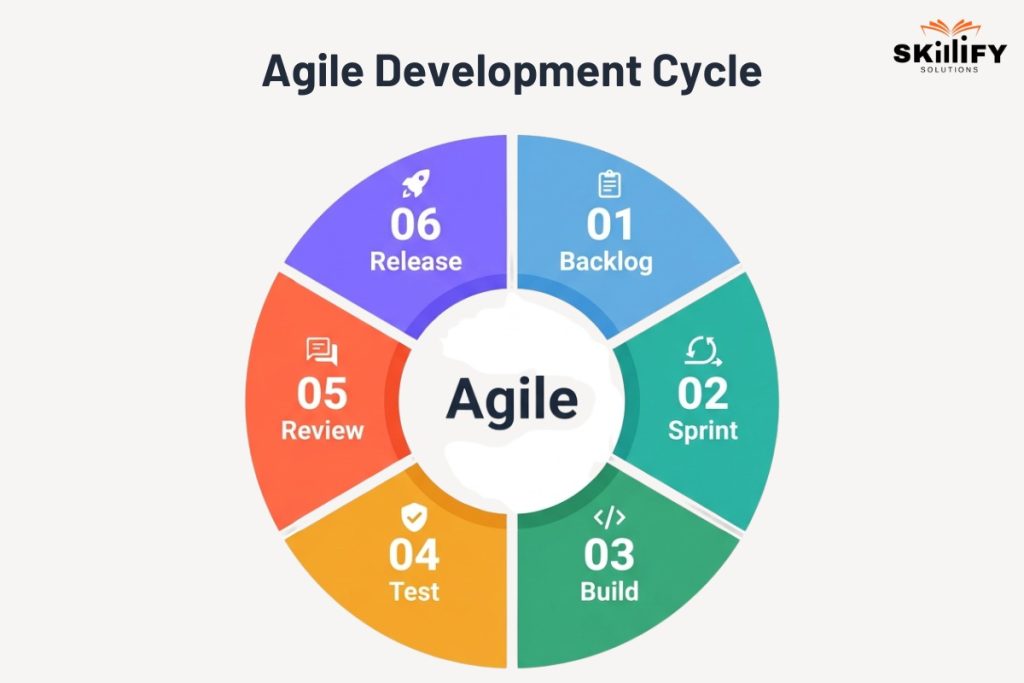
    Agile Development Cycle

    Agile works through sprint cycles, product backlogs, and continuous delivery. The backlog lists what needs to be built. Sprints help teams complete selected work in short timeframes. Continuous delivery allows teams to release improvements regularly instead of waiting for one big launch. 

    Agile is guided by four Manifesto values: people over processes, working software over heavy documentation, customer collaboration over fixed contracts, and responding to change over following a rigid plan.  

    If you want to understand sprint planning, Scrum roles, backlog management, and delivery cycles in a practical way, the Scrum Master Bootcamp is a useful starting point.

    Design Thinking vs Agile: 6 Key Differences 
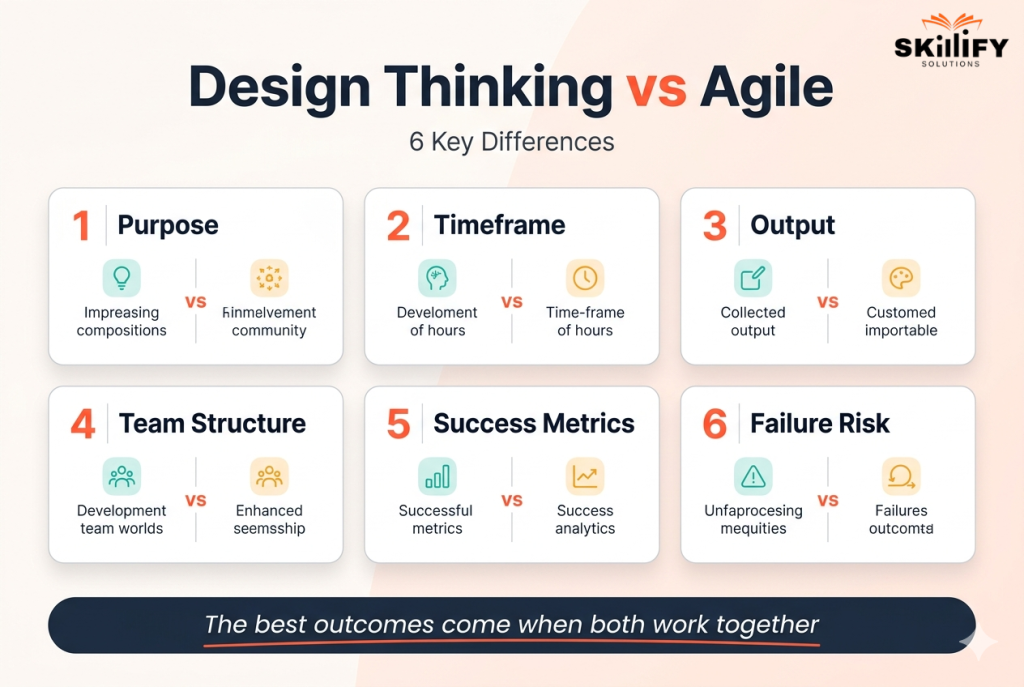
    Design Thinking vs Agile

    Design Thinking and Agile are not opposites. They are used at different stages of product development. Design Thinking helps teams decide what to build. Agile helps teams build and improve it faster.

    1. Purpose 

    Design Thinking focuses on finding the right problem before jumping into execution. It asks: What does the user really need? 

    Agile focuses on delivering the solution fast through small, regular improvements. It asks: How can we build and improve this quickly? 

    2. Timeframe 

    Design Thinking is usually used in the early discovery stage, before development begins. Teams research users, define pain points, and test rough ideas. 

    Agile works in repeated delivery cycles called sprints. Once the problem is clear, Agile helps the team build, review, and improve the product step by step. 

    3. Output 

    Design Thinking usually produces user insights, problem statements, ideas, low-cost prototypes, and test feedback. Agile usually produces working software, product features, sprint outputs, releases, and continuous improvements.  

    In simple terms, Design Thinking helps validate the idea, while Agile turns that validated idea into a usable product. 

    4. Team Structure 

    Design Thinking involves designers, researchers, product managers, business teams, and users. The team is often cross-disciplinary because the goal is to understand the problem from multiple angles. 

    Agile teams are usually self-organizing delivery teams. They include developers, product owners, scrum masters, testers, and designers who work together to complete sprint goals. 

    5. Success Metrics 

    Design Thinking is measured by the quality of learning. Success means the team has clearer user insights, validated assumptions, and stronger problem clarity. 

    Agile is measured by delivery progress. Success is tracked through sprint goals, velocity, completed backlog items, working features, and product improvements. 

    6. Failure Risk 

    Design Thinking can fail without Agile when teams keep researching, ideating, and prototyping but never build the final product. 

    Agile can fail without Design Thinking when teams deliver quickly but build something users do not actually need. 

    Simple example: A team may use Design Thinking to discover that small business owners struggle with salary errors. Then Agile helps the team build, test, and improve a payroll automation feature in sprints. 

    Turn user insights into product strategy with SAFe 6.0 Agile Product Management certification today!

    Similarities Between Design Thinking and Agile 

    Design Thinking and Agile are different in purpose, but both are built around learning, feedback, and improvement. Both methods help teams avoid assumptions and create solutions that are useful, tested, and adaptable. 

    User-Centered Thinking 

    Both approaches focus on the user’s approach. Design Thinking starts with empathy and user research, while Agile keeps the user involved through feedback, sprint reviews, and product improvements. 

    Key points: 

    • Both reduce guesswork.  
    • Both focus on real user needs.  
    • Both improve the product based on user behavior. 

    Iterative Learning 

    Design Thinking and Agile both follow a test-and-learn approach. Design Thinking tests ideas through prototypes, while Agile tests product improvements through repeated sprint cycles. 

    Key points: 

    • Learn early.  
    • Improve continuously.  
    • Avoid waiting for a “perfect” final version. 

    Cross-Functional Collaboration 

    Both methods encourage different teams to work together instead of operating in silos. Designers, developers, product managers, business teams, and users all contribute to better decisions. 

    Key points: 

    • Better ideas come from multiple perspectives.  
    • Teams solve problems faster together.  
    • Collaboration reduces handoff gaps. 

    Continuous Feedback 

    Feedback drives both Design Thinking and Agile. In Design Thinking, feedback validates whether the idea solves the right problem. In Agile, feedback helps improve the working product after every sprint. 

    Key points: 

    • Feedback prevents wrong assumptions.  
    • Teams can adjust quickly.  
    • The final solution becomes more useful and relevant. 

    How to Use Design Thinking and Agile Together: A Practical Integration Model 

    Design Thinking and Agile work best when Design Thinking comes first for problem discovery, and Agile comes next for solution delivery. In simple terms, use Design Thinking to decide what needs to be built, then use Agile to build, test, and improve it in sprints. 

    Phase 1: Discover the Problem Before Sprint 0 

    Before Sprint 0, teams should use Design Thinking to understand the user, identify pain points, and define the real problem. This prevents Agile teams from starting development with unclear assumptions. 

    What to do: 

    • Interview with users and observe their workflow.  
    • Create empathy maps and user personas.  
    • Define the core problem statement.  
    • Test early ideas with rough prototypes.  

    Output: Clear user needs, validated pain points, and a focused problem definition. 

    Phase 2: Turn DT Outputs into Backlog Items 

    Once the problem is clear, convert Design Thinking outputs like How Might We Questions, POV statements, user journeys, and prototype feedback into an Agile backlog. This helps the delivery team turn user insights into actual features. 

    What to do: 

    • Convert user pain points into user stories.  
    • Break big ideas into smaller backlog items.  
    • Prioritize features based on user value.  
    • Add acceptance criteria for each story.  

    Output: A user-focused product backlog ready for sprint planning. 

    This is also where product ownership becomes important. A detailed understanding on SAFe POPM Certification explains how product owners and product managers prioritize backlog items and align them with business goals.

    Phase 3: Use Sprint Reviews for User Testing 

    During sprint reviews, teams can use Design Thinking testing methods to collect richer user feedback. Instead of only asking whether the feature works, teams should ask whether it solves the user’s real problem. 

    What to do: 

    • Test sprint outputs with real users.  
    • Ask users to complete actual tasks.  
    • Observe confusion, hesitation, or friction.  
    • Use feedback to improve the next sprint.  

    Output: Better sprint feedback, stronger product decisions, and continuous improvement based on real user behavior. 

    For product owners and managers responsible for converting customer insights into backlog items, the AI-Empowered SAFe® 6.0 POPM Certification is highly relevant.

    Design Thinking vs Agile vs Lean 

    Design Thinking finds user value; Lean removes waste, and Agile delivers solutions faster. Together, they help teams build the right product with less rework. 

    Method Main Role In SAFe, It Helps With 
    Lean Removes waste Better flow, faster decisions, less rework 
    Design Thinking Finds user value Understanding customer needs before building 
    Agile Delivers value Building, testing, and improving in iterations 

    If you want to understand how product strategy, customer value, and Agile execution come together, read on Agile Product Management.

    How Lean, Design Thinking, and Agile Work in SAFe 

    In SAFe, these three approaches work like one system. Lean improves flow and removes unnecessary work. Design Thinking helps teams understand what users actually value. Agile helps teams deliver that value through sprints, feedback, and continuous improvement. 

    At the portfolio level, Lean supports strategy and value flow. At the program level, Design Thinking helps shape user-focused solutions. 

    Leaders and portfolio teams who want to connect strategy, value streams, and execution can explore the SAFe 6.0 Lean Portfolio Management Training. It will help them at the team level to build and improve those solutions quickly. 

    Which Teams Should Prioritize Design Thinking vs Agile?  

    Teams should prioritize Design Thinking when the problem is unclear and Agile when the solution is clear but needs faster execution. 

    Team Situation Prioritize Why 
    Users are confused or unhappy Design Thinking To understand the real pain point 
    The product idea is still unclear Design Thinking To validate the problem before building 
    The team has too many assumptions Design Thinking To test ideas with users first 
    Features are already defined Agile To build and release faster 
    Product needs regular updates Agile To improve through sprint cycles 
    Development is moving slowly Agile To improve delivery speed and team focus 
    Team is building, but adoption is low Both Use DT to rethink value, Agile to improve delivery 
    New product or major redesign Both Discover first, then build in iterations 

    Conclusion 

    Design Thinking and Agile are not competing methods. They simply solve different parts of the same product journey. Design Thinking helps teams understand users, define the real problem, and test ideas before building. 

    Agile helps teams turn those validated ideas into working solutions through sprints, feedback, and continuous improvement. Design Thinking brings clarity, while Agile brings speed and structure. 

    When used separately, teams may either spend too much time exploring or move too fast in the wrong direction. But when used together, they reduce rework, improve user value, and help teams build products with more confidence. 

    The best approach is simple: use Design Thinking to decide what should be built, and use Agile to build, test, and improve it faster.

    Turn product ideas into prioritized backlogs with AI-Empowered SAFe 6.0 POPM Certification today!

    Frequently Asked Questions About Design Thinking vs Agile

    1. Is design thinking the same as agile?

    No. Design thinking helps teams find the right problem to solve, while Agile helps teams build and improve the solution faster. They are different, but they work well together.

    2. Which came first: design thinking or agile?

    Design thinking came earlier. Its roots go back to design and human-centered problem-solving practices, while the Agile Manifesto was created in 2001 for software development.

    3. Can you use design thinking without agile?

    Yes. Design thinking can be used on its own for research, ideation, prototyping, service design, business strategy, and problem-solving. But for software or product delivery, combining it with Agile helps turn ideas into working solutions.

    4. What is the difference between design thinking and lean?

    Design thinking finds what users need. Lean removes waste and tests what creates value. Design thinking is more about empathy and problem discovery, while Lean focuses on efficiency, learning, and reducing unnecessary work.

    5. How does SAFe incorporate design thinking?

    SAFe uses design thinking to keep product development customer-centered. It helps teams understand customer needs, define valuable solutions, and support Agile Product Delivery across larger organizations.

    6. Which is better for a product team: design thinking or scrum?

    Neither is always better. Use design thinking when the product problem is unclear. Use Scrum when the team needs a structured way to build, test, and deliver in sprints. For most product teams, the best approach is to use both.
  • What is Design Thinking? 5 Stages, Examples, Benefits, and Career Impact

    What is Design Thinking? 5 Stages, Examples, Benefits, and Career Impact

    Design thinking is the difference between building what users ask for and discovering what they actually need.

    Users may say they want a faster process, a cleaner interface, or more features. But the real problem may be trust, confusion, fear, delay, or lack of clarity. Design thinking helps teams uncover that deeper layer.

    It does this through empathy, research, sharp problem framing, broad ideation, quick prototypes, and real user testing. Instead of launching with confidence based only on internal opinions, teams learn early and improve faster.

    This is why design thinking is no longer limited to designers. It is now a valuable skill for product managers, UX teams, Agile coaches, business leaders, consultants, and innovation teams. 

    In this blog, we will explain What is design thinking, its 5 stages, examples, benefits, frameworks, and career impact. Let’s dive into it!

    What is Design Thinking? 

    Design thinking is a human-centered problem-solving approach. It helps teams understand real user needs, define the right problem, create possible solutions, test them quickly, and improve them based on feedback. 

    The idea is often traced back to Herbert A. Simon, who discussed design as a structured way to solve problems in his 1969 book The Sciences of the Artificial. Later, IDEO made design thinking mainstream by turning it into a practical innovation method used by businesses, product teams, educators, and healthcare teams. 

    In simple words, design thinking is not just about making something look good. It is about making something useful, usable, and meaningful for the people who need it. 

    Build customer-focused product skills with SAFe Agile Product Management Certification today.

    Why Design Thinking is Not Just for Designers 

    Design thinking is useful for anyone who solves problems for people. Product managers use it to build better features. Marketers use it to understand customers’ needs. HR teams use it to improve employee experience. Business leaders use it to reduce guesswork before making big decisions. 

    So, design thinking is not only about design skills. It is about understanding people, testing ideas, and improving solutions before scaling them. 

    Professionals who want to apply design thinking in product strategy, customer discovery, and roadmap planning can also explore the Product Management with AI Certification

    Design Thinking vs Critical Thinking vs Systems Thinking 

    Design thinking creates solutions; critical thinking evaluates ideas, and systems thinking looks at the bigger picture. Let’s see the main differences below.  

    Approach Focus Best For Key Question 
    Design Thinking User needs and solutions Products, services, innovation What does the user really need? 
    Critical Thinking Logic, facts, and evidence Decision-making and analysis Is this idea valid? 
    Systems Thinking Connections and impact Complex business or tech systems How does this affect the whole system? 

    The 5 Stages of the Design Thinking Process

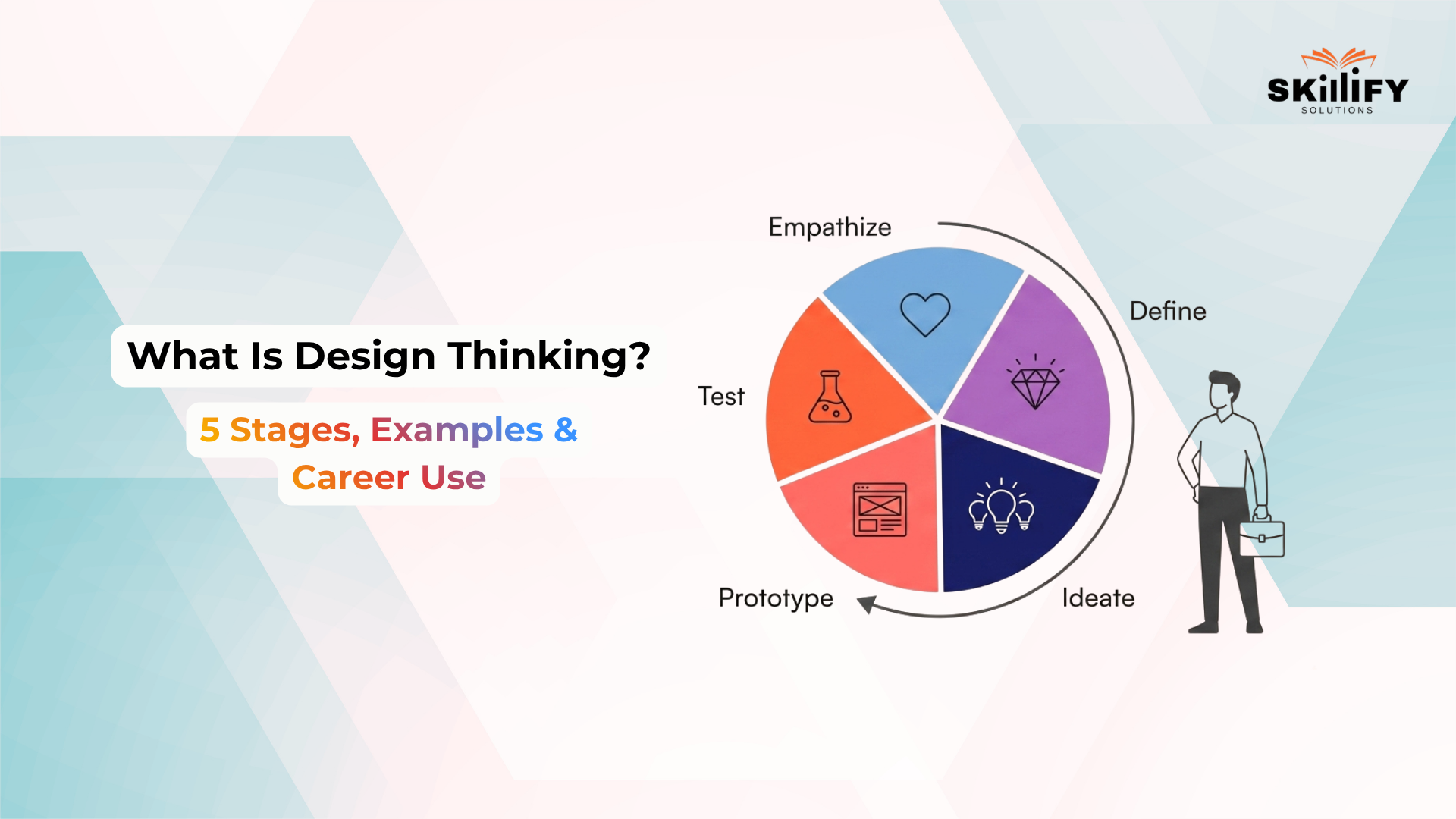
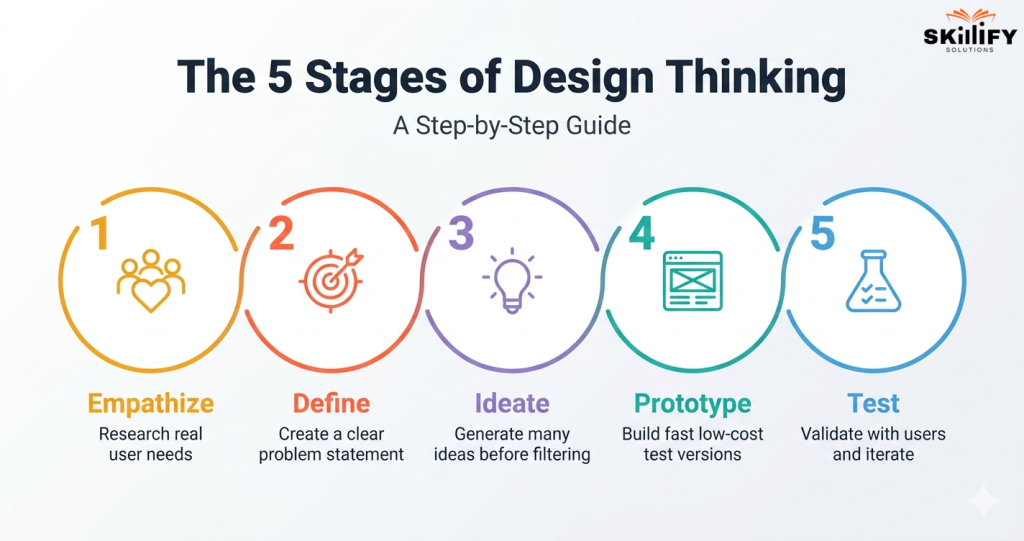
    The design thinking process has five key stages: Empathize, Define, Ideate, Prototype, and Test. These stages help teams move from understanding users to building and improving solutions. However, design thinking is not always linear. Teams may go back to earlier stages whenever testing reveals new insights. 

    5 Stages of the Design Thinking

    Stage 1: Empathize with Real User Needs 

    The first stage is to understand users deeply. Teams observe users, interview them, study their environment, and learn about their problems, motivations, and behaviors. The goal is to avoid assumptions and discover what users actually need. 

    Stage 2: Define the Core Problem 

    In this stage, teams organize research findings and identify core problems. A good problem statement should be user-centered, not company-centered. For example, instead of saying “We need more sales,” the team should define what users are struggling with and why. 

    This stage is especially important for Product Owners and Product Managers. An AI-Empowered SAFe POPM Certification can help professionals convert customer problems into Features, Stories, priorities, and PI objectives.

    Stage 3: Ideate Multiple Solutions 

    Once the problem is clear, teams brainstorm many possible solutions. At this stage, quantity matters before quality. The aim is to challenge assumptions, explore different angles, and avoid choosing the first obvious idea too early. 

    During ideation, Design thinking tools like brainstorming, empathy maps, journey maps, and prototypes help teams move from vague ideas to testable solutions. 

    Stage 4: Prototype Fast and Cheap 

    A prototype is a simple version of the solution. It can be a sketch, wireframe, mockup, sample flow, or basic model. The goal is not perfection. The goal is to test the idea quickly before investing too much time, money, or development effort. 

    Stage 5: Test, Learn, and Iterate 

    In the test stage, real users interact with the prototype and give feedback. Their responses help teams understand what works, what fails, and what needs improvement. Testing often sends teams back to redefine the problem, generate new ideas, or improve the prototype. This is why design thinking is an ongoing loop, not a one-time process. 

    Since design thinking begins with customer discovery and problem framing, the SAFe Agile Product Management Certification is a strong fit for professionals. It will help them to connect user research, product strategy, and continuous value delivery.

    Design Thinking Frameworks Compared

    Different teams use different design thinking frameworks, but the goal is the same: understand users, define the right problem, explore ideas, prototype solutions, and test with feedback. The main difference is how each framework structures the journey.  

    Framework Stages Best For Main Strength 
    Stanford d.school Empathize, Define, Ideate, Prototype, Test Product, UX, Agile, education, innovation teams Clear step-by-step process 
    IDEO Inspiration, Ideation, Implementation Business innovation, service design, social impact Simple and action-focused 
    Double Diamond Discover, Define, Develop, Deliver Strategy, policy, service design, UK/European teams Strong problem framing 

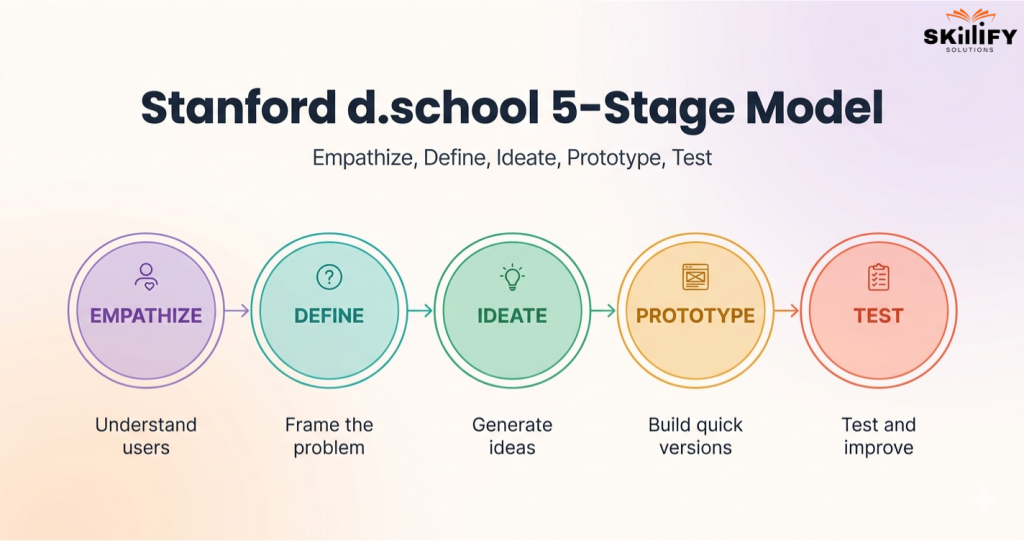
    Stanford d.school 5-Stage Model 

    Stanford d.school 5-Stage Model 

    The Stanford d.school model follows five stages: Empathize, Define, Ideate, Prototype, and Test. It is best for teams that need a clear, beginner-friendly process to understand users, frame problems, build quick prototypes, and test solutions. 

    Start your product career journey with Product Management with AI Certification today and excel in future!

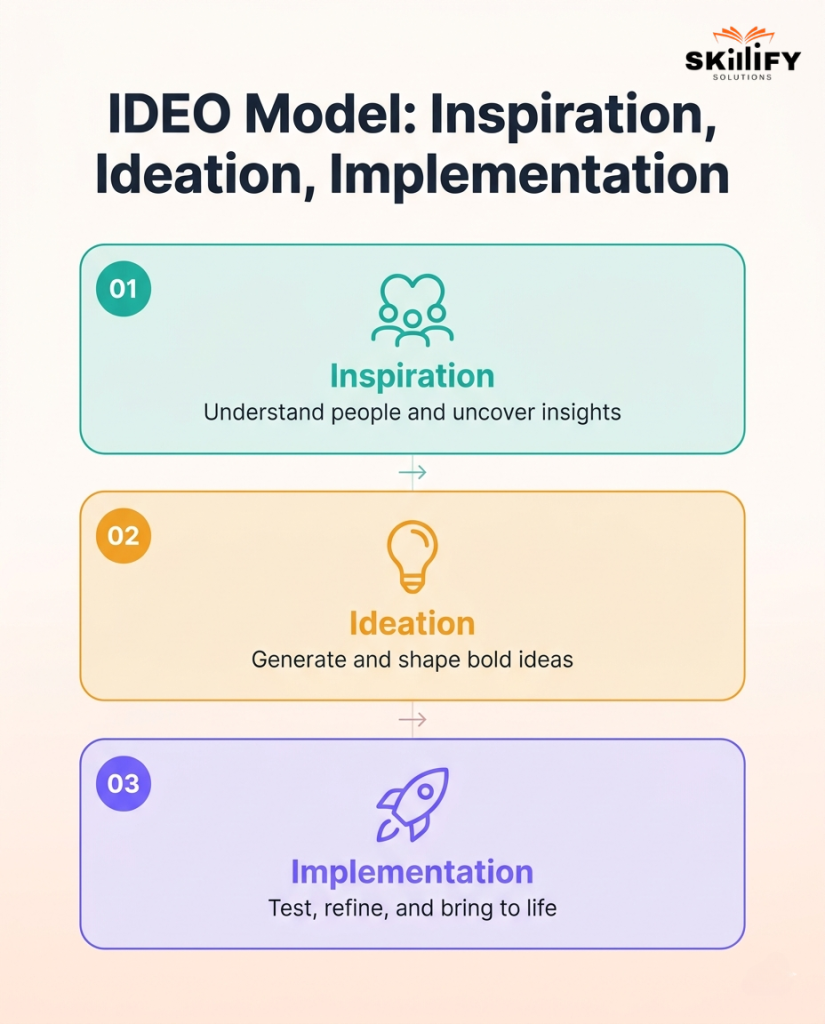
    IDEO Model: Inspiration, Ideation, Implementation 

    IDEO Model

    The IDEO model has three broad stages: Inspiration, Ideation, and Implementation. It is useful for business innovation and service design because it keeps the process simple: understand the opportunity, create ideas, and bring the best solution to life.  

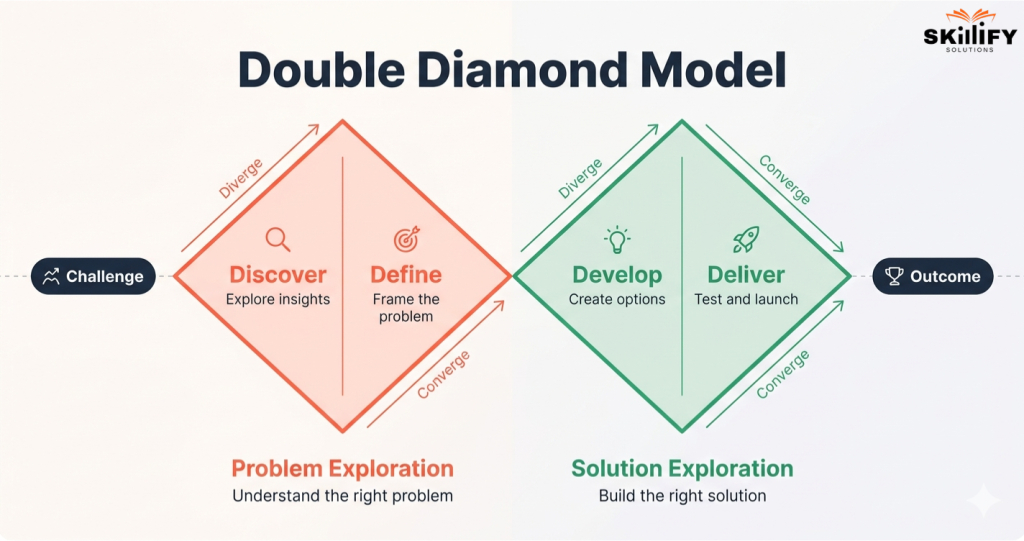
    Double Diamond: Discover, Define, Develop, Deliver 

    Double Diamond

    The Double Diamond model has four stages: Discover, Define, Develop, and Deliver. It is often used in strategy and service design because it clearly separates problem discovery from solution development, helping teams avoid solving the wrong problem. 

    Real-World Design Thinking Examples` 

    Real companies use design thinking to understand users better, test faster, and solve problems that data alone may not reveal. 

    Airbnb: Using Empathy to Improve the Customer Experience 

    In 2009, Airbnb was stuck at around $200 per week in revenue. The founders visited hosts and found that many listings had poor-quality photos. After personally improving photos for 24 New York listings, weekly revenue doubled to around $400.  

    Key lesson: 

    • Empathy revealed the trust problem.  
    • Better photos made listings feel safer.  
    • A small test created a measurable business impact. 

    IBM: Scaling Enterprise Design Thinking Across Teams 

    IBM scaled design thinking across large teams to improve collaboration, reduce rework, and build user outcomes. A Forrester study reported that IBM Design Thinking helped teams get to market 2x faster, reduce design and development time by up to 75%, and move release cycles from 6–8 months to 3-4 months.  

    Here is the key lesson: 

    • Cross-functional teams aligned faster.  
    • Prototypes reduced wasted effort.  
    • User-centered decisions improved speed. 

    PillPack: Simplifying the Pharmacy Experience for Patients

    PillPack simplified medication management for patients with multiple prescriptions. It organized medicines into easy dose packets, improved refills, and reduced pharmacy friction. Amazon acquired PillPack in 2018 for just under $1 billion.  

    Key lesson: 

    • PillPack solves a daily patient pain point.  
    • Simple packaging improved usability.  
    • A better healthcare experience created major business value. 

    Design Thinking in Agile and SAFe

    Design thinking and Agile work well together because both focus on customer needs, fast feedback, and continuous improvement. In SAFe, design thinking supports Agile Product Delivery by helping teams build solutions that are desirable, feasible, viable, and sustainable. 

    How Design Thinking Supports Customer Discovery

    The Empathize and Define stages help teams understand users before planning features. In SAFe PI Planning, this supports customer discovery because teams need to know the real problem before deciding what to build. 

    How Prototyping and Testing Fit Agile Iterations` 

    The Prototype and Test stages fit naturally into Agile sprints. Teams build small versions of an idea, test them with users, collect feedback, and improve the solution in the next iteration or sprint review. 

    In enterprise Agile environments, the Leading SAFe 6.0 Certification will help connect design thinking with Lean-Agile principles, Agile Release Trains, and value delivery at scale.

    How Product Managers Use Design Thinking for Features and Stories

    Product Managers use design thinking to turn user problems into clear Features and Stories. SAFe notes that Agile teams use design thinking techniques to create desirable features, while Product Management defines solutions that meet customer needs.  

    Design thinking helps Product Managers write better work items by clarifying: 

    • Who the user is  
    • What problem do they face  
    • Why the solution matters  
    • What outcome should the feature create 

    Product Managers who use design thinking can also explore Agile Product Management. Here, decisions are driven by customer feedback, data, and continuous learning.

    Design Thinking Career Impact

    Design thinking is now a useful career skill across product, UX, Agile, business, and innovation roles. Companies value it because it helps professionals understand users, solve the right problems, and build solutions with faster feedback. 

    Learners who want to grow in Agile, product, or transformation roles can explore leading SAFe Certifications. These will help to strengthen feature prioritization, roadmap thinking, and customer-led decisions. 

    Jobs That Use Design Thinking Skills 

    Design thinking skills are useful across roles that involve users, products, services, or business problem-solving. Let’s understand how design thinking helps the role and their average salary range. 

    Role How Design Thinking Helps Average US Salary 
    UX Designer Understands user pain points and improves product experience. $112K/year 
    Product Manager Converts customer needs into better features and roadmaps. $194K/year 
    Innovation Consultant Solves business problems through research, ideation, and prototyping. $194K/year 
    Agile Coach Helps teams build with customer feedback and continuous improvement. $113K/year 

    Improve sprint outcomes with AI-Empowered SAFe Scrum Master Certification Today!

    Salary Impact of Design Thinking Skills

    According to Harvard Business School Online, marketing manager roles that require design thinking skills show a median salary of $133,900, compared to $107,900 for general marketing manager roles. That is a 24% salary increase, showing how design thinking can improve career value. 

    How Certifications Build Design Thinking Capability

    SAFe certifications connect design thinking with Agile execution. They help professionals understand customer needs, define valuable work, prioritize features, and deliver solutions through fast feedback loops. 

    Certification Design Thinking Connection 
    SAFe POPM Certification Helps Product Owners and Product Managers convert user needs into Features, Stories, priorities, and PI objectives. 
    Leading SAFe Certification Helps leaders build customer-focused Agile teams that align work with business value and continuous improvement. 
    SAFe Agile Product Management Supports deeper customer discovery, product strategy, road mapping, and market-driven decision-making. 

    Conclusion

    It can be concluded that Design thinking is a simple but powerful way to solve problems by understanding people first. Instead of guessing what users need, it helps teams research, define the right problem, create ideas, build quick prototypes, and test with real feedback.

    The five stages make the process practical and repeatable. Frameworks like Stanford d.school, IDEO, and Double Diamond give teams different ways to apply the same human-centered approach. Design thinking has helped companies solve real problems and create better experiences. 

    It is also useful for careers in UX, product management, Agile, innovation, and business strategy. In short, design thinking helps you build solutions that people actually need, not just ideas that look good on paper.

    Explore all our leading SAFe® Certifications and build skills for enterprise Agile leadership now!

    Frequently Asked Questions

    1. How is design thinking different from Agile?

    Design thinking helps teams decide what problem to solve by understanding users. Agile helps teams decide how to build and deliver the solution quickly through iterations.

    2. Can I learn design thinking without a design background?

    Yes. Design thinking is not only for designers. It is a user-centered problem-solving approach that can be used by product managers, marketers, business teams, educators, and leaders.

    3. What certifications teach design thinking?

    Certifications related to product management, Agile Product Management, SAFe POPM, and Leading SAFe by Skillify Solutions teach design thinking principles. It is through user research, customer discovery, prototyping, feedback, and value delivery.

    4. What are the benefits of design thinking?

    Design thinking helps teams understand users better, reduce assumptions, test ideas early, improve products or services, and create solutions that are more useful and human-centered.

  • Design Thinking Tools: 15 Essential Methods Mapped to Each Stage of the Process

    Design Thinking Tools: 15 Essential Methods Mapped to Each Stage of the Process

    Design thinking tools help teams stop designing from opinion and start designing from evidence. That sounds simple, but it is one of the biggest shifts in product, UX, business, and innovation work. 

    Many teams begin with ideas they personally like. The problem is, users may not think, behave, or decide the same way. Design thinking tools help close that gap.

    They help you listen to users, observe behaviour, organize research, create problem statements, brainstorm ideas, build quick prototypes, and test them before investing too much time or money.

    Think of them as the working kit behind every strong design thinking process. Without tools, the process can become messy. With the right tools, every stage becomes clearer.

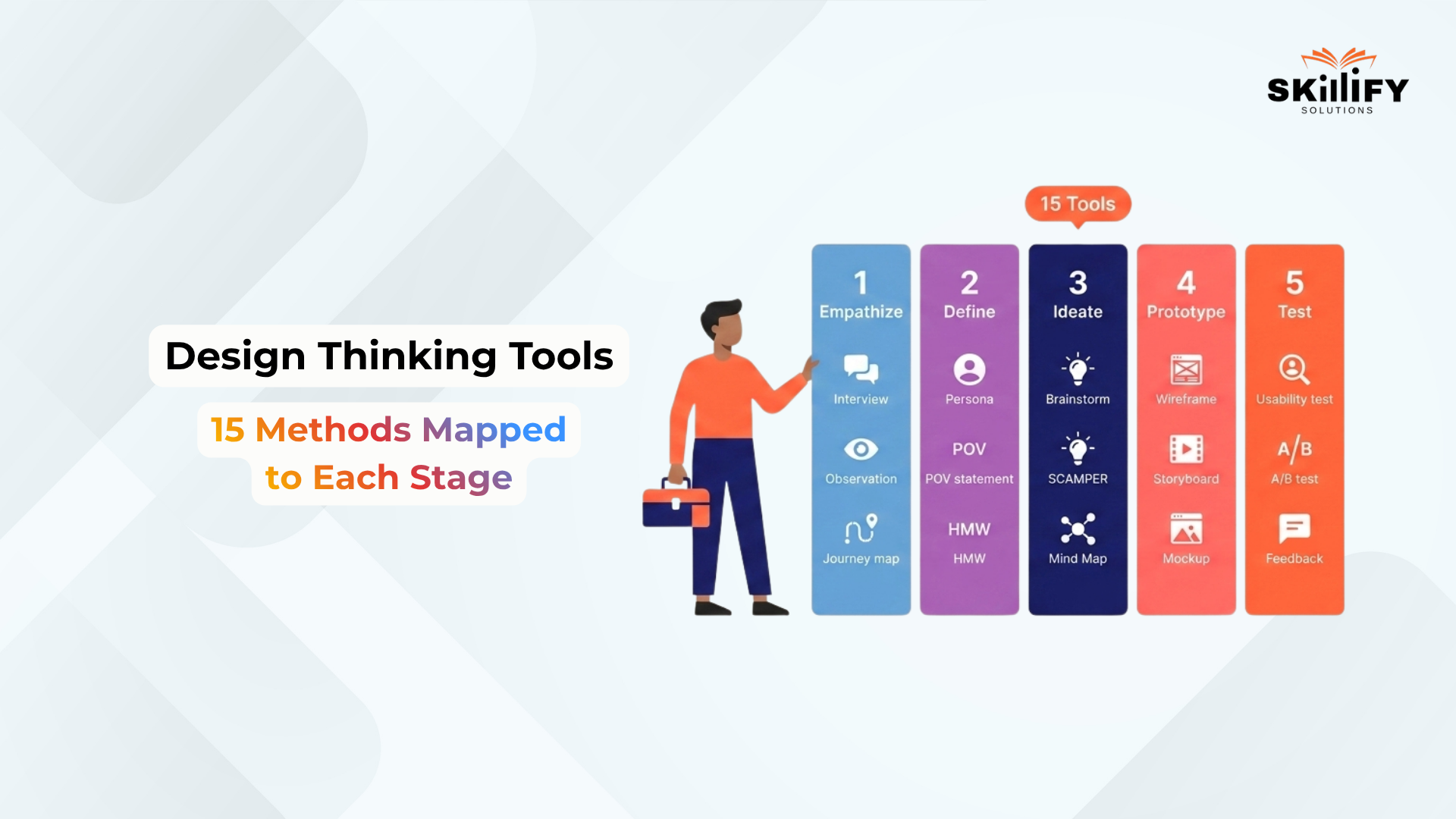
    In this blog, we will look at 15 essential design thinking tools, mapped stage by stage, so you can understand which tool to use for user research, ideation, prototyping, and testing. 

    What Are Design Thinking Tools? 

    Design thinking tools are software, platforms, and templates that help teams apply design thinking in a structured way. They make the design thinking process more practical and organized.  

    Instead of depending only on discussion or guesswork, teams can use tools to collect user feedback, map customer journeys, create personas, brainstorm ideas, design prototypes, and validate them with real users. 

    In simple terms, design thinking tools help turn creative thinking into a clear, step-by-step problem-solving process. They do not replace design thinking methods like empathy mapping, brainstorming, or usability testing. 

    Why the Right Design Thinking Tool Matters 

    Design thinking is not one single activity. Each stage has a different goal, so it needs different tools. Using the right tool at the right stage keeps the process clear, collaborative, and focused on real user needs. 

    The 5-Stage Stanford Framework for Tool Selection 

    The Stanford design thinking framework has five stages: 

    1. Empathize: Use research tools to understand users, their needs, pain points, and behaviour. Examples: Typeform, Hotjar, UserTesting. 
    2. Define: Use organization tools to turn research into clear problem statements, personas, and user journeys. Examples: EnjoyHQ, Make My Persona, FlowMapp. 
    3. Ideate: Use collaboration tools to brainstorm, map ideas, and explore possible solutions. Examples: Miro, Ideaflip, MindMeister. 
    4. Prototype: Use design tools to create quick, testable versions of the idea. Examples: Figma, InVision, Adobe XD. 
    5. Test: Use testing tools to collect user feedback, validate designs, and improve the solution. Examples: Maze, UXtweak, Mural. 

    Build product thinking faster with SAFe® Agile Product Management Certification today.

    Physical vs digital design thinking tools 

    Design thinking can be used with both physical and digital tools. The right choice depends on team location, project size, and collaboration needs. 

    Type Best For Examples 
    Physical Tools In-person workshops, quick sketching, and team discussions Sticky notes, whiteboards, paper sketches, printed journey maps 
    Digital Tools Remote teams, organized research, real-time collaboration, and prototype testing Miro, Figma, Typeform, Hotjar, Maze 
    Best Choice Use physical tools for fast offline thinking and digital tools for scalable, shareable work Combine both when possible 

    Stage 1:  Empathize 

    The Empathize stage helps teams understand user needs, pain points, behaviour, and expectations before designing a solution. 

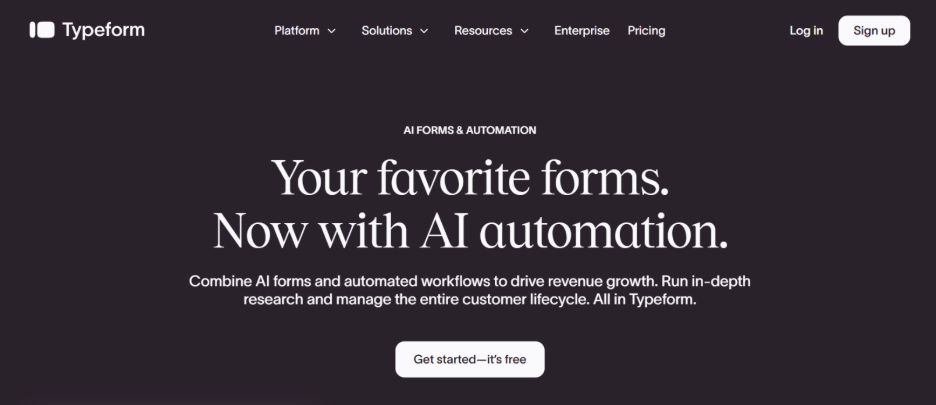
    1. Typeform 

    Typeform is a survey and form-building tool used to collect user feedback, interview responses, and research inputs. In the Empathize stage, it helps teams ask structured questions and collect insights that can later be converted into empathy maps, such as what users say, think, do, and feel. 

    image 30 Design Thinking Tools: 15 Essential Methods Mapped to Each Stage of the Process

    Pros: 

    • Easy to create clean, engaging surveys  
    • Good for user research forms, feedback forms, and interview screeners  
    • Useful for collecting responses at scale  

    Cons: 

    • Not ideal for deep qualitative research  
    • Advanced logic, branding, and higher response limits require paid plans  
    • Responses still need manual analysis for deeper insights  

    Price: Typeform has a free plan. Paid plans start from $28/month for Basic, with higher plans like Plus and Business available for larger teams and higher response needs. 

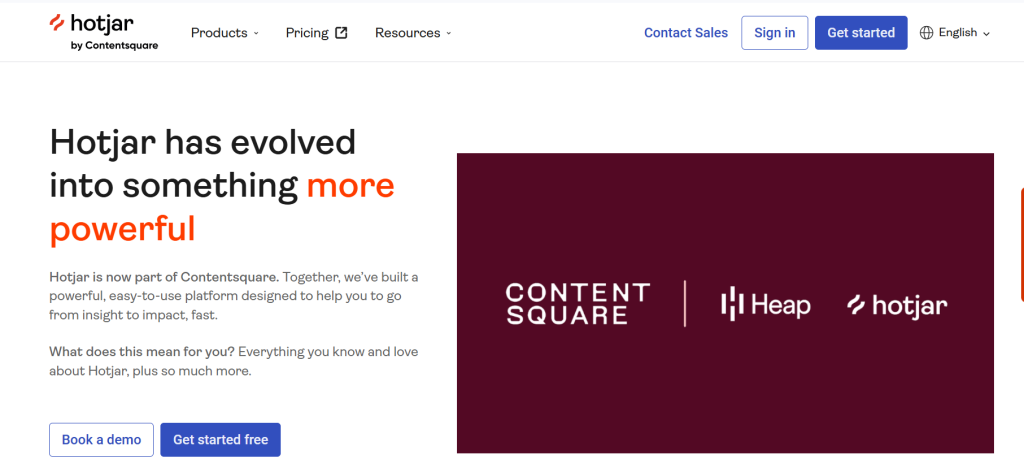
    2. Hotjar 

    Hotjar is a behaviour analytics and feedback tool that shows how users interact with a website through heatmaps, recordings, and surveys. It supports observation and shadowing by helping teams watch what users actually do instead of only relying on what they say. 

    image 32 Design Thinking Tools: 15 Essential Methods Mapped to Each Stage of the Process

    Pros: 

    • Helps observe real user behaviour on websites  
    • Useful for finding friction, drop-offs, and confusing sections  
    • Combines visual behaviour data with direct user feedback  

    Cons: 

    • Works best only when the website has enough traffic  
    • Requires privacy and consent setup  
    • Pricing can increase for larger websites or advanced needs  

    Price: It has free access options, while paid plans start at $39 per month. It varies based on product bundle, usage, and business needs.  

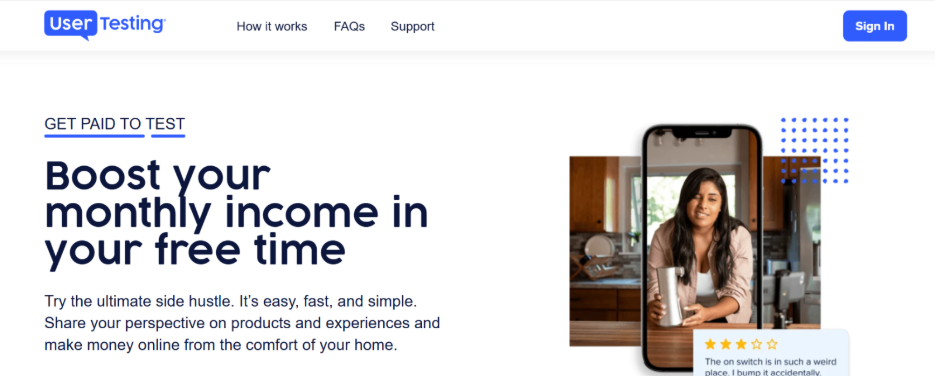
    3. UserTesting 

    UserTesting helps teams collect video feedback from real users while they interact with websites, apps, or prototypes. It is useful for user interviews, think-aloud testing, and asking deeper questions that reveal real needs, not just stated needs. 

    image 36 Design Thinking Tools: 15 Essential Methods Mapped to Each Stage of the Process

    Pros: 

    • Strong for real user interviews and video-based feedback  
    • Useful for remote user research and think-aloud testing  
    • Helps teams understand user emotions, reactions, and friction points  

    Cons: 

    • Pricing is not publicly fixed  
    • Better suited for teams with larger research budgets  
    • May be too advanced for small teams needing only basic feedback  

    Price: UserTesting does not publish fixed public pricing for its main plans. Its official plans are based on usage, research needs, and team requirements, with pricing available on request. 

    Stage 2: Define 

    The Define stage turns raw user research into clear insights, problem statements, personas, and user flows. This is where teams move from collecting feedback to knowing what problem to solve. 

    4. EnjoyHQ 

    EnjoyHQ, now part of UserTesting, helps teams centralize user research, feedback, interview notes, and customer insights in one place. It supports affinity mapping by helping teams group research into themes and patterns. 

    Pros: 

    • Useful for centralizing user research and feedback  
    • Helps teams find patterns across interviews, surveys, and customer comments  
    • Good for creating research-backed POV statements using User + Need + Insight  

    Cons: 

    • May feel heavy for small teams with limited research data  
    • Needs proper tagging and organization to stay useful  
    • Pricing is not very transparent after its move to UserTesting  

    Price: EnjoyHQ is now part of UserTesting. Public pricing is not clearly listed as a fixed monthly plan, so teams usually need to check UserTesting’s pricing or request details based on usage and team needs. 

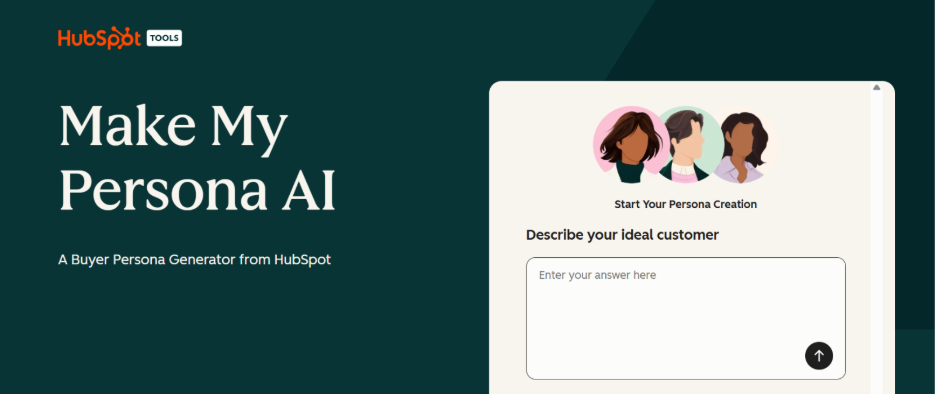
    5. Make My Persona 

    Make My Persona by HubSpot is a free tool for creating structured user personas based on goals, challenges, behaviour, and needs. It helps teams define who they are designing for. 

    image 31 Design Thinking Tools: 15 Essential Methods Mapped to Each Stage of the Process

    Pros: 

    • Free and easy to use  
    • Good for turning research into simple, readable personas  
    • Helps teams align around who they are designing for  

    Cons: 

    • Not a full research repository  
    • Personas can become generic if not based on real user data  
    • Limited compared to advanced UX research platforms  

    Price: Make My Persona is a free tool from HubSpot. It can be used without a paid persona-specific plan, although HubSpot also offers paid CRM and marketing products separately. 

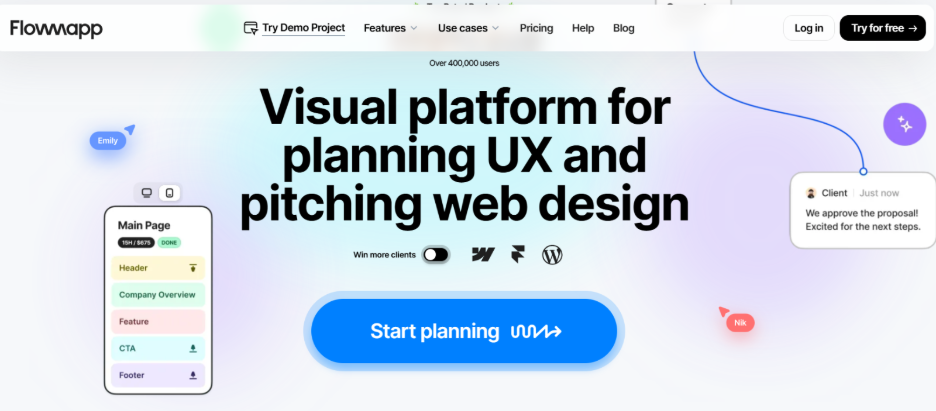
    6. FlowMapp 

    FlowMapp is a UX planning tool for creating user flows, sitemaps, personas, and customer journeys. It helps teams turn research insights into clear product or website structures. 

    image 39 Design Thinking Tools: 15 Essential Methods Mapped to Each Stage of the Process

    Pros: 

    • Strong for visualizing user flows, journeys, and site structure  
    • Useful for connecting personas with real product navigation  
    • Helps teams clarify where users face friction before ideation starts  

    Cons: 

    • More useful for websites and digital products than non-digital services  
    • May be unnecessary for very small projects  
    • Some advanced collaboration and project limits require paid plans  

    Price: FlowMapp has a free plan with 1 project and 20 pages. Paid monthly plans start at $15/month for Pro, $35/month for Team, and $99/month for Agency. Annual billing is available at discounted rates. 

    Manage strategy and value flow with SAFe® Lean Portfolio Management Certification now and step into a bright career!

    Stage 3: Ideate 

    The Ideate stage helps teams move from one obvious solution to many possible ideas. This is where brainstorming, SCAMPER, Crazy 8s, and idea clustering help teams explore more creative directions before choosing the best one. 

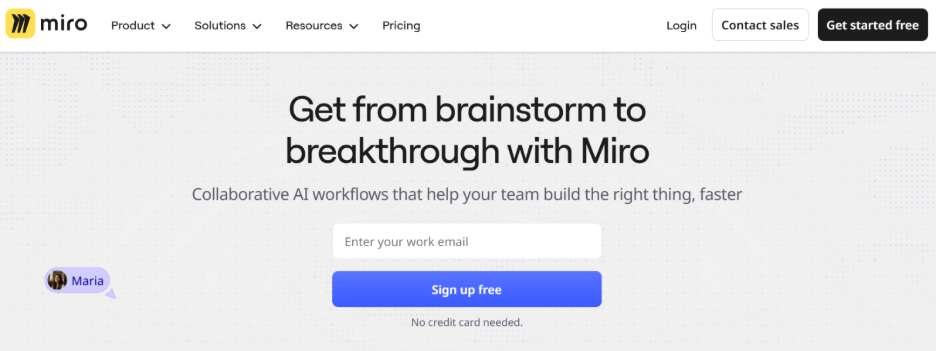
    7. Miro 

    Miro is an online whiteboard tool used for brainstorming, workshops, sticky notes, diagrams, and team collaboration. In the Ideate stage, it helps teams run structured sessions using methods like IDEO’s brainstorming rules, Crazy 8s, and How Might We idea boards. 

    For teams using Miro in Agile workshops, the Leading SAFe 6.0 Certification helps explain how collaboration, alignment, and PI Planning work at enterprise scale.

    image 41 Design Thinking Tools: 15 Essential Methods Mapped to Each Stage of the Process

    Pros: 

    • Good for remote and in-person brainstorming  
    • Offers templates for mind maps, workshops, journey maps, and ideation  
    • Help teams group, vote, and prioritize ideas visually  

    Cons: 

    • Boards can become messy without a facilitator  
    • The free plan has limited editable boards  
    • Large teams may need paid plans for better control and collaboration  

    Price: Miro has a free plan with limited editable boards. Paid plans start with the Starter plan, while the Business plan is listed at $20 per member/month when billed annually. Enterprise pricing is available on request. 

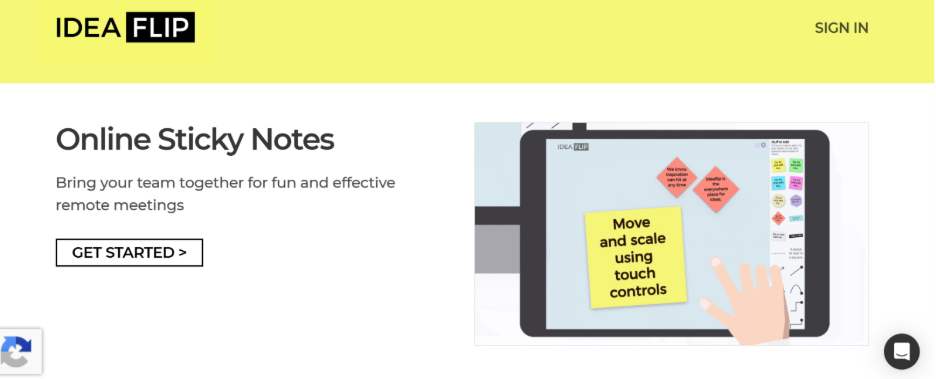
    8. Ideaflip 

    Ideaflip is an online sticky-note tool for brainstorming, planning, and organizing team ideas. In the Ideate stage, it is useful for collecting raw ideas, sorting them into groups, and applying methods like brainstorming, dot voting, and idea clustering. 

    image 34 Design Thinking Tools: 15 Essential Methods Mapped to Each Stage of the Process

    Pros: 

    • Simple and focused tool for idea capture  
    • Useful for workshops, planning sessions, and remote brainstorming  
    • Allows teams to invite collaborators and organize ideas visually  

    Cons: 

    • Less feature-rich than larger whiteboard tools like Miro  
    • Not ideal for complex UX mapping or prototyping  
    • Pricing details can vary by plan and team setup  

    Price: Ideaflip offers a free trial. Its Professional plan is listed at $12 per user/month, with a minimum monthly cost of $24/month for a team setup. 

    9. MindMeister 

    MindMeister is an online mind mapping tool used to organize ideas visually. In the Ideate stage, it helps teams expand one idea into many directions, making it useful for SCAMPER, idea of branching, and turning scattered thoughts into clear solution paths. 

    image 35 Design Thinking Tools: 15 Essential Methods Mapped to Each Stage of the Process

    Pros: 

    • Easy to use for mind maps and idea expansion  
    • Good for organizing complex ideas into clear branches  
    • Supports real-time collaboration and sharing  

    Cons: 

    • The free plan is limited to a small number of mind maps  
    • Less suitable for sketching or visual prototyping  
    • Advanced export and collaboration features may require paid plans  

    Price: MindMeister has a free plan that allows up to 3 mind maps. Paid plans are available for individuals and teams, with pricing shown on its official pricing page based on billing cycle and plan type. 

    Stage 4: Prototype 

    The Prototype stage turns selected ideas into something users can see, click, or experience. Teams can start with paper prototyping for quick validation, then move to digital prototypes, UI mockups, and storyboards to map the full user journey. 

    10. Figma 

    Figma is a collaborative design tool used to create wireframes, UI screens, clickable prototypes, and design systems. It is useful for moving from paper sketches to digital prototypes quickly. 

    image 40 Design Thinking Tools: 15 Essential Methods Mapped to Each Stage of the Process

    Pros: 

    • Great for real-time team collaboration  
    • Useful for wireframes, clickable prototypes, and UI design  
    • Easy to share designs and collect comments  

    Cons: 

    • Can feel complex for beginners  
    • Needs internet for smooth collaboration  
    • Advanced team features need paid plans  

    Price: Figma has a free Starter plan. Paid plans are listed on its official pricing page, with higher plans for professional teams and organizations.  

    11. Canva  

    Canva is a visual design tool used to create mockups, wireframes, storyboards, presentations, and simple prototype layouts. It is useful in the Prototype stage when teams want to make an idea visual quickly without advanced design skills. 

    image 43 Design Thinking Tools: 15 Essential Methods Mapped to Each Stage of the Process

    Pros: 

    • Easy for non-designers to use  
    • Good for low-fidelity prototypes, storyboards, and presentation-style mockups  
    • Offers ready-made templates for layouts, flows, and visual concepts  

    Cons: 

    • Not ideal for advanced UX prototyping  
    • Limited interaction design compared to Figma  
    • Can become design-heavy instead of user-flow focused  

    Price: Canva has a free plan. Canva Pro is listed at $15/month for one person, while Canva Teams pricing depends on the number of users and team requirements. 

    12. Adobe XD 

    Adobe XD is a UI/UX design tool used for wireframing, interface design, interaction design, prototyping, and sharing user experiences. 

    image 37 Design Thinking Tools: 15 Essential Methods Mapped to Each Stage of the Process

    Pros: 

    • Useful for wireframes, UI screens, and clickable prototypes  
    • Works well for teams already using Adobe Creative Cloud  
    • Supports interaction design and prototype sharing  

    Cons: 

    • Adobe XD is currently in maintenance mode  
    • Adobe is not investing in new feature development for XD  
    • Not the best option for teams choosing a new prototyping tool today  

    Price: Adobe’s support page says XD is in maintenance mode, with support focused on bugs, security, and privacy updates rather than new features. 

    Become a better Agile facilitator with SAFe® 6.0 Scrum Master Certification today!

    Stage 5: Test 

    The Test stage helps teams check whether their prototype actually works for real users. This stage includes task-based usability testing, exploratory testing, feedback grids, and sometimes A/B testing to compare design options. 

    13. Maze 

    Maze is a user research and prototype testing platform used to test designs, collect feedback, and measure how users complete tasks. 

    image 42 Design Thinking Tools: 15 Essential Methods Mapped to Each Stage of the Process

    Pros: 

    • Good for task-based usability testing  
    • Works well with prototypes from tools like Figma  
    • Helps track clicks, paths, drop-offs, and user feedback  
    • Useful for comparing design options before launch  

    Cons: 

    • The free plan has study limits  
    • Advanced research features require paid or custom plans  
    • Works best when test tasks are clearly written  

    Price: Maze has a free plan with limited studies. Its official pricing page currently shows free access and custom pricing options for larger research needs. 

    14. UXtweak 

    UXtweak is a UX research and usability testing platform used to test websites, prototypes, apps, information architecture, and user flows. Testing tools work best when teams act on feedback quickly. The SAFe 6.0 Scrum Master Certification helps professionals support feedback loops, team flow, and continuous improvement.

    image 38 Design Thinking Tools: 15 Essential Methods Mapped to Each Stage of the Process

    Pros: 

    • Useful for usability testing, card sorting, tree testing, and prototype testing  
    • Supports both task-based and exploratory research  
    • Helps teams understand where users struggle in a flow  
    • Good for collecting actionable user feedback  

    Cons: 

    • Some features may feel advanced for beginners  
    • The free plan has usage limits  
    • Larger studies and team use may need paid plans  

    Price: UXtweak has a free plan with one user license. Its pricing page lists free access for trying UX research tools, with paid plans available based on research needs and team size. 

    15. Mural 

    Mural is a visual collaboration tool used for workshops, feedback sessions, journey mapping, and team discussions after user testing. 

    image 33 Design Thinking Tools: 15 Essential Methods Mapped to Each Stage of the Process

    Pros: 

    • Good for organizing test feedback visually  
    • Useful for creating a Feedback Capture Grid 
    • Helps teams discuss findings together after usability tests  
    • Strong for remote workshops and collaborative decision-making  

    Cons: 

    • Not a dedicated usability testing platform  
    • Needs facilitation to keep workshops focused  
    • Can become cluttered if too many comments or sticky notes are added  

    Price: Mural has a free plan. Its Team+ plan is listed at $12.99 per member/month when billed monthly, or $9.99 per member/month when billed annually. 

    Design Thinking Tools in Agile and SAFe 

    Design thinking tools help Agile and SAFe teams understand user needs before turning ideas into features, stories, and backlog items. For product managers, these tools make PI Planning more user-focused instead of only delivery-focused. 

    Empathy Maps and Journey Maps Before PI Planning 

    Before PI Planning, product managers use empathy maps and journey maps to understand users’ pain points, goals, blockers, and decision moments. A SAFe 6.0 POPM Certification is the most relevant next step because it focuses on backlog management, PI Planning, prioritization, and customer-centric value.

    This helps teams identify which features are genuinely useful, which problems need priority, and where the product experience needs improvement. Tools like Miro, Mural, FigJam, or FlowMapp can be used to map these insights visually before they become roadmap items. 

    How SAFe POPM Certification Trains You to Apply HMW Questions in Backlog Refinement 

    SAFe POPM teaches product managers and product owners to connect customer needs with features, stories, and business value. 

    How might we use questioning to help turn user problems into actionable backlog opportunities? For example, instead of writing to find onboarding confusing, a team can ask, how might we make onboarding faster and easier for first-time users? 

    Free vs Paid Design Thinking Tools 

    Type Tools Why Use Them 
    Free Plan Typeform, Hotjar, Make My Persona, FlowMapp, Miro, MindMeister, Figma, Canva, Maze, UXtweak, Mural Good for basic research, brainstorming, prototyping, and testing. 
    Paid Plans UserTesting, EnjoyHQ, Ideaflip, Miro, Figma, Maze, UXtweak, Canva, Mural Best for teams, advanced features, higher limits, and collaboration. 
    Check Before Use Adobe XD In maintenance mode, it is better for existing Adobe users. 

    For leaders managing multiple teams, the SAFe 6.0 Lean Portfolio Management Certification is a natural fit. It connects strategy, portfolio flow, funding, and value delivery at scale.

    Conclusion 

    Design thinking becomes more effective when teams use the right tools at the right stage. Each stage has a different purpose: understanding users, defining the problem, generating ideas, building prototypes, and testing solutions. Tools like Typeform, Hotjar, Miro, Figma, Maze, UXtweak, and Mural make this process easier, faster, and more organized.

    The goal is not to use every tool. The goal is to choose the tool that fits your team, project, budget, and stage of work. A simple survey tool may be enough for early research, while a testing platform may be better for validating prototypes.

    When used well, design thinking tools help teams reduce guesswork, improve collaboration, and build solutions that users actually need.

    Explore all our leading SAFe® Certifications to build Agile leadership, product ownership, PI Planning, and enterprise delivery skills with confidence!

    Frequently Asked Questions

    1. What is an empathy map used for?

    An empathy map is used to understand users by organizing what they say, think, do, and feel. It helps teams identify user needs, pain points, emotions, and motivations before designing a solution.

    2. What is the SCAMPER technique?

    SCAMPER is a creative thinking method used to generate new ideas. It stands for Substitute, Combine, Adapt, Modify, Put to another use, Eliminate, and Reverse.

    3. How do you prototype in design thinking?

    In design thinking, prototyping means creating a quick, simple version of an idea so users can react to it. This can be a paper sketch, wireframe, clickable design, mockup, or basic model.

    4. What free tools are used for design thinking workshops?

    Free design thinking workshop tools include Miro, FigJam, Canva, Figma, Mural, Google Forms, and Typeform free plans. They help with brainstorming, mapping, prototyping, and feedback collection.

    5. How do design thinking tools connect to Agile?

    Design thinking tools help Agile teams understand users before building features. They support discovery, empathy mapping, journey mapping, HMW questions, prototyping, and user testing before backlog refinement or sprint planning.