Introduction
If you asked a Data Analyst five years ago how they analyze data, the answer would sound familiar. They will answer SQL queries, Python notebooks, dashboards, and hours of manual exploration.
Today, the workflow is changing.
In one of my recent experiments, I uploaded a dataset to a Large Language Model (LLM) and asked a simple question: What are the biggest patterns here? Within seconds, the model generated Python code, identified correlations, and suggested charts to visualize the results.
It includes neither manual scripting nor a long analysis pipeline. You need just a conversation.
This shift is why companies are rapidly integrating LLMs into their analytics stacks. According to recent AI benchmarks, LLMs are already assisting with tasks like SQL generation, exploratory data analysis, and automated reporting.
However, choosing the right model can be confusing. In this blog, we will compare the Best LLMs for Data Analysis in 2026. With use cases, key selection category and costs, we will help you find the right model for your workflow.
Best LLM for Data Analysis: Detailed Comparison Table
Choosing the right Large Language Model (LLM) for data analysis depends on several factors. They are context window, pricing, speed, reasoning ability, and integration with analytics workflows. Some models are better for complex reasoning and statistical interpretation. However, others excel at processing massive datasets or running Python-based analysis.
Below is a practical comparison of the top LLMs used for Data Analysis in 2026. These are widely referenced in AI leaderboards, benchmarking reports, and business intelligence use cases to help you align with the Data Analytics Job outlook in future.
| Model Name | Context Window | Pricing | Best For | Speed | Key Strengths | Limitations |
| GPT-4.1 – by OpenAI | Up to 1M tokens | ~$5 / $15 | Advanced analytics, coding, Python-based analysis | Fast | Excellent reasoning, strong code generation, and handles complex datasets | Higher cost compared to open models |
| Claude AI | 200K tokens | ~$3 / $15 | Business analytics, long document analysis | Fast | Strong reasoning, great at interpreting reports and structured data | Smaller ecosystem compared to OpenAI |
| Gemini 1.5 Pro – by Google | Up to 1M tokens | ~$3.50 / $10 | Large-scale dataset analysis, multimodal analytics | Medium-Fast | Massive context window, strong integration with Google Cloud and BigQuery | Performance varies across reasoning benchmarks |
| DeepSeek-V3 – by DeepSeek | 128K tokens | Very low (~$1 / $2) | Cost-efficient analytics and coding | Fast | Extremely affordable, strong coding capability | Less enterprise tooling |
| Llama 3.1 405B – by Meta | 128K tokens | Open source (infra cost) | On-prem data analysis, enterprise deployment | Medium | Highly customizable, strong open ecosystem | Requires infrastructure to run |
| Mistral Large – by Mistral AI | 128K tokens | ~$4 / $12 | Data pipelines, analytics assistants | Fast | Good reasoning and coding ability | Smaller training corpus vs larger models |
| Grok-1.5 – by xAI | 128K tokens | Not publicly standardized | Real-time analytics and data exploration | Fast | Strong real-time knowledge integration | Limited enterprise analytics tooling |
| Command R+ – by Cohere | 128K tokens | ~$3 / $15 | Retrieval-based analytics and BI insights | Medium | Excellent retrieval-augmented generation (RAG) | Not as strong in advanced reasoning |
| Phi-3 Medium – by Microsoft | 128K tokens | Low | Lightweight analytics applications | Very Fast | Efficient model with low compute needs | Less powerful for complex analytics |
| Qwen2.5 – by Alibaba | 128K tokens | Low | Structured data analysis and coding | Fast | Strong multilingual and coding ability | Enterprise adoption still growing |
While LLMs can automate many parts of data analysis, professionals still need strong foundations in analytics tools such as SQL, Python, and data visualization.
Many learners start with structured programs like the Data Analytics Bootcamp. It covers Excel, SQL, Python, Tableau, and Generative AI through hands-on projects and mentorship.
Which LLM is Best for Data Analysis: Top Models Reviewed
Large Language Models have become powerful tools for data exploration, statistical analysis, and business intelligence workflows. Modern LLMs can clean datasets, generate SQL queries, write Python code for analysis, and explain insights in natural language. However, different models excel in different areas, such as reasoning, speed, multimodal analysis, or cost efficiency.
Below are some of the top-performing LLMs widely used for data analysis in 2026, along with where each one stands out.
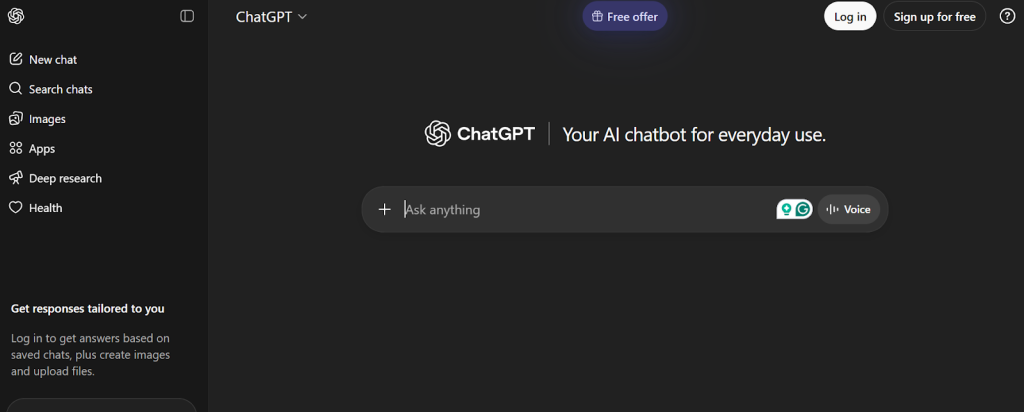
ChatGPT-4o: Best All-Around Data Analysis LLM
OpenAI’s GPT-4o is considered one of the most versatile models for Data Analysis. It combines strong reasoning ability with powerful coding skills, making it particularly effective for Python-based analytics, statistical modelling, and automated data exploration.
One major advantage of GPT-4o is its ability to work with multiple data formats. It includes spreadsheets, CSV files, and databases. Analysts often use it to generate SQL queries, build visualizations, and explain complex results in simple language.
Another key strength is its multimodal capability, which allows it to interpret charts, images, and structured documents alongside text. This makes it especially useful for analysts working with dashboards, reports, or mixed datasets.
Why it’s popular for data analysis:
- Strong reasoning and statistical explanation
- Excellent Python and SQL generation
- Works well with spreadsheets and structured data
- Supports multimodal analysis like text, charts and images
Limitations
- API costs can be higher than open-source alternatives
- Heavy workloads may require optimized prompts or tools
Upgrade Your Skills with the Data Analytics Bootcamp for a 2026 career launch!
Claude 3 Opus: Premium Choice for Complex Datasets
Anthropic’s Claude 3 Opus is designed for deep reasoning and large-scale knowledge of work, making it particularly valuable for complex analytics tasks.
One of Claude’s biggest advantages is its massive context window. This allows it to process extremely long documents, large datasets, or full analytical reports in a single prompt. This capability is especially helpful in enterprise environments where analysts need to review financial statements, research documents, or large BI reports.
Claude models are also known for their careful reasoning and structured explanations, which help when interpreting multi-step analytical workflows or statistical outputs.

Why do analysts use Claude Opus?
- Handles extremely long documents and datasets
- Strong logical reasoning for complex analysis
- Useful for enterprise reports and research tasks
Limitations
- Slower than some competing models
- Smaller tool ecosystem compared to OpenAI
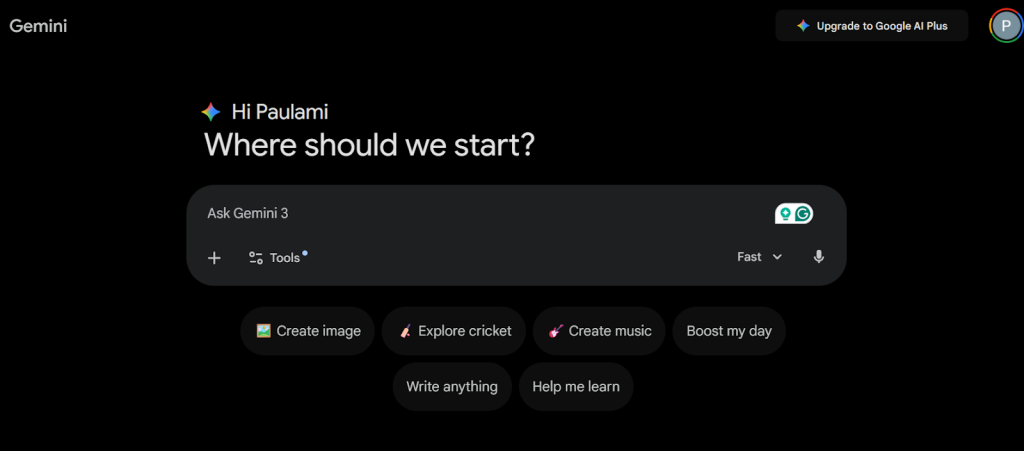
Gemini 1.5 Pro: Speed Leader with Multimodal Power
Google’s Gemini 1.5 Pro is known for its huge context window and multimodal capabilities. This makes it ideal for large-scale analytics projects.
Gemini models can process massive amounts of data in a single interaction, which is particularly useful when analyzing long documents, large logs, or multiple datasets together. The model also integrates closely with the Google ecosystem, including BigQuery, Vertex AI, and Google Cloud tools, making it attractive for companies already using Google’s data infrastructure.
Another advantage is speed. Gemini models are optimized for fast inference, allowing analysts to run large analytical prompts without significant delays.
Key strengths
- Extremely large context window (up to 1M tokens)
- Strong multimodal understanding
- Fast performance for large analytics tasks
Limitations
- Performance can vary across reasoning benchmarks
- Best experience requires the Google Cloud ecosystem
Open-Source Alternatives: Llama, Mistral & DeepSeek
For companies that prefer privacy, customization, or lower costs, open-source LLMs are becoming a strong alternative to proprietary models.
Some of the most popular open models for analytics include:
- Meta Llama models: These are widely used for building custom analytics tools and internal AI assistants.
- Mistral AI models: This LLM model is known for efficient performance and strong coding capabilities.
- DeepSeek models. This LLM model is gaining popularity for their cost efficiency and strong reasoning ability.
Open-source models can be deployed on private infrastructure, which makes them attractive for organizations that handle sensitive data such as financial records or healthcare information.
However, they usually require more engineering work, including infrastructure management, model optimization, and fine-tuning.
Advantages
- Full control over data and infrastructure
- Lower long-term cost at scale
- Highly customizable
Limitations
- Requires technical setup and GPU infrastructure
- Performance may vary compared to frontier models
Many professionals now start with structured training programs like the Data Analytics Bootcamp. It covers Excel, SQL, Python, Tableau, statistics, and Generative AI through hands-on projects and live mentorship.
Best AI LLM for Data Analysis: Key Selection Criteria
The right choice depends on how well the model fits your data size, business needs, budget, and technical infrastructure. Data teams today evaluate LLMs based on multiple factors such as context capacity, analytical accuracy, cost efficiency, and integration capabilities.
Below are the key criteria that organizations and analysts consider when selecting an LLM for modern data analytics workflows.
Context Window Requirements
The context window determines how much data a model can process in a single prompt. For data analysis tasks, this is extremely important because analysts often work with large datasets, lengthy reports, or multiple tables at once.
A larger context window allows the model to analyse more information without losing context. This is particularly useful when working with:
- Large spreadsheets and CSV files
- Long financial or research reports
- Multiple SQL tables or datasets
- Log files and analytics dashboards
Models with very large context windows can process hundreds of thousands or even millions of tokens, which significantly improves their ability to detect patterns and correlations across large datasets.
Accuracy vs Speed Trade-offs
When selecting an LLM for analytics, teams often face a trade-off between accuracy and processing speed.
Highly advanced models typically provide more accurate reasoning, better statistical explanations, and stronger coding capabilities. However, they may also require more computing power and take longer to generate results.
On the other hand, lightweight models can respond much faster but may struggle with complex reasoning, multi-step analysis, or advanced statistical interpretation.
Organizations usually balance these two factors based on their needs:
- High accuracy models for research, forecasting, and deep analysis
- High speed models for dashboards, real-time analytics, and automation
Cost Considerations
Cost is one of the most important factors when deploying LLMs for large-scale analytics. Most commercial LLMs charge based on token usage, which includes both input data and generated responses.
For teams analyzing large datasets frequently, token costs can add up quickly. Businesses often evaluate models based on:
- Cost per million tokens
- Infrastructure costs for self-hosted models
- Scaling costs for enterprise analytics workloads
Some organizations choose open-source models to reduce long-term costs, while others prefer managed APIs for faster deployment and maintenance.
Integration Capabilities
A strong LLM for data analysis should integrate smoothly with existing data tools and analytics platforms. Modern data teams rely on multiple systems such as databases, BI tools, and cloud platforms.
Important integration capabilities include:
- SQL database connectivity
- Python and data science library support
- Integration with BI tools like dashboards and reporting systems
- Compatibility with cloud platforms and data pipelines
Models that integrate easily into existing workflows allow teams to automate data analysis tasks without disrupting their current infrastructure.
Security and Compliance
Security is a major concern when using AI for data analysis, especially for organizations handling sensitive or regulated data.
Companies must ensure that the LLM they choose follows strict security practices and compliance standards. Important considerations include:
- Data privacy and encryption
- Secure API usage
- Compliance with regulations such as GDPR or industry-specific policies
- On-premises deployment options for sensitive data
Many enterprises prefer models that offer private deployment or strict data isolation to protect confidential information.
Multimodal Needs
Modern data analysis is no longer limited to text and numbers. Analysts often work with charts, dashboards, images, documents, and visual reports.
Multimodal LLMs can understand and analyze different types of inputs, including:
- Graphs and charts
- Images and screenshots of dashboards
- Documents and PDFs
- Structured datasets and tables
This capability allows analysts to interact with data more naturally, making it easier to interpret visual insights and generate explanations from multiple data sources. Courses like Data Analytics Bootcamp combine these core skills with Generative AI tools to prepare learners for modern analytics workflows.
Best LLM Model for Data Analysis by Use Case
Different LLMs excel in different types of analytics tasks. Some are better at writing Python and SQL code, while others perform better with large documents, dashboards, or enterprise datasets. The best model depends on your specific workflow. Whether you are building BI dashboards, analyzing financial reports, or deploying AI agents for automated analytics.
The table below highlights the best LLM models for common data analysis use cases in 2026, along with why each model performs well in that scenario.
| Use Case | Recommended LLM | Why It Wins | Alternative Option |
| Exploratory Data Analysis (EDA) | ChatGPT-4o | Strong reasoning and Python generation for quick data exploration and visualization | Claude 3 Sonnet |
| SQL Query Generation | ChatGPT-4o | Excellent at converting natural language into SQL queries and debugging queries | Gemini 1.5 Pro |
| Large Dataset Analysis | Gemini 1.5 Pro | Massive context window allows processing extremely large datasets and long reports | Claude 3 Opus |
| Business Intelligence Insights | Claude 3 Opus | Deep reasoning helps interpret complex reports and business data patterns | ChatGPT-4o |
| Data Cleaning and Transformation | ChatGPT-4o | Generates Python scripts using libraries like Pandas for fast data cleaning workflows | DeepSeek-V3 |
| Automated Analytics Agents | DeepSeek / Llama | Efficient and customizable for building internal AI data agents | Mistral Large |
| Enterprise Data Analytics | Claude 3 Opus | Large context window and strong reasoning for analysing enterprise reports and documents | Gemini 1.5 Pro |
| On-Premise Analytics Systems | Llama 3 | Open-source model allows private deployment and full customization | Mistral Large |
How to Implement LLMs for Data Analysis?
Implementing LLMs for data analysis involves integrating AI models into your data workflow so they can analyze datasets, generate queries, and produce insights automatically. A structured implementation ensures that the model delivers accurate and reliable results.
1. Define the Analysis Goal
Start by clearly identifying what you want the LLM to achieve. It could be tasks like exploratory data analysis, generating SQL queries, creating automated reports, or cleaning datasets. Having a defined goal helps choose the right model and tools for your analytics workflow.
2. Choose the Right LLM
Select an LLM based on factors like context window, accuracy, speed, and cost. Some models are better for deep reasoning and statistical analysis, while others are optimised for faster responses and lower operational costs.
3. Prepare and Structure Data
Before sending data to the model, ensure it is clean and structured. Remove duplicates, fix missing values, standardize formats, and organize tables properly. Well-prepared data improves the quality of insights generated by the LLM.
4. Connect the LLM to Data Sources
Integrate the LLM with your existing data systems, such as SQL databases, data warehouses, or cloud platforms. This allows the model to access real datasets and generate queries or insights directly from your data environment.
5. Use Retrieval-Augmented Generation (RAG)
Implementing RAG allows the LLM to retrieve relevant information from databases or documents before generating answers. This improves accuracy and ensures that the model’s responses are based on actual data.
6. Automate Analytics Workflows
Once integrated, the LLM can automate repetitive analytics tasks such as converting questions into SQL queries, generating Python code analysis, or summarizing business insights from datasets.
7. Monitor and Optimize
After deployment, continuously monitor the system to ensure reliable outputs. Track performance, manage costs, and refine prompts or workflows to maintain accuracy and efficiency in data analysis.
If you’re looking to build these skills, programs like the Data Analytics Bootcamp with AI can help you learn these tools through live sessions, real projects, and mentorship.
Conclusion
It can be concluded that the Large Language Models are quickly becoming an essential tool in modern Data Analysis. What once required multiple tools, scripts, and hours of manual exploration can now happen within a single AI-powered workflow.
But the key takeaway from this blog is simple: there is no single best LLM for every data problem. The right model depends on your use case. Whether it’s writing SQL queries, analyzing large datasets, generating Python code, or extracting insights from business reports.
Models like GPT-based systems offer powerful reasoning and coding abilities, while others shine in speed, scalability, or cost efficiency.
As AI continues to evolve, the role of analysts will shift from manually processing data to guiding intelligent systems that analyse data faster and deeper than ever before. Choosing the right LLM today can give teams a significant advantage in how quickly they turn data into decisions.
Join the Skillify Solution’s Data Analytics Bootcamp now and step into the future of data!
Frequently Asked Questions
1. Which LLM is best for data analysis in 2026?
Models like GPT-4o, Claude 3, and Gemini 1.5 Pro are widely considered among the best LLMs for data analysis in 2026. They offer strong reasoning, large context windows, and coding capabilities for tasks such as SQL generation, data cleaning, and automated insights.
2. Can I use free LLMs for data analysis?
Yes, free or open-source LLMs like Llama, Mistral, and DeepSeek can be used for data analysis. They can generate queries, analyze datasets, and assist with coding, though they may require more setup compared to paid enterprise models.
3. Do LLMs require coding knowledge for data analysis?
Not necessarily. Many LLMs allow users to analyze data using natural language prompts. However, basic knowledge of SQL, Python, or data analysis concepts can help users get more accurate results and build advanced analytics workflows.
4. Can LLM be used for data analysis?
Yes, LLMs can analyze datasets, generate SQL queries, write Python scripts, detect patterns, and summarize insights. They are increasingly used in business intelligence, research, and data science workflows to automate data exploration and reporting.