 Skip to content
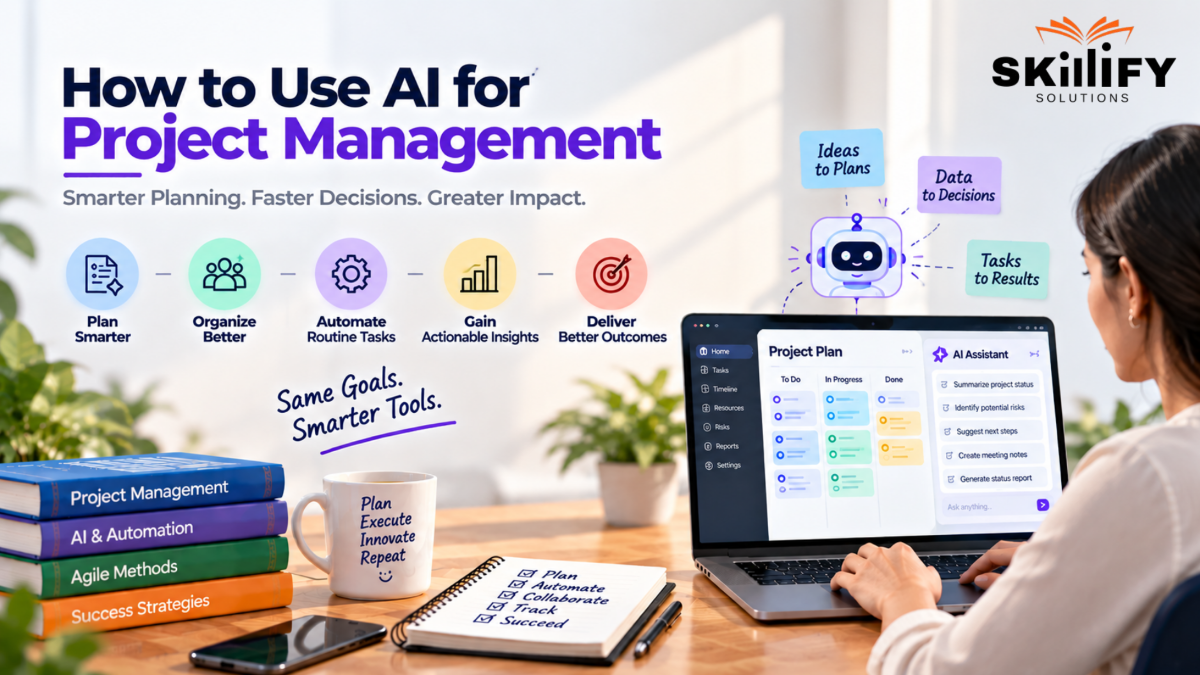
Key Highlights: How to Use AI for Project Management
- Learn how to use AI for project management across workflows.
- Explore AI tools for project managers 2026 and their use cases.
- Discover ChatGPT for project management prompts for everyday tasks.
- Compare an AI project management tools list for different teams.
- Learn how to use AI for project planning and scheduling.
- Apply AI for risk management projects and validate generated insights.
AI can write your project plan in seconds. It can summarize a 60-minute meeting, flag a potential delivery risk, create task lists, and even help forecast whether your timeline is slipping. But here is where AI for project management gets interesting: knowing what AI can do is very different from knowing how to use it effectively.
After working with project and content workflows, I have seen the same mistake repeatedly—teams adopt AI for the flashy features while ignoring the everyday tasks where it can actually save hours. The real value comes from knowing what to automate, what to prompt, what to verify, and what should never leave human hands.
This blog breaks down practical ways to use AI for project management in 2026, the tools worth exploring, useful prompts, Agile and SAFe applications, and a realistic roadmap for adopting AI without handing over your project decisions blindly.
What Can AI Do for Project Managers in 2026?
AI can support project managers across planning, execution, monitoring, and reporting. It can generate project plans and documentation, summarize meetings, identify risks, analyze team capacity, forecast timelines, automate status reports, and support Agile workflows.
In 2026, AI is increasingly acting as a project management assistant that reduces repetitive work and surfaces insights faster, while project managers retain responsibility for validation, stakeholder decisions, and strategic judgment.
AI is also changing how teams apply Agile Methodology in Project Management, particularly in planning, collaboration, and continuous delivery.
Build stronger Agile leadership skills with Scrum Master Bootcamp and learn to manage modern teams with confidence.
Best AI Project Management Tools in 2026
AI project management tools now support task automation, risk prediction, resource planning, reporting, and natural-language workflows.
| Tool | Best Use Case | AI Features | Integrations | Best For |
| ClickUp AI | Task and workflow automation | Summaries, subtasks, reports | 1,000+ integrations | Cross-functional teams |
| Asana Intelligence | Workload and project tracking | Risk insights, task assignment, status updates | Slack, Jira, Teams | Enterprise teams |
| monday.com AI | Workflow automation | Task creation, summaries, workflow generation | 200+ integrations | Growing teams |
| Jira and Atlassian Intelligence | Software projects | Issue summaries, smart linking, AI assistance | Atlassian ecosystem | Development teams |
| Wrike AI | Predictive project management | Risk prediction, forecasting, resource insights | Business tools | Enterprise teams |
| Smartsheet AI | Data-driven planning | Formula generation, summaries, analysis | Enterprise integrations | Operations teams |
| Notion AI | Documentation and knowledge | Project briefs, meeting summaries, Q&A | Workspace tools | Product and knowledge teams |
| Taskade AI | AI-assisted collaboration | AI agents, task creation, workflow automation | Productivity tools | Remote teams |
Teams exploring practical applications can also look at Project Management Tools to understand how different platforms support modern project workflows.
How to Use AI for Project Management: 6 Practical Steps
Using AI effectively starts with automating repetitive project tasks and gradually applying it to planning, analysis, and decision support.
Project managers can use AI for documentation, risk analysis, meeting management, resource planning, forecasting, and Agile workflows while reviewing outputs before acting on them.
Step 1: Use AI for Project Documentation
AI can create project briefs, requirements, task descriptions, status reports, and other documentation from structured inputs or simple prompts. It can also summarize lengthy project information, helping project managers reduce manual documentation work and keep project records consistent.
For managers looking to strengthen their broader Agile leadership skills alongside AI adoption, Leading SAFe® (6.0) provides a structured path into enterprise Agile practices.
Step 2: Use AI for Risk Identification and Analysis
AI can analyze project data, dependencies, timelines, and historical patterns to identify potential risks and warning signals. Project managers can use these insights to prioritize risks, explore possible impacts, and develop mitigation plans before issues affect delivery.
Step 3: Automate Meeting Summaries and Action Items
AI meeting tools can capture discussions, summarize key points, identify decisions, and extract action items. They can also assign follow-ups and create structured notes, reducing the time project managers spend documenting meetings and tracking commitments.
Step 4: Use AI for Resource and Capacity Management
AI can analyze workloads, availability, skills, and project requirements to identify resource gaps or uneven allocation. Project managers can use these insights to balance workloads, improve capacity planning, and allocate people to projects more effectively.
Resource planning becomes especially important in product-led environments, where Product Management with AI Bootcamp can help professionals connect AI capabilities with practical product workflows.
Step 5: Use AI for Scheduling and Forecasting
AI can analyze timelines, dependencies, historical project data, and current progress to identify potential delays and forecast delivery outcomes. It can help project managers adjust schedules, prioritize dependencies, and identify schedule risks earlier.
Step 6: Use AI in Agile and SAFe Project Management
AI can support backlog management, sprint planning, story creation, retrospectives, reporting, and dependency tracking across Agile teams. In SAFe environments, it can also help analyze program-level data and support planning and coordination while keeping key decisions with the team and leadership.
How to Use AI in Agile and SAFe Project Management
AI can support Agile and SAFe teams by helping with backlog refinement, user stories, sprint planning, retrospectives, dependency tracking, and progress reporting.
In SAFe, it can also assist with analyzing program data, identifying delivery risks, and improving coordination across teams. Scaled Agile Interview Questions can help connect SAFe concepts with practical interview scenarios.
Project managers, Scrum Masters, and RTEs should validate AI outputs and retain human ownership of priorities and decisions. For professionals working with scaled Agile teams, SAFe® Scrum Master (6.0) provides role-focused training around Scrum Master responsibilities in SAFe environments.
How to Validate AI-Generated Project Outputs
AI-generated project outputs should be reviewed before they are used for decisions or shared with stakeholders.
Check the information against reliable project data, verify dates and calculations, review risks and assumptions, and confirm that recommendations fit the project context. This human validation helps catch inaccurate, incomplete, or misleading AI outputs.
What Not to Delegate to AI: 8 Project Decisions
AI can analyze information and suggest options, but project managers should retain decisions that depend on human judgment, relationships, accountability, and context.
1. Stakeholder Conflict Resolution
AI can identify issues, but resolving conflicts requires empathy, negotiation, and relationship management.
2. Scope Change Authorization
AI can assess impact on cost, time, and resources, but approval should remain with authorized stakeholders.
3. Team Performance Assessment
AI can track performance data, but managers should consider context, collaboration, and individual circumstances.
AI may support project analysis, but strong people management still depends on Agile leadership. Agile Training for Managers can provide additional guidance on managing Agile teams.
4. Go or No-Go Decisions
AI can provide forecasts and risk insights, but final decisions require business judgment and accountability.
5. Risk Acceptance
AI can identify and assess risks, but accepting significant risk requires human ownership and informed judgment.
6. Vendor Relationship Decisions
AI can compare performance and contract data, but negotiations and relationship decisions require human involvement.
7. Crisis Communication
AI can help draft updates, but sensitive crisis messages need human review, context, and appropriate judgment.
8. Team Motivation and Engagement
AI can suggest engagement activities, but building trust, morale, and team connection remains a human responsibility.
Managers leading broader transformations can explore Leading SAFe® (6.0) to develop enterprise-level Agile and SAFe capabilities.
4-Phase AI Adoption Roadmap for Project Management
A phased approach helps project teams adopt AI gradually, validate its value, and expand usage without disrupting existing workflows.
Phase 1: Quick Wins
Start with low-risk, repetitive tasks such as meeting summaries, documentation, status updates, and basic reporting.
Phase 2: Optimization
Use AI to improve existing workflows, including risk analysis, resource planning, scheduling, and project forecasting. Teams combining AI, Agile, and DevOps can explore DevOps Project Ideas for practical examples of automation, CI/CD, and cloud workflows.
Phase 3 : Integration
Connect AI with project management platforms and business systems to automate workflows and bring project data into a unified process.
Phase 4 : Transformation
Scale AI across project operations to support predictive insights, intelligent automation, continuous optimization, and strategic decision-making.
As AI changes the skills expected from modern project managers, the Project Manager Job Market offers a useful look at current hiring trends and capability requirements.
Conclusion
AI can simplify project management by automating documentation, meeting summaries, risk analysis, resource planning, scheduling, and Agile workflows. But AI should support project managers, not replace their judgment.
Validate AI-generated outputs and keep important decisions involving stakeholders, scope, risks, teams, and vendors under human control. Start with simple use cases, optimize existing workflows, integrate AI with project tools, and gradually scale adoption.
With the right balance of automation and human oversight, AI can reduce repetitive work and help project managers focus more on strategy, collaboration, and successful delivery.
Connect AI, Agile, and delivery with SAFe® DevOps (6.0) and develop skills for modern technology-driven projects.
Frequently Asked Questions
1. How can AI be used in project management in 2026?
AI can help with project planning, documentation, risk analysis, meeting summaries, resource management, scheduling, forecasting, and reporting.
2. Can ChatGPT help with project management tasks?
Yes. ChatGPT can help create project plans, task lists, meeting summaries, risk registers, reports, emails, and project documentation.
3. What is the best AI tool for project managers in 2026?
There is no single tool for every project. Popular options include ClickUp AI, Asana Intelligence, monday.com AI, Wrike AI, and Notion AI.
4. How do I generate a work breakdown structure using AI?
Provide the project goal, scope, deliverables, timeline, and constraints in a clear prompt. AI can then organize them into tasks and subtasks.
5. What PM tasks should I never delegate to AI?
Avoid fully delegating stakeholder conflicts, scope approvals, risk acceptance, team performance decisions, crisis communication, and other sensitive decisions.
6. How long does it take to see results from AI in project management?
Simple tasks such as meeting summaries and documentation can show benefits immediately. Broader workflow improvements usually require testing and gradual adoption.


