 Skip to content
Key Highlights
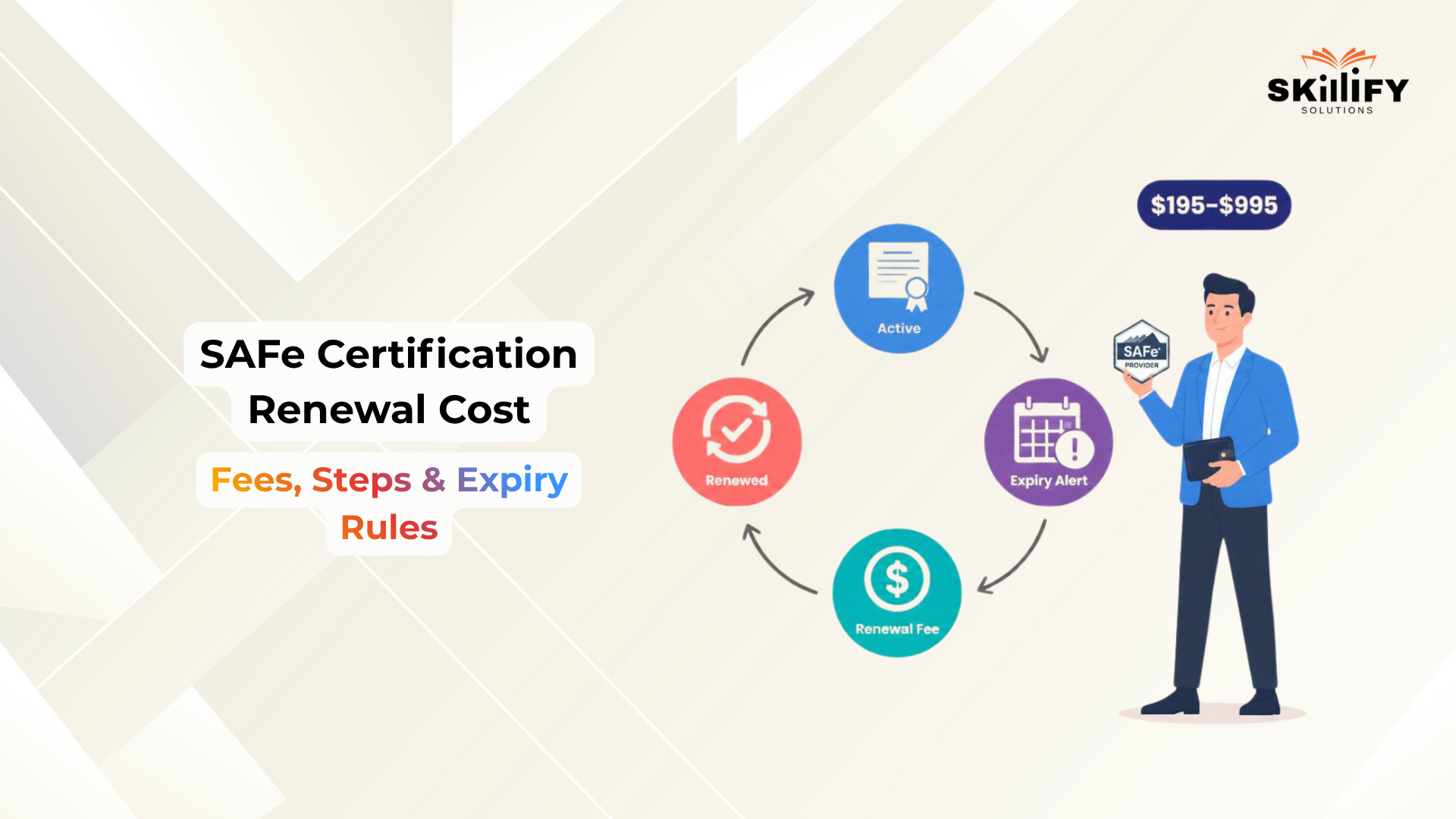
- SAFe certification renewal cost ranges from $195 to $995.
- Learn how to renew SAFe certification 2026 through SAFe Studio.
- SAFe Agilist renewal fee usually falls under the foundational tier.
- Renewal tiers are $195, $295, and $995 based on certification level.
- You can usually renew expired SAFe certification without re-exam.
SAFe certification renewal takes only a few minutes, but the decision behind it is bigger than a quick payment. Most SAFe certifications stay active for 1 year, and once that period ends, your credential can move from active to expired if you do not renew it.
The renewal usually costs between $195 and $995 per year, depending on your certification tier. If you hold multiple SAFe certifications, you usually do not pay separately for each one. You pay only the highest applicable tier once.
This matters because renewal affects more than your certificate date. It decides whether your credential stays active, whether your digital badge looks updated, and whether you continue getting access to SAFe Studio learning resources.
For Agile professionals, this can matter during interviews, promotions, client projects, or internal role changes.
In this blog, we will break down the SAFe Certification Renewal Cost, renewal tiers, step-by-step renewal process, expiry rules, and whether paying the renewal fee is actually worth it. You can take it as a clear guide to help you renew smartly and keep your SAFe credential active. Dive in!
How SAFe Certification Renewal Works
SAFe certification renewal is the process of keeping your SAFe credential active after its validity period ends. Most SAFe certifications are valid for 1 year, so professionals need to renew them annually to continue showing an active certification status.
The renewal process is simple. You do not need to take the full course again or retake the certification exam. You mainly need to log in to your SAFe account, check your certification status, renew your membership, and complete the renewal payment before the expiry date.
For professionals planning their SAFe learning journey, Skillify Solutions offers SAFe® certification courses with online exam mode and course durations starting from 16 hours.
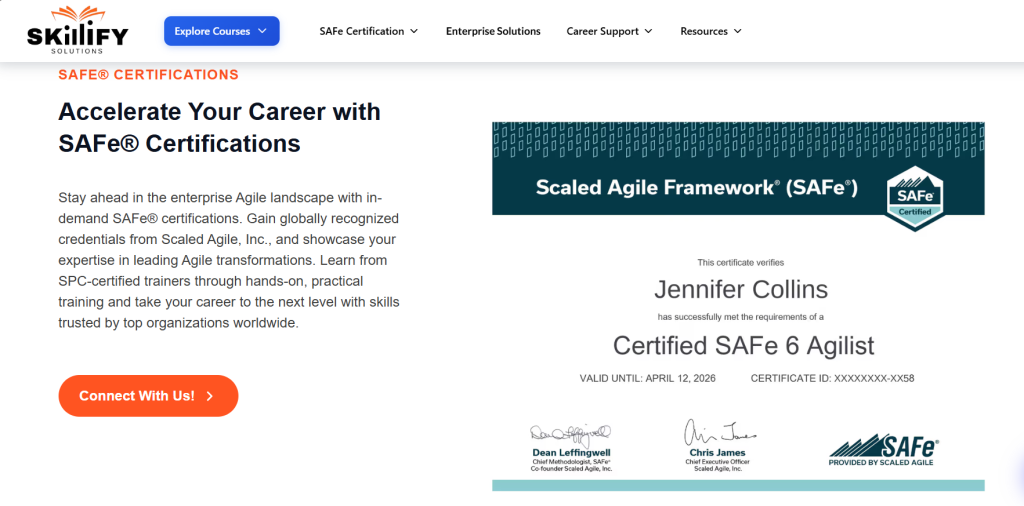
SAFe certifications are valid for 1 year
SAFe certifications are valid for 1 year from the date you earn them. Renewal keeps your credential active for the next year.
- Validity period is 12 months
- Renewal is required every year
- Active status remains visible to employers
- Helps keep your SAFe knowledge current
- Gives continued access to SAFe Studio resources
For team members working inside Agile Release Trains, the SAFe® 6.0 for Teams Certification helps build a practical understanding of PI Planning, iteration execution, and team collaboration.
No exam retake is required for renewal
Renewal is simpler than first-time certification. You do not need to attend the course again or retake the exam.
- No exam retake needed
- No repeat training required
- Renewal is done through SAFe Studio
- You only need to pay the renewal fee
- Your certification validity gets extended
Enroll in Leading SAFe 6.0 Certification and build the confidence to lead enterprise Agile transformations today!
How auto-renewal works in SAFe Studio
SAFe Studio may allow auto-renewal through saved billing settings. It is useful, but you should check it before the renewal date.
- Log in to SAFe Studio
- Go to subscription or membership settings
- Check if autorenewal is turned on
- Turn it off if you want manual renewal
- Renew manually before expiry to avoid inactive status
Renewal is also useful because the SAFe Methodology keeps evolving, and professionals need to stay updated with the latest framework practices.
SAFe Certification Renewal Cost in 2026
SAFe renewal cost depends on your certification tier. If you have multiple SAFe certifications, you only need to pay the most applicable tier once.
| Tier | Annual fee | Certifications covered | Benefits | Best for |
| Foundational | $195/year | SA, SSM, POPM, SP, SDP | Keeps certification active | Team members, Scrum Masters, Product Owners |
| Advanced | $295/year | RTE, SASM, LPM, and similar certifications | Maintains advanced credential validity | RTEs, senior Scrum Masters, portfolio leaders |
| Expert | $995/year | SPC, ASPC, SPCT | Keeps expert-level certification active | SAFe consultants, coaches, transformation leaders |
| Multiple certifications | Highest tier once | All active SAFe certifications | One renewal covers lower tiers, too | Professionals with multiple SAFe credentials |
Product Owners and Product Managers holding the SAFe POPM Certification should also check which renewal tier applies to their credential.
How to Renew Your SAFe Certification
Renewing your SAFe certification is a simple online process. You only need to log in, check your certification status, select renewal, pay the fee, and confirm the updated validity. Let’s understand the step-by-step approach.
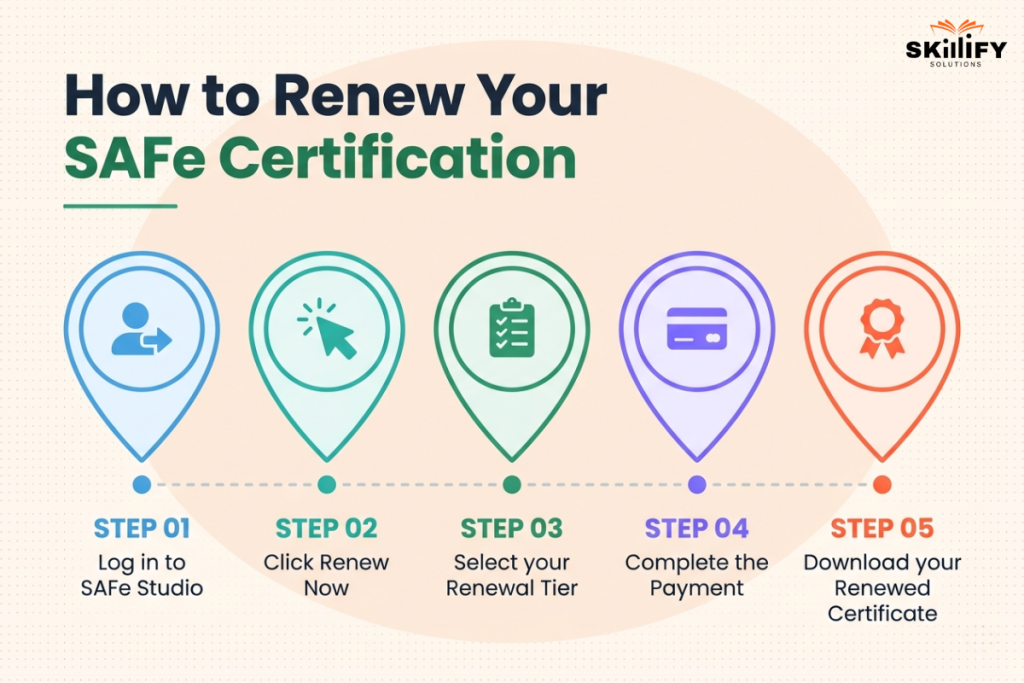
Step 1: Log in to SAFe Studio
Start by signing into your Scaled Agile account. This is where you can view your active and expired SAFe certifications.
- Go to SAFe Studio
- Open your certification dashboard
- Check your active or expired certifications
- Confirm the certification you want to renew
Step 2: Click Renew Now
Once your renewal window is open, SAFe Studio will show the renewal option. You can usually find it on the home page or inside subscription details.
- Click “Renew Now”
- Or go to subscription details
- Select the certification due for renewal
- Review your current expiry date
Step 3: Select your Renewal Tier
Your renewal fee depends on your certification tier. Select the right tier, review the fee, and complete the payment online.
- Review your renewal fee
- Select the correct tier
- Add billing details
- Complete payment online
- Check the confirmation message
For DevOps leads and professionals focused on continuous delivery, automation, and faster value flow, Skillify Solutions also offers the SAFe® 6.0 DevOps Certification.
Step 4: Complete the Payment
After successful payment, your certification validity should be updated. You can download the renewed certificate from your certification section.
- Go to “My Certs”
- Open the renewed certification
- Download the updated certificate
- Check the new expiry date
Step 5: Download your Renewed Certificate
After renewal, update your public professional profiles. This helps recruiters, employers, and clients see that your SAFe certification is still active.
- Update LinkedIn certificate expiry year
- Refresh your digital badge if needed
- Add the renewed credential to your resume
- Keep proof of renewal for employer records
If you are renewing your SAFe Agilist credential, it also helps to understand the full Leading SAFe Certification Cost, including training, exam, and renewal planning.
What you get after SAFe Renewal
Renewing your SAFe certification is not only about extending the expiry date. It also helps you keep your credentials active, continue learning, and show employers or clients that your SAFe knowledge is still current.
Active Certification for Another Year
After renewal, your SAFe certification stays active for another year. This means your credential remains valid and visible, which is useful when you are applying for jobs, working on Agile projects, or showing proof of your SAFe knowledge to your organization.
Continued access to SAFe Studio Learning Resources
Renewal also gives you continued access to SAFe Studio learning resources. These resources help you refresh key concepts, understand framework updates, and stay connected with the latest SAFe practices instead of relying only on what you learned during your first training.
Updated Certificate and Digital Badge
Once the renewal is complete, your certificate and digital badge will be updated with the new validity period. You can download the renewed certificate, update your LinkedIn profile, and add the latest expiry year to your resume or professional portfolio.
Access to SAFe Community and Learning Updates
You also continue getting access to SAFe community features and learning updates. This can help you stay aware of new SAFe changes, events, resources, and discussions that are useful for Agile professionals who want to keep growing in their role.
Build strategic Agile leadership skills with SAFe 6.0 Lean Portfolio Management Certification today!
What Happens if Your SAFe Certification Expires
If your SAFe Certification expires, it no longer shows an active credential. You may still have the knowledge, but your official certification status will not remain valid until you renew it.
Your Certification Becomes Inactive
Your certification status may show as expired in your SAFe profile or digital badge. This can matter if employers, recruiters, or clients verify your credentials during hiring or project selection.
You Lose Access to SAFe Learning Resources
Once your certification or membership expires, your access to SAFe Studio learning resources may become limited. This means you may miss updated content, framework changes, and learning materials.
Can you Renew an Expired Certification Without an Exam?
In many cases, you can renew an expired SAFe certification without retaking the exam. You need to log in to SAFe Studio, check your renewal option, and complete the required payment.
A New SAFe Course does not Renew Old Certifications
Taking a new SAFe course does not always renew your previous certification. If you want to keep an old credential active, you must renew that specific certification through your SAFe account.
Is SAFe Certification Renewal Worth It?
Paying the SAFe renewal fee is worth it if you actively work in Agile, Scrum, product management, portfolio management, or enterprise transformation roles. An active SAFe certification shows that your credential is still valid, and your knowledge is updated with the latest SAFe practices.
Renewal makes more sense if your job role, employer, client work, or career plan requires SAFe knowledge. It is also useful if you want to show an active certificate on LinkedIn, your resume, or during interviews.
Skipping renewal may make sense if you are no longer working in Agile, do not use SAFe in your current role, or do not need the certificate for career growth. In that case, you can avoid the yearly fee.
Many professionals keep their SAFe certifications active because it improves credibility, supports career opportunities, and gives continued access to SAFe Studio resources, updates, and community learning.
Conclusion
It can be concluded that SAFe certification renewal is a simple but important step if you want to keep your credential active. The SAFe Certification needs yearly renewal, and the cost depends on your certification tier: Foundational, Advanced, or Expert. Renewal also helps you keep access to SAFe Studio resources, learning updates, digital badges, and community benefits.
The process is easy: log in to SAFe Studio, choose your renewal option, pay the fee, and download your renewed certificate. If your certification expires, it may show as inactive, but you can usually renew it without retaking the exam.
If SAFe is important for your job, career growth, client work, or Agile role, paying the renewal fee is usually worth it.
Become a stronger Agile leader with SAFe Scrum Master Certification and support high-performing Scrum teams!
Frequntly Asked Questions
1.Do I need to retake the exam to renew?
No. You do not need to retake the SAFe exam to renew your certification. You can renew it through SAFe Studio by paying the applicable renewal fee.
2.What is the difference between SAFe renewal tiers?
SAFe renewal tiers are based on the certification level. Foundational is usually for SA, SSM, POPM, SP, and SDP; Advanced is for RTE, SASM, LPM, and similar certifications; Expert is for SPC, ASPC, and SPCT.
3.Can I renew an expired SAFe certification?
Yes. Scaled Agile says you can renew an expired certification from SAFe Studio, and there are no late fees or exam retakes required.
4.How do I renew my SAFe Agilist on SAFe Studio?
Log in to SAFe Studio, open your certification dashboard, click “Renew” or “Renew Now,” pay the renewal fee, and download the updated certificate.


