Author: Nupur Shah

  • 12 Best Agentic AI Tools in 2026 Compared for Teams

    12 Best Agentic AI Tools in 2026 Compared for Teams

    The best agentic AI tool in 2026 depends on one simple question: do you want to build agents, manage agents, or use agents without coding?

    A developer building custom AI workflows may prefer LangGraph or CrewAI because they offer flexibility and deep orchestration control. A business operations team may lean toward Microsoft Copilot Studio or Gumloop because they can automate workflows without heavy coding. 

    Enterprises already running large CRM or automation systems may find more value in Salesforce Agentforce, UiPath, or IBM watsonx Orchestrate. 

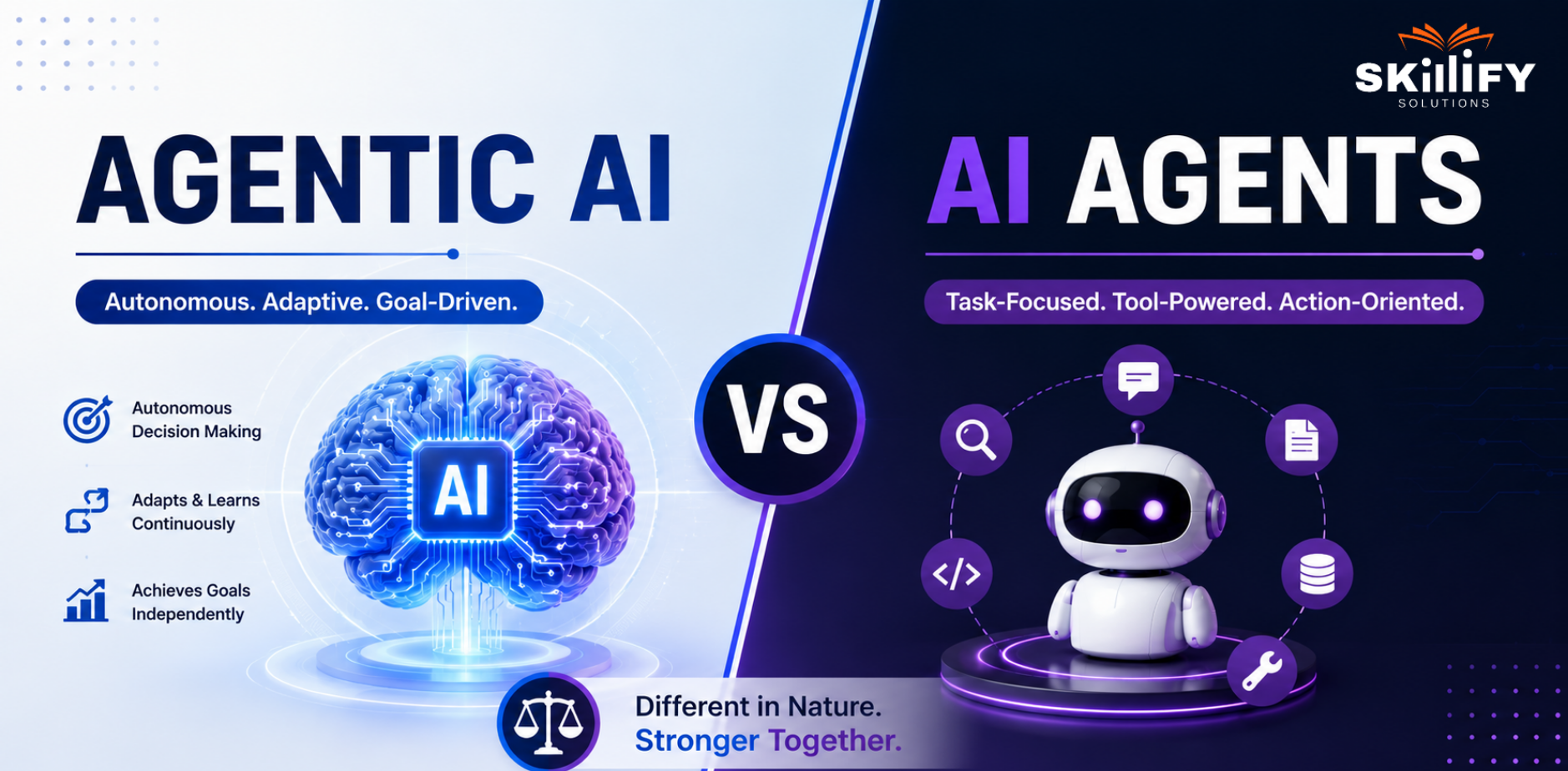
    Agentic AI is also much bigger than chatbots now. These systems can plan tasks, reason through workflows, use external tools, access business data, trigger actions, and complete multi-step operations with minimal human input.

    This blog compares 12 of the best agentic AI tools in 2026 so your team can choose faster, avoid costly trial-and-error, and understand which platform truly fits your use case. Read on to know more!

    The Best Agentic AI Tools Compared in 2026 

    Agentic AI tools help teams automate tasks, plan workflows, and get work done faster with less manual effort. If you are new to this concept, understanding What is Agentic AI can help clarify how AI agents differ from traditional AI assistants.

    Let’s compare the best ones in 2026 for a better understanding.  

    Tool Best For Type Learning Curve Pricing 
    LangGraph Complex AI workflows Framework High Free and Paid 
    CrewAI Multi-agent collaboration Framework Medium Free and Paid 
    Microsoft AutoGen Conversational AI agents Framework High Free 
    Claude SDK Safe agentic systems SDK Medium Paid and API-based 
    LlamaIndex Data-heavy AI agents Data framework Medium Free and Paid 
    IBM watsonx Orchestrate Enterprise automation AI platform Medium Paid 
    Salesforce Agentforce CRM AI agents AI platform Medium Paid 
    Microsoft Copilot Studio Low-code AI agents Low-code platform Low Paid 
    UiPath Agent Platform Workflow automation AI + RPA platform Medium Paid 
    Gumloop No-code AI workflows No-code platform Low Free and Paid 
    AgentGPT Simple autonomous agents Browser agent tool Low Free and Paid 
    Kore.ai Customer support agents Enterprise AI platform Medium Paid 

    12 Best Agentic AI Tools in 2026 

    1. LangGraph 

    LangGraph is an open-source framework for building stateful, multi-step AI agents. It is useful when teams need agents that can plan, use tools, remember context, pause for human approval, and continue long-running workflows without starting again. 

    image 58 12 Best Agentic AI Tools in 2026 Compared for Teams

    Strengths: 

    • Supports long-running and stateful AI workflows  
    • Built for multi-agent and tool-based orchestration  
    • Human-in-the-loop support for review and approvals  
    • Durable execution helps workflows resume after delays or failures  
    • Strong developer ecosystem from LangChain  

    Best for: Developer teams building complex AI agents, internal copilots, automation workflows, or multi-step enterprise AI systems. Teams exploring orchestration frameworks like LangGraph often combine them with practical AI workflow training through the Full Stack Development Bootcamp with AI Certification

    2. CrewAI 

    CrewAI is an open-source framework for building teams of AI agents that work together on a shared goal. Each agent can have a specific role, task, and tool access, making it useful for workflows like research, content creation, lead analysis, and business automation. 

    image 61 12 Best Agentic AI Tools in 2026 Compared for Teams

    Strengths: 

    • Built for role-based multi-agent teamwork  
    • Supports both simple and advanced agent workflows  
    • Can connect agents with business tools and custom APIs  
    • Good for automating repeatable team-based tasks  
    • Flexible for developers who want control over agent behavior  

    Best for: Teams that want multiple AI agents to collaborate like a small digital team across research, planning, writing, sales, or operations. 

    Learn real-world automation with the Product Management with AI Bootcamp. Start your AI journey today.

    3. Microsoft AutoGen 

    Microsoft AutoGen is an open-source framework for building conversational AI agents and multi-agent systems. It helps agents communicate with each other, use tools, and work with humans to complete complex tasks. 

    image 56 12 Best Agentic AI Tools in 2026 Compared for Teams

    Strengths: 

    • Strong for multi-agent conversations  
    • Supports human-in-the-loop workflows  
    • Useful for research and prototyping  
    • Backed by Microsoft’s agentic AI ecosystem  

    Best for: Developers and research teams building conversational agent systems. 

    4. Claude SDK 

    Claude SDK helps developers build AI agents with Claude’s reasoning, tool use, and safety-focused design. It is useful for coding agents, internal assistants, and workflows where reliability and controlled execution matter. 

    image 52 12 Best Agentic AI Tools in 2026 Compared for Teams

    Strengths: 

    • Strong reasoning and instruction-following capability  
    • Supports tool use and agent workflows  
    • Good for coding and knowledge-heavy tasks  
    • Built with safety and control as a core focus  

    Best for: Teams building AI agents where safety, accuracy, and controlled actions are important. 

    5. LlamaIndex 

    LlamaIndex is an open-source data framework for building AI agents that work with private, structured, and unstructured data. It is especially useful for RAG systems, document workflows, and enterprise knowledge assistants. 

    image 50 12 Best Agentic AI Tools in 2026 Compared for Teams

    Strengths: 

    • Strong for connecting LLMs with business data  
    • Supports RAG, indexing, retrieval, and document processing  
    • Useful for data-heavy and knowledge-heavy use cases  
    • Works with Python and TypeScript  

    Best for: Teams building AI agents that need to search, understand, and act on large internal datasets. Since LlamaIndex rely heavily on retrieval, indexing, and analytics pipelines, many professionals also learn these skills through the Data Analytics Bootcamp with AI.

    6. IBM watsonx Orchestrate 

    IBM watsonx Orchestrate helps enterprises build and manage AI agents for business workflows. It is designed for companies that need secure automation across HR, sales, operations, and other enterprise functions. 

    image 59 12 Best Agentic AI Tools in 2026 Compared for Teams

    Strengths: 

    • Built for enterprise AI and automation  
    • Supports AI agents and assistants for complex workflows  
    • Strong fit for hybrid cloud and governed environments  
    • Useful for large companies with compliance needs  

    Best for: Enterprises that need secure, scalable AI agents for internal business operations. 

    7. Salesforce Agentforce 

    Salesforce Agentforce helps businesses build and deploy autonomous AI agents across sales, service, marketing, and commerce. Since it connects directly with Salesforce data, it is useful for customer-facing and CRM-heavy workflows. 

    image 54 12 Best Agentic AI Tools in 2026 Compared for Teams

    Strengths: 

    Built for Salesforce CRM workflows  

    • Can act across sales, service, marketing, and commerce  
    • Supports low-code and pro-code agent building  
    • Strong fit for customer support and revenue teams  

    Best for: Salesforce users who want AI agents inside their CRM and customer workflows. 

    Microsoft Copilot Studio 

    Microsoft Copilot Studio is a low-code platform for building AI agents and agent flows. It is especially useful for teams already using Microsoft 365, Teams, Power Platform, and other Microsoft business tools. 

    image 55 12 Best Agentic AI Tools in 2026 Compared for Teams

    Strengths: 

    • Low-code interface for building agents  
    • Connects with Microsoft and external data sources  
    • Useful for internal support, HR, IT, and workflow automation  
    • Good for business teams with limited coding skills  

    Best for: Microsoft-based teams that want to create AI agents without heavy development work. Non-technical professionals entering AI automation often start with structured learning paths like the Data Analytics Bootcamp with AI for better platform expertise. 

    UiPath Agent Platform 

    UiPath Agent Platform combines AI agents, robots, tools, and humans to automate complex business processes. It is useful for companies already using RPA and looking to move toward agentic automation. 

    image 51 12 Best Agentic AI Tools in 2026 Compared for Teams

    Strengths: 

    • Strong in RPA and enterprise automation  
    • Supports end-to-end process orchestration  
    • Useful for document-heavy and operations-heavy workflows  
    • Combines AI agents with human review and software robots  

    Best for: Enterprises automating finance, operations, support, and back-office workflows. 

    Start building practical AI automation skills with the our leading Business Analytics Bootcamp with AI today.

    Gumloop 

    Gumloop is a no-code AI automation platform that helps teams build AI-powered workflows without writing code. It can connect AI models with business tools, making it useful for marketing, sales, operations, and research automation. 

    image 53 12 Best Agentic AI Tools in 2026 Compared for Teams

    Strengths: 

    • No-code workflow builder  
    • Connects AI models with business apps  
    • Useful for fast automation experiments  
    • Good for non-technical teams  

    Best for: Teams that want to build AI workflows quickly without depending fully on developers. Teams using no-code AI automation tools also often look into the best data analytics bootcamp to better understand workflow data, reporting, and AI-driven decision-making.

    AgentGPT

    AgentGPT is a browser-based tool that lets users create and deploy autonomous AI agents by giving them a goal. The agent breaks the goal into tasks, executes them, and learns the results. 

    image 60 12 Best Agentic AI Tools in 2026 Compared for Teams

    Strengths: 

    • Easy to use in the browser  
    • Good for experimenting with autonomous agents  
    • Useful for simple research and planning tasks  
    • Open-source and beginner-friendly  

    Best for: Beginners and small teams exploring autonomous AI agents for simple tasks. 

    Kore.ai 

    Kore.ai is an enterprise AI agent platform for building, deploying, and managing customer support and business automation agents. It is widely used for service, banking, healthcare, retail, IT, and HR use cases. 

    image 57 12 Best Agentic AI Tools in 2026 Compared for Teams

    Strengths: 

    • Strong focus on enterprise customer service automation  
    • Supports visual and code-based agent building  
    • Offers pre-built agents, templates, and integrations  
    • Includes observability, governance, and workflow orchestration  

    Best for: Enterprises building customer support, service, and industry-specific AI agents. Customer support and enterprise AI teams implementing these systems often go for the SAFe® Advanced Scrum Master Certification for AI-enabled workflow management.

    Framework vs Platform vs No-Code Agentic AI Tool 

    Different types of agentic AI tools fit different team needs. Some offer full developer control, while others focus on speed, automation, and ease of use. 

    Type Best For Technical Skill Flexibility Example Tools 
    Framework Custom AI agent development High Very High LangGraph, CrewAI, AutoGen 
    Platform Enterprise AI automation Medium High Salesforce Agentforce, UiPath 
    No-Code Tool Fast workflow automation Low Medium Gumloop, Copilot Studio 

    Understanding workflow data and automation performance is also becoming an important skill for professionals pursuing a Data Analytics Certification. 

    How to Choose the Best Agentic AI Tool 

    Choosing the right agentic AI tool depends on your team size, technical skills, use case, security needs, and budget. A simple framework can help teams avoid choosing a tool that is either too complex or too limited. 

    Technical Skills 

    If your team has developers, frameworks like LangGraph, CrewAI, or AutoGen offer more control. If your team is non-technical, no-code tools like Gumloop or Copilot Studio are easier to start with. 

    This shift is also opening new career paths connected to Non-technical jobs in IT, where professionals manage AI workflows without deep programming knowledge.

    Workflow Complexity 

    For simple tasks like content workflows or lead research, no-code tools may be enough. For multi-step orchestration, tool use, memory, and human approvals, developer frameworks or enterprise platforms are a better fit. 

    Governance and Security 

    Regulated industries need stronger controls around data, approvals, audit logs, and security. Enterprise platforms like IBM watsonx Orchestrate, Salesforce Agentforce, and UiPath are better suited for these needs. 

    Infrastructure Fit 

    Cloud-native teams can choose the most modern AI agent tools. Enterprises with on-premises or hybrid infrastructure should check deployment options, data access rules, and integration support before choosing. 

    Budget and Pricing 

    Open-source frameworks can reduce software cost but need developer time. Managed platforms cost more but offer support, governance, integrations, and faster deployment for business teams. 

    For teams trying to build stronger AI capabilities internally, programs like the Scrum Master Bootcamp with AI  can help bridge the technical and operational gap.

    Agentic AI Use Cases in 2026 

    Agentic AI is moving from simple chatbots to systems that can plan, act, and complete multi-step workflows with human oversight. 

    Customer Support 

    AI agents can handle support requests, check customer data, act, and escalate only complex cases to humans. For example, Wells Fargo’s virtual assistant Fargo completed over 242 million autonomous customer interactions, showing how agentic AI can scale customer service. 

    Software Development 

    In software teams, agentic AI helps write code, review pull requests, debug issues, generate documentation, and manage repetitive engineering tasks. Tools like GitHub Copilot, AutoGen, and LangGraph are commonly used to support developer workflows and multi-step coding tasks. 

    Its time to upgrade your analytics career with the industry-focused Data Analytics Bootcamp with AI today.

    Sales Automation 

    Sales teams use AI agents to research leads, personalize outreach, update CRM records, send follow-ups, and recommend next-best actions. In education sales, CollegeVine’s Trellis AI recruiter was adopted by 95 partner institutions and supported over 500,000 student conversations. 

    Agile Workflow Management 

    Agentic AI can support backlog grooming, sprint planning, user story creation, dependency tracking, and project updates. Instead of only summarizing work, agents can check project status, identify blockers, suggest priorities, and notify the right team members automatically. 

    Agile teams adopting AI-assisted planning often explore SAFe® Scrum Master (6.0) Certification. This is to understand enterprise-scale AI-enabled Agile execution.

    Conclusion 

    Agentic AI tools are changing how teams automate work, manage workflows, and improve productivity in 2026. But there is no single best tool for everyone. The right choice depends on your team’s technical skills, workflow complexity, infrastructure, governance needs, and budget. 

    The key is to choose a tool that fits your real business workflow, not just the latest trend. As agentic AI adoption grows, teams that choose the right platform early will have a major advantage in automation, efficiency, and operational scale.

    Become job-ready for AI-driven analytics with the Data Analytics Bootcamp with AI. Apply today!

    Frequently Asked Questions

    1. What is the difference between LangGraph and CrewAI?

    LangGraph is mainly used for building complex, stateful AI workflows with detailed orchestration control. CrewAI focuses more on collaboration between multiple AI agents with defined roles and tasks.

    2. Can non-developers build AI agents?

    Yes. No-code and low-code tools like Microsoft Copilot Studio and Gumloop allow non-developers to build AI agents using visual workflows and prebuilt integrations.

    3. Which agentic AI tool is best for enterprises?

    Enterprise teams commonly use tools like Salesforce Agentforce, UiPath Agent Platform, IBM watsonx Orchestrate, and Microsoft Copilot Studio because they offer governance, security, and enterprise integrations.

    4. What is MCP in agentic AI?

    MCP stands for Model Context Protocol. It is a standard that helps AI agents connect with external tools, data sources, and applications in a structured way.

    5. What does it cost to deploy an AI agent?

    The cost depends on the tool, AI model usage, infrastructure, and workflow complexity. Small no-code AI agents may cost a few hundred dollars per month, while enterprise deployments can cost significantly more.

  • Design Thinking vs Agile: Key Differences, Similarities, and How Teams Use Both

    Design Thinking vs Agile: Key Differences, Similarities, and How Teams Use Both

    Design Thinking helps teams ask better questions. Agile helps teams build better answers. That is the simplest way to understand why both matter.

    In product teams, failure rarely happens because people are not working hard enough. More often, it happens because the team is running fast in the wrong direction. Agile can make delivery faster, but it cannot magically fix a weak understanding of the user.

    That is where Design Thinking becomes important. It brings empathy, research, ideation, prototyping, and testing into the early stage, so teams can slow down just enough to avoid expensive mistakes. Once the problem is clear, Agile gives the team momentum through sprints, feedback loops, and continuous improvement.

    The strongest teams do not choose between Design Thinking and Agile. They use Design Thinking to create clarity and Agile to turn that clarity into working products. This blog explains the key differences, similarities, and practical ways to use both together. Read on to know more!

    Design Thinking vs Agile: Key Differences 

    Design Thinking and Agile are often used together, but they solve different problems. Design Thinking helps teams understand the user and find the right problem to solve. Agile helps teams build, test, and improve the solution faster through short delivery cycles. 

    Factor Design Thinking Agile 
    Main focus Understand the user problem Build and improve the solution 
    Best for Discovery and ideation Execution and delivery 
    Key question What should we solve? How should we deliver it? 
    Process Empathy to Prototype to Test Sprint to Build to Review 
    Output Insights and prototypes Working product 
    Success metric User validation Sprint goals and delivery 
    Risk Wrong problem solved Slow or poor execution 
    Best stage Before development During development 

    Build enterprise Agile confidence with Leading SAFe 6.0 Training and lead change better!

    What is Design Thinking? 

    Design Thinking is a human-centered problem-solving approach used to understand users, identify real pain points, and test ideas before building the final solution. It helps teams avoid guesswork by focusing on what users actually need, not just what the team assumes. 

    To understand this concept in more detail, you can also read our complete guide on What is Design Thinking.

    What Design Thinking Optimizes For 

    Design Thinking is not mainly about fast delivery. It is about problem clarity. It helps teams answer the question: Are we solving the right problem? This is why it is useful before development starts, especially when user needs, product direction, or business challenges are unclear. 

    You can explore certifications such as SAFe 6.0 Agile Product Management. The goal is to learn early before investing too much time or money. 

    What is Agile? 

    Agile is an iterative project management and product development approach that helps teams build, release, and improve solutions in smaller cycles. Instead of waiting months to deliver a finished product, Agile teams work in short phases, collect feedback, and keep improving the product.

    Agile Development Cycle

    Agile works through sprint cycles, product backlogs, and continuous delivery. The backlog lists what needs to be built. Sprints help teams complete selected work in short timeframes. Continuous delivery allows teams to release improvements regularly instead of waiting for one big launch. 

    Agile is guided by four Manifesto values: people over processes, working software over heavy documentation, customer collaboration over fixed contracts, and responding to change over following a rigid plan.  

    If you want to understand sprint planning, Scrum roles, backlog management, and delivery cycles in a practical way, the Scrum Master Bootcamp is a useful starting point.

    Design Thinking vs Agile: 6 Key Differences 

    Design Thinking vs Agile

    Design Thinking and Agile are not opposites. They are used at different stages of product development. Design Thinking helps teams decide what to build. Agile helps teams build and improve it faster.

    1. Purpose 

    Design Thinking focuses on finding the right problem before jumping into execution. It asks: What does the user really need? 

    Agile focuses on delivering the solution fast through small, regular improvements. It asks: How can we build and improve this quickly? 

    2. Timeframe 

    Design Thinking is usually used in the early discovery stage, before development begins. Teams research users, define pain points, and test rough ideas. 

    Agile works in repeated delivery cycles called sprints. Once the problem is clear, Agile helps the team build, review, and improve the product step by step. 

    3. Output 

    Design Thinking usually produces user insights, problem statements, ideas, low-cost prototypes, and test feedback. Agile usually produces working software, product features, sprint outputs, releases, and continuous improvements.  

    In simple terms, Design Thinking helps validate the idea, while Agile turns that validated idea into a usable product. 

    4. Team Structure 

    Design Thinking involves designers, researchers, product managers, business teams, and users. The team is often cross-disciplinary because the goal is to understand the problem from multiple angles. 

    Agile teams are usually self-organizing delivery teams. They include developers, product owners, scrum masters, testers, and designers who work together to complete sprint goals. 

    5. Success Metrics 

    Design Thinking is measured by the quality of learning. Success means the team has clearer user insights, validated assumptions, and stronger problem clarity. 

    Agile is measured by delivery progress. Success is tracked through sprint goals, velocity, completed backlog items, working features, and product improvements. 

    6. Failure Risk 

    Design Thinking can fail without Agile when teams keep researching, ideating, and prototyping but never build the final product. 

    Agile can fail without Design Thinking when teams deliver quickly but build something users do not actually need. 

    Simple example: A team may use Design Thinking to discover that small business owners struggle with salary errors. Then Agile helps the team build, test, and improve a payroll automation feature in sprints. 

    Turn user insights into product strategy with SAFe 6.0 Agile Product Management certification today!

    Similarities Between Design Thinking and Agile 

    Design Thinking and Agile are different in purpose, but both are built around learning, feedback, and improvement. Both methods help teams avoid assumptions and create solutions that are useful, tested, and adaptable. 

    User-Centered Thinking 

    Both approaches focus on the user’s approach. Design Thinking starts with empathy and user research, while Agile keeps the user involved through feedback, sprint reviews, and product improvements. 

    Key points: 

    • Both reduce guesswork.  
    • Both focus on real user needs.  
    • Both improve the product based on user behavior. 

    Iterative Learning 

    Design Thinking and Agile both follow a test-and-learn approach. Design Thinking tests ideas through prototypes, while Agile tests product improvements through repeated sprint cycles. 

    Key points: 

    • Learn early.  
    • Improve continuously.  
    • Avoid waiting for a “perfect” final version. 

    Cross-Functional Collaboration 

    Both methods encourage different teams to work together instead of operating in silos. Designers, developers, product managers, business teams, and users all contribute to better decisions. 

    Key points: 

    • Better ideas come from multiple perspectives.  
    • Teams solve problems faster together.  
    • Collaboration reduces handoff gaps. 

    Continuous Feedback 

    Feedback drives both Design Thinking and Agile. In Design Thinking, feedback validates whether the idea solves the right problem. In Agile, feedback helps improve the working product after every sprint. 

    Key points: 

    • Feedback prevents wrong assumptions.  
    • Teams can adjust quickly.  
    • The final solution becomes more useful and relevant. 

    How to Use Design Thinking and Agile Together: A Practical Integration Model 

    Design Thinking and Agile work best when Design Thinking comes first for problem discovery, and Agile comes next for solution delivery. In simple terms, use Design Thinking to decide what needs to be built, then use Agile to build, test, and improve it in sprints. 

    Phase 1: Discover the Problem Before Sprint 0 

    Before Sprint 0, teams should use Design Thinking to understand the user, identify pain points, and define the real problem. This prevents Agile teams from starting development with unclear assumptions. 

    What to do: 

    • Interview with users and observe their workflow.  
    • Create empathy maps and user personas.  
    • Define the core problem statement.  
    • Test early ideas with rough prototypes.  

    Output: Clear user needs, validated pain points, and a focused problem definition. 

    Phase 2: Turn DT Outputs into Backlog Items 

    Once the problem is clear, convert Design Thinking outputs like How Might We Questions, POV statements, user journeys, and prototype feedback into an Agile backlog. This helps the delivery team turn user insights into actual features. 

    What to do: 

    • Convert user pain points into user stories.  
    • Break big ideas into smaller backlog items.  
    • Prioritize features based on user value.  
    • Add acceptance criteria for each story.  

    Output: A user-focused product backlog ready for sprint planning. 

    This is also where product ownership becomes important. A detailed understanding on SAFe POPM Certification explains how product owners and product managers prioritize backlog items and align them with business goals.

    Phase 3: Use Sprint Reviews for User Testing 

    During sprint reviews, teams can use Design Thinking testing methods to collect richer user feedback. Instead of only asking whether the feature works, teams should ask whether it solves the user’s real problem. 

    What to do: 

    • Test sprint outputs with real users.  
    • Ask users to complete actual tasks.  
    • Observe confusion, hesitation, or friction.  
    • Use feedback to improve the next sprint.  

    Output: Better sprint feedback, stronger product decisions, and continuous improvement based on real user behavior. 

    For product owners and managers responsible for converting customer insights into backlog items, the AI-Empowered SAFe® 6.0 POPM Certification is highly relevant.

    Design Thinking vs Agile vs Lean 

    Design Thinking finds user value; Lean removes waste, and Agile delivers solutions faster. Together, they help teams build the right product with less rework. 

    Method Main Role In SAFe, It Helps With 
    Lean Removes waste Better flow, faster decisions, less rework 
    Design Thinking Finds user value Understanding customer needs before building 
    Agile Delivers value Building, testing, and improving in iterations 

    If you want to understand how product strategy, customer value, and Agile execution come together, read on Agile Product Management.

    How Lean, Design Thinking, and Agile Work in SAFe 

    In SAFe, these three approaches work like one system. Lean improves flow and removes unnecessary work. Design Thinking helps teams understand what users actually value. Agile helps teams deliver that value through sprints, feedback, and continuous improvement. 

    At the portfolio level, Lean supports strategy and value flow. At the program level, Design Thinking helps shape user-focused solutions. 

    Leaders and portfolio teams who want to connect strategy, value streams, and execution can explore the SAFe 6.0 Lean Portfolio Management Training. It will help them at the team level to build and improve those solutions quickly. 

    Which Teams Should Prioritize Design Thinking vs Agile?  

    Teams should prioritize Design Thinking when the problem is unclear and Agile when the solution is clear but needs faster execution. 

    Team Situation Prioritize Why 
    Users are confused or unhappy Design Thinking To understand the real pain point 
    The product idea is still unclear Design Thinking To validate the problem before building 
    The team has too many assumptions Design Thinking To test ideas with users first 
    Features are already defined Agile To build and release faster 
    Product needs regular updates Agile To improve through sprint cycles 
    Development is moving slowly Agile To improve delivery speed and team focus 
    Team is building, but adoption is low Both Use DT to rethink value, Agile to improve delivery 
    New product or major redesign Both Discover first, then build in iterations 

    Conclusion 

    Design Thinking and Agile are not competing methods. They simply solve different parts of the same product journey. Design Thinking helps teams understand users, define the real problem, and test ideas before building. 

    Agile helps teams turn those validated ideas into working solutions through sprints, feedback, and continuous improvement. Design Thinking brings clarity, while Agile brings speed and structure. 

    When used separately, teams may either spend too much time exploring or move too fast in the wrong direction. But when used together, they reduce rework, improve user value, and help teams build products with more confidence. 

    The best approach is simple: use Design Thinking to decide what should be built, and use Agile to build, test, and improve it faster.

    Turn product ideas into prioritized backlogs with AI-Empowered SAFe 6.0 POPM Certification today!

    Frequently Asked Questions About Design Thinking vs Agile

    1. Is design thinking the same as agile?

    No. Design thinking helps teams find the right problem to solve, while Agile helps teams build and improve the solution faster. They are different, but they work well together.

    2. Which came first: design thinking or agile?

    Design thinking came earlier. Its roots go back to design and human-centered problem-solving practices, while the Agile Manifesto was created in 2001 for software development.

    3. Can you use design thinking without agile?

    Yes. Design thinking can be used on its own for research, ideation, prototyping, service design, business strategy, and problem-solving. But for software or product delivery, combining it with Agile helps turn ideas into working solutions.

    4. What is the difference between design thinking and lean?

    Design thinking finds what users need. Lean removes waste and tests what creates value. Design thinking is more about empathy and problem discovery, while Lean focuses on efficiency, learning, and reducing unnecessary work.

    5. How does SAFe incorporate design thinking?

    SAFe uses design thinking to keep product development customer-centered. It helps teams understand customer needs, define valuable solutions, and support Agile Product Delivery across larger organizations.

    6. Which is better for a product team: design thinking or scrum?

    Neither is always better. Use design thinking when the product problem is unclear. Use Scrum when the team needs a structured way to build, test, and deliver in sprints. For most product teams, the best approach is to use both.

  • What is Design Thinking? 5 Stages, Examples, Benefits, and Career Impact

    What is Design Thinking? 5 Stages, Examples, Benefits, and Career Impact

    Design thinking is the difference between building what users ask for and discovering what they actually need.

    Users may say they want a faster process, a cleaner interface, or more features. But the real problem may be trust, confusion, fear, delay, or lack of clarity. Design thinking helps teams uncover that deeper layer.

    It does this through empathy, research, sharp problem framing, broad ideation, quick prototypes, and real user testing. Instead of launching with confidence based only on internal opinions, teams learn early and improve faster.

    This is why design thinking is no longer limited to designers. It is now a valuable skill for product managers, UX teams, Agile coaches, business leaders, consultants, and innovation teams. 

    In this blog, we will explain What is design thinking, its 5 stages, examples, benefits, frameworks, and career impact. Let’s dive into it!

    What is Design Thinking? 

    Design thinking is a human-centered problem-solving approach. It helps teams understand real user needs, define the right problem, create possible solutions, test them quickly, and improve them based on feedback. 

    The idea is often traced back to Herbert A. Simon, who discussed design as a structured way to solve problems in his 1969 book The Sciences of the Artificial. Later, IDEO made design thinking mainstream by turning it into a practical innovation method used by businesses, product teams, educators, and healthcare teams. 

    In simple words, design thinking is not just about making something look good. It is about making something useful, usable, and meaningful for the people who need it. 

    Build customer-focused product skills with SAFe Agile Product Management Certification today.

    Why Design Thinking is Not Just for Designers 

    Design thinking is useful for anyone who solves problems for people. Product managers use it to build better features. Marketers use it to understand customers’ needs. HR teams use it to improve employee experience. Business leaders use it to reduce guesswork before making big decisions. 

    So, design thinking is not only about design skills. It is about understanding people, testing ideas, and improving solutions before scaling them. 

    Professionals who want to apply design thinking in product strategy, customer discovery, and roadmap planning can also explore the Product Management with AI Certification

    Design Thinking vs Critical Thinking vs Systems Thinking 

    Design thinking creates solutions; critical thinking evaluates ideas, and systems thinking looks at the bigger picture. Let’s see the main differences below.  

    Approach Focus Best For Key Question 
    Design Thinking User needs and solutions Products, services, innovation What does the user really need? 
    Critical Thinking Logic, facts, and evidence Decision-making and analysis Is this idea valid? 
    Systems Thinking Connections and impact Complex business or tech systems How does this affect the whole system? 

    The 5 Stages of the Design Thinking Process

    The design thinking process has five key stages: Empathize, Define, Ideate, Prototype, and Test. These stages help teams move from understanding users to building and improving solutions. However, design thinking is not always linear. Teams may go back to earlier stages whenever testing reveals new insights. 

    5 Stages of the Design Thinking

    Stage 1: Empathize with Real User Needs 

    The first stage is to understand users deeply. Teams observe users, interview them, study their environment, and learn about their problems, motivations, and behaviors. The goal is to avoid assumptions and discover what users actually need. 

    Stage 2: Define the Core Problem 

    In this stage, teams organize research findings and identify core problems. A good problem statement should be user-centered, not company-centered. For example, instead of saying “We need more sales,” the team should define what users are struggling with and why. 

    This stage is especially important for Product Owners and Product Managers. An AI-Empowered SAFe POPM Certification can help professionals convert customer problems into Features, Stories, priorities, and PI objectives.

    Stage 3: Ideate Multiple Solutions 

    Once the problem is clear, teams brainstorm many possible solutions. At this stage, quantity matters before quality. The aim is to challenge assumptions, explore different angles, and avoid choosing the first obvious idea too early. 

    During ideation, Design thinking tools like brainstorming, empathy maps, journey maps, and prototypes help teams move from vague ideas to testable solutions. 

    Stage 4: Prototype Fast and Cheap 

    A prototype is a simple version of the solution. It can be a sketch, wireframe, mockup, sample flow, or basic model. The goal is not perfection. The goal is to test the idea quickly before investing too much time, money, or development effort. 

    Stage 5: Test, Learn, and Iterate 

    In the test stage, real users interact with the prototype and give feedback. Their responses help teams understand what works, what fails, and what needs improvement. Testing often sends teams back to redefine the problem, generate new ideas, or improve the prototype. This is why design thinking is an ongoing loop, not a one-time process. 

    Since design thinking begins with customer discovery and problem framing, the SAFe Agile Product Management Certification is a strong fit for professionals. It will help them to connect user research, product strategy, and continuous value delivery.

    Design Thinking Frameworks Compared

    Different teams use different design thinking frameworks, but the goal is the same: understand users, define the right problem, explore ideas, prototype solutions, and test with feedback. The main difference is how each framework structures the journey.  

    Framework Stages Best For Main Strength 
    Stanford d.school Empathize, Define, Ideate, Prototype, Test Product, UX, Agile, education, innovation teams Clear step-by-step process 
    IDEO Inspiration, Ideation, Implementation Business innovation, service design, social impact Simple and action-focused 
    Double Diamond Discover, Define, Develop, Deliver Strategy, policy, service design, UK/European teams Strong problem framing 

    Stanford d.school 5-Stage Model 

    Stanford d.school 5-Stage Model 

    The Stanford d.school model follows five stages: Empathize, Define, Ideate, Prototype, and Test. It is best for teams that need a clear, beginner-friendly process to understand users, frame problems, build quick prototypes, and test solutions. 

    Start your product career journey with Product Management with AI Certification today and excel in future!

    IDEO Model: Inspiration, Ideation, Implementation 

    IDEO Model

    The IDEO model has three broad stages: Inspiration, Ideation, and Implementation. It is useful for business innovation and service design because it keeps the process simple: understand the opportunity, create ideas, and bring the best solution to life.  

    Double Diamond: Discover, Define, Develop, Deliver 

    Double Diamond

    The Double Diamond model has four stages: Discover, Define, Develop, and Deliver. It is often used in strategy and service design because it clearly separates problem discovery from solution development, helping teams avoid solving the wrong problem. 

    Real-World Design Thinking Examples` 

    Real companies use design thinking to understand users better, test faster, and solve problems that data alone may not reveal. 

    Airbnb: Using Empathy to Improve the Customer Experience 

    In 2009, Airbnb was stuck at around $200 per week in revenue. The founders visited hosts and found that many listings had poor-quality photos. After personally improving photos for 24 New York listings, weekly revenue doubled to around $400.  

    Key lesson: 

    • Empathy revealed the trust problem.  
    • Better photos made listings feel safer.  
    • A small test created a measurable business impact. 

    IBM: Scaling Enterprise Design Thinking Across Teams 

    IBM scaled design thinking across large teams to improve collaboration, reduce rework, and build user outcomes. A Forrester study reported that IBM Design Thinking helped teams get to market 2x faster, reduce design and development time by up to 75%, and move release cycles from 6–8 months to 3-4 months.  

    Here is the key lesson: 

    • Cross-functional teams aligned faster.  
    • Prototypes reduced wasted effort.  
    • User-centered decisions improved speed. 

    PillPack: Simplifying the Pharmacy Experience for Patients

    PillPack simplified medication management for patients with multiple prescriptions. It organized medicines into easy dose packets, improved refills, and reduced pharmacy friction. Amazon acquired PillPack in 2018 for just under $1 billion.  

    Key lesson: 

    • PillPack solves a daily patient pain point.  
    • Simple packaging improved usability.  
    • A better healthcare experience created major business value. 

    Design Thinking in Agile and SAFe

    Design thinking and Agile work well together because both focus on customer needs, fast feedback, and continuous improvement. In SAFe, design thinking supports Agile Product Delivery by helping teams build solutions that are desirable, feasible, viable, and sustainable. 

    How Design Thinking Supports Customer Discovery

    The Empathize and Define stages help teams understand users before planning features. In SAFe PI Planning, this supports customer discovery because teams need to know the real problem before deciding what to build. 

    How Prototyping and Testing Fit Agile Iterations` 

    The Prototype and Test stages fit naturally into Agile sprints. Teams build small versions of an idea, test them with users, collect feedback, and improve the solution in the next iteration or sprint review. 

    In enterprise Agile environments, the Leading SAFe 6.0 Certification will help connect design thinking with Lean-Agile principles, Agile Release Trains, and value delivery at scale.

    How Product Managers Use Design Thinking for Features and Stories

    Product Managers use design thinking to turn user problems into clear Features and Stories. SAFe notes that Agile teams use design thinking techniques to create desirable features, while Product Management defines solutions that meet customer needs.  

    Design thinking helps Product Managers write better work items by clarifying: 

    • Who the user is  
    • What problem do they face  
    • Why the solution matters  
    • What outcome should the feature create 

    Product Managers who use design thinking can also explore Agile Product Management. Here, decisions are driven by customer feedback, data, and continuous learning.

    Design Thinking Career Impact

    Design thinking is now a useful career skill across product, UX, Agile, business, and innovation roles. Companies value it because it helps professionals understand users, solve the right problems, and build solutions with faster feedback. 

    Learners who want to grow in Agile, product, or transformation roles can explore leading SAFe Certifications. These will help to strengthen feature prioritization, roadmap thinking, and customer-led decisions. 

    Jobs That Use Design Thinking Skills 

    Design thinking skills are useful across roles that involve users, products, services, or business problem-solving. Let’s understand how design thinking helps the role and their average salary range. 

    Role How Design Thinking Helps Average US Salary 
    UX Designer Understands user pain points and improves product experience. $112K/year 
    Product Manager Converts customer needs into better features and roadmaps. $194K/year 
    Innovation Consultant Solves business problems through research, ideation, and prototyping. $194K/year 
    Agile Coach Helps teams build with customer feedback and continuous improvement. $113K/year 

    Improve sprint outcomes with AI-Empowered SAFe Scrum Master Certification Today!

    Salary Impact of Design Thinking Skills

    According to Harvard Business School Online, marketing manager roles that require design thinking skills show a median salary of $133,900, compared to $107,900 for general marketing manager roles. That is a 24% salary increase, showing how design thinking can improve career value. 

    How Certifications Build Design Thinking Capability

    SAFe certifications connect design thinking with Agile execution. They help professionals understand customer needs, define valuable work, prioritize features, and deliver solutions through fast feedback loops. 

    Certification Design Thinking Connection 
    SAFe POPM Certification Helps Product Owners and Product Managers convert user needs into Features, Stories, priorities, and PI objectives. 
    Leading SAFe Certification Helps leaders build customer-focused Agile teams that align work with business value and continuous improvement. 
    SAFe Agile Product Management Supports deeper customer discovery, product strategy, road mapping, and market-driven decision-making. 

    Conclusion

    It can be concluded that Design thinking is a simple but powerful way to solve problems by understanding people first. Instead of guessing what users need, it helps teams research, define the right problem, create ideas, build quick prototypes, and test with real feedback.

    The five stages make the process practical and repeatable. Frameworks like Stanford d.school, IDEO, and Double Diamond give teams different ways to apply the same human-centered approach. Design thinking has helped companies solve real problems and create better experiences. 

    It is also useful for careers in UX, product management, Agile, innovation, and business strategy. In short, design thinking helps you build solutions that people actually need, not just ideas that look good on paper.

    Explore all our leading SAFe® Certifications and build skills for enterprise Agile leadership now!

    Frequently Asked Questions

    1. How is design thinking different from Agile?

    Design thinking helps teams decide what problem to solve by understanding users. Agile helps teams decide how to build and deliver the solution quickly through iterations.

    2. Can I learn design thinking without a design background?

    Yes. Design thinking is not only for designers. It is a user-centered problem-solving approach that can be used by product managers, marketers, business teams, educators, and leaders.

    3. What certifications teach design thinking?

    Certifications related to product management, Agile Product Management, SAFe POPM, and Leading SAFe by Skillify Solutions teach design thinking principles. It is through user research, customer discovery, prototyping, feedback, and value delivery.

    4. What are the benefits of design thinking?

    Design thinking helps teams understand users better, reduce assumptions, test ideas early, improve products or services, and create solutions that are more useful and human-centered.

  • Design Thinking Tools: 15 Essential Methods Mapped to Each Stage of the Process

    Design Thinking Tools: 15 Essential Methods Mapped to Each Stage of the Process

    Design thinking tools help teams stop designing from opinion and start designing from evidence. That sounds simple, but it is one of the biggest shifts in product, UX, business, and innovation work. 

    Many teams begin with ideas they personally like. The problem is, users may not think, behave, or decide the same way. Design thinking tools help close that gap.

    They help you listen to users, observe behaviour, organize research, create problem statements, brainstorm ideas, build quick prototypes, and test them before investing too much time or money.

    Think of them as the working kit behind every strong design thinking process. Without tools, the process can become messy. With the right tools, every stage becomes clearer.

    In this blog, we will look at 15 essential design thinking tools, mapped stage by stage, so you can understand which tool to use for user research, ideation, prototyping, and testing. 

    What Are Design Thinking Tools? 

    Design thinking tools are software, platforms, and templates that help teams apply design thinking in a structured way. They make the design thinking process more practical and organized.  

    Instead of depending only on discussion or guesswork, teams can use tools to collect user feedback, map customer journeys, create personas, brainstorm ideas, design prototypes, and validate them with real users. 

    In simple terms, design thinking tools help turn creative thinking into a clear, step-by-step problem-solving process. They do not replace design thinking methods like empathy mapping, brainstorming, or usability testing. 

    Why the Right Design Thinking Tool Matters 

    Design thinking is not one single activity. Each stage has a different goal, so it needs different tools. Using the right tool at the right stage keeps the process clear, collaborative, and focused on real user needs. 

    The 5-Stage Stanford Framework for Tool Selection 

    The Stanford design thinking framework has five stages: 

    1. Empathize: Use research tools to understand users, their needs, pain points, and behaviour. Examples: Typeform, Hotjar, UserTesting. 
    2. Define: Use organization tools to turn research into clear problem statements, personas, and user journeys. Examples: EnjoyHQ, Make My Persona, FlowMapp. 
    3. Ideate: Use collaboration tools to brainstorm, map ideas, and explore possible solutions. Examples: Miro, Ideaflip, MindMeister. 
    4. Prototype: Use design tools to create quick, testable versions of the idea. Examples: Figma, InVision, Adobe XD. 
    5. Test: Use testing tools to collect user feedback, validate designs, and improve the solution. Examples: Maze, UXtweak, Mural. 

    Build product thinking faster with SAFe® Agile Product Management Certification today.

    Physical vs digital design thinking tools 

    Design thinking can be used with both physical and digital tools. The right choice depends on team location, project size, and collaboration needs. 

    Type Best For Examples 
    Physical Tools In-person workshops, quick sketching, and team discussions Sticky notes, whiteboards, paper sketches, printed journey maps 
    Digital Tools Remote teams, organized research, real-time collaboration, and prototype testing Miro, Figma, Typeform, Hotjar, Maze 
    Best Choice Use physical tools for fast offline thinking and digital tools for scalable, shareable work Combine both when possible 

    Stage 1:  Empathize 

    The Empathize stage helps teams understand user needs, pain points, behaviour, and expectations before designing a solution. 

    1. Typeform 

    Typeform is a survey and form-building tool used to collect user feedback, interview responses, and research inputs. In the Empathize stage, it helps teams ask structured questions and collect insights that can later be converted into empathy maps, such as what users say, think, do, and feel. 

    image 30 Design Thinking Tools: 15 Essential Methods Mapped to Each Stage of the Process

    Pros: 

    • Easy to create clean, engaging surveys  
    • Good for user research forms, feedback forms, and interview screeners  
    • Useful for collecting responses at scale  

    Cons: 

    • Not ideal for deep qualitative research  
    • Advanced logic, branding, and higher response limits require paid plans  
    • Responses still need manual analysis for deeper insights  

    Price: Typeform has a free plan. Paid plans start from $28/month for Basic, with higher plans like Plus and Business available for larger teams and higher response needs. 

    2. Hotjar 

    Hotjar is a behaviour analytics and feedback tool that shows how users interact with a website through heatmaps, recordings, and surveys. It supports observation and shadowing by helping teams watch what users actually do instead of only relying on what they say. 

    image 32 Design Thinking Tools: 15 Essential Methods Mapped to Each Stage of the Process

    Pros: 

    • Helps observe real user behaviour on websites  
    • Useful for finding friction, drop-offs, and confusing sections  
    • Combines visual behaviour data with direct user feedback  

    Cons: 

    • Works best only when the website has enough traffic  
    • Requires privacy and consent setup  
    • Pricing can increase for larger websites or advanced needs  

    Price: It has free access options, while paid plans start at $39 per month. It varies based on product bundle, usage, and business needs.  

    3. UserTesting 

    UserTesting helps teams collect video feedback from real users while they interact with websites, apps, or prototypes. It is useful for user interviews, think-aloud testing, and asking deeper questions that reveal real needs, not just stated needs. 

    image 36 Design Thinking Tools: 15 Essential Methods Mapped to Each Stage of the Process

    Pros: 

    • Strong for real user interviews and video-based feedback  
    • Useful for remote user research and think-aloud testing  
    • Helps teams understand user emotions, reactions, and friction points  

    Cons: 

    • Pricing is not publicly fixed  
    • Better suited for teams with larger research budgets  
    • May be too advanced for small teams needing only basic feedback  

    Price: UserTesting does not publish fixed public pricing for its main plans. Its official plans are based on usage, research needs, and team requirements, with pricing available on request. 

    Stage 2: Define 

    The Define stage turns raw user research into clear insights, problem statements, personas, and user flows. This is where teams move from collecting feedback to knowing what problem to solve. 

    4. EnjoyHQ 

    EnjoyHQ, now part of UserTesting, helps teams centralize user research, feedback, interview notes, and customer insights in one place. It supports affinity mapping by helping teams group research into themes and patterns. 

    Pros: 

    • Useful for centralizing user research and feedback  
    • Helps teams find patterns across interviews, surveys, and customer comments  
    • Good for creating research-backed POV statements using User + Need + Insight  

    Cons: 

    • May feel heavy for small teams with limited research data  
    • Needs proper tagging and organization to stay useful  
    • Pricing is not very transparent after its move to UserTesting  

    Price: EnjoyHQ is now part of UserTesting. Public pricing is not clearly listed as a fixed monthly plan, so teams usually need to check UserTesting’s pricing or request details based on usage and team needs. 

    5. Make My Persona 

    Make My Persona by HubSpot is a free tool for creating structured user personas based on goals, challenges, behaviour, and needs. It helps teams define who they are designing for. 

    image 31 Design Thinking Tools: 15 Essential Methods Mapped to Each Stage of the Process

    Pros: 

    • Free and easy to use  
    • Good for turning research into simple, readable personas  
    • Helps teams align around who they are designing for  

    Cons: 

    • Not a full research repository  
    • Personas can become generic if not based on real user data  
    • Limited compared to advanced UX research platforms  

    Price: Make My Persona is a free tool from HubSpot. It can be used without a paid persona-specific plan, although HubSpot also offers paid CRM and marketing products separately. 

    6. FlowMapp 

    FlowMapp is a UX planning tool for creating user flows, sitemaps, personas, and customer journeys. It helps teams turn research insights into clear product or website structures. 

    image 39 Design Thinking Tools: 15 Essential Methods Mapped to Each Stage of the Process

    Pros: 

    • Strong for visualizing user flows, journeys, and site structure  
    • Useful for connecting personas with real product navigation  
    • Helps teams clarify where users face friction before ideation starts  

    Cons: 

    • More useful for websites and digital products than non-digital services  
    • May be unnecessary for very small projects  
    • Some advanced collaboration and project limits require paid plans  

    Price: FlowMapp has a free plan with 1 project and 20 pages. Paid monthly plans start at $15/month for Pro, $35/month for Team, and $99/month for Agency. Annual billing is available at discounted rates. 

    Manage strategy and value flow with SAFe® Lean Portfolio Management Certification now and step into a bright career!

    Stage 3: Ideate 

    The Ideate stage helps teams move from one obvious solution to many possible ideas. This is where brainstorming, SCAMPER, Crazy 8s, and idea clustering help teams explore more creative directions before choosing the best one. 

    7. Miro 

    Miro is an online whiteboard tool used for brainstorming, workshops, sticky notes, diagrams, and team collaboration. In the Ideate stage, it helps teams run structured sessions using methods like IDEO’s brainstorming rules, Crazy 8s, and How Might We idea boards. 

    For teams using Miro in Agile workshops, the Leading SAFe 6.0 Certification helps explain how collaboration, alignment, and PI Planning work at enterprise scale.

    image 41 Design Thinking Tools: 15 Essential Methods Mapped to Each Stage of the Process

    Pros: 

    • Good for remote and in-person brainstorming  
    • Offers templates for mind maps, workshops, journey maps, and ideation  
    • Help teams group, vote, and prioritize ideas visually  

    Cons: 

    • Boards can become messy without a facilitator  
    • The free plan has limited editable boards  
    • Large teams may need paid plans for better control and collaboration  

    Price: Miro has a free plan with limited editable boards. Paid plans start with the Starter plan, while the Business plan is listed at $20 per member/month when billed annually. Enterprise pricing is available on request. 

    8. Ideaflip 

    Ideaflip is an online sticky-note tool for brainstorming, planning, and organizing team ideas. In the Ideate stage, it is useful for collecting raw ideas, sorting them into groups, and applying methods like brainstorming, dot voting, and idea clustering. 

    image 34 Design Thinking Tools: 15 Essential Methods Mapped to Each Stage of the Process

    Pros: 

    • Simple and focused tool for idea capture  
    • Useful for workshops, planning sessions, and remote brainstorming  
    • Allows teams to invite collaborators and organize ideas visually  

    Cons: 

    • Less feature-rich than larger whiteboard tools like Miro  
    • Not ideal for complex UX mapping or prototyping  
    • Pricing details can vary by plan and team setup  

    Price: Ideaflip offers a free trial. Its Professional plan is listed at $12 per user/month, with a minimum monthly cost of $24/month for a team setup. 

    9. MindMeister 

    MindMeister is an online mind mapping tool used to organize ideas visually. In the Ideate stage, it helps teams expand one idea into many directions, making it useful for SCAMPER, idea of branching, and turning scattered thoughts into clear solution paths. 

    image 35 Design Thinking Tools: 15 Essential Methods Mapped to Each Stage of the Process

    Pros: 

    • Easy to use for mind maps and idea expansion  
    • Good for organizing complex ideas into clear branches  
    • Supports real-time collaboration and sharing  

    Cons: 

    • The free plan is limited to a small number of mind maps  
    • Less suitable for sketching or visual prototyping  
    • Advanced export and collaboration features may require paid plans  

    Price: MindMeister has a free plan that allows up to 3 mind maps. Paid plans are available for individuals and teams, with pricing shown on its official pricing page based on billing cycle and plan type. 

    Stage 4: Prototype 

    The Prototype stage turns selected ideas into something users can see, click, or experience. Teams can start with paper prototyping for quick validation, then move to digital prototypes, UI mockups, and storyboards to map the full user journey. 

    10. Figma 

    Figma is a collaborative design tool used to create wireframes, UI screens, clickable prototypes, and design systems. It is useful for moving from paper sketches to digital prototypes quickly. 

    image 40 Design Thinking Tools: 15 Essential Methods Mapped to Each Stage of the Process

    Pros: 

    • Great for real-time team collaboration  
    • Useful for wireframes, clickable prototypes, and UI design  
    • Easy to share designs and collect comments  

    Cons: 

    • Can feel complex for beginners  
    • Needs internet for smooth collaboration  
    • Advanced team features need paid plans  

    Price: Figma has a free Starter plan. Paid plans are listed on its official pricing page, with higher plans for professional teams and organizations.  

    11. Canva  

    Canva is a visual design tool used to create mockups, wireframes, storyboards, presentations, and simple prototype layouts. It is useful in the Prototype stage when teams want to make an idea visual quickly without advanced design skills. 

    image 43 Design Thinking Tools: 15 Essential Methods Mapped to Each Stage of the Process

    Pros: 

    • Easy for non-designers to use  
    • Good for low-fidelity prototypes, storyboards, and presentation-style mockups  
    • Offers ready-made templates for layouts, flows, and visual concepts  

    Cons: 

    • Not ideal for advanced UX prototyping  
    • Limited interaction design compared to Figma  
    • Can become design-heavy instead of user-flow focused  

    Price: Canva has a free plan. Canva Pro is listed at $15/month for one person, while Canva Teams pricing depends on the number of users and team requirements. 

    12. Adobe XD 

    Adobe XD is a UI/UX design tool used for wireframing, interface design, interaction design, prototyping, and sharing user experiences. 

    image 37 Design Thinking Tools: 15 Essential Methods Mapped to Each Stage of the Process

    Pros: 

    • Useful for wireframes, UI screens, and clickable prototypes  
    • Works well for teams already using Adobe Creative Cloud  
    • Supports interaction design and prototype sharing  

    Cons: 

    • Adobe XD is currently in maintenance mode  
    • Adobe is not investing in new feature development for XD  
    • Not the best option for teams choosing a new prototyping tool today  

    Price: Adobe’s support page says XD is in maintenance mode, with support focused on bugs, security, and privacy updates rather than new features. 

    Become a better Agile facilitator with SAFe® 6.0 Scrum Master Certification today!

    Stage 5: Test 

    The Test stage helps teams check whether their prototype actually works for real users. This stage includes task-based usability testing, exploratory testing, feedback grids, and sometimes A/B testing to compare design options. 

    13. Maze 

    Maze is a user research and prototype testing platform used to test designs, collect feedback, and measure how users complete tasks. 

    image 42 Design Thinking Tools: 15 Essential Methods Mapped to Each Stage of the Process

    Pros: 

    • Good for task-based usability testing  
    • Works well with prototypes from tools like Figma  
    • Helps track clicks, paths, drop-offs, and user feedback  
    • Useful for comparing design options before launch  

    Cons: 

    • The free plan has study limits  
    • Advanced research features require paid or custom plans  
    • Works best when test tasks are clearly written  

    Price: Maze has a free plan with limited studies. Its official pricing page currently shows free access and custom pricing options for larger research needs. 

    14. UXtweak 

    UXtweak is a UX research and usability testing platform used to test websites, prototypes, apps, information architecture, and user flows. Testing tools work best when teams act on feedback quickly. The SAFe 6.0 Scrum Master Certification helps professionals support feedback loops, team flow, and continuous improvement.

    image 38 Design Thinking Tools: 15 Essential Methods Mapped to Each Stage of the Process

    Pros: 

    • Useful for usability testing, card sorting, tree testing, and prototype testing  
    • Supports both task-based and exploratory research  
    • Helps teams understand where users struggle in a flow  
    • Good for collecting actionable user feedback  

    Cons: 

    • Some features may feel advanced for beginners  
    • The free plan has usage limits  
    • Larger studies and team use may need paid plans  

    Price: UXtweak has a free plan with one user license. Its pricing page lists free access for trying UX research tools, with paid plans available based on research needs and team size. 

    15. Mural 

    Mural is a visual collaboration tool used for workshops, feedback sessions, journey mapping, and team discussions after user testing. 

    image 33 Design Thinking Tools: 15 Essential Methods Mapped to Each Stage of the Process

    Pros: 

    • Good for organizing test feedback visually  
    • Useful for creating a Feedback Capture Grid 
    • Helps teams discuss findings together after usability tests  
    • Strong for remote workshops and collaborative decision-making  

    Cons: 

    • Not a dedicated usability testing platform  
    • Needs facilitation to keep workshops focused  
    • Can become cluttered if too many comments or sticky notes are added  

    Price: Mural has a free plan. Its Team+ plan is listed at $12.99 per member/month when billed monthly, or $9.99 per member/month when billed annually. 

    Design Thinking Tools in Agile and SAFe 

    Design thinking tools help Agile and SAFe teams understand user needs before turning ideas into features, stories, and backlog items. For product managers, these tools make PI Planning more user-focused instead of only delivery-focused. 

    Empathy Maps and Journey Maps Before PI Planning 

    Before PI Planning, product managers use empathy maps and journey maps to understand users’ pain points, goals, blockers, and decision moments. A SAFe 6.0 POPM Certification is the most relevant next step because it focuses on backlog management, PI Planning, prioritization, and customer-centric value.

    This helps teams identify which features are genuinely useful, which problems need priority, and where the product experience needs improvement. Tools like Miro, Mural, FigJam, or FlowMapp can be used to map these insights visually before they become roadmap items. 

    How SAFe POPM Certification Trains You to Apply HMW Questions in Backlog Refinement 

    SAFe POPM teaches product managers and product owners to connect customer needs with features, stories, and business value. 

    How might we use questioning to help turn user problems into actionable backlog opportunities? For example, instead of writing to find onboarding confusing, a team can ask, how might we make onboarding faster and easier for first-time users? 

    Free vs Paid Design Thinking Tools 

    Type Tools Why Use Them 
    Free Plan Typeform, Hotjar, Make My Persona, FlowMapp, Miro, MindMeister, Figma, Canva, Maze, UXtweak, Mural Good for basic research, brainstorming, prototyping, and testing. 
    Paid Plans UserTesting, EnjoyHQ, Ideaflip, Miro, Figma, Maze, UXtweak, Canva, Mural Best for teams, advanced features, higher limits, and collaboration. 
    Check Before Use Adobe XD In maintenance mode, it is better for existing Adobe users. 

    For leaders managing multiple teams, the SAFe 6.0 Lean Portfolio Management Certification is a natural fit. It connects strategy, portfolio flow, funding, and value delivery at scale.

    Conclusion 

    Design thinking becomes more effective when teams use the right tools at the right stage. Each stage has a different purpose: understanding users, defining the problem, generating ideas, building prototypes, and testing solutions. Tools like Typeform, Hotjar, Miro, Figma, Maze, UXtweak, and Mural make this process easier, faster, and more organized.

    The goal is not to use every tool. The goal is to choose the tool that fits your team, project, budget, and stage of work. A simple survey tool may be enough for early research, while a testing platform may be better for validating prototypes.

    When used well, design thinking tools help teams reduce guesswork, improve collaboration, and build solutions that users actually need.

    Explore all our leading SAFe® Certifications to build Agile leadership, product ownership, PI Planning, and enterprise delivery skills with confidence!

    Frequently Asked Questions

    1. What is an empathy map used for?

    An empathy map is used to understand users by organizing what they say, think, do, and feel. It helps teams identify user needs, pain points, emotions, and motivations before designing a solution.

    2. What is the SCAMPER technique?

    SCAMPER is a creative thinking method used to generate new ideas. It stands for Substitute, Combine, Adapt, Modify, Put to another use, Eliminate, and Reverse.

    3. How do you prototype in design thinking?

    In design thinking, prototyping means creating a quick, simple version of an idea so users can react to it. This can be a paper sketch, wireframe, clickable design, mockup, or basic model.

    4. What free tools are used for design thinking workshops?

    Free design thinking workshop tools include Miro, FigJam, Canva, Figma, Mural, Google Forms, and Typeform free plans. They help with brainstorming, mapping, prototyping, and feedback collection.

    5. How do design thinking tools connect to Agile?

    Design thinking tools help Agile teams understand users before building features. They support discovery, empathy mapping, journey mapping, HMW questions, prototyping, and user testing before backlog refinement or sprint planning.

  • What is Agile Software Development? A Beginner-Friendly Guide for 2026

    What is Agile Software Development? A Beginner-Friendly Guide for 2026

    Agile Software Development is what happens when companies stop treating software like a factory assembly line. Instead of planning everything up front and hoping nothing changes, Agile helps teams adapt continuously while building products faster and more efficiently.

    And honestly, that adaptability matters more in 2026 than ever before. Today, products evolve weekly. AI tools change workflows overnight. Customer expectations shift constantly. 

    In this environment, traditional development methods often become too slow. That’s why companies, from startups to enterprises, rely heavily on Agile frameworks like Scrum, Kanban, and SAFe.

    For Agile teams, the biggest advantage isn’t just speed. It’s visibility. Everyone knows what’s being built, what’s delayed, and what needs improvement. That level of transparency changes how teams collaborate entirely. 

    In this blog, we’ll break down Agile software development step-by-step. You will learn the Agile Manifesto, Scrum, Kanban, SAFe, sprint cycles, certifications, and how Agile works inside real software teams today. Read below to learn more!

    What is Agile Software Development?  

    Agile software development is a flexible and iterative approach to building software. Instead of delivering a product all at once, Agile teams develop software in smaller cycles called sprints. It allows faster releases, continuous feedback, and regular improvements. 

    Agile was created to solve the problems of traditional software development methods like Waterfall, where teams often spent months or years building software before users could even test it. In many cases, changing customer requirements, delayed feedback, and long development cycles caused projects to fail or exceed budgets. 

    The origins of Agile date back to 2001, when 17 software developers met in Snowbird, Utah, to discuss better ways of developing software. This meeting led to the creation of the Agile Manifesto, which introduced a new mindset for software development focused on adaptability, people, and working software instead of rigid processes and documentation. 

    Today, Agile is used by startups, product companies, SaaS businesses, and large enterprises worldwide. As Agile adoption continues growing across industries, professionals are also upgrading their Agile skills through Leading SAFe certifications. They are focused on modern Agile and enterprise workflows.

    The Agile Manifesto 

    The Agile Manifesto is the foundation of Agile software development. It was published in 2001 by a group of software experts who wanted a more efficient and human-centered way to build software. 

    agile software development

    The manifesto introduced four core values: 

    1. Individuals and interactions over processes and tools  
    2. Working software over comprehensive documentation  
    3. Customer collaboration over contract negotiation  
    4. Responding to change by following a plan  

    These values shifted the focus from rigid planning and heavy documentation to teamwork, customer feedback, and continuous improvement. The manifesto also defined 12 Agile principles that guide Agile teams even today. These principles emphasize: 

    1. Early and continuous software delivery  
    2. Welcoming changing requirements  
    3. Frequent collaboration between developers and business teams  
    4. Sustainable development pace  
    5. Continuous technical improvement  
    6. Simplicity and adaptability  

    These principles later evolved into what many organizations now call the Lean Agile Mindset. Here teams focus on adaptability, collaboration, customer value, and continuous learning.

    Agile vs Waterfall: Key Differences Explained 

    Here’s a quick comparison between Agile and Waterfall to understand how both software development approaches differ. The table below highlights their key differences in process, flexibility, delivery, and customer involvement. 

    Feature Agile Waterfall 
    Approach Iterative and flexible Sequential and fixed 
    Delivery Frequent releases One final release 
    Customer Feedback Continuous Mostly at the end 
    Handling Changes Easy to adapt Difficult to change 
    Best For Dynamic projects Fixed-scope projects 

    Master real-world Agile workflows with practical and leading SAFe certification programs now!

    How Agile Software Development Works 

    Agile software development works through short development cycles called sprints. Each sprint usually lasts one to four weeks and focuses on delivering a small, working part of the product. 

    This cycle helps teams release software faster, collect feedback continuously, and improve with every iteration. 

    The Agile Sprint Cycle Explained 

    Each Agile sprint includes a few important activities that keep the team aligned and productive. These meetings help Agile teams stay collaborative, transparent, and focused on continuous improvement. 

    Agile Activity Purpose 
    Sprint Planning Decide what work will be completed in the sprint 
    Daily Standup Short daily meeting to track progress and blockers 
    Sprint Review Demonstrate completed work and collect feedback 
    Sprint Retrospective Discuss what went well and what can be improved 

    Key Agile Roles 

    Agile teams have clearly defined roles that help manage delivery and collaboration. Together, these roles help teams deliver software efficiently within each sprint. 

    Role Responsibility 
    Product Owner Manages product goals and prioritizes tasks 
    Scrum Master Ensures Agile processes are followed and removes blockers 
    Development Team Designs, develops, and tests the software 

    Professionals looking to move into Scrum Master roles often start with structured training programs like the Scrum Master Bootcamp with AI. It covers sprint planning, standups, retrospectives, and AI-powered Agile workflows used in modern teams.

    Product Backlog vs Sprint Backlog 

    Agile teams use two important task lists to manage work during development. The product backlog is continuously updated based on business needs and customer feedback, while the sprint backlog focuses only on the work planned for the current sprint. 

    Backlog Type Purpose 
    Product Backlog Master list of all product features, fixes, and requirements 
    Sprint Backlog Tasks selected from the product backlog for the current sprint 

    This continuous prioritization process plays a major role in Agile Product Management. Here product teams align sprint goals with customer and business requirements.

    Top Agile Frameworks Compared 

    Different Agile frameworks are designed for different types of teams and projects. Some focus on sprint-based delivery, while others prioritize workflow management, technical practices, or enterprise-scale coordination. 

                          Framework Best For Key Focus Working Style 
                            Scrum                     Product and software teams Sprint-based delivery Iterative sprints 
                            Kanban                       Opeerations and support teams Continuous workflow Visual task flow 
                          SAFe® Large enterprises Scaling Agile across teams Multi-team coordination 
                                    XP Development teams Code        Quality and engineering practices Continuous improvement 

    1. Scrum 

    Scrum is the most widely used Agile framework for software and product development teams. It works through short sprints, usually lasting 1–4 weeks, where teams deliver small parts of the product continuously. 

    Scrum focuses heavily on teamwork, sprint planning, reviews, and regular feedback. For beginners entering Agile teams, certifications like SAFe 6.0 Scrum Master help build practical Scrum knowledge through real sprint simulations and Agile project workflows.

    2. Kanban 

    Kanban is an Agile framework focused on continuous task flow instead of fixed sprints. Teams use visual boards to track work across different stages like “To Do,” “In Progress,” and “Done.” Kanban is commonly used by support, operations, and maintenance teams that handle ongoing tasks. 

    3. SAFe® 

    Scaled Agile Framework (SaFe) helps large organizations apply Agile practices across multiple teams and departments. It introduces structured planning, coordination, and alignment between business and technical teams, making it suitable for enterprise-scale projects. 

    Enterprise Agile environments commonly rely on leading SAFe® certifications from Skillify Solutions. This is to train leaders and Agile teams working across multiple departments.

    4. Extreme Programming (XP) 

    Extreme Programming (XP) is an Agile framework focused on improving software quality and development practices. It emphasizes continuous testing, pair programming, frequent releases, and close collaboration between developers and customers. XP is mainly used by highly technical development teams. 

    Upskill faster with our SAFe 6.0 Advanced Scrum Master certifications designed for real enterprise environments today!

    Agile Software Development in Practice 

    Agile works differently depending on the size of the organization. Small teams usually follow simple sprint-based workflows, while large enterprises use scaled Agile frameworks to coordinate multiple teams working together. 

    Agile at Team Level 

    At the team level, Agile usually involves a single Scrum team working on one product through short sprints. The team plans tasks, develops features, tests software, and collects feedback within each sprint cycle. 

    Team-Level Agile Components Purpose 
    Scrum Team Small cross-functional development team 
    Sprint Short development cycle (1–4 weeks) 
    Daily Standup Tracks progress and blockers 
    Sprint Review Demonstrates completed work 
    Retrospective Improves future sprint performance 

    Agile at Enterprise Scale 

    Large organizations use enterprise Agile frameworks like SAFe® to coordinate multiple Agile teams working on larger products and systems. Teams are grouped into Agile Release Trains (ARTs), which align planning and delivery across departments. 

    Enterprise Agile Components Purpose 
    Agile Release Train (ART) Multiple Agile teams working together 
    Program Increment (PI) Large planning cycle across teams 
    SAFe® Framework Scales Agile practices organization-wide 
    Cross-Team Planning Aligns business and development goals 

    Professionals managing enterprise Agile transformation often pursue certifications like SAFe POPM to better handle large-scale Agile delivery and AI-driven product workflows.

    Benefits of Agile Software Development 

    Agile software development helps businesses deliver software faster, improve product quality, and reduce development costs. Its iterative and feedback-driven approach allows teams to adapt quickly to changing customer and market requirements. 

    agile software development

    Speed 

    According to McKinsey, Agile teams can achieve up to 40% faster time-to-market compared to traditional development approaches. Short sprint cycles and continuous releases help businesses launch products and updates more quickly. 

    • Faster sprint-based releases  
    • Quicker customer feedback  
    • Reduced launch delays  
    • Faster response to market changes 

    Better Software Quality 

    Agile improves software quality through continuous testing, sprint reviews, and regular feedback cycles. By identifying issues early in development, teams can significantly reduce defects before release. 

    • Continuous testing in every sprint  
    • Early bug detection and fixes  
    • Regular sprint reviews  
    • Improved software stability 

    Agile teams also rely heavily on Agile Test Automation to speed up testing, reduce manual effort, and maintain software quality across continuous releases.

    Lower Development Costs 

    Agile reduces rework costs by collecting customer feedback throughout development instead of after final delivery. Continuous improvements help teams avoid expensive late-stage changes and wasted development efforts. 

    • Lower rework costs  
    • Better resource utilization  
    • Faster issue resolution  
    • Reduced development risks 

    Learn how modern Agile teams deliver software faster using Scrum frameworks with our Scrum Master Bootcamp now!

    Agile Careers and Certifications in 2026 

    Agile professionals continue to be in high demand across software, product, operations, and enterprise transformation roles. Certifications help validate Agile knowledge, improve career opportunities, and increase earning potential at the team level as well as in enterprise Agile environments. 

    Certification Best For Focus Area 
    Scrum Master Bootcamp with AI Beginners and Agile professionals Scrum fundamentals with AI-powered Agile tools 
    AI-Empowered SAFe® Scrum Master Scrum Masters AI-driven Scrum facilitation and Agile delivery 
    Leading SAFe® 6.0 Managers and enterprise leaders Scaling Agile across large organizations 
    SAFe® Advanced Scrum Master (SSM) Experienced Scrum Masters Advanced Scrum coaching and team optimization 
    AI-Empowered SAFe® Product Owner/Product Manager Product Owners and PMs AI-assisted product strategy and backlog management 
    SAFe® Lean Portfolio Management Enterprise portfolio leaders Lean governance and Agile portfolio strategy 

    These certifications are designed for professionals working in modern Agile environments. Here, AI, enterprise collaboration, and continuous delivery are becoming core parts of software development and product management. 

    For a detailed breakdown of certification benefits, eligibility, career scope, and salary potential, read the complete guide on Top Agile Certifications in 2026. Here, you can also learn which certification is best suited for beginners, Scrum professionals, product managers, and enterprise Agile leaders. 

    Conclusion 

    From the above discussion, the reason Agile became the preferred software development approach is simple and simple. It helps teams adapt faster in a constantly changing world. Agile improves collaboration, speeds up delivery, reduces development risks, and keeps customer feedback at the center of the process. 

    Throughout this blog, we explored how Agile works, the most popular frameworks, Agile team structures, and the certifications shaping Agile careers in 2026. Whether you want to build software, manage products, or lead teams, learning Agile can help you stay relevant in the modern technology industry.

    Upgrade your Agile expertise with our SAFe Certification Courses for Agile Leaders and Enterprise now!

    Frequently Asked Questions

    1. What is the difference between Agile and Scrum?

    Agile is a software development approach focused on flexibility and continuous improvement. Scrum is one of the most popular Agile frameworks used to implement Agile practices through sprints, standups, and defined team roles.

    2. Is Agile only for software development?

    No. Agile is widely used in product management, marketing, operations, HR, and project management because its flexible and collaborative approach works across many industries.

    3. What does an Agile team look like?

    An Agile team is usually a small cross-functional group that includes developers, testers, designers, product owners, and Scrum Masters working together in short sprint cycles.

    4. Which Agile framework should I start with?

    Scrum is the best Agile framework for beginners because it is simple to understand, widely adopted, and suitable for most software and product development teams.

  • Agile Estimation Techniques: 10 Proven Methods for Better Sprint Planning (2026)

    Agile Estimation Techniques: 10 Proven Methods for Better Sprint Planning (2026)

    Agile estimation techniques help teams plan work realistically, handle uncertainty, and deliver predictable outcomes. Instead of relying on fixed timelines, they focus on relative effort, complexity, and risk, giving teams a more practical way to commit to work.

    The problem? Most teams still estimate as if it’s a traditional project, with quick guesses, hour-based thinking, and minimal discussion. That’s where sprint failures begin. Deadlines slip, velocity becomes inconsistent, and planning turns reactive instead of reliable.

    From experience, the shift happens when teams stop chasing accurate time estimates and start building consistent estimation systems. Agile is about improving predictability over time.

    In this blog, we’ll break down 10 proven Agile estimation techniques that bring structure, clarity, and confidence to sprint planning. Read on!

    What Are Agile Estimation Techniques? 

    Agile estimation techniques are methods used by teams to estimate the effort, complexity, and scope of work required to complete tasks in a sprint. Instead of predicting exact hours or fixed timelines, Agile focuses on relative estimation. It compares tasks with each other to understand which ones are bigger, more complex, or riskier. 

    Teams typically use units like story points, T-shirt sizes, or ideal days to size work. The goal is not perfect accuracy, but to create a consistent and reliable system that supports better sprint planning, realistic commitments, and predictable delivery over time. 

    IT is important to build a strong foundation in estimation and sprint planning. Programs like a Scrum Master Bootcamp help teams understand how estimation actually works in real-world environments.

    10 Agile Estimation Techniques 

    Agile teams use different estimation techniques depending on team size, backlog volume, and complexity of work. Below are the 10 most widely used methods, along with when and why to use them. 

    1. Planning Poker  

    Planning Poker is a consensus-based estimation technique where team members assign story points using cards. These are usually Fibonacci numbers. Everyone reveals estimates simultaneously to avoid bias. 

    • Best for: Scrum teams, collaborative estimation 
    • Pros: Reduces bias, encourages discussion 
    • When to use: During sprint planning or backlog refinement 

    This technique is a core part of Scrum practices and is deeply covered in hands-on programs, such as SAFe 6.0 Scrum Master Certification. Here you can learn where teams learn how to run estimation sessions effectively.

    2. T-Shirt Sizing  

    Tasks are categorized into sizes like S, M, L, XL based on relative effort. It’s a fast way to estimate without deep discussion. 

    • Best for: Early-stage backlog sizing 
    • Pros: Fast, simple, no numbers needed 
    • When to use: Initial product backlog creation 

    Upgrade your Agile skills with hands-on SAFe® 6.0 Scrum Master Certification today!

    3. Story Points and Fibonacci  

    Story points measure effort, complexity, and uncertainty using a Fibonacci scale like 1, 2, 3, 5, 8, and more. Larger gaps reflect increasing uncertainty. 

    • Best for: Most Agile teams 
    • Pros: Flexible, accounts for risk 
    • When to use: Sprint planning and ongoing estimation 

    Story points become more powerful when paired with the right tracking approach. Many Scrum teams also rely on key Agile Metrics for Scrum Master to improve estimation accuracy over time.

    4. Affinity Estimation  

    Teams group user stories based on relative size by comparing them quickly with each other. It avoids deep discussion and speeds up estimation. 

    • Best for: Large backlogs 
    • Pros: Very fast, scalable for many tasks 
    • When to use: Bulk estimation sessions 

    5. Bucket System  

    Stories are placed into predefined buckets like story point ranges. This comes with multiple team members simultaneously, making it efficient for large datasets. 

    • Best for: Large teams, distributed teams 
    • Pros: Saves time, parallel estimation 
    • When to use: It is 50+ backlog items 

    6. PERT Estimation  

    Uses three values. These are optimistic, pessimistic, and most likely, to calculate a weighted average estimate. Helps account for uncertainty and risk. 

    PERT Estimation
    • Best for: Complex, uncertain tasks 
    • Pros: More realistic, risk-aware estimation 
    • When to use: New or high-risk features 

    7. Ideal Days Estimation  

    Estimates how long a task would take under ideal conditions with no interruptions. Focuses purely on effort, not delays. 

    • Best for: Teams new to Agile 
    • Pros: Easy to understand, simple transition from hours 
    • When to use: Early Agile adoption phase 

    8. Wideband Delphi  

    Experts estimate independently, discuss differences, and repeat until consensus is reached. A structured and iterative approach. 

    • Best for: Complex, high-impact features 
    • Pros: High accuracy, structured decision-making 
    • When to use: Strategic or critical work 

    9. Analogous Estimation  

    Estimates are made by comparing tasks with similar past work. Relies on historical data and team experience. 

    • Best for: Experienced teams 
    • Pros: Fast, data-driven 
    • When to use: When past sprint data is available 

    10. Velocity Forecasting  

    Uses past sprint velocity to predict how much work a team can complete in future sprints. Focuses on delivery predictability. 

    • Best for: Mature Agile teams 
    • Pros: Improves planning accuracy, realistic commitments 
    • When to use: Sprint planning, release forecasting 

    Gain practical Agile skills with hands-on training in SAFe 6.0 Advanced Scrum Master Certification now!

    Agile vs Traditional Estimation: Key Differences 

    Agile estimation is fundamentally different because it focuses on adaptability, iteration, and team-driven planning, whereas traditional estimation follows a fixed, linear, and predictive approach.  

    Agile assumes that requirements will evolve, so estimates are flexible and continuously refined. In contrast, traditional methods try to define everything up front and stick to the plan. 

    If you want a deeper understanding of this evolution, Agile Methodology in Project Management explains how planning, execution, and estimation change in Agile environments.

    Bottom-Up vs Top-Down Estimation 

    Agile teams estimate at the task level and refine continuously, while traditional models estimate once at the beginning and try to follow that plan strictly 

    Aspect Agile Estimation (Bottom-Up) Traditional Estimation (Top-Down) 
    Approach Starts from small tasks/user stories and builds upward Starts from the overall project scope and breaks downward 
    Planning style Iterative and incremental Linear and sequential 
    Ownership Team-driven, self-organizing Manager-driven, centralized 
    Flexibility High – adapts every sprint Low – fixed upfront plan 
    Accuracy over time Improves with each sprint Often reduces as assumptions fail 
    Handling change Welcomes change at any stage Change is costly and discouraged 

    This shift from traditional to Agile estimation often requires structured learning. Many professionals transition through SAFe Agilist certifications. It will explain how estimation evolves at both the team and enterprise levels.

    Why Story Points Beat Hour-Based Estimation 

    Agile uses story points because they capture complexity and uncertainty, not just time. Research and industry practices, including PMI guidance, highlight that hour-based estimation often fails due to unpredictability, while relative estimation improves consistency over time. 

    Aspect Story Points (Agile) Hours-Based Estimation (Traditional) 
    What it measures Effort, complexity, uncertainty Time only 
    Accuracy Relative and more consistent Often inaccurate due to unknowns 
    Team alignment Shared understanding across the team Individual assumptions vary 
    Impact of uncertainty Built into estimation Often ignored or underestimated 
    Sprint predictability Improves with velocity tracking Hard to maintain consistency 
    Focus Value delivery and effort Time tracking and deadlines 

    Agile Estimation Techniques Comparison 

    Different Agile estimation techniques serve different purposes. Some are fast but less accurate, while others are slower but more precise. Choosing the right method depends on your team size, backlog volume, and complexity of work.  

    Technique Speed Accuracy Best Team Size Best Fit Use Case 
    Planning Poker Medium High Small–Medium Sprint planning, team discussions 
    T-Shirt Sizing Very Fast Low–Medium Any Early backlog, rough sizing 
    Story Points (Fibonacci) Medium High Small–Medium Standard Agile estimation 
    Affinity Estimation Very Fast Medium Medium–Large Large backlog grouping 
    Bucket System Fast Medium Large Bulk estimation  
    PERT Estimation Slow Very High Small Complex, high-risk tasks 
    Ideal Days Fast Medium Small Teams new to Agile 
    Wideband Delphi Slow Very High Small–Medium Critical or complex features 
    Analogous Estimation Very Fast Medium Experienced teams Using past data 
    Velocity Forecasting Fast High  Stable teams Sprint and release planning 

    Build strong Agile foundations with Scrum Master Bootcamptoday and learn Agile Estimation Techniques!

    Common Agile Estimation Mistakes 

    Even strong Agile teams face estimation issues when they skip process discipline or fall back to traditional thinking. These mistakes directly impact velocity, sprint planning, and delivery predictability. 

    Estimating in Hours Instead of Story Points 

    Estimating hours creates false precision and ignores complexity and uncertainty. This leads to inconsistent velocity and poor sprint commitments. 

    Here is the Fix: 

    • Use story points for relative estimation  
    • Compare tasks instead of predicting time  
    • Track velocity over multiple sprints 

    While AI tools can support estimation, having a strong foundation in Agile principles is still essential. Courses in SAFe® frameworks ensure teams use these tools effectively rather than relying on them blindly.

    Anchoring Bias in Planning Poker 

    When one estimate influences others, teams lose independent thinking. This results in biased and inaccurate estimates. 

    Here is the Fix: 

    • Use simultaneous card reveal  
    • Let everyone estimate independently first  
    • Discuss only when there’s a large variation 

    Estimating Without Proper Backlog Refinement 

    Estimating unclear or incomplete stories leads to wrong assumptions and rework later. 

    Here is the Fix: 

    • Do backlog refinement before estimation  
    • Ensure stories are clear and well-defined  
    • Align the team on the scope before assigning points 

    Agile Estimation in SAFe®  

    In SAFe, estimation moves beyond individual teams to ART (Agile Release Train) and Solution Train levels. Teams estimate features and epics to align multiple teams on a shared delivery plan. The focus shifts to coordination, capacity, and predictability at scale. 

    To understand the foundation behind this approach, SAFe Lean Agile Principles explain how teams balance speed, quality, and alignment across large programs.

    Estimating Features and Epics in PI Planning 

    During PI Planning, teams estimate features (ART level) and epics (portfolio level) using relative methods like story points or T-shirt sizing. This helps prioritize work and ensures all teams are aligned with what can be delivered in the increment. 

    If you’re serious about improving sprint planning and estimation accuracy, investing in the right learning path can accelerate your growth. Advanced SAFe certifications and structured training help turn these techniques into real execution capability.

    How RTE Uses Capacity & Load for Planning 

    The Release Train Engineer (RTE) uses data like team velocity, capacity, and workload to balance estimates across teams. This ensures no team is overcommitted, and the plan remains realistic and achievable. 

    AI-Assisted Agile Estimation Tools in 2026  

    AI tools help Agile teams move from guesswork to data-driven estimation by analyzing past sprint data, velocity patterns, and task complexity. They don’t replace team discussions but provide smarter starting points and predictions for better planning. 

    agile estimation techniques

    Popular AI Estimation Tools in 2026 

    • Baseliner AI: Predicts sprint effort using historical data, risk scoring, and forecasting models  
    • Jira (AI integrations and plugins): Uses past sprint data for estimation suggestions and forecasting  
    • AI Estimator (Jira app):  Suggests story points, time, and T-shirt sizes based on similar past tasks  
    • AI Planning Poker tools: Combine team input with AI suggestions to reduce bias and speed up estimation 

    AI-assisted estimation improves accuracy by using historical sprint data, reduces bias, and speeds up planning, but it depends heavily on data quality, cannot replace team judgment and context, and over-reliance may lead to missed risks or incorrect assumptions. 

    To explore this role further, understanding the Release Train Engineer Salary and career path can give you a clearer picture of its importance.

    Conclusion 

    Agile estimation is about building a system your team can trust. When done well, it brings clarity to planning, confidence to commitments, and consistency to delivery.

    The techniques we covered are not one-size-fits-all. Some are fast and simple, others are detailed and accurate. The key is to choose what fits your team, your backlog, and your stage of Agile maturity.

    From experience, teams that improve estimation don’t just plan better, they execute better. Their sprints become more predictable, their workload more balanced, and their outcomes more reliable.

    Start small. Pick one or two techniques, apply them consistently, and refine over time. Because in Agile, better estimation improves everything that follows. 

    Take your Agile career forward with the industry-recognized SAFe 6.0 Agile Product Management certification today!

    Frequently Asked Questions 

    1. What is story point estimation in Agile?

    Story point estimation is a method used to measure the effort, complexity, and uncertainty of a task instead of time. It helps teams estimate work relatively using scales like Fibonacci.

    2. Is Planning Poker the best method?

    Planning Poker is one of the most popular methods because it reduces bias and encourages team discussion. However, the best method depends on team size, experience, and use case.

    3. How do distributed teams estimate?

    Distributed teams use online tools like digital Planning Poker or estimation apps to collaborate remotely. They rely on structured discussions and shared visibility.

    4. What does velocity mean in Agile?

    Velocity is the amount of work a team completes in a sprint, usually measured in story points. It helps predict how much work can be done in future sprints.

    5. Can AI estimate stories accurately?

    AI can improve estimation by using historical data and patterns, but it cannot fully replace team judgment and context.

    6. What is T-shirt sizing in Agile?

    T-shirt sizing is a simple estimation method where tasks are categorized as S, M, L, and XL based on effort and complexity instead of numbers.

  • Lean Agile Mindset: What It Is, Why It Matters, and How to Build It in 2026

    Lean Agile Mindset: What It Is, Why It Matters, and How to Build It in 2026

    The Lean Agile Mindset is what turns Agile from a process into real business impact. It can be described as the difference between teams that just execute and teams that actually deliver value.

    Most Agile transformations don’t fail because teams are not working hard enough. They fail because the thinking behind the work has not changed.

    Many organizations invest in tools, training, and frameworks, but still struggle with slow decision-making, wasted effort, unclear priorities, and busy teams. The missing layer is not another process. It is the ability to think in terms of customer value, flow, learning, and continuous improvement.

    This mindset shifts teams from activity to outcomes, from control to empowerment, and from rigid planning to fast feedback. In a fast-moving, AI-driven world, this is what separates teams that scale from teams that stay stuck.

    In this blog, we’ll break down what the Lean Agile Mindset really means, why it matters in 2026, and how to build it step by step. Read on!

    What is a Lean Agile Mindset? 

    A Lean Agile Mindset is a way of thinking that combines Lean principles. It focuses on value and eliminating waste with Agile principles. They are adaptability, collaboration, and continuous improvement. It helps teams build products that solve customer problems while working efficiently and respond quickly to change. 

    Lean agile Mindset

    Instead of just following frameworks like Scrum or SAFe®, this mindset focuses on how decisions are made every day. Teams prioritize customer value, deliver work in small increments, learn from feedback, and continuously improve their processes. The goal is simple: build the right thing, faster, with less waste and better outcomes. 

    Structured learning through programs like a Scrum Master Bootcamp can help you understand how these principles actually work in real-world teams.

    Lean Agile mindset explained using the SAFe® framework  

    In the Scaled Agile Framework (SAFe®), the Lean Agile Mindset is the foundation of how organizations operate at scale. It combines Lean thinking and Agile development to guide behavior, decision-making, and execution across teams. 

    Key ideas in SAFe®: 

    • Focus on delivering maximum customer value  
    • Work in small, fast iterations with continuous feedback  
    • Enable decentralized decision-making for speed  
    • Build a culture of continuous learning and improvement  
    • Think in terms of the entire system, not just individual teams 

    For professionals looking to apply this at scale, SAFe® Certifications provide a practical way to understand how Lean Agile thinking translates into execution across teams and organizations.


    Lean Agile mindset vs Agile mindset 

    Both mindsets improve how teams work, but they differ in focus. Agile emphasizes speed and flexibility, while Lean Agile adds value delivery, efficiency, and system-level thinking, helping teams move from just doing Agile to delivering real outcomes at scale.

    Aspect Agile Mindset Lean Agile Mindset 
    Core Focus Adaptability and speed Value delivery, efficiency, and speed 
    Goal Respond to change quickly Deliver the right value with minimal waste 
    Approach Iterative development and feedback Optimize flow and eliminate non-value work 
    Scope Team-level execution System-level optimization 
    Decision Making Flexible and collaborative Data-driven, value-based, decentralized 
    Outcome Faster delivery Faster, smarter, and more efficient delivery 

    If you want to explore these concepts in more depth, you can also read about SAFe Lean Agile Principles, which break down how these ideas are applied in real-world scenarios.

    Why the Lean Agile Mindset Matters in 2026  

    You can implement Scrum, Kanban, or SAFe®, but without a Lean Agile Mindset, teams end up just following processes without creating real impact. 

    In 2026, where speed, AI, and constant change define success, organizations need teams that can think, adapt, and deliver value continuously. 

    The Practical Impact 

    • Better and Faster Decisions: Data-driven thinking and quick adaptability  
    • Continuous Improvement: Constant focus on improving systems and outcomes  
    • Resilience: Teams adapt to change instead of resisting it  
    • Customer Focus: Shift from delivering features to solving real problems 

    Start your Agile journey today with the Scrum Master Bootcamp and build skills that organizations actively look for.

    The Two Foundations of Lean Agile Mindset 

    The Lean Agile Mindset is built on two foundations: Lean Thinking and the Agile Manifesto. Lean focuses on efficient value delivery by reducing waste. Agile ensures flexibility and adaptability, together enabling teams to move fast without losing focus on what matters.

    Lean Thinking principles 

    Lean Thinking focuses on maximizing customer value while minimizing waste. It is guided by five key principles: 

    Lean thinking principles
    • Value: Understand what truly matters to the customer and focus only on that  
    • Value Stream: Map all steps involved in delivering value and remove unnecessary ones  
    • Flow: Ensure work moves smoothly without delays or bottlenecks  
    • Pull: Produce work based on actual demand, not assumptions  
    • Perfection: Continuously improve processes to get better over time 

     
    Agile Manifesto values and their role in modern teams 

    The Agile Manifesto defines how teams should work together to deliver value effectively. Its four core values are: 

    • Individuals and interactions over processes and tools  
    • Working software over comprehensive documentation  
    • Customer collaboration over contract negotiation  
    • Responding to change by following a plan  

    In a SAFe® environment, these values translate into real behaviors: 

    • Teams collaborate closely instead of working in silos  
    • Deliverables are prioritized over excessive planning  
    • Customers are involved throughout the process  
    • Plans are flexible and evolve based on feedback 

    For beginners, programs like a SAFe 6.0 Advanced Scrum Master are often the first step to truly understanding how these values translate into daily team practices.


    How Lean and Agile combine in SAFe®’s House of Lean model 

    In SAFe®, Lean and Agile come together through the House of Lean. It represents how organizations should operate. 

    • Deliver maximum value to the customer  
    • Respect for people and culture with flow, innovation, and endless improvement  
    • Leadership that supports Lean Agile thinking  

    Lean provides the structure for efficiency and value flow, while Agile provides flexibility for speed and adaptability. Together, they create a system where teams can continuously deliver value, improve processes, and scale effectively across the organization.

    Lean vs Agile vs Design Thinking: Key Differences  

    While Lean, Agile, and Design Thinking are often used together, they serve different purposes in how organizations build and improve products. Knowing the difference helps teams apply the right approach at the right stage. 

    Aspect Lean Agile Design Thinking 
    Core Focus Eliminates waste and maximizes value     Delivers quickly and adapts to change     Understands users and solves  the right problem 
    Goal Efficient processes and value delivery Fast, flexible product development User-centric innovation 
    Approach Optimize workflows and systems Iterative development with feedback   Empathy, ideation, prototyping, testing 
    Key Question Are we doing this efficiently?How quickly can we deliver and adapt?Are we solving the right problem?
    Scope End-to-end system optimization Team-level execution and delivery   Problem discovery and solution design 
    Outcome Reduced waste and better efficiency Faster releases and continuous improvement Innovative, user-focused solutions 

    Five Core Characteristics of a True Lean Agile Mindset  

    A true Lean Agile Mindset shows in how teams think, act, and deliver value daily. It shifts organizations from task execution to value-driven, efficient, and continuously improving systems.

    Customer-first thinking over task completion 

    Lean Agile teams focus on delivering real customer value, not just completing tasks or features. If a task doesn’t contribute to customer outcomes, it’s considered a waste and is minimized. 

    Instead of focusing only on completing tasks or closing tickets, teams start asking whether their work actually solved a customer’s problem or delivered real value. 

    Continuous learning culture instead of blame culture 

    Lean Agile teams focus on creating a culture where learning is more important than blaming mistakes. Instead of pointing fingers when something goes wrong, teams analyze what happened, extract insights, and improve systems to avoid repeating the same issues. 

    • Mistakes are treated as feedback, not failure   
    • Teams reflect, adapt, and improve regularly   
    • Innovation becomes part of the culture 

     Continuous flow vs stop-start work patterns 

    Lean Agile teams aim to maintain a smooth and continuous flow of work, rather than working in bursts followed by delays.  

    • Work moves in small, continuous increments  
    • Bottlenecks and delays are actively removed  
    • Feedback loops are fast and frequent 

    Upgrade your Agile mindset with our SAFe® Product Manager Certification and stay ahead in a fast-changing, AI-driven world.

    Empowered teams and decentralized decision-making 

    Lean Agile organizations trust teams to make decisions closer to the work, instead of relying on top-down approvals. 

    • Teams are self-managing and accountable  
    • Leaders focus on guidance, not control  
    • Decisions are made faster and based on real context 

    Rapid experimentation and feedback loops 

    Lean Agile teams focus on testing ideas quickly and learning from real feedback, rather than spending too much time on planning or assumptions. They release small changes, observe results, and iterate based on what works. 

    • Test ideas in small iterations  
    • Launch quick MVPs  
    • Gather real user feedback  
    • Learn what works vs doesn’t  
    • Iterate fast and improve continuously 

    How to Build a Lean Agile Mindset in Your Organization  

    Building a Lean Agile Mindset is a gradual shift in how teams think and work. It’s not about frameworks alone, but about aligning behavior, decisions, and processes around value, flow, and continuous improvement. 

    Step 1: Assess current workflows and team behavior 

    Understand how work actually flows today. You need to identify bottlenecks, delays, and gaps between effort and value. 

    Step 2: Train leaders to drive mindset change 

    Start with leadership as the second step to build a Lean Agile Mindset. Leaders must model Lean Agile thinking before expecting teams to follow. 

    Programs like Leading SAFe® help leaders and teams shift from theory to practical application of Lean Agile principles.

    Step 3: Embed Lean Agile thinking into daily rituals and planning 

    Next, you need to bring the mindset into action. You can apply it in stand-ups, planning, reviews, and decision-making consistently. 

    Step 4: Measure real behavioral change, not just output metrics
    Track what truly matters. You can focus on improvements in decision-making, flow, and customer value, not just output numbers. 

    To track this effectively, understanding Agile metrics for Scrum Masters can help teams measure progress beyond just output and focus on real performance indicators.

     Lean Agile Mindset in SAFe® 6.0 

    The Lean Agile Mindset continues to be the foundation of SAFe®, but in version 6.0, the focus has shifted more toward business agility, faster value delivery, and adaptability at scale.  

    What changed in the SAFe® 6.0 framework 

    SAFe® 6.0 builds on earlier versions but introduces clearer alignment between teams, business strategy, and value streams. 

    • Stronger focus on Business Agility beyond just IT teams  
    • Emphasis on value streams instead of siloed project execution  
    • More integration of Lean Portfolio Management (LPM)  
    • Improved guidance on flow, outcomes, and faster delivery cycles  
    • Greater alignment between strategy and execution 

    For professionals looking to work at the program level, the SAFe RTE Certification is designed to build expertise in managing large-scale Agile execution and improving flow across teams.

    Why mindset matters more in AI-driven organizations in 2026  

    In 2026, with AI automating routine tasks, the real differentiator is how teams think and make decisions. Tools can speed up execution, but only a strong mindset ensures teams are working on the right problems in the right way. 

    • AI increases speed, but mindset ensures value-driven decisions  
    • Rapid change requires continuous learning and adaptability  
    • Teams must rely on experimentation and fast feedback loops  
    • Human judgment becomes critical for innovation and problem-solving 

    Real-World Examples of Lean Agile Mindset in Action 

    Many high-performing organizations apply Lean Agile principles to improve speed, efficiency, and customer outcomes. While the frameworks may differ, the mindset behind their success is consistent: focus on value, fast feedback, and continuous improvement. 

    Company What They Do Lean Agile Mindset in Action 
    Spotify       Autonomous squads and frequent releases   Continuous delivery with fast feedback loops 
    Amazon Customer-first product development     Builds, tests, and improves based on real customer data 
    Netflix Continuous deployment and experimentation         Releases updates frequently and learns from user behavior 
    PayPal   Agile transformation for faster delivery   Breaks work into small releases and adapts quickly 
    Tesla     Rapid prototyping and innovation Tests, learns, and iterates quickly based on feedback 

    These companies operate on principles similar to those explained in SAFe Lean Agile Principles, focusing on value, speed, and continuous improvement.

    Which SAFe Certifications Help Build Lean Agile Mindset?

    SAFe® Certifications help individuals across roles adopt a Lean Agile way of thinking, focusing on value delivery, flow, and continuous improvement. Each SAFe® certification is aligned to a role but builds the same core mindset. 

    Certification Role How It Builds Lean Agile Mindset 
    SAFe Agilist (SA) Leaders or  Executives Teaches Lean thinking, business agility, and value-driven decision-making 
    SAFe Advanced Scrum Master Scrum Masters Builds team-level agility, facilitation, and continuous improvement 
    SAFe 6.0 Scrum Master Program Leaders Develops system thinking, flow optimization, and execution at scale 
    SAFe POPM Product Owners or Managers Focuses on customer value, prioritization, and outcome-driven delivery 
    SAFe for Teams Team Members Instills Agile principles, collaboration, and an iterative delivery mindset 

    Conclusion 

    The blog concludes that the Lean Agile Mindset is what transforms Agile from a process into real impact. It aligns teams around value, improves flow, and creates a culture of learning and adaptability.

    We have learnt how it goes beyond frameworks, shaping how teams think, behave, and deliver outcomes. From understanding its foundations to building it step by step, the goal is clear: create systems that continuously improve and deliver value.

    In a world where speed and change define success, this mindset helps organizations stay focused, efficient, and future-ready. The real shift begins when teams stop asking Are we done? and start asking Did we create value? That’s where true transformation happens.

    Take your career to the next level with SAFe 6.0 Advanced Scrum Master Certification  designed for real-world Agile transformation.

    Frequently Asked Questions

    1. What is Lean Agile Mindset in SAFe®?

    It is the foundation of SAFe® that combines Lean thinking and Agile principles to help organizations deliver value faster with better decision-making and continuous improvement.

    2. Can Lean Agile Mindset be applied outside IT?

    Yes, it can be applied across industries like manufacturing, healthcare, finance, and operations, anywhere teams need to improve efficiency, adaptability, and value delivery.

    3. What is the House of Lean in SAFe®?

    The House of Lean is a SAFe® model that represents Lean principles, with a goal of delivering value, supported by pillars like respect for people, flow, innovation, and continuous improvement.

    4.How do you assess mindset change?

    Mindset change is assessed through behavior. They are faster decisions, improved collaboration, continuous improvement, and better customer outcomes, rather than just metrics or surveys.

    5. Is Lean Agile Mindset covered in the Leading SAFe® exam?

    Yes, Programs like Skillify Solutions cover this core concept in their Leading SAFe® (SA) Certification. Lean Agile Mindset is essential for understanding how SAFe® works in practice.

    6. Is Lean Agile Mindset only for software teams?

    No, it applies to all types of teams and industries, helping improve workflows, decision-making, and value delivery beyond just software development.

  • Agile Product Management: Complete 2026 Guide to Roles, Roadmaps, and Career Growth

    Agile Product Management: Complete 2026 Guide to Roles, Roadmaps, and Career Growth

    Key Takeaways  

    • It focuses on customer needs and continuous value delivery  
    • Work in small iterations with quick feedback loops  
    • Balance business, UX, and technology decisions  
    • Adapt quickly to changing market and user needs  
    • Prioritize features based on impact and value  
    • Build efficiently while reducing waste and rework 

    Agile Product Management is one thing, building the right product, not just building fast. Teams ship features quickly, follow every Agile ritual, and still miss what users actually need.  

    The problem wasn’t speed, it was direction. When decisions are driven by assumptions instead of real insights, even the fastest teams can end up building the wrong things. 

    Agile Product Management fixes this by combining customer insights, business goals, and continuous delivery. Instead of guessing upfront, teams validate ideas early, take feedback regularly, and refine the product with every iteration.  

    This reduces risk, improves product-market fit, and ensures that every release actually adds value. In this blog, you’ll learn how Agile Product Managers think, how effective roadmaps are built, and how prioritization really works.  

    We’ll also explore tools, frameworks, and career opportunities in 2026, so you can apply Agile Product Management in a way that is practical, structured, and results-driven. Read on to learn more! 

    What is Agile Product Management?  

    Agile Product Management is a flexible approach to building and managing products where decisions are driven by customer feedback, data, and continuous learning.  

    Instead of planning everything up front, product teams work in small iterations, test ideas quickly, and improve based on real user insights. The focus is simple. To deliver value continuously, adapt quickly, and build what customers actually need. 

    Agile Product Management is built on three core ideas: 

    1. Customer-driven: Product decisions are based on real user feedback, not assumptions  
    2. Iterative: Work is delivered in small cycles, like sprints, and improved continuously  
    3. Value-focused: Priority is given to features that deliver maximum business and user value 

    Understanding these principles is easier with hands-on learning, which is why many professionals begin with programs like the Scrum Master Bootcamp to build a strong Agile foundation.

    Agile vs Traditional Product Management: Key Differences 

    It is important to understand how Agile differs from traditional product management in terms of planning, execution, and flexibility. Here’s a simple comparison: 

    Factor Agile Product Management Traditional Product Management 
    Approach Flexible and iterative Fixed and plan-driven 
    Planning Continuous and adaptive Detailed upfront planning 
    Customer Involvement High  Limited  
    Delivery Frequent, small releases Large, infrequent releases 
    Change Handling Easily adaptable Difficult to change 
    Focus Value and outcomes Scope and deadlines 

    Step into product leadership with a hands-on SAFe 6.0 Agile Product Management learning experience!

    Benefits of Agile Product Management for Modern Teams 

    Agile Product Management helps teams work faster, smarter, and more aligned with customer needs. By focusing on iterative development, continuous feedback, and adaptability, teams can deliver better products while reducing risks and inefficiencies. 

    1. Faster Delivery with Continuous Customer Feedback 

    Agile enables teams to deliver products in small, frequent releases, which significantly improves time-to-market. Instead of waiting months, teams release updates quickly and gather real user feedback at every stage.  

    2. Better Prioritization and Reduced Product Waste 

    Agile focuses on building only what delivers the highest value to users and the business. Teams prioritize tasks based on impact, ensuring that time and resources are not wasted on unnecessary features.  

    Agile Product Manager Roles and Responsibilities 

    An Agile Product Manager is responsible for building the right product by aligning customer needs, business goals, and team execution. They ensure that teams work on the most valuable features while continuously adapting to feedback and changing market conditions. 

    Defining Product Vision and Strategy 

    The Agile Product Manager defines a clear product vision and roadmap that outlines where the product is heading and why. Key focus areas: 

    • Set a clear long-term product direction  
    • Align roadmap with business goals  
    • Continuously refine based on feedback 

    For example, a fintech product team may start with a vision to “simplify digital payments,” but over time, shift focus to UPI features based on user demand. 

    Backlog Prioritization and Cross-Functional Collaboration 

    Managing and prioritizing the product backlog is a key responsibility. The Product Manager ensures that teams focus on features that deliver the highest value based on customer needs and business impact. 

    What they do daily: 

    • Prioritize features based on value and urgency  
    • Align teams like engineering, design, and marketing  
    • Remove confusion and keep everyone focused 

    Tip: Always prioritize features that directly impact user experience or revenue first, instead of low-impact enhancements. 

    Customer Insights and Data-Driven Decisions 

    Agile Product Managers rely heavily on customer feedback, user data, and market insights to make decisions. Instead of assumptions, they use real data to understand user behavior and improve the product continuously. 

    To improve decision-making further, many product managers are now exploring AI Tools for product managers to analyze user behavior and identify opportunities faster.

    How they use data: 

    • Analyze user behavior and product usage  
    • Collect feedback through reviews and testing  
    • Use insights to improve features continuously 

    For example, if analytics show users drop off at checkout, the team can prioritize improving the payment flow instead of adding new features. 

    To apply these benefits in real projects, practical exposure through programs like the Product Management Bootcamp can make a significant difference.

    Agile Product Management with Scrum and SAFe® 

    Agile Product Management connects product strategy with execution, and frameworks like Scrum and SAFe® help teams implement this in real scenarios. While Scrum works best for small teams, SAFe® is used to scale Agile across large organizations. 

    Role of Product Manager in Scrum Teams 

    In Scrum, the Agile Product Manager works closely with the Product Owner and development team to ensure the right product is being built. Scrum breaks work into short cycles called sprints (2–4 weeks), where teams deliver small, usable outputs.  

    Key responsibilities in Scrum: 

    • Define product strategy and align it with business goals  
    • Guide the Product Owner on backlog priorities  
    • Ensure teams build features that deliver real value  
    • Continuously adjust priorities based on feedback 

    Build smarter products faster with structured Agile Product Management training programs now!

    Product Manager vs Product Owner in SAFe® 

    In SAFe® (Scaled Agile Framework), the roles are clearly divided to handle large-scale product development across multiple teams. 

    Role Product Manager (SAFe) Product Owner (SAFe) 
    Focus Strategy and roadmap Execution and delivery 
    Scope Works across multiple teams Works with a single team 
    Responsibility Defines vision, features, and priorities Manages backlog and sprint tasks 
    Stakeholders Works with business leaders and customers Works with developers and teams 
    Time Horizon Long-term product direction Short-term sprint execution 

    These skills are often developed faster through guided learning, such as theAI-Powered SAFe POPM Certification Training, which focuses on real-world product decision-making.

    How to Build an Agile Product Roadmap  

    An Agile product roadmap is a flexible plan that shows what to build and why. It keeps evolving based on customer feedback, business goals, and team progress. 

    agile product management

    Step 1: Define Product Vision and Business Goals 

    Start with a clear product vision and what you want to achieve. This gives direction to the team and helps everyone align. Improve user retention or increase revenue from a feature. 

    Step 2: Identify Epics and Features from Customer Feedback 

    Break the vision into epics like big goals and smaller features based on real user needs and feedback. You must focus on solving actual customer problems, not assumptions. 

    Step 3: Prioritize Using WSJF 

    Use Weighted Shortest Job First (WSJF) to decide what to build first by comparing value vs effort. High-value, low-effort tasks get priority. You can build what delivers maximum impact quickly.  Prioritization techniques like WSJF are best understood in practice, which is why many teams rely on structured training like the SAFe Agile Product Management Certification

    Step 4: Plan Across Program Increments  

    Plan your work into timeframes, like quarters or program increments, to keep delivery structured and predictable. It helps teams stay aligned and track progress easily. 

    Step 5: Track Progress and Adapt Using Metrics 

    Measure progress using metrics like velocity, delivery speed, and user feedback, and update the roadmap accordingly. You can keep improving instead of sticking to a fixed plan. 

    To understand these metrics better in real scenarios, you can explore Agile Metrics for Scrum Master, which explains how teams track performance effectively.

    Agile Product Management Tools for Prioritization and Collaboration 

    Agile Product Managers rely on a set of tools to plan, prioritize, collaborate, and track product development efficiently. These tools help teams stay aligned, manage backlogs, visualize workflows, and make data-driven decisions throughout the product lifecycle. 

    1. Jira  

    Tools like Jira are widely used for managing backlogs, sprint planning, and task tracking. They support Scrum and Kanban workflows, helping teams prioritize and execute work effectively.  

    2. Confluence 

    Confluence helps teams document product requirements, share ideas, and collaborate in real time. It acts as a central hub for all product-related information.  

    3. Miro 

    Miro is used for brainstorming, road mapping, and visual planning. It helps teams collaborate visually, especially in remote environments.  

    4. Figma 

    Figma allows teams to design, prototype, and collaborate on product interfaces in real time. It ensures alignment between product, design, and development teams.  

    5. Product Analytics Tools  

    Tools like Mixpanel help product managers track user behavior, analyze data, and make informed decisions. 

    6. Road Mapping Tools  

    This tool helps teams create and manage product roadmaps, aligning strategy with execution.  

    SAFe® Agile Product Management Certification and Career Path (2026) 

    SAFe Agile Product Management certification helps professionals learn how to build products at scale, align strategy with execution, and manage multiple Agile teams. It is widely recognized in large enterprises and is especially valuable for roles like Product Manager, Product Owner, and Agile Coach. 

    What SAFe® Agile Product Management Certification Covers 

    The SAFe® Agile Product Management Certification focuses on how to build and manage products at scale by aligning customer needs with business goals. It teaches how to define product strategy, create roadmaps, and prioritize features using methods like WSJF to deliver maximum value. 

    It also covers working with multiple Agile teams, managing large backlogs, and ensuring smooth collaboration across departments. Overall, it helps professionals move from execution-focused roles to strategic product decision-making in enterprise environments. 

    Salary Trends and Career Growth in 2026 

    SAFe-certified professionals are in high demand, especially in industries like tech, finance, and healthcare, with strong salary growth and leadership opportunities. 

    Role Average Salary (US) Salary Range 
    SAFe® Product Owner / Product Manager ~$102K $93K – $118K+ 
    SAFe® Scrum Master $124K $109K – $139K+ 
    SAFe® Agile Coach / Consultant $113K+ $113K – $130K+ 

    If you’re planning to enter this field, understanding What Hiring Managers Want in Agile Roles can give you a clear edge during interviews. 

    Conclusion 

    At the end of the day, Agile Product Management is about making better product decisions. From defining vision to prioritizing features and adapting based on feedback, every step is focused on delivering value. 

    We’ve walked through how Agile works, the role of a Product Manager, roadmap building, and where this career is heading in 2026. What matters most is how you apply it. Stay close to your users, focus on impact, and keep improving with every release. That’s where Agile truly works.

    Upgrade your career with the in-demand SAFe® 6.0 Agile Product Manager Certification today!

    Frequently Asked Questions

    Q1: Is a Product Owner the same as an Agile Product Manager?

    No, a Product Owner focuses on backlog and team execution, while an Agile Product Manager handles strategy, vision, and roadmap.

    Q2: Do I need a technical background to be an Agile product manager?

    No, a technical background is not mandatory, but a basic understanding of technology helps in better collaboration with development teams.

    Q3: What is WSJF, and how is it used in Agile product management?

    WSJF (Weighted Shortest Job First) is a method used to prioritize tasks based on value, urgency, and effort to deliver maximum impact quickly.

    Q4: How long does the SAFe® APM certification take to complete?

    The SAFe® Agile Product Management certification by Skillify Solutions typically takes 2–3 days of training, followed by an exam.

    Q5: Can I work as an Agile product manager without SAFe® certification?

    Yes, certification is not mandatory, but it helps in gaining structured knowledge and better job opportunities.

    Q6: What is the Agile product management salary in the US in 2026?

    Agile Product Managers in the US earn around $110K–$150K on average, depending on experience and company.

  • Agile Methodology in Project Management: Complete 2026 Guide to Frameworks, Implementation, and Careers

    Agile Methodology in Project Management: Complete 2026 Guide to Frameworks, Implementation, and Careers

    Introduction

    Agile Methodology helps teams manage projects flexibly and adaptively when plans don’t go as expected. It focuses on delivering work in small steps, improving continuously, and responding quickly to change. 

    Do you find it frustrating to spend weeks planning something and then changing it within days?  I’ve seen teams put in hours building detailed timelines, defining every step, aligning everyone, only for one client call or market shift to change everything overnight. And suddenly, all that effort feels wasted. 

    The truth is, it’s not the team’s fault. It’s the way projects are structured. Most traditional approaches assume stability, but work today is anything but stable. Priorities change, customer expectations evolve, and speed matters more than perfection. 

    That’s exactly where Agile comes in. Instead of trying to predict everything upfront, Agile focuses on moving in small steps, learning quickly, and adapting continuously. It gives teams a way to stay productive even when things don’t go as planned. 

    In this blog, we’ll break down concepts of Agile Methodology in Project Management. Understand their contribution to frameworks and implementation towards careers. After reading this, you can apply it in a way that feels practical, not overwhelming. 

    What is Agile Methodology in Project Management? Meaning, Benefits, and Real-World Use 

    Agile methodology is a flexible approach to Project Management where work is done in small, manageable steps and improved continuously based on feedback.  

    Instead of following a fixed plan from start to finish, Agile allows teams to adapt to changes quickly, collaborate closely, and deliver usable results faster. This makes it ideal for today’s fast-moving business environment where requirements often change. 

    The key benefit of Agile is that it helps teams deliver value early, reduce risks, and improve efficiency through constant feedback and iteration. Agile is widely used today not just in IT, but also in marketing, HR, operations, and startups. 

    If you’re starting fresh and want structured learning, a practical program like the Scrum Master Bootcamp can help you understand Agile concepts with real-world application.

    Agile Manifesto: 4 Core Values  

    The Agile methodology is built on the Agile Manifesto, which defines 4 core values that guide how teams work.  

    1. Individuals over processes 
    2. Working output over documentation 
    3. Customer collaboration over contracts 
    4. Responding to change by following a plan 

    12 Agile Principles: How Modern Teams Apply Them in 2026 

    The 12 Agile principles guide teams to work in a way that is flexible, collaborative, and focused on delivering value. 

    In 2026, teams apply these principles by delivering work in small cycles, taking regular feedback, and continuously improving their processes. They focus on customer satisfaction, fast delivery, teamwork, and adaptability, ensuring projects stay relevant even when requirements change. 

    Start your Agile career with hands-on Scrum Master Bootcamp training today!

    Top Agile Frameworks in Project Management  

    Agile frameworks are structured as ways to apply Agile principles in real projects. Each framework follows the same goal of faster delivery, flexibility, and continuous improvement. However, the use is different for processes, roles, and workflows depending on team size and project type. 

    Framework Ideal Team Size Sprint Length Key Roles Industries Certification 
    Scrum 5–10 members 2–4 weeks Scrum Master, Product Owner IT, Startups Yes 
    Kanban Flexible No fixed sprint No fixed roles Operations, Support Limited 
    SAFe® 50+ teams Program cycles Release Train Engineer Enterprises Yes 
    XP Small teams 1–2 weeks Developer-focused Software Yes 

    Scrum Framework 

    Scrum is the most widely used Agile framework, designed for small teams working in short cycles called sprints. Each sprint typically lasts 2–4 weeks, where teams deliver a usable part of the product.  

    It has clearly defined roles: 

    • Scrum Master who  removes blockers  
    • The Product Owner manages priorities  
    • The development team builds the product  

    Key ceremonies include Sprint Planning, Daily Stand-ups, Review, and Retrospective, ensuring continuous progress and improvement. If you’re new to Scrum, it helps to first understand What is a Scrum Master and how this role drives team productivity and removes blockers.

    Kanban Method 

    Kanban focuses on visualizing work and managing flow instead of fixed timelines. Work is displayed on a Kanban board, where tasks move through stages like from to-do to progress and at last done status. 

    Unlike Scrum: 

    • No fixed sprints  
    • Work flows continuously  
    • Changes can be made anytime  

    It also uses Work-In-Progress (WIP) limits to avoid overloading and improve efficiency. 

    SAFe® Framework 

    The Scaled Agile Framework (SAFe) helps large organizations apply Agile across multiple teams and departments. It connects strategy, execution, and delivery at scale.  

    Key features: 

    • Aligns multiple Agile teams  
    • Uses Agile Release Trains (ARTs)  
    • Focuses on coordination and long-term planning  

    SAFe® combines Agile, Lean, and systems thinking to manage complex enterprise projects efficiently. For teams and professionals working in enterprise environments, a SAFe Agile Product Management Certification provides a deeper understanding of scaling Agile effectively.

    Lean and Extreme Programming (XP) 

    Lean focuses on eliminating waste and maximizing value, inspired by the Toyota Production System. It aims to deliver faster with fewer resources.  

    Extreme Programming (XP) focuses on high-quality software and rapid feedback, with practices like: 

    • Continuous testing  
    • Frequent releases  
    • Strong teamwork  

    XP typically works in short cycles, like 1–2 weeks, and emphasizes customer satisfaction and adaptability. 

    From beginner to expert, master Agile with guided SAFe 6.0 Agile Product Manager programs today!

    How to Implement Agile Methodology in Project Management  

    Implementing Agile means shifting from rigid planning to a flexible, iterative way of working. It involves breaking work into smaller cycles, collaborating closely, and continuously improving based on feedback. Here are the steps that you need to follow to implement the same:  

    Step 1: Choose the Right Agile Framework for Your Team 

    Start by selecting a framework like Scrum, Kanban, or SAFe® based on your team size, project type, and goals. It’s important to assess your current workflow, team readiness, and business needs before choosing. 

    The right framework ensures better alignment, faster adoption, and smoother execution. For example, a 6-member product team chooses Scrum to manage feature releases in 2-week sprints. 

    Step 2: Create a Product Backlog and Plan Effective Sprints 

    Create a product backlog, which is a prioritized list of tasks, features, and requirements. Then divide work into short cycles like sprints and plan what will be completed in each sprint. This helps teams stay focused, deliver small outputs quickly, and adapt based on feedback.  

    For example, an e-commerce team lists features like checkout, login, and payment, then picks “payment integration” for the first sprint. 

    Step 3: Run Your First Agile Sprint Successfully 

    During the sprint, teams build, test, and collaborate continuously. Daily check-ins (stand-ups) help track progress and remove blockers. The goal is to deliver a working output at the end of each sprint while maintaining flexibility to adjust if needed.  

    Here is a Tip. You can keep daily stand-ups short, within 10–15 minutes, and focused. 

    Step 4: Measure Agile Performance

    Agile relies on continuous improvement, so tracking performance is critical. Teams measure progress using metrics like velocity, burndown charts, and KPIs, and conduct regular reviews and retrospectives. 

    To go deeper into performance tracking, you can explore Agile Metrics for Scrum Master, which explains how these metrics are used in real scenarios. These insights help identify gaps, improve efficiency, and deliver better results in future sprints. 

    The team uses a burndown chart to track how quickly tasks are completed during the sprint. Running effective sprints consistently often requires real-world exposure. That is why many teams invest in certifications like the SAFe Scrum Master Certification

    Agile Project Management Career Path in 2026  

    Agile careers are growing rapidly as companies shift to flexible and fast delivery models. Roles like Scrum Master, Agile Coach, and SAFe® professionals are in high demand, with strong salary growth based on experience and certifications. 

    Top Agile Skills in Demand for 2026 

    Agile professionals need a mix of technical, management, and communication skills to succeed. Key skills include: 

    • Agile frameworks like Scrum, Kanban, SAFe
    • Stakeholder communication  
    • Problem-solving & adaptability  
    • Data-driven decision making  
    • Tools like Jira, Trello 

    These skills help professionals manage teams effectively and deliver faster results in dynamic environments. 

    Agile Salary Guide: Scrum Master, Agile Coach, and SAFe® Roles 

    Agile roles offer competitive salaries that increase experience, certifications, and the scale of projects you handle. Here’s a quick comparison of the most in-demand roles: 

    Role Experience Level Average Salary 
    Scrum Master Entry to Mid $95K – $116K 
    Agile Coach Mid to Senior $113K – $120K 
    Scrum Master or Agile Coach Senior $125K – $160K+

    This is also why certified professionals stand out, and programs like the Scrum Master Bootcamp are widely recognized for building practical Agile skills.

    Agile vs PMP Certification: Which One Should You Choose? 

    Choosing between Agile and PMP depends on your career goals, industry, and preferred way of working. Here’s a simple comparison to help you decide: 

    Factor Agile Certification (Scrum / SAFe) PMP Certification 
    Approach Flexible and iterative Structured and predictive 
    Best For Startups, tech, product teams Large projects, traditional industries 
    Salary Range $91K – $125K$92K – $117K
    Growth Path Scrum Master to Agile Coach Project Manager to Program Manager 
    Demand High Stable 

    Roles like Scrum Master and Agile Coach are often compared, so understanding the difference between Agile Coach vs Scrum Master can help you choose the right path.

    Get job-ready Agile skills with hands-on Scrum and SAFe certifications now!

    Common Agile Mistakes Beginners Make and How to Avoid Them 

    Agile often fails not because of the framework, but because of how teams understand and apply it. Many teams adopt Agile practices on the surface but miss the deeper mindset, which leads to slow progress, confusion, and poor outcomes. 

    Agile is Not Just a Process 

    A common mistake is treating Agile like a fixed process or checklist. Teams run stand-ups, plan sprints, and track tasks, but still think in a rigid, traditional way. This defeats the purpose of Agile, which is built on flexibility, collaboration, and continuous improvement. 

    How to avoid: 

    • Focus on delivering value, not just completing tasks  
    • Encourage open communication and team ownership  
    • Be flexible and adjust plans based on feedback and results 

    Programs like the SAFe® Scrum Master and SAFe® Advanced Scrum Master by Skillify Solutions are designed to bridge the gap between theory and real-world application.

    Skipping Retrospectives 

    Retrospectives are a core part of Agile where teams reflect on what worked and what didn’t after each sprint. Many teams skip them due to time pressure or treat them as a formality, which means they miss the chance to learn and improve. 

    How to avoid: 

    • Make retrospectives non-negotiable after every sprint  
    • Keep discussions honest and focused on improvement  
    • Act on feedback instead of just discussing it 

    Scaling Agile Too Early 

    Organizations often try to implement Agile across multiple teams or departments too quickly without fully understanding it at a smaller level. This leads to misalignment, unclear roles, and inconsistent processes, making Agile harder to manage instead of easier. 

    How to avoid: 

    • Start small and stabilize one team first  
    • Build strong processes and team understanding  
    • Scale gradually with proper structure and training 

    Conclusion 

    It can be concluded that Agile has become the foundation of how modern teams deliver results. It has to be faster, smarter, and more flexible. From frameworks like Scrum and Kanban to practical implementation steps and career opportunities, Agile offers a complete system for managing work in dynamic environments. 

    But its real strength lies beyond tools and processes. It lies in how teams respond to change, collaborate, and continuously improve. Teams that understand this build a system that consistently delivers value. 

    If you’re starting your Agile journey, focus on clarity, consistency, and gradual improvement. Because when done right, Agile transforms how teams work. 

    Upskill faster with industry-recognized SAFe Scrum Master certification training today!

    Frequently Asked Questions

    1. Can Agile methodology be used in non-software industries?

    Yes, Agile is widely used beyond software in industries like marketing, HR, manufacturing, and operations. It helps teams adapt quickly, improve collaboration, and deliver results faster.

    2. What is the difference between Agile and Scrum in project management?

    Agile is a broad methodology or mindset, while Scrum is a specific framework used to implement Agile with defined roles, sprints, and ceremonies.

    3. How long does it take to learn Agile methodology?

    Basic Agile concepts can be learned in a few days, but practical understanding usually takes a few weeks of real project experience.

    4. Which Agile certification is most recognized by US employers?

    Popular and recognized certifications include Certified ScrumMaster (CSM), PMI-ACP, and SAFe® certifications by Skillify Solutions. It depends on the role and industry.

    5. What tools are used in Agile project management?

    Common tools include Jira, Trello, Asana, and ClickUp, which help teams manage tasks, track progress, and collaborate effectively.

  • What is a Scrum Master? Roles, Responsibilities, Skills, and Career Guide (2026)

    What is a Scrum Master? Roles, Responsibilities, Skills, and Career Guide (2026)

    Key Takeaways 

    • A Scrum Master is a servant leader who helps teams follow Agile and Scrum practices  
    • They facilitate collaboration, not manage people or projects  
    • Focus is on removing blockers and improving team efficiency  
    • They act as a bridge between the team and the stakeholders  
    • The primary goal is to deliver value faster through continuous improvement 

    A Scrum Master is a facilitator and coach who ensures Agile teams work efficiently using the Scrum framework. They are known to fix how the team works, helping them stay aligned, remove blockers, and deliver results consistently.

    To understand in detail, have you ever been part of a team where work is happening, but somehow nothing is actually moving forward? Deadlines slip, meetings feel repetitive, and everyone looks busy, yet progress is slow.

    I’ve seen this play out multiple times. In one case, a product team was working long hours, attending daily standups, and still missing deadlines. The problem was clearly a lack of structure. Tasks weren’t clearly defined, priorities kept changing, and small blockers turned into big delays. No one was fixing how the team was working.

    That’s exactly where a Scrum Master steps in. They fix the system in which people work. From aligning teams and removing blockers to improving workflows, they bring clarity and momentum.

    In this blog, you’ll learn what a Scrum Master really does, the skills needed in 2026, career opportunities, and how to become one. If you care about building efficient teams or a future-ready career, this is worth your time. Read on!

    What is a Scrum Master? 

    A Scrum Master is a facilitator and coach who ensures that an Agile team follows the Scrum framework effectively. Instead of managing the team, they enable the team to self-organize and perform at its best. 

    In simple terms, a Scrum Master guides the team to succeed. They work closely with developers, product owners, and stakeholders to create a smooth workflow, remove inefficiencies, and ensure that Scrum principles are properly implemented.  

    Their primary goal is to help the team deliver high-quality work consistently and efficiently. A key concept behind the role is servant leadership. Here, the Scrum Master serves the team by supporting, coaching, and empowering them rather than directing them. 

    What Does a Scrum Master Do? 

    A Scrum Master helps the team stay productive, focused, and aligned with Agile practices. They act as a facilitator, not a manager, ensuring that Scrum processes run smoothly and the team can work efficiently without unnecessary interruptions. 

    image 31 What is a Scrum Master? Roles, Responsibilities, Skills, and Career Guide (2026)

    Their role includes facilitating key Scrum events, removing blockers, and coaching the team on Agile practices. They also protect team focus and improve collaboration between team members and stakeholders. The goal is simple: help the team deliver better results consistently. 

    Key Scrum Master Roles and Responsibilities Explained 

    A Scrum Master acts as a facilitator, coach, and problem-solver. They ensure that the Scrum framework is followed and the team delivers value efficiently. Their responsibilities revolve around enabling smooth processes, removing obstacles, and improving team performance. 

    image 32 What is a Scrum Master? Roles, Responsibilities, Skills, and Career Guide (2026)

    1. Facilitating Scrum Ceremonies 

    One of the core responsibilities is to organize and guide Scrum events. They are sprint planning, daily standups, sprint reviews, and retrospectives. These ceremonies keep the team aligned and ensure continuous improvement.  

    During sprint planning, the Scrum Master ensures the team doesn’t overcommit and helps break tasks into achievable goals. In daily standups, they keep discussions focused and time-bound, so everyone stays aligned. 

    Become a certified Scrum Master with hands-on projects and expert guidance from our Scrum Master Bootcamp with AI today!

    2. Removing Roadblocks and Protecting Team Productivity 

    A Scrum Master identifies and removes roadblocks that slow down the team. Blockers can be technical issues, internal conflicts, or external dependencies. They also protect the team from distractions and creeps.  

    If a developer is stuck due to dependency on another team, the Scrum Master coordinates with stakeholders to resolve it quickly. They may also push back on last-minute requests from management to protect sprint goals. 

    3. Coaching Agile Teams on Scrum Principles and Best Practices 

    Scrum Masters act as Agile coaches. They help teams understand Scrum practices, self-organization, and continuous improvement. Over time, this builds a high-performing and independent team.  

    If a team struggles with retrospectives, the Scrum Master introduces new formats, such as Start-Stop-Continue, to encourage honest feedback and improve learning. 

    Scrum Master Programs often focus heavily on this aspect, as coaching is what differentiates an average Scrum Master from a high-performing one.

    4. Managing Stakeholder Communication and Team Alignment 

    They act as a bridge between the team and stakeholders. They also ensure clear communication, transparency, and alignment on goals and progress.  

    In sprint reviews, the Scrum Master helps the team present completed work to stakeholders, gathers feedback, and ensures expectations are clearly communicated for the next sprint. 

    A Typical Day in the Life of a Scrum Master 

    A Scrum Master’s schedule usually has only a few structured meetings. Most of their time is spent supporting the team based on real-time needs. Here is a sample flow of the day: 

    1. Morning: Check team progress and prepare for the day  
    2. Daily Standup: Ensure smooth discussion and identify blockers  
    3. Mid-day: Remove obstacles, coach team members, coordinate with stakeholders  
    4. Afternoon: Facilitate meetings like planning, review, and retrospective if scheduled 
    5. Throughout the day: Observe, support, and improve team processes 

    Top Scrum Master Skills Required in 2026 

    A Scrum Master in 2026 needs a balance of people skills, Agile expertise, and adaptability to drive team performance in fast-paced environments. 

    Below are some key skills: 

    1. Communication and Facilitation: Run effective meetings and ensure team alignment  
    2. Agile and Scrum Knowledge: Apply Scrum principles in real scenarios  
    3. Problem-Solving: Identify and remove blockers quickly  
    4. Coaching and Mentoring: Build self-organizing and high-performing teams  
    5. Servant Leadership: Support and empower rather than control  
    6. Adaptability: Handle change and shifting priorities  
    7. Data-Driven Thinking: Use metrics to improve performance  
    8. AI and Tool Awareness: Leverage modern tools to boost efficiency 

    Understanding the right metrics is critical. Here’s a detailed guide on Agile Metrics for Scrum Masters to help you track team performance effectively.

    Scrum Master vs Product Owner vs Project Manager: Key Differences 

    While all three roles contribute to successful delivery, they operate from completely different perspectives like process, product, and execution. 

    • A Product Owner focuses on business value and product direction  
    • A Project Manager focuses on planning, timelines, and execution  
    • A Scrum Master focuses on team efficiency and the Agile process 
    Aspect Scrum Master Product Owner Project Manager 
    Primary Role Facilitator and coach Product decision-maker Planner and executor 
    Focus Area Scrum process and team efficiency Product value and backlog Timeline, scope, and  resources 
    Key Responsibility Ensure Scrum is followed, remove blockers Define vision, prioritize backlog Manage project delivery
    Team Relationship Supports and coaches the teamGuides the team on what to build Manages and directs teamwork 
    Decision Power Improves process and workflow Final say on product priorities Final say on execution planning 
    Work Style Servant leadership Business and customer-focused Structured, plan-driven 
    Goal High-performing Agile team Maximum product value (ROI) Successful project completion 
    Involvement in Scrum Core role in Scrum Core role in Scrum Not mandatory in Scrum 

    If you’re evaluating career choices, you can also compare compensation in detail: Scrum Master vs Project Manager Salary. This will help you understand how pay differs based on roles, experience, and career growth opportunities.

    Scrum Master Role in SAFe® 6.0 

    In SAFe® 6.0, a Scrum Master works as a team Coach and system enabler. They work across teams to improve delivery at scale. The role expands from managing one team to supporting the entire Agile system (ART) and driving continuous improvement.  

    With AI entering the workflow, the modern Scrum Master becomes faster, more data-driven, and more efficient, while still relying on strong human judgment and leadership 

    Responsibilities Within an Agile Release Train  

    In SAFe, teams operate within an Agile Release Train (ART) (a group of teams delivering value together). 

    Key responsibilities: 

    • Facilitate team and program-level events like PI Planning and system demos  
    • Coordinate with multiple teams to ensure alignment and smooth delivery  
    • Help teams achieve Program Increment (PI) goals  
    • Remove cross-team blockers and improve workflow  
    • Represent the team in Scrum of Scrums (SoS) 

    To build expertise in scaled Agile environments, many professionals opt for hands-on SAFe training programs, as it focuses on real-world enterprise scenarios.

    SAFe® Scrum Master vs Certified Scrum Master (CSM) 

    The SAFe® Scrum Master (SSM) role is broader and more enterprise-focused compared to a standard Scrum Master (CSM). 

    Aspect SSM (SAFe) CSM 
    Scope Multiple teams (ART) Single team 
    Focus Team and Program level Team level 
    Role Coach and Coordinator Facilitator 
    Key Work PI Planning and cross-team sync Scrum ceremonies 
    Impact Organization-wide Team performance 

    Impact of AI Tools on Scrum Master Responsibilities 

    A Scrum Master can use AI to quickly generate sprint reports or identify delays, instead of manually analyzing data.  AI is enhancing its capabilities with the following: 

    • Automates meeting summaries, reports, and sprint insights  
    • Helps in planning, backlog prioritization, and risk detection  
    • Provides data-driven insights for better decision-making  
    • Speeds up retrospectives and problem-solving workshops.

    Upgrade to SAFe Advanced Scrum Master and unlock high-paying enterprise roles now!

    How to Become a Scrum Master in 2026: Step-by-Step Guide 

    Becoming a Scrum Master requires a combination of Agile knowledge, certification, and practical experience. Following a structured approach helps you build the right skills and grow into the role effectively. 

    image 33 What is a Scrum Master? Roles, Responsibilities, Skills, and Career Guide (2026)

    Step 1: Learn Scrum and Agile Fundamentals 

    Start by understanding the basics of Agile and Scrum, including roles, events, and key principles. Concepts like sprint planning, daily standups, and retrospectives form the foundation of how Agile teams operate. 

    You can also fast-track your learning with structured programs like the Scrum Master Bootcamp, which combines fundamentals with real-world application and mentorship. A strong foundation helps you understand how teams collaborate and deliver work efficiently. 

    Step 2: Choose the Right Certification 

    Certifications help validate your Scrum knowledge and improve your job prospects. The most common options include Certified SAFe® 6.0 Scrum Master (CSM), PSM (exam-focused), and SAFe® SSM (enterprise-level) by Skillify Solutions

    Choosing the right certification depends on your career goals. Beginners can start with CSM or PSM, while professionals aiming for large organizations can opt for SAFe. If you’re confused between options like SAFe® and CSM, you can explore a detailed comparison here: SAFe vs CSM.

    Step 3: Gain Practical Experience in Agile Teams 

    Practical experience is essential to becoming a successful Scrum Master. Working in an Agile team helps you understand real challenges, team dynamics, and how Scrum works in practice. 

    You can start in roles like developer, tester, or coordinator, and gradually take on Scrum responsibilities. This builds confidence and real-world problem-solving skills. 

    Step 4: Advance to Enterprise Roles with SAFe® Certification 

    As you gain experience, you can move towards SAFe® (Scaled Agile Framework) to work on larger, multi-team projects. This step helps you expand your scope beyond a single team. 

    SAFe® roles involve cross-team coordination, large-scale planning, and enterprise-level delivery, making you more valuable in bigger organizations. 

    Scrum Master Salary in 2026 and Career Growth Path 

    A Scrum Master role offers strong career growth and high earning potential, especially as Agile adoption increases across industries. Salary depends on experience, location, and certifications, but overall, it is considered a high-demand and well-paid career. 

    Role / Level Average Salary  
    Junior or Entry-Level Scrum Master $86,000 – $99,000 
    Scrum Master (Mid-Level) $95,000 – $110,000 
    Senior Scrum Master $108,000 – $125,000 
    Lead Scrum Master or Agile Coach $128,000 – $140,000+ 
    Agile Program Manager or  Enterprise Role $140,000 – $170,000+ 

    You can also explore Scrum Master Jobs to get a note of current opportunities and role requirements in the current industry. 

    A Scrum Master’s career typically starts at the team level, focusing on facilitating Scrum and improving team performance. With experience, they move into roles like Senior Scrum Master, where they handle complex teams and mentor others. 

    As they grow further, they can transition into Agile Coach or Program Manager, working across multiple teams and driving large-scale Agile transformation. This path offers strong growth, moving from team support with strategic leadership and organizational impact. 

    Conclusion 

    The difference between a struggling team and a high-performing one often lies in how well its system works. That’s exactly what a Scrum Master improves. They don’t just manage tasks; they enable teams to deliver better results consistently.

    This blog was created to give you a clear, practical understanding of the Scrum Master role, skills, and career path in 2026, without confusion or jargon.

    If you’re serious about building efficient teams or stepping into a high-growth career, this is your starting point. Now it’s about taking action and applying what you’ve learned.

    Turn your Agile knowledge into real career opportunities with expert SAFe 6.0 Scrum Master (SSM) training now!

    Frequently Asked Questions

    Q1: Can a Scrum Master also be a developer on the same team?

    Yes, it’s possible in small teams. But sometimes, it’s not ideal as focus on facilitation may get compromised.

    Q2: What is the difference between a Scrum Master and an Agile Coach?

    A Scrum Master works with one team. On the other hand, an Agile Coach works across multiple teams and at the organizational level.

    Q3: Is PMP or Scrum Master certification better for my career?

    PMP is better for traditional project management roles. However, the Scrum Master certification is better suited to Agile-based roles.

    Q4: How do I get my first Scrum Master job with no experience?

    Start with Scrum certification and learn Agile fundamentals. Gain practical exposure by working in Agile teams or internships.

    Q5: What certifications does Skillify Solutions offer for Scrum Masters?

    You can explore the Skillify Solutions Scrum Master Bootcamp, which offers hands-on Agile training, real-world projects, and mentorship. It focuses on practical learning, certification readiness, and career support to help you transition into Scrum Master roles.